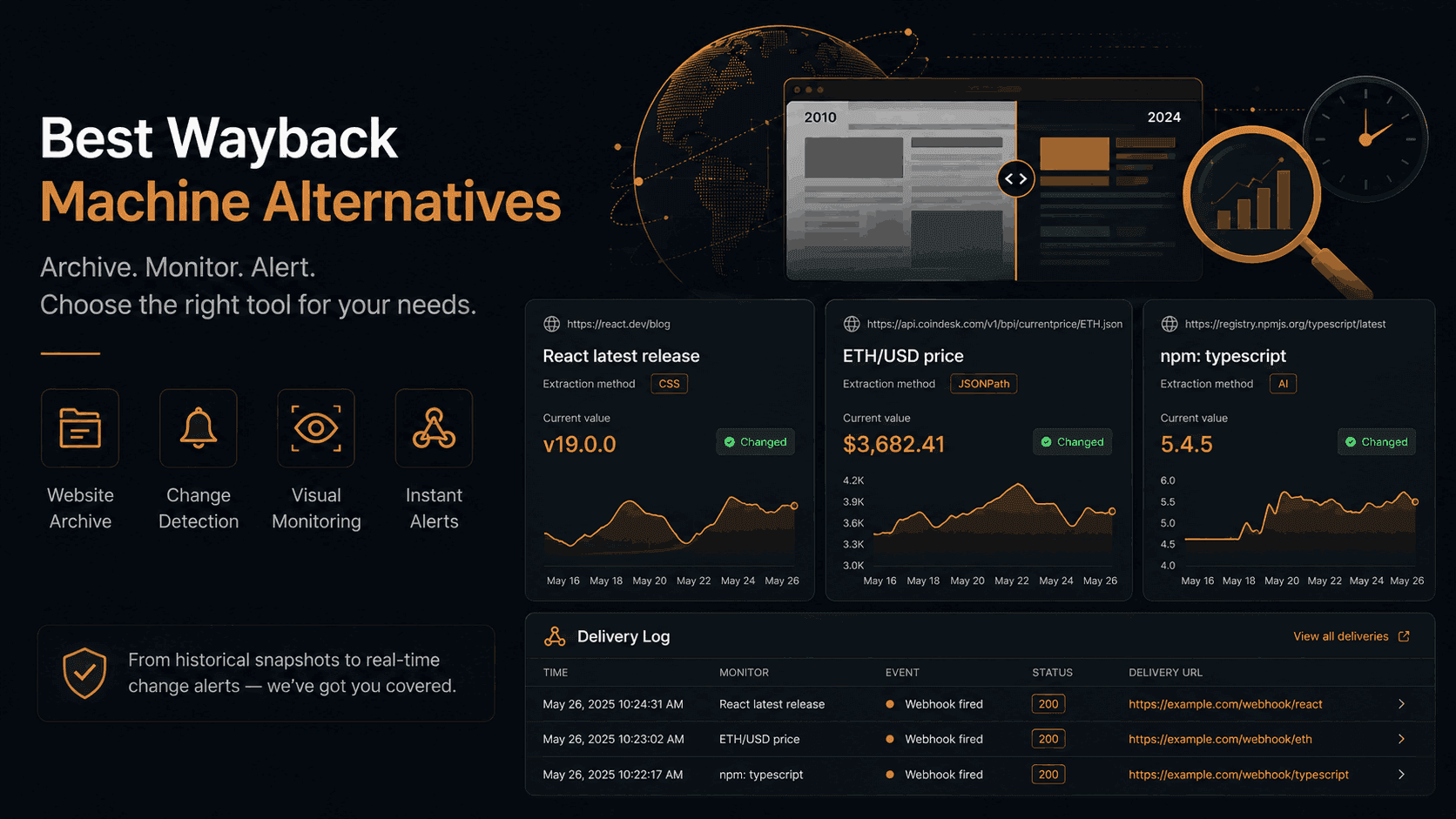
Best Wayback Machine Alternatives in 2026
The Wayback Machine has been running since 1996, and for browsing what a website looked like years ago it still has no real rival. But most people who go looking for Wayback Machine alternatives are not trying to read 2009 web pages. They have a live page they care about, and they want one of three things from it: a snapshot they control, a way to see what changed between two versions, or an alert the moment it happens.
The Wayback Machine does none of those on request. It crawls when it crawls, it skips plenty of pages, and it never tells you anything changed. It was built as an archive, and it is a very good one. It was never built as a monitor.
This guide splits the alternatives by the job you actually need done, and explains why, for the "watch this page and show me when it looks different" job, a visual monitor is now the closest thing to a Wayback Machine you can point at your own list of URLs.
Archive or monitor? Decide this first
Every tool on this list does one of two things well, and almost none do both.
An archive stores a copy of a page so you can look at it later. Archive.today, Perma.cc, PageFreezer and the Wayback Machine itself sit here. Good archives are permanent, citable and tamper-resistant. Bad archives have holes. None of them wake you up when something changes.
A monitor re-captures a page on a schedule you set, compares each capture against the last one, and notifies you when the difference is big enough. Verid, Visualping, Distill.io, Stillio, ChangeTower and ChangeDetection.io sit here. A monitor's history is shorter and rolls forward, but it is your history, on your interval, and it comes with an alert.
If you need to prove what a page said on a date in the past, pick an archive. If you need to know when a page you are watching changes, and to see the before and after, pick a monitor. If you need both, run one of each. They cost almost nothing on free tiers and trials.
What Is the Wayback Machine?
The Wayback Machine is a digital archive operated by the Internet Archive. It crawls billions of web pages and stores periodic snapshots, so you can view what a website looked like at a particular point in time. It holds over 800 billion pages going back decades.
Its limitations are well documented and worth naming precisely, because they define what an alternative has to fix:
- No control over when a page is captured. You can trigger a "Save Page Now", but there is no schedule. Coverage of small or dynamic sites is patchy.
- No comparison. You can open two snapshots in two tabs. Nothing highlights what moved.
- No alerts. It will never tell you a page changed.
- No structured data. It stores rendered pages, not the values inside them.
- No compliance guarantees. Snapshots can be excluded at a site owner's request, and there is no chain of custody.
Why People Look for Wayback Machine Alternatives
Website history research. The Wayback Machine misses plenty of pages, especially JavaScript-heavy sites, login-gated content and smaller domains. Other archiving tools fill those gaps.
Seeing how a page changed. This is the biggest group. A competitor redesigned their pricing page, a vendor quietly edited their terms, a listing you were watching moved. You want the before, the after, and the difference highlighted, not two raw snapshots to eyeball.
Getting told when it happens. The Wayback Machine is passive. Anyone who acts on change data needs a push, whether that is an email, a Slack message or a webhook into their own system.
Compliance and legal. Regulated industries need verifiable, timestamped records with an audit trail. Public archives do not meet that bar.
Quick Comparison Table
| Tool | Best for | Historical archive | Scheduled captures | Snapshot history | Visual diff | Alerts | API | Free plan |
|---|---|---|---|---|---|---|---|---|
| Verid (visual monitor) | Watching pages you choose and seeing what changed | No | Yes, your interval | Rolling (last 10 captures per monitor) | Yes, pixel overlay + slider | Yes | Yes | 14-day free trial, no card |
| Archive.today | Permanent on-demand snapshots | Yes | No | Yes, permanent | No | No | No | Yes |
| Wayback Machine | Browsing old versions of any site | Yes | No | Yes, permanent | No | No | Limited | Yes |
| Stillio | Screenshot timelines for marketing | Yes | Yes | Yes | Visual only | Yes | Yes | No |
| Visualping | Non-technical page watching | No | Yes | Limited | Yes | Yes | Limited | Yes |
| Distill.io | Flexible text/element monitoring | No | Yes | Limited | Yes | Yes | No | Yes |
| ChangeTower | Visual + compliance | Yes | Yes | Yes, long | Yes | Yes | No | Yes |
| ChangeDetection.io | Self-hosted text diffs | No | Yes | Yes (your server) | No | Yes | Yes | Yes |
| PageFreezer | Enterprise compliance archive | Yes | Yes | Yes, legal-grade | No | Yes | Yes | No |
| Perma.cc | Academic citation | Yes | No | Yes, permanent | No | No | Yes | Yes |
10 Best Wayback Machine Alternatives
1. Verid (Visual Monitor)
Verid is the tool on this list that most directly turns the Wayback Machine's weakness into a feature. Instead of hoping a crawler visited the page you care about, you tell Verid which page, which part of it, and how often. Every check renders the page in a real Chrome browser, takes a screenshot, and compares it pixel by pixel against the previous capture. You get a rolling snapshot history, a before/after viewer with a red overlay of exactly what moved, and an alert when the change crosses a threshold you set.
Think of it as a Wayback Machine for the ten or fifty URLs that actually matter to you, running forward on your schedule instead of backward on someone else's.
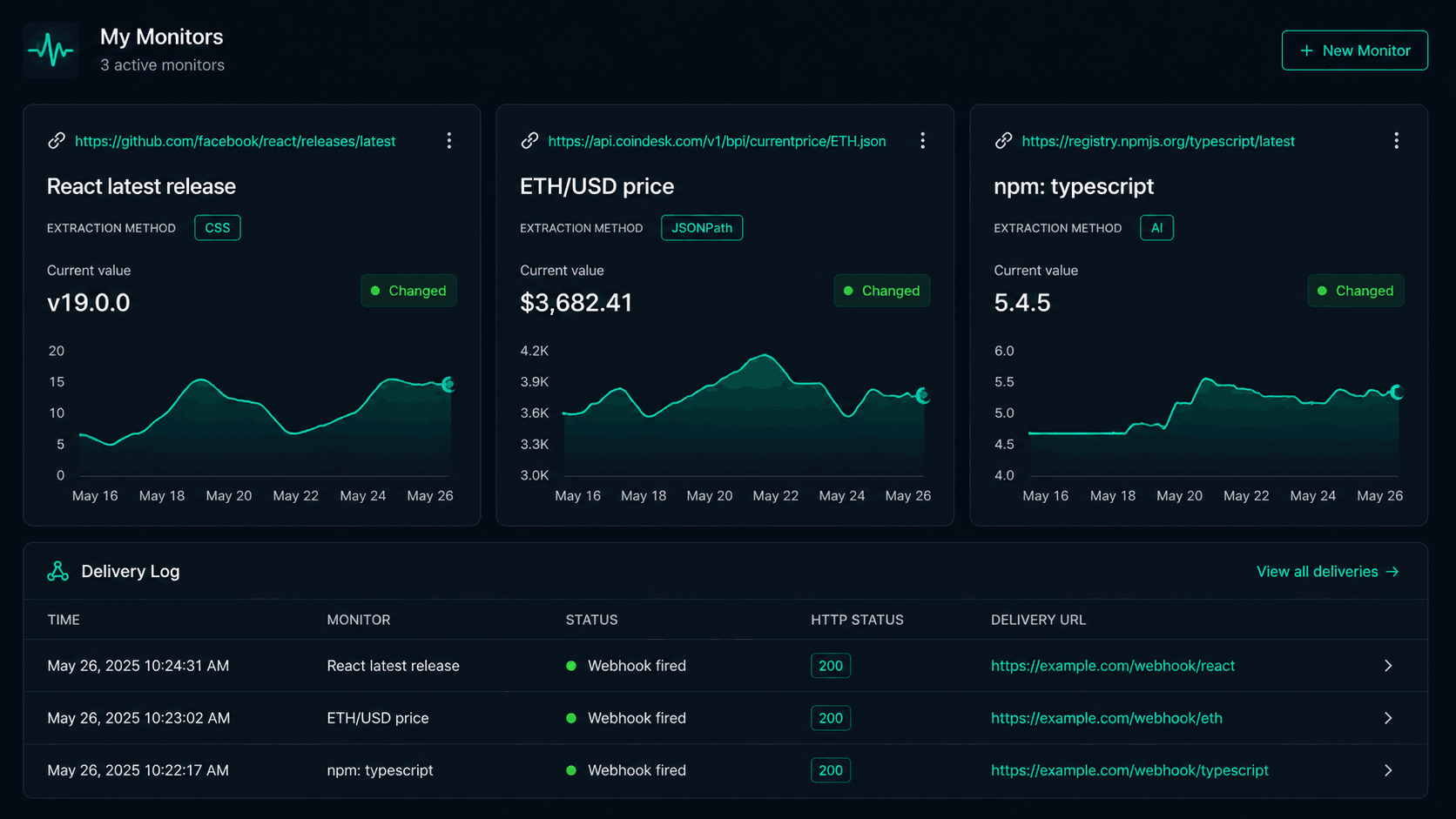
How it works, in order:
- Capture. Every check loads the page in Chrome at 1280x720 by default (overridable up to 3840x2160), full scroll height or the fold only.
- Mask. Elements you listed as ignore selectors (cookie banners, carousels, ad slots, clocks) are hidden inside the page before the shutter fires, so they contribute zero pixels rather than noise you have to tolerate.
- Compare. The new capture is diffed against the last one at a 0.1 colour tolerance with anti-aliased edges excluded. If the page grew or shrank, the two captures are padded from the top-left rather than stretched, so new content shows up as changed pixels where it actually landed.
- Decide. The changed-pixel percentage is checked against your threshold. Above it, an alert goes out with the change percentage, the current capture and the red overlay. Below it, the run is still recorded with its percentage, so you can scroll back and see a page drifting without having been paged for it.
Key features:
- Region scoping. Watch the whole page or up to 20 regions per monitor. A region is either a CSS selector, re-resolved on every run so it follows the element when the layout shifts, or a rectangle you drag on a rendered preview of the page, pinned in full-page pixels.
- Up to 20 ignore selectors, masked before capture.
- Sensitivity you own as a number. Threshold is any value from 0 to 100 percent of the watched area. The dashboard opens on 5% with High / Medium / Low presets at 1% / 5% / 10%; the API default is 1%.
- Three ways to see the change. Drag a slider curtain between before and after, view them side by side, or flip to the red overlay alone.
- Snapshot history. The newest 10 captures per monitor keep their PNGs and overlays. The run records, with each check's change percentage, stay for your plan's retention window: 14 days during the free trial up to 2 years on Scale.
- Alerts with the picture attached. Webhook payloads carry a
visualblock withchange_pct,screenshot_urlanddiff_image_url(signed links, valid 7 days). Email embeds the overlay. Slack and Discord get the monitor name, URL and a link to the run. - Handles JavaScript pages by default. A visual check always uses real Chrome, so client-rendered pages need no extra setup.
- Free trial: 14 days, no credit card, with unlimited monitors, visual monitors included, 200 runs plus 100 visual runs for the whole trial and 200 MB of screenshot storage. Paid plans start at $9/month for 1,000 runs.
Check frequency and plans: as often as every minute on every plan, including the free trial. Plans differ by runs per month instead: 1,000 on Lite, 5,000 on Starter, 15,000 on Pro and 100,000 on Scale, after a 14-day trial with 200 runs plus 100 visual runs. Each check uses one run, and visual monitors are unlimited on every plan.
The second engine, if you need it. Verid also runs structured monitors on the same platform: CSS, XPath, JSONPath, regex, full-page hash or an LLM prompt extract named fields, and a rule like "price drops by more than 5%" decides whether a signed webhook fires. You can run a visual monitor and a structured monitor on the same URL and get one alert when the layout moves and another when the number does. For the Wayback-style "show me how it looked" job, you only need the visual one.
If you would rather create it from code, the same monitor is one POST with a visual_config block:
curl -X POST https://api.verid.dev/v1/monitors \
  -H "Authorization: Bearer vrd_your_api_key" \
  -H "Content-Type: application/json" \
  -d '{
    "name": "Competitor pricing page",
    "url": "https://competitor.com/pricing",
    "schedule_interval_seconds": 86400,
    "extract_config": { "method": "full_page" },
    "visual_config": {
      "enabled": true,
      "thresholdPct": 5,
      "fullPage": true,
      "regions": [{ "selector": "#pricing-table", "label": "Pricing table" }],
      "ignoreSelectors": [".cookie-banner", ".testimonial-carousel"]
    }
  }'
The dashboard's region picker writes exactly this object for you, so nothing about visual monitoring is API-only.
Pros: You choose the page, the region and the interval, which is the whole thing the Wayback Machine cannot offer. Every alert ships with proof: the change percentage, the capture and the overlay. Noise controls (masking, scoping, threshold) are the strongest in this group. Works on any public URL including pages you do not own. API access on every plan and during the free trial.
Cons: Not a historical archive. If you need to see a page as it was in 2018, Verid has nothing for you; its history starts the day you create the monitor and only the newest 10 captures keep their images. Captures come from a single Chromium viewport per monitor, so watching mobile and desktop means two monitors. Slack and Discord alerts do not embed the overlay; route to webhook or email when the picture has to be inside the message. Dashboard is aimed at people comfortable with a settings form; there is no browser extension.
Best use case: Anyone who wants their own snapshot timeline of specific live pages, with the differences highlighted and an alert when a change is big enough to matter. Competitor pricing and landing pages, vendor terms and policy pages, listings, campaign URLs, and your own pages after a deploy.
Full detail on the engine is on the visual monitoring feature page, and every knob is documented on the visual monitoring product page.
2. Archive.today
Archive.today (formerly archive.is) lets you save a snapshot of any public URL on demand and get a permanent, unalterable link to it. Site owners cannot request removal, which is why it is trusted by journalists, researchers and anyone who needs a record that will not disappear.
Key features:
- Instant on-demand archiving
- Permanent, tamper-resistant URLs
- Full-page screenshot included with each save
- No account required
Pros: Free, fast, trusted in journalism and legal work. Archives cannot be deleted by site owners.
Cons: Manual only. No scheduling, no alerting, no comparison between saves. If you want a snapshot every day, you have to remember to make one.
Best use case: Preserving a specific page at a specific moment, especially for citation or evidence.
3. Stillio
Stillio automates screenshot archiving. Give it a URL and an interval (hourly, daily, weekly or monthly) and it captures a screenshot every time, building a visual timeline of the page.
Key features:
- Scheduled automated screenshots
- Visual timeline view
- Slack notifications
- PDF export for record-keeping
Pros: Very easy to set up. Good for marketing and brand teams who want a visual record without technical setup.
Cons: Screenshots only, with no pixel comparison or change threshold, so you review the timeline yourself to spot what moved. No free plan; paid plans start around $29/month.
Best use case: Marketing teams who want a screenshot-per-day record of their own pages or a competitor's.
4. Visualping
Visualping is one of the most widely used website change detection tools. Paste a URL, select an area, set a frequency, and it emails you when that area changes.
Key features:
- Visual and text comparison modes
- Element-level monitoring
- Email alerts with AI change summaries
- Browser extension
Pros: Very beginner-friendly. Works well for a small number of pages and obvious content changes.
Cons: Alert noise is a known issue, since it can fire on ad rotations and cookie banners. API and webhook access is gated to higher plans. History depth is limited on lower tiers.
Best use case: Non-technical users watching a handful of pages. If you want the same idea with tighter noise controls and more history, see our Visualping alternative comparison.
5. Distill.io
Distill.io offers both local (browser-based) and cloud monitoring. It supports CSS selectors, XPath and JavaScript extraction, and lets you set fairly granular conditions for when alerts fire.
Key features:
- Local browser mode plus cloud monitoring
- CSS selector and XPath targeting
- Mobile app for alerts
- Supports login-gated pages via browser automation
Pros: Flexible. Local mode is useful for pages behind a login. Generous free tier (25 local monitors, five in the cloud).
Cons: Local mode stops when your browser closes. Cloud plans start around $15/month for meaningful frequency. No native webhook delivery on lower tiers.
Best use case: Analysts who want more control over what they are monitoring, including private pages.
6. ChangeTower
ChangeTower positions itself around visual monitoring and compliance. It supports screenshot diffing, HTML tracking and keyword monitoring, and its archive retention is unusually long, up to 12 years on enterprise plans.
Key features:
- Visual screenshot monitoring
- HTML, keyword and source code tracking
- Long-term archive storage
- Multi-condition alerting
Pros: Strong visual tracking and a genuinely long history window. Good for compliance and legal use cases.
Cons: Not built for structured data extraction. No API-driven monitoring. Alerts can be noisy without careful setup.
Best use case: Compliance teams and competitive intelligence professionals who need long-term visual change history.
7. ChangeDetection.io
ChangeDetection.io is open source, so you can self-host it and keep full control of your data. It has a browser-rendered mode for JavaScript-heavy pages and supports webhooks, email, Slack and other notifications.
Key features:
- Open source and self-hostable
- Text and HTML diff detection
- JSON and API monitoring
- Webhook delivery
Pros: No vendor lock-in. Free to run on your own server. Active community. Monitors JSON APIs directly.
Cons: Requires technical setup to self-host. Hosted version has a limited free tier. Text-diff first; no pixel-level visual comparison.
Best use case: Developers who want full control of their monitoring stack and are happy to run it themselves.
8. PageFreezer
PageFreezer is aimed squarely at enterprise compliance. It archives websites and social media with legally admissible audit trails.
Key features:
- Court-admissible website and social media archives
- Automated compliance workflows
- Advanced search and export
- Change detection with timestamped evidence
Pros: Built specifically for legal and regulatory requirements. Websites and social media in one platform.
Cons: Enterprise pricing. Overkill for anyone without compliance obligations.
Best use case: Legal teams, financial services firms and regulated organisations that need defensible records.
9. Perma.cc
Perma.cc was developed by Harvard Law School Library for academics and lawyers. It creates citable, permanent links that stay accessible even if the original page disappears.
Key features:
- Permanent citation-ready URLs
- Institutional account management
- Free storage via partner institutions
- API access
Pros: Purpose-built for citation integrity. Trusted by courts and publications.
Cons: Not a monitoring tool. No change detection. Manual archiving only.
Best use case: Researchers, law review editors and attorneys who need stable URLs for citations.
10. HTTrack Website Copier
HTTrack is a free, open-source desktop tool that downloads an entire website to your local drive as a browsable offline copy. It has been around since 1998.
Key features:
- Complete local website mirror
- Scheduled updates via command line
- Windows, Linux, macOS
Pros: Free, no cloud dependency, can mirror entire site structures.
Cons: No alerting, no diffing, no monitoring in the modern sense. Many modern sites block it.
Best use case: Researchers who need a local offline copy of a whole website.
Wayback Machine vs Verid Visual Monitor
The two tools are opposites in a useful way, so here is the direct comparison most readers of this page are actually making.
| Wayback Machine | Verid visual monitor | |
|---|---|---|
| Who decides when a page is captured | The Internet Archive's crawler | You, per monitor, as often as every minute on any plan |
| Which part of the page | Whole page | Whole page or up to 20 regions you select |
| Comparison between versions | None, open two snapshots yourself | Pixel diff with red overlay, slider and side-by-side |
| Alert when something changes | No | Yes: webhook, email, Slack, Discord |
| Noise control | None | Ignore selectors, region scoping, 0-100% threshold |
| JavaScript-rendered pages | Often incomplete | Always rendered in real Chrome |
| How far back | Decades, when the crawler happened to visit | From the day you create the monitor; newest 10 captures keep images |
| Permanence | Public and long-lived, but removable at owner request | Private to your account, rolls forward |
| Cost | Free | 14-day free trial (100 visual runs), then paid from Lite at $9/month |
Use the Wayback Machine to look backward. Use a visual monitor to look forward. The one thing neither of them replaces is a legal-grade archive, which is PageFreezer's territory.
Set Up Your Own Snapshot Timeline in 5 Minutes
You do not need to write code. This is the dashboard flow, and it works during Verid's 14-day free trial.
- Start a free trial at verid.dev and open Visual in the sidebar, then New visual monitor.
- Paste the URL. Verid renders the page in Chrome and shows you a full-page preview. The monitor is named after the site automatically; rename it if you like.
- Choose what to watch. Leave it as the whole page, or drag a box over the part you care about (the pricing table, the hero, a listing block). Add ignore selectors for anything that always churns, such as a cookie banner or a rotating testimonial.
- Pick a sensitivity. High (1%) for a region you scoped on a page you own, Medium (5%) for a busy homepage, Low (10%) for a page you do not control. You can also type any percentage.
- Set the frequency and save. Any plan can check as often as every minute; a daily check uses 14 of the free trial's 100 visual runs over its 14 days. The first check records a baseline; from the second check on, every run stores a capture and a change percentage, and anything over your threshold sends an alert with the before, after and overlay.
From then on, the monitor's Visual tab is your snapshot timeline for that page: scrub through captures, drag the slider between any two, and flip to the overlay to see exactly which pixels moved.
If you want to try the engine before signing up, the playground runs a live visual diff demo with no account.
Which Should You Pick?
The most important question is still whether you need archiving or monitoring.
If you need historical records, use Archive.today for on-demand snapshots, the Wayback Machine for browsing old versions of any site, or Perma.cc for citeable academic archives. For compliance, PageFreezer is the professional standard.
If you want to see how a page you care about changes from now on, with the difference highlighted and an alert when it matters, a visual monitor is the right shape of tool. Verid gives you region scoping, masking, a numeric threshold and a rolling capture history, with a 14-day free trial. Stillio gives you a screenshot-per-interval timeline without the comparison. ChangeTower gives you the longest history if you are willing to tune its alerts.
If you need text and HTML change detection without heavy setup, Visualping and Distill.io both offer free tiers and cover most common use cases. Distill has more flexibility; Visualping is simpler to start.
If you want full data ownership, ChangeDetection.io self-hosted is hard to beat.
And if you need exact values, not pictures, such as a price, a stock count or a version number, with a rule deciding when you hear about it, Verid's structured monitors cover that on the same account. Our guide on how to monitor website changes walks through when each engine is the right one.
FAQ
What is a Wayback Machine alternative?
A Wayback Machine alternative is any tool that captures, archives or monitors web pages in place of, or alongside, the Internet Archive's Wayback Machine. They fall into two groups: archives such as Archive.today and Perma.cc that store permanent snapshots on demand, and monitors such as Verid, Visualping and Distill.io that re-capture a page on a schedule and alert you when it changes.
Does the Wayback Machine notify you when a website changes?
No. The Wayback Machine is a passive archive. It stores snapshots when its crawler visits a page, but it never compares them and never sends notifications. To be told when a page changes you need a monitoring tool. Verid's visual monitor, for example, re-captures the page on your interval and sends an alert with a before/after overlay when more than your chosen percentage of the watched area changes.
Can I make my own Wayback Machine for specific pages?
Yes, in the forward-looking sense. A visual monitor screenshots a page you choose on a schedule you choose and keeps a rolling history of those captures. On Verid the newest 10 captures per monitor keep their images and every run's change percentage stays for your plan's retention window. It cannot recover how a page looked before you started watching it; for that, the Wayback Machine and Archive.today remain the only options.
Is there a free Wayback Machine alternative with alerts?
Yes, with a time limit in Verid's case. Verid's 14-day free trial includes unlimited monitors, visual monitors included, with 200 runs plus 100 visual runs for the whole trial and no credit card; paid plans start at $9/month. Visualping and Distill.io have free tiers with email alerts. ChangeDetection.io is free if you self-host it. Archive.today and Perma.cc are free but do not alert.
Which alternative is best for visual change tracking?
For seeing exactly what moved on a page, Verid's visual monitor is the most precise on this list: it scopes the comparison to up to 20 regions, masks noisy elements before capture, and shows the change as a red-highlight overlay with a slider between before and after. Stillio builds a screenshot timeline without a pixel comparison. ChangeTower offers visual diffs with the longest retention.
Which alternative is best for website monitoring in general?
For non-technical users, Visualping is the easiest start. For anyone who wants low-noise visual alerts with a capture history, Verid. For self-hosted control, ChangeDetection.io. For screenshot timelines aimed at marketing teams, Stillio.
Wayback Machine vs Visualping vs Verid: what is the difference?
The Wayback Machine archives pages when its crawler visits and offers no comparison or alerts. Visualping monitors a page area you select and emails you when it changes, with limited noise controls and API access on higher plans. Verid monitors a page or up to 20 regions, masks elements you name, fires only when a numeric threshold is crossed, and delivers the before/after overlay by webhook or email, with API access on every plan and during the free trial.
How far back can a visual monitor show me a page?
Only as far back as the monitor has existed. Verid keeps images for the newest 10 captures per monitor and the change record for every run within your plan's retention window (14 days during the free trial, up to 2 years on Scale). For anything before the monitor was created, use an archive.
About the author

Software Engineer & Technical Writer
Software engineer and technical writer. Hanzala bridges Verid’s codebase and its documentation, writing the guides, reference pages and honest comparisons that get a developer from an idea to a working monitor.
More from HANZALA SALEEM →Related posts
Free Website Change Monitors Compared (No Card Required)
Compare free website change monitors that need no credit card. Real limits, check frequency, and which tool actually fits your use case.
Read the post →visual monitoringVisual Regression Testing vs Visual Monitoring: Which Do You Need?
Visual regression testing catches bugs before release. Visual monitoring catches changes after deployment. Learn the difference and which one you need.
Read the post →comparisonApify Alternative for Scheduled Website Monitoring
Compare Apify Actors to a dedicated change monitoring API. See when building an Actor makes sense, and when webhooks on a rule get you there faster.
Read the post →AiHow to Feed AI Agents Fresh Web Data Without Re-Scraping Everything
How AI agents and RAG systems stay fresh without re-scraping entire sites: change detection, webhooks, and incremental updates explained.
Read the post →