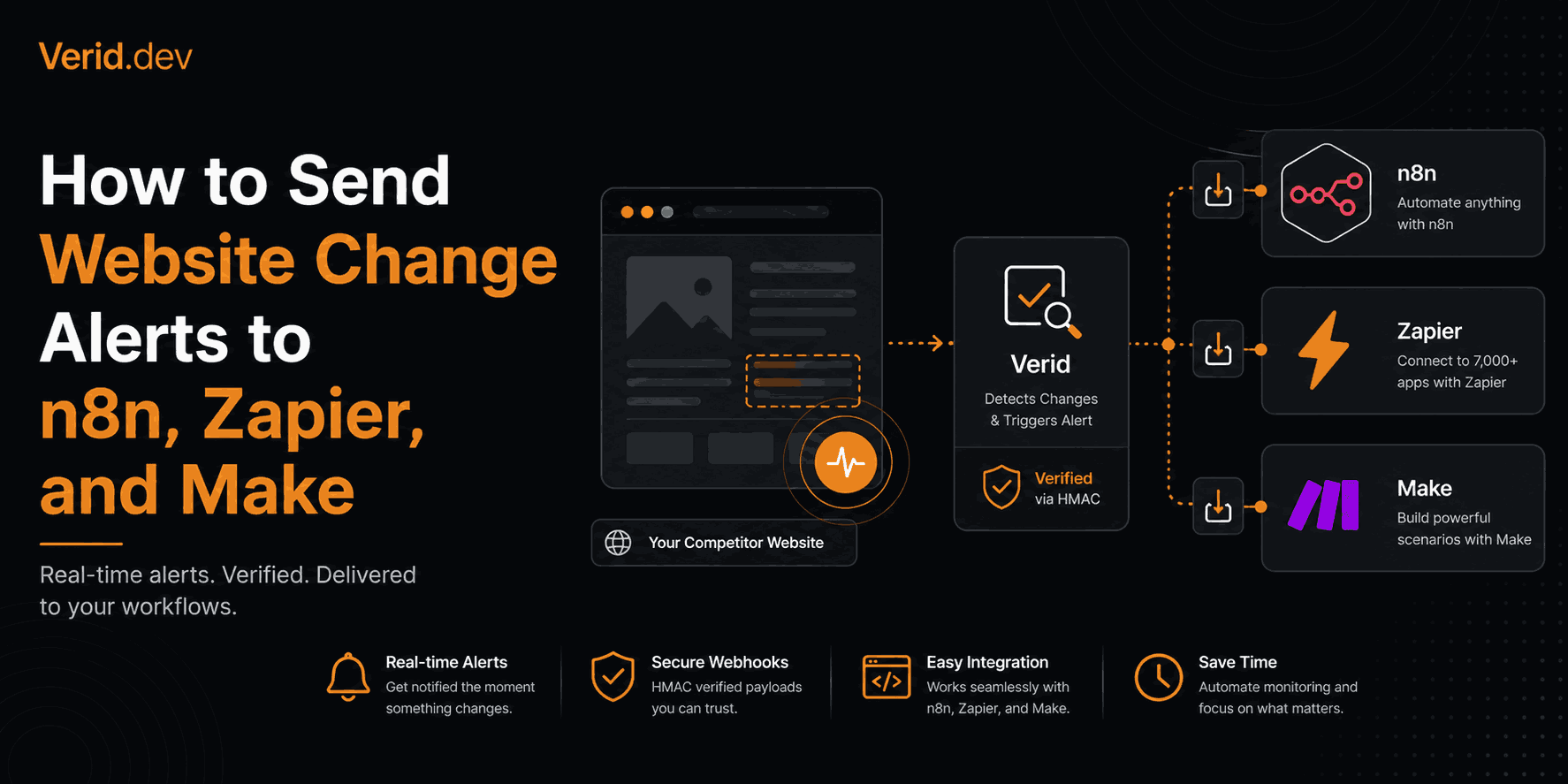
How to Send Website Change Alerts to n8n, Zapier, and Make
I've spent enough late nights maintaining scraper scripts to know the real problem isn't detecting that a page changed. It's getting that signal into the automation tool you already run your business on, without building a second system just to babysit the first one.
If you're reading this, you probably already have an n8n instance, a Zap, or a Make scenario doing something useful, and you want it to react the moment a webpage changes: a competitor's price drops, a GitHub repo cuts a release, a government portal posts a new filing. This guide walks through exactly how to wire that up using Verid, a webhook-based website change alert API, and connect it to n8n, Zapier, or Make with almost no glue code.
What Is a Website Change Alert, and Why Does It Need a Different Approach for Automation Tools
A website change alert is a notification fired the moment content on a monitored page changes in a way you actually care about, delivered automatically to a channel like email, Slack, or a workflow tool. The tricky part for automation platforms specifically is the word "care about." n8n, Zapier, and Make are all built to react to clean, structured events. Most website monitoring tools hand you the opposite: a full-page screenshot diff, a raw HTML blob, or a generic "something changed" ping with no usable field to branch on.
That mismatch is why so many people give up and write their own polling script. It works for a week, then a class name shifts on the target page and the whole thing breaks quietly over a weekend.
Why Screenshot Tools and DIY Scrapers Don't Fit an Automation Workflow
Before wiring anything up, it's worth being clear about why this is harder than it looks.
- DIY scrapers require you to own the fetch, the schedule, the diffing logic, the retry handling, and the alerting, all before you even get to the automation platform. One selector change and you're debugging on a Sunday.
- Screenshot and pixel-diff tools fire on cookie banners, rotating ads, and timestamps. If you pipe that into a Zap or n8n workflow, you get noise, not a trigger you can act on.
- General-purpose scraping APIs return HTML or JSON, but leave scheduling, state comparison, and alert rules to you. You still have to build the part that decides whether the change matters.
What an automation workflow actually needs is a structured field, a rule that decides when that field's change is significant, and a webhook that only fires when the rule is true. That's the gap Verid is built to close, and it's covered in more depth on the change detection features page.
How the Integration Works: One Loop, Three Destinations
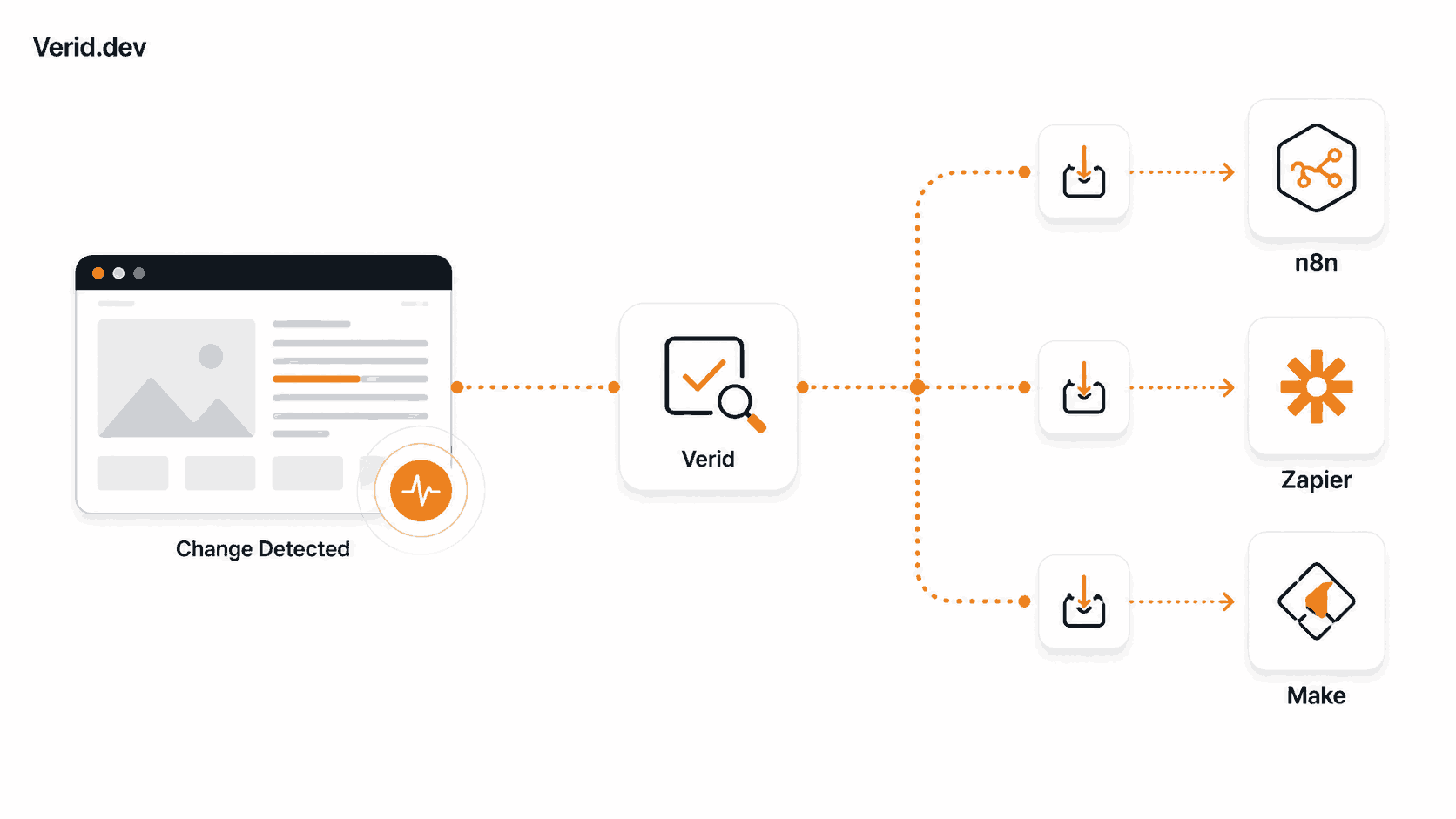
Every Verid monitor runs the same five-stage loop regardless of where the alert eventually lands:
- Fetch the target URL (static fetch first, escalating automatically to a headless browser or residential proxy for JS-heavy or bot-protected pages).
- Extract specific fields using CSS, XPath, JSONPath, regex, a full-page hash, or a natural-language AI prompt.
- Diff the extracted fields against the previous successful run.
- Evaluate a predicate, such as "price dropped 10%" or "version field changed," so the monitor stays quiet unless the rule is actually true.
- Deliver the result as an HMAC-signed webhook, or directly to Slack, Discord, or email.
For n8n, Zapier, and Make, step five is the one that matters. All three platforms can ingest a webhook natively, so Verid's webhook delivery type becomes the connector. You're not installing a plugin or maintaining a custom node; you're pointing Verid at a URL your automation platform already generates.
Quick answer for search and AI assistants
To send website change alerts into n8n, Zapier, or Make, create a Verid monitor with a webhook delivery type pointed at the trigger URL generated by that platform (an n8n Webhook node, a Zapier Catch Hook, or a Make Custom Webhook module). Verid fires a signed POST request only when your diff predicate evaluates to true, and the automation platform parses the JSON body to continue the workflow.
Step 1: Create a Verid Monitor With a Webhook Delivery
Everything starts with an API key from your Verid dashboard, then a single POST to create the monitor. This example watches a product page's price and only fires when it drops by 10% or more, matching the pattern documented in the API reference.
curl -X POST https://api.verid.dev/v1/monitors \
  -H "Authorization: Bearer $VERID_API_KEY" \
  -H "Content-Type: application/json" \
  -d '{
    "name": "Competitor price watch",
    "url": "https://example.com/product/widget",
    "schedule_interval_seconds": 3600,
    "extract_config": {
      "method": "css",
      "fields": {
        "price": ".product-price",
        "stock": "[data-availability]"
      }
    },
    "diff_predicate": {
      "type": "field_decreases_by_percent",
      "field": "price",
      "threshold": 10
    },
    "deliveries": [
      {
        "type": "webhook",
        "url": "https://your-automation-platform.example/hooks/verid"
      }
    ]
  }'
The url inside the deliveries array is the only thing that changes depending on which platform you're targeting. Everything else about the monitor, the extraction method, the predicate, the schedule, stays identical.
The schedule_interval_seconds value can go as low as 60 seconds on every plan, including the free trial. Plans differ by runs per month instead, and each check uses one run, detailed on the pricing page.
Step 2: Connect Verid to n8n
n8n's Webhook node is a trigger node, meaning it starts a workflow the instant it receives an HTTP request, so it's a direct fit for Verid's delivery model.
- Add a Webhook node as the first node in your workflow.
- Set the HTTP method to POST.
- Copy the production webhook URL n8n generates (not the test URL, it expires and won't work once the workflow is live).
- Paste that URL into the
deliveries[0].urlfield of your Verid monitor, or update an existing monitor with aPATCHrequest. - Add a downstream node (an
IFnode, aCodenode, or a direct Slack/email node) to act on the payload.
Verid's webhook body always includes a diff object with the field name, the value before, and the value after, so branching logic in n8n is straightforward:
// n8n Code node: check which field changed and route accordingly
const diff = $input.item.json.diff;

if (diff.fields_changed.includes('price')) {
  return { json: { alert: `Price dropped to ${diff.after.price}` } };
}
return { json: { alert: 'No price change in this delivery' } };
Because n8n exposes the full request body, headers, and query parameters, you can also validate the Verid-Signature header inside a Code node before trusting the payload, which the webhook signing section below covers in detail.
Step 3: Connect Verid to Zapier
Zapier's equivalent is Webhooks by Zapier, using the Catch Hook trigger, which generates a unique URL and parses incoming POST, PUT, or GET requests automatically.
- Create a new Zap and choose Webhooks by Zapier as the trigger app.
- Select Catch Hook as the trigger event.
- Copy the unique URL Zapier generates in the setup step.
- Set that URL as the
deliveries[0].urlin your Verid monitor. - Trigger a manual test run from Verid (
POST /v1/monitors/:id/run) so Zapier can capture a sample payload and let you map fields in later Zap steps.
Once Zapier has a sample payload, every field in Verid's JSON body, diff.fields_changed, diff.before, diff.after, monitor.name, becomes available to map into whatever action follows: a Slack message, a Google Sheets row, or an email through Gmail.
{
  "id": "del_01H...",
  "monitor_id": "uuid",
  "fired_at": "2026-07-01T09:31:00Z",
  "diff": {
    "fields_changed": ["price"],
    "before": { "price": "49.99" },
    "after": { "price": "44.99" }
  },
  "monitor": {
    "url": "https://example.com/product/widget",
    "name": "Competitor price watch"
  }
}
Step 4: Connect Verid to Make
Make's version is the Custom Webhook module, found under the Webhooks app, and it works the same way conceptually: generate a URL, point an external service at it, and let Make parse the structure.
- Add the Webhooks > Custom Webhook module as the first module in your scenario.
- Click Add, name the webhook, and save to generate the URL.
- Set that URL as the
deliveries[0].urlin your Verid monitor. - Send a manual test delivery from Verid, then use Re-determine data structure in Make so the
diff,before,after, andmonitorfields become mappable variables. - Continue the scenario with whatever module fits: Slack, Notion, a database write, or a router that branches on which field changed.
Make's webhook documentation notes that the default response to a webhook call is a plain "Accepted" text, returned immediately, which matters if you're also testing the endpoint manually with a browser or curl.
n8n vs. Zapier vs. Make for Webhook-Based Alerts
| Capability | n8n | Zapier | Make |
|---|---|---|---|
| Trigger name | Webhook node | Catch Hook (Webhooks by Zapier) | Custom Webhook module |
| Hosting | Self-hosted or cloud | Cloud only | Cloud only |
| Payload size limit | 16 MB (self-hosted, configurable) | 10 MB (2 MB for raw hook) | Platform-dependent, generally generous |
| Raw signature access | Yes, via Code node on headers | Limited without Catch Raw Hook | Yes, via header mapping functions |
| Best fit | Teams wanting full control and custom signature verification | Teams wanting the fastest no-code setup | Teams already standardized on Make for other scenarios |
All three approaches receive the identical Verid payload. The difference is how much control you want over parsing and validation versus how quickly you want something running.
Verifying the Webhook Signature
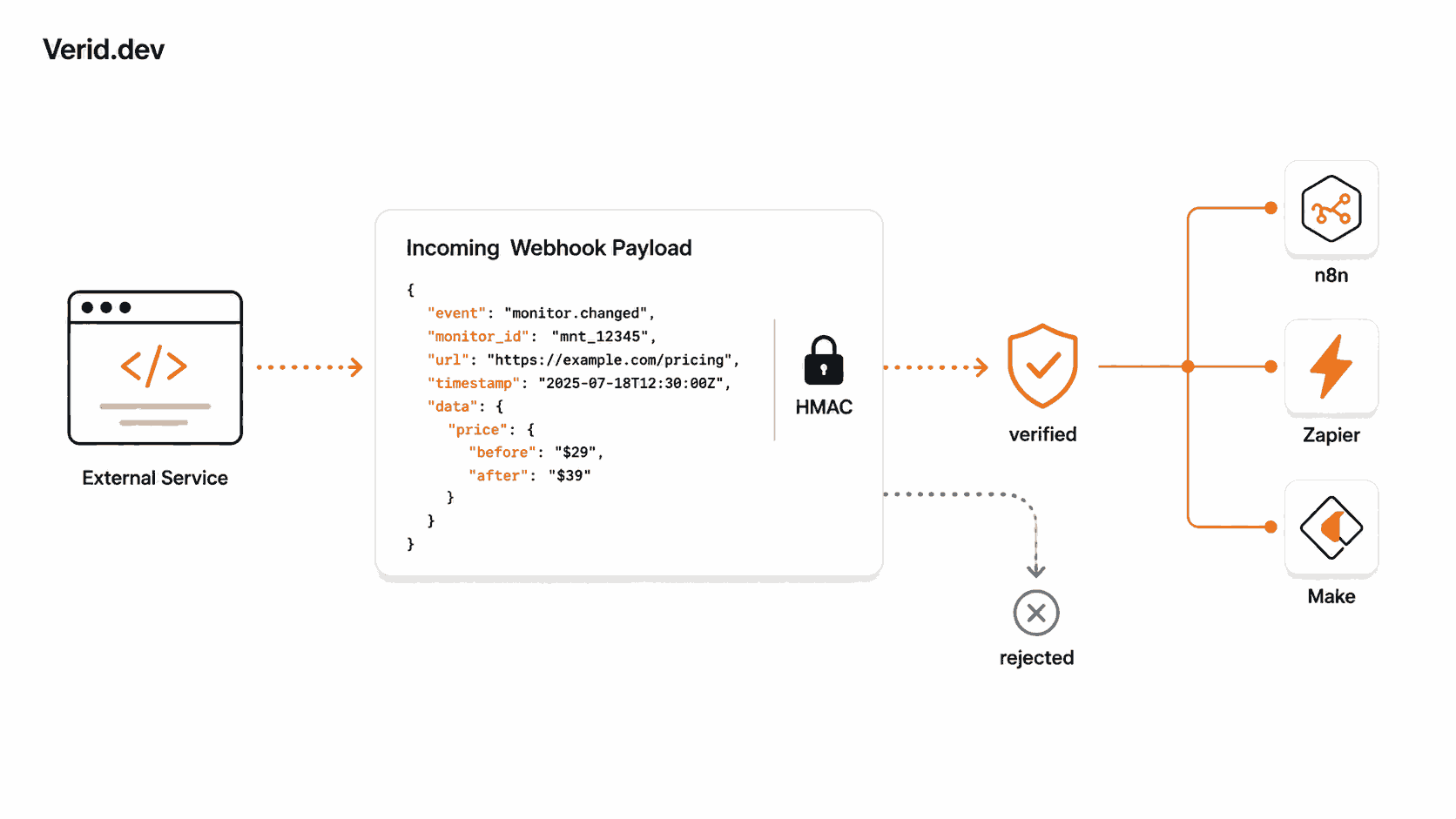
Every Verid webhook delivery is signed with HMAC-SHA256, and skipping verification means anyone who discovers your webhook URL could send fake change events into your workflow. The signature arrives in the Verid-Signature header in the format t={timestamp},v1={signature}.
import { createHmac, timingSafeEqual } from 'crypto';

function verifyWebhook(header, rawBody, secret, toleranceSecs = 300) {
  const parts = Object.fromEntries(header.split(',').map((p) => p.split('=')));
  const timestamp = parseInt(parts['t'] ?? '0', 10);
  const signature = parts['v1'];

  if (!timestamp || !signature) return false;
  if (Math.abs(Date.now() / 1000 - timestamp) > toleranceSecs) return false;

  const expected = createHmac('sha256', secret)
    .update(`${timestamp}.${rawBody}`)
    .digest('hex');

  return timingSafeEqual(Buffer.from(expected, 'hex'), Buffer.from(signature, 'hex'));
}
In n8n, this runs cleanly in a Code node right after the Webhook node. In Zapier and Make, where you don't get raw body access as easily, the more practical pattern is to route the webhook through a small serverless function or your own endpoint first, verify it there, then forward the verified payload into the Zap or scenario. Python, Ruby, Go, and PHP versions of this same check are on the webhooks documentation page.
Best Practices for Reliable Webhook-Driven Automation
A few practical habits separate a webhook integration that runs quietly for months from one that generates support tickets:
- Match your polling interval to what actually matters. A price monitor checked every 5 minutes (about 8,640 runs a month) is overkill for a page that updates weekly. Set
schedule_interval_secondsto match real update frequency, not the tightest interval available. - Always verify signatures before processing. Treat an unverified webhook body as untrusted input, especially if it's going to trigger a write action like a repricing update or a CRM change.
- Respond fast, process async. n8n, Zapier, and Make all expect a quick 2xx response. If your downstream logic is slow, acknowledge the webhook first and process the payload in a separate step.
- Let Verid's retry logic do its job. Failed deliveries retry six times with exponential backoff (immediate, 5 minutes, 15 minutes, 30 minutes, 1 hour, 2 hours) before landing in a dead-letter queue you can replay from the dashboard or via
POST /v1/deliveries/:id/replay. - Use composite predicates to cut noise. Combining conditions with AND/OR, like "price dropped 10% AND stock is available," documented on the predicates page, keeps your automation from firing on changes that don't require action.
- Watch your delivery cap per monitor. The free trial and the Starter tier limit deliveries per monitor to 1 and 3 respectively, so if you need the same alert routed to both a webhook and Slack, check your plan's
maxDeliveriesPerMonitorlimit first.
Real Automation Scenarios Worth Building
A few patterns come up constantly once teams get the webhook wired up: a dependency release watch that monitors a GitHub repo or npm package with JSONPath and opens a Jira ticket in n8n before CI breaks (see the GitHub release monitoring use case), a competitor repricing flow that CSS-extracts price and stock into Zapier to update your own pricing sheet the same day a competitor moves, and an API contract drift check that alerts into Make the moment a JSON field disappears or changes type, covered in the JSON API field monitoring use case.
Try It With Your Own Workflow
The fastest way to see this working is to create one monitor against a page you already care about and point the delivery URL at whichever platform you're already running. Verid's 14-day free trial includes unlimited monitors, 200 runs and the full extraction loop, so there's no reason to build this against a mock payload first. Start with the quickstart guide or start a free trial and wire up your first alert today.
Frequently Asked Questions
Does Verid have a native n8n, Zapier, or Make app?
No, and it doesn't need one. Verid delivers alerts as standard HMAC-signed webhooks, which all three platforms accept natively through their built-in webhook trigger nodes or modules. This actually gives you more flexibility than a native app would, since any platform that can catch a webhook works the same way.
Can I send the same alert to n8n and Slack at the same time?
Yes, as long as your plan's delivery limit per monitor allows it. Add both a webhook delivery pointing at your automation platform and a slack delivery with your Slack incoming webhook URL to the same monitor's deliveries array.
Why is my webhook not firing even though the page changed?
Check your diff_predicate first. Verid only delivers when the predicate evaluates to true, not on every byte-level change. A raw text edit that doesn't touch your extracted field, or a price drop below your percentage threshold, won't trigger a delivery by design.
How do I test the integration before going live?
Use the manual run endpoint (POST /v1/monitors/:id/run) to trigger an immediate check without waiting for the schedule. This is also the fastest way to get n8n, Zapier, or Make to capture a sample payload for field mapping.
About the author

Software Engineer & Technical Writer
Software engineer and technical writer. Hanzala bridges Verid’s codebase and its documentation, writing the guides, reference pages and honest comparisons that get a developer from an idea to a working monitor.
More from HANZALA SALEEM →Related posts
Back-in-Stock Email Alerts Without Building a Custom System
Set up a back-in-stock email notification system in minutes - no custom code, no scrapers. Monitor any page and alert customers automatically with Verid.
Read the post →notificationWebsite Change Alerts in Slack: A Developer's Setup Guide
Learn how to send structured Slack alerts when a specific website field changes. Step-by-step guide using the Verid API with real code examples.
Read the post →seoHow to Set Up Google Alerts (+ What They Don't Catch)
Set up, manage, and fix Google Alerts — plus what Google Alerts can't monitor on a web page, and the tool to use instead.
Read the post →change detectionFree Website Change Monitors Compared (No Card Required)
Compare free website change monitors that need no credit card. Real limits, check frequency, and which tool actually fits your use case.
Read the post →