Free Website Change Monitors Compared (No Card Required)
Typing "free website monitoring" into Google and landing on a signup form that demands a credit card is one of the most common frustrations in this category. Plenty of tools call themselves free, then quietly ask for card details before you can create your first monitor, or they hand you a time limited trial and label it "free."
This article compares the website change monitors that genuinely let you start without a card, what their free tiers actually include, and where each one falls short. It also covers when a text based check is enough and when you need a visual, screenshot based comparison instead. Verid.dev is one of the tools covered, and it is included with an honest note that it now offers a 14-day free trial with no card rather than a permanent free plan, not because this is a sales page for it.
What Counts as a Free Website Change Monitor?
A free website change monitor watches a page or a JSON endpoint on a schedule and tells you when something on it changes. That is the whole job. The differences between tools show up in three places: what they extract (raw screenshots, plain text, or a specific field like price), how they decide something is worth telling you about, and where the alert lands.
For this comparison, "free" means a plan that costs nothing indefinitely, not a seven day trial that expires. "No card required" means you can create an account and start a monitor without entering payment details at any point in that free tier. Those two conditions sound simple, but several well known tools in this space fail one or the other, which is exactly why the distinction matters before you commit to a workflow.
If you want the deeper mechanics of how change detection works under the hood, from fetching to diffing to delivery, that is covered in what web change detection actually is rather than repeated here.
How Do Free Website Change Monitors Work?
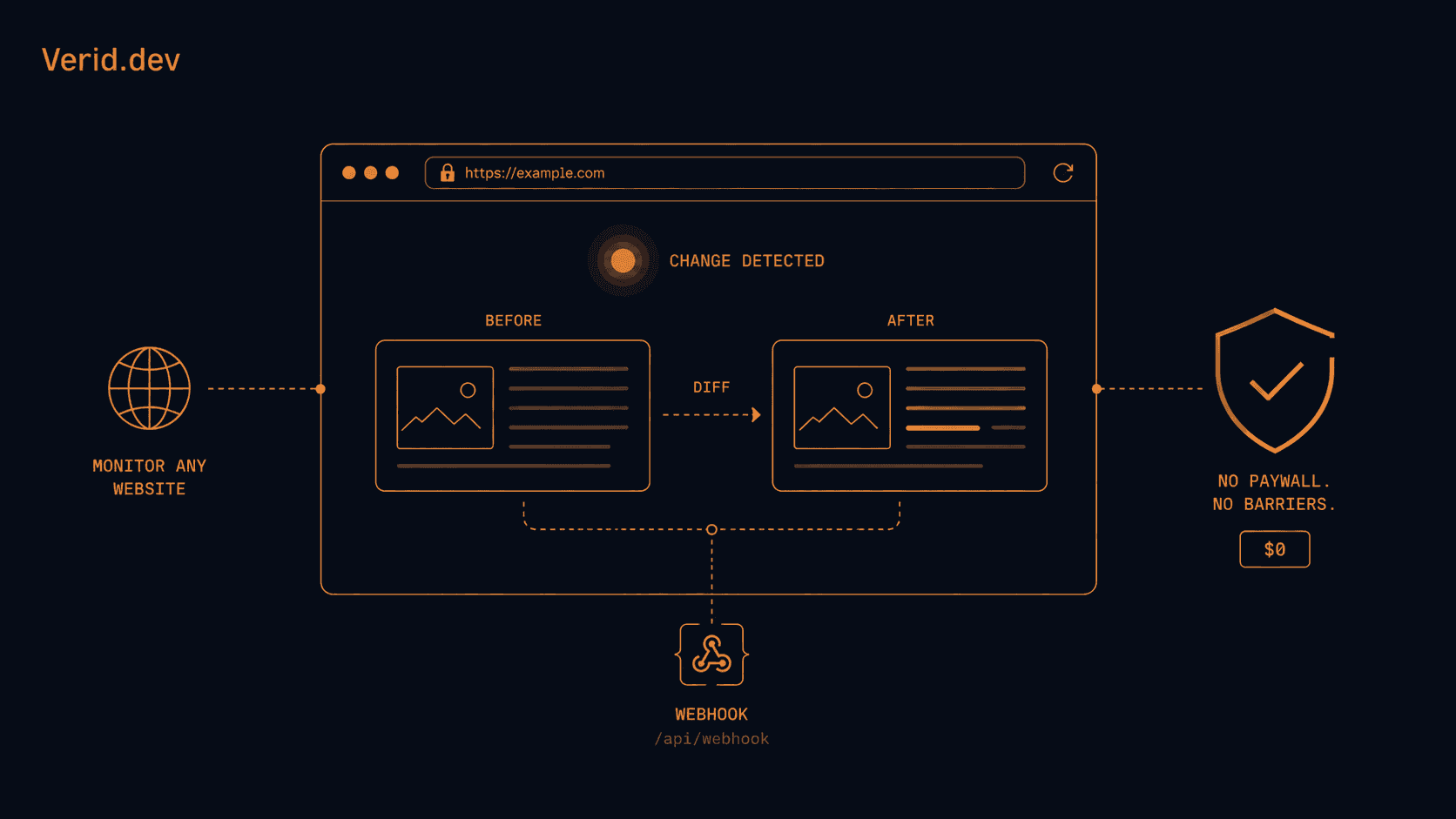
Most tools in this category run the same basic loop: fetch the page on an interval, compare it against the last saved version, and fire a notification if a difference is found. Where they diverge is the comparison method.
Screenshot based tools capture an image of the page and compare pixels. Text based tools strip the HTML and diff the remaining content. Structured or field based tools pull out one specific value, such as a price or a version number, using a CSS selector, XPath expression, or a JSON path, and compare only that value between runs.
Free plans typically restrict three levers to keep infrastructure costs down: how many pages you can watch, how often the check runs, and how many places the alert can go (email only versus Slack, Discord, or a webhook). Understanding which lever matters most for your use case is the fastest way to pick the right free tier.
Which Free Website Change Monitors Are Worth Using?
Here is how the current free tiers stack up, based on each vendor's published pricing page. Limits on third party tools change often, so treat the numbers below as a snapshot and confirm on the vendor's own pricing page before you rely on them.
| Tool | Free forever | Credit card at signup | Free plan limits | Visual (screenshot) monitoring | Alert channels on free plan |
|---|---|---|---|---|---|
| Verid | No, 14-day free trial, no card | Not required for the trial | 14-day free trial: unlimited monitors, 200 runs plus 100 visual runs for the whole trial, checks as often as every minute, 14-day history, 1 delivery endpoint per monitor; then paid plans from $9 a month for 1,000 runs | Yes, region scoped pixel diff | Webhook, Slack, Discord, or email |
| Visualping | Yes | Not required | 5 pages, about 150 checks a month, roughly hourly minimum interval | Yes, screenshot diff (primary mode) | Email only; Slack, webhooks, and API are gated to paid Business tiers |
| changedetection.io (self-hosted) | Yes, but you run it | Not applicable, you host it yourself | Effectively unlimited, limited only by your own server | Yes, with a headless browser fetcher | Any of 85+ channels via Apprise, including Slack and webhooks |
| changedetection.io (hosted SaaS) | No | Card needed at signup | Paid only, from about $9 a month | Yes | Slack, Discord, email, webhooks |
| Distill.io | Yes | Not required for the $0 tier | 25 monitors and 1,000 checks a month, but only 5 monitors run continuously in the cloud; the rest need the browser open | Limited, mainly element and text based | Browser and app notifications on free; email, SMS, and webhook are paid add-ons |
| Hexowatch | No permanent free plan | Not required for the trial | 7-day free trial only, then a paid plan is required | Yes, on paid plans | Paid plans only |
A few things worth calling out that the table alone does not fully explain. changedetection.io is really two different products for this comparison: the open source project is free and unlimited if you run it yourself on a server or in Docker, which is a real option for anyone comfortable with that setup, but the official hosted version has no free tier and starts at roughly $9 a month. Distill's free plan looks generous on paper at 1,000 checks, but only 5 of those monitors run in Distill's cloud; the remaining slots only check while your browser tab or extension is open, which is a meaningful catch for anyone who wants monitoring that keeps running overnight. Hexowatch does not have a genuinely free tier at all, it offers a time limited trial, so it does not belong in a "free forever" shortlist even though the trial itself does not ask for a card.
Do Free Website Monitors Really Need a Credit Card?
Not for the tools above, at least not to start. Every free tier in this comparison, as well as Verid's 14-day trial, lets you create an account and run a monitor without entering payment information. Where card requirements sneak in is usually one of two places: a time boxed trial that auto converts to paid unless you cancel, or a "free" plan that is really a sales funnel gated behind a card on file.
Hexowatch is the clearest example here. Its trial does not require a card up front, but there is no ongoing free plan behind it, so the practical outcome is the same as a card gated trial: you either pay or you stop using it after a week. If your goal is a monitor you can leave running indefinitely at zero cost, that rules Hexowatch out regardless of the trial's signup terms. The same applies to Verid: its 14-day trial needs no card, but when it ends, monitors pause until you choose a plan, starting at $9 a month.
Important Differences Beyond the Free Plan Numbers
Monitor counts and check frequency get the most attention, but two other differences matter just as much once you actually start using one of these tools.
Structured versus whole-page alerts. Verid, and to a lesser extent Distill through its element mode, can watch one specific field, such as a price or a stock status string, and alert only when that field changes in a way you define. Visualping and changedetection.io are built primarily around whole-page or whole-region comparison, which is simpler to set up but more prone to firing on cosmetic changes like a rotating banner or an updated timestamp unless you carefully scope the region or add ignore rules.
Where the alert can actually go. This is where free tiers diverge sharply. Visualping and Distill.io restrict Slack, webhook, and API delivery to paid plans on their free tier, so you are limited to email or in-app notifications unless you upgrade. Verid's 14-day free trial includes one delivery endpoint per monitor, which can be a signed webhook, Slack, Discord, or email, so developers can test alerts routed into an existing workflow before paying anything. changedetection.io, whether self-hosted or on its hosted SaaS, is generous here too, since it ships with the Apprise notification library covering dozens of channels.
When Should You Use Visual Website Monitoring?
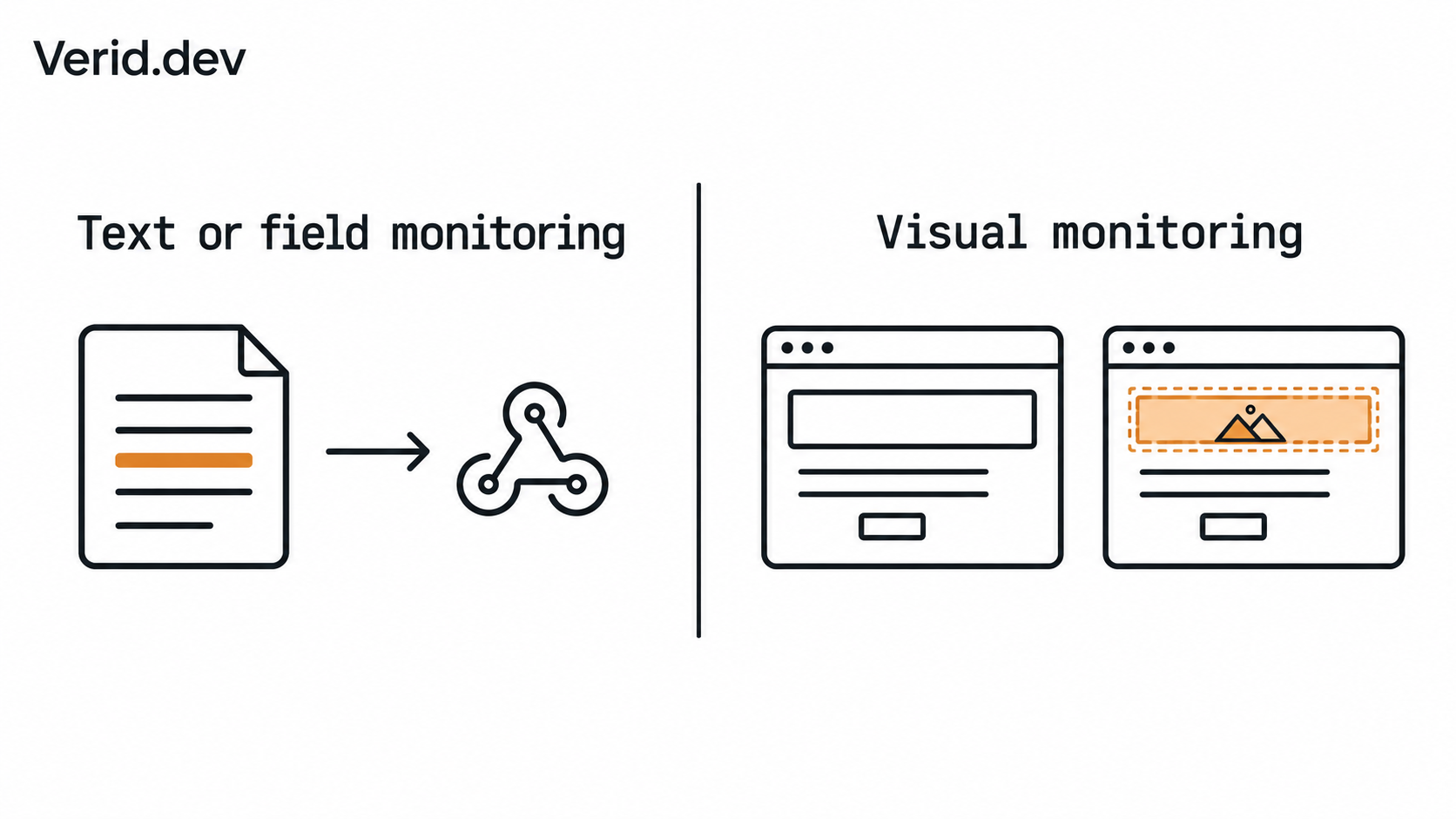
Text and field based monitoring will tell you that a value changed. It will not tell you that a hero banner got redesigned, a product photo was swapped, or a page's layout broke on mobile after a deploy. That is what visual monitoring is for: it screenshots the page on every check and compares it pixel by pixel against the previous run, so it catches changes that have no text signature at all.
A few concrete situations where visual monitoring earns its place over pure text diffing:
- Watching a competitor's landing page for a redesign, new hero imagery, or a repositioned call to action, none of which shows up in a text diff if the wording stays similar.
- Confirming that your own site renders correctly after a deploy, since a broken CSS file can leave the text identical while the layout collapses.
- Tracking a page that has no stable selector to target, where "the look of the thing" is genuinely the signal you care about, not a specific field.
The tradeoff is noise. A raw pixel diff will flag a rotating ad banner or a randomized "customers also bought" carousel as a change every single time. The tools that handle this well let you scope the comparison to a specific region and set a change threshold, so sub-threshold shifts (an ad slot, a timestamp) get ignored automatically instead of triggering an alert on every run.
Which Tool Fits Which Use Case?
- You want the simplest possible screenshot alert and do not need an API. Visualping's free plan covers 5 pages with hourly-ish checks and email alerts, which is enough for a solo user watching a handful of pages casually.
- You are comfortable with Docker and want unlimited monitors at zero ongoing cost. Self-hosted changedetection.io is the strongest option, provided you are willing to own the server and the maintenance.
- You live in your browser and want a fast, click-to-select monitor for a handful of pages. Distill.io's extension workflow is well built for this, as long as you accept that most free monitors only check while the browser is open.
- You need a monitor to watch one specific field, like a price or a version number, and deliver a webhook or Slack message, and want to test it before paying anything. This is the gap Verid is built to fill: unlimited monitors and one delivery endpoint per monitor, with a 14-day free trial (200 runs plus 100 visual runs, no card) to prove it out, then paid plans from $9 a month for 1,000 runs.
- You want the broadest set of monitor types out of the box and do not mind paying quickly. Hexowatch covers the most monitor types of any tool here, but the 7-day trial means it is not really a free option once you look past the signup screen.
Where Verid.dev Fits
Verid is a developer-first web change detection API. Instead of diffing a whole page, it extracts specific fields using CSS selectors, XPath, JSONPath, regex, a full-page hash, or an AI prompt, then fires a delivery only when a predicate you define returns true, such as a price dropping more than 10 percent or a version field changing. The 14-day free trial carries that same model through: unlimited monitors, 200 runs for the whole trial with checks as often as every minute, 14 days of history, and one delivery endpoint per monitor, all without a credit card. After the trial, monitors pause until you choose a plan, starting at $9 a month for 1,000 runs. Full plan details are on the pricing page.
That structured, predicate-driven approach is a better fit for anyone who wants to act on a value programmatically, whether that is triggering a repricing script off a competitor price change or catching a new GitHub release before it breaks a build. If what you actually want is a plain screenshot alert with no setup, Visualping or self-hosted changedetection.io will get you there with less configuration.
Practical Recommendations
Match the tool to what you are actually trying to catch, not to whichever free plan has the biggest number on it. A generous check quota is worthless if every alert channel you need is locked behind a paid tier, and a huge monitor count means little if most of those monitors only run while a browser tab stays open.
Start with the constraint that matters most for your workflow: check frequency, delivery channel, or extraction precision, and let that decide which free plan you try first. Every tool in this comparison lets you do that without a card, so testing two of them side by side for a week costs nothing but time.
Frequently Asked Questions
Is there a truly free website change monitor with no credit card?
Yes. Visualping, Distill.io's $0 tier, and self-hosted changedetection.io all let you start monitoring without entering payment details. Verid and Hexowatch also need no card to start, but they offer free trials (14 days and 7 days) rather than an ongoing free plan.
What is the difference between a free trial and a free plan?
A free trial runs for a fixed number of days and then requires payment or stops working, even if no card was collected up front. A free plan has no expiration date and can be used indefinitely within its usage limits, such as a fixed number of monitors or checks per month.
Can free website monitors send alerts to Slack or a webhook?
It depends on the tool. changedetection.io includes Slack and webhook delivery on its free tier, and Verid includes them in its 14-day free trial. Visualping and Distill.io currently reserve those channels for paid plans and limit the free tier to email or in-app notifications.
Does visual monitoring cost extra on free plans?
Not on every tool. Verid's 14-day free trial includes visual monitors alongside its structured monitors, with their own pool of 100 visual runs for the trial. Hexowatch and some tiers of Distill.io reserve visual or screenshot monitoring for paid plans, so check the specific vendor's pricing page before assuming it is included.
About the author

Software Engineer & Technical Writer
Software engineer and technical writer. Hanzala bridges Verid’s codebase and its documentation, writing the guides, reference pages and honest comparisons that get a developer from an idea to a working monitor.
More from HANZALA SALEEM →Related posts
Apify Alternative for Scheduled Website Monitoring
Compare Apify Actors to a dedicated change monitoring API. See when building an Actor makes sense, and when webhooks on a rule get you there faster.
Read the post →comparisonFirecrawl vs Verid: A Scraping API and a Monitoring Loop Are Not the Same Thing
Firecrawl scrapes and now checks pages on a schedule. Verid is built only for monitoring. Here's the real architectural difference.
Read the post →comparisonWachete Alternative for Developers: Get Structured Data, Not Raw Diffs
Wachete shows you raw diffs. Verid extracts the exact field you care about and fires a webhook only when your predicate is true. No noise, no glue code.
Read the post →comparisonDistill Alternatives for Teams That Need an API Instead of a Browser Extension
Distill works fine as a browser extension. But when your team needs an API, predicates, webhooks, and zero glue code, here's what to use instead.
Read the post →