What Is Web Change Detection? (And Why Monitoring Tools Get It Wrong)
Web change detection sounds simple on paper. Point a tool at a URL, check it on a schedule, get told when something changes. In practice, almost every team that sets up a monitor ends up muting it within a month because it fires constantly for things nobody cares about.
That gap between the promise and the reality is the entire reason this article exists.
What web change detection actually means
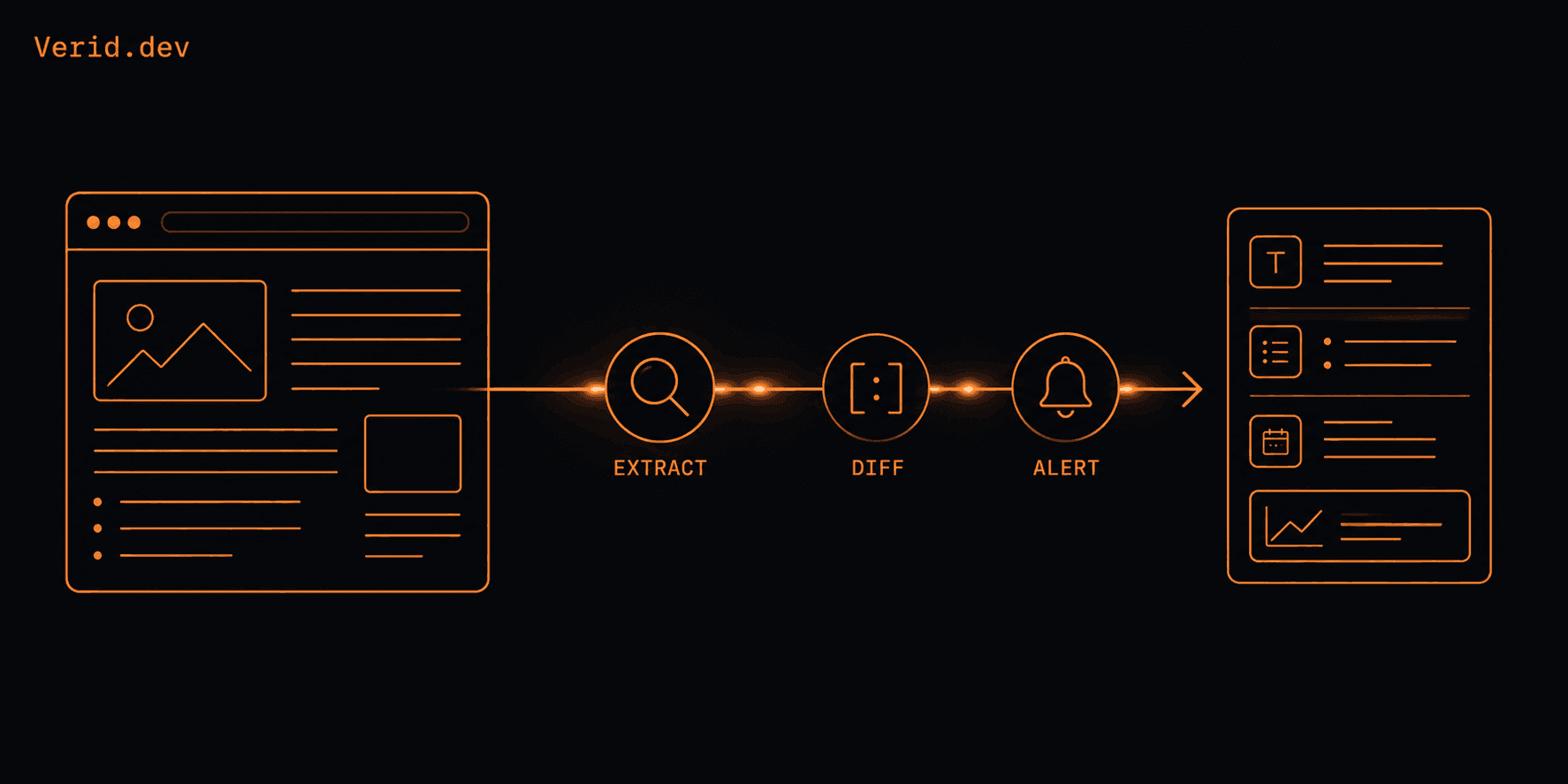
Web change detection is the automated process of checking a web page or API endpoint at regular intervals and identifying differences between the current version and a previously stored version. Instead of someone manually refreshing a page to see if a price dropped or a status updated, a script or service does it on a schedule and surfaces only the moments that matter.
That last part, "only the moments that matter," is where most tools quietly fail. Checking for change is the easy half of the problem. Deciding which changes are worth telling a human about is the hard half, and it is the part most monitoring products skip entirely.
There are three broad camps of tools in this space, and each one optimizes for a different layer of the problem.
DIY scrapers give you total control but cost you every Sunday afternoon when a competitor renames a CSS class. Screenshot and no-code monitoring tools are easy to set up but tend to alert on cookie banners and rotating ad creative as enthusiastically as they alert on an actual price change. Scraping APIs hand you clean HTML or JSON but leave scheduling, state storage, diffing, and alert logic entirely up to you.
How traditional monitoring works (and where it breaks)
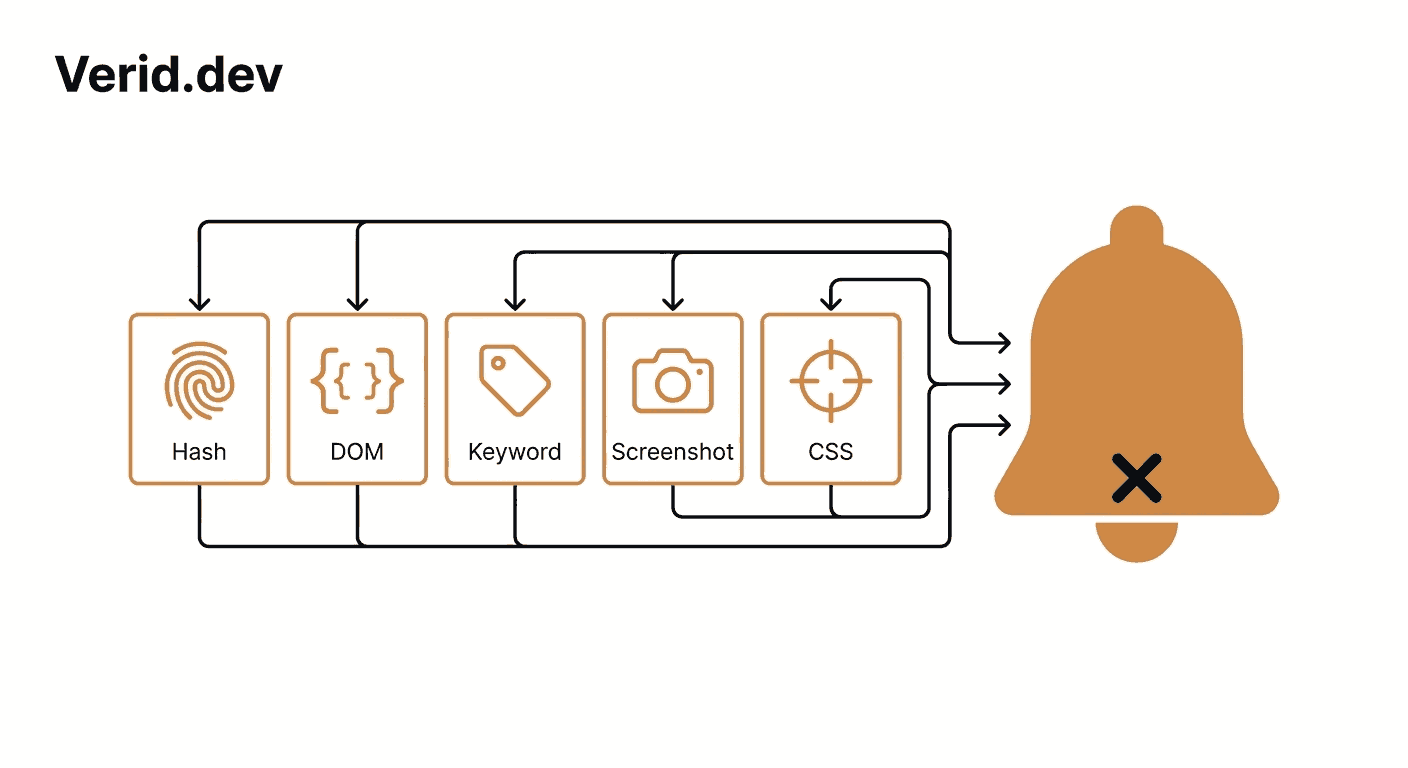
Most legacy monitoring approaches fall into a handful of techniques. Understanding each one explains exactly where the false positives come from.
Hash comparison. The tool fetches a page, runs the full response through a hashing function, and stores the result. On the next check, if the hash differs at all, it flags a change. This is fast and simple, but it cannot tell a meaningful price update from a rotating "Last viewed 3 minutes ago" timestamp. Both produce a different hash.
HTML or DOM comparison. Slightly more granular than a full hash, this compares the structure of the document. It still struggles with dynamic attributes, ad slot IDs, and session tokens that change on every load regardless of whether anything a human cares about actually moved.
Keyword monitoring. The tool watches for the appearance or disappearance of a specific word or phrase. Useful for narrow cases like "notify me when this page says Out of Stock," but brittle the moment a site rewords its copy.
CSS selector and screenshot monitoring. Targeting a specific selector cuts down noise considerably, and visual diffing catches layout shifts that text based checks miss entirely. However, these methods only work reliably if the tool can render JavaScript, since a simple HTTP request only sees the raw HTML and misses any content that loads after the page executes scripts. Pagecrawl
Screenshot or pixel diffing. This compares full screenshots pixel by pixel, which is precise but extremely sensitive to subpixel rendering differences, font anti-aliasing, and GPU variance between runs. Teams that adopt zero-tolerance pixel diffing almost always abandon it within weeks because of alert fatigue. Pagecrawl
The common failure mode across all five techniques is the same: they detect that bytes changed, not whether the change matters to the business decision behind the monitor.
Why dynamic websites make this worse
Modern websites are not static documents. Single page applications generate content in the browser after JavaScript executes, so simple HTTP based checks that only validate raw HTML often miss the rendered content entirely, leading to false negatives and delayed detection. On top of that, personalization engines, A/B testing frameworks, geographically localized pricing, and rotating promotional banners mean two requests to the exact same URL from the exact same monitoring service can legitimately return different content for reasons that have nothing to do with a real update.
Cookie consent banners deserve a special mention. They are one of the most common causes of false positives in visual monitoring because they cover large portions of the page and appear inconsistently depending on region, browser, and prior consent state. ScreenshotEngine
Add ad rotation, session specific tokens, and timestamp fields like "last updated" or "viewed X minutes ago," and you have a recipe for a monitor that pings your Slack channel five times a day for things nobody asked to be alerted about.
The real fix: extract fields, not bytes
The shift that actually solves the false positive problem is moving from "did anything change" to "did the specific value I care about change in the specific way I defined." That requires three things working together: structured extraction, field level diffing, and rule based alerting rather than byte based alerting.
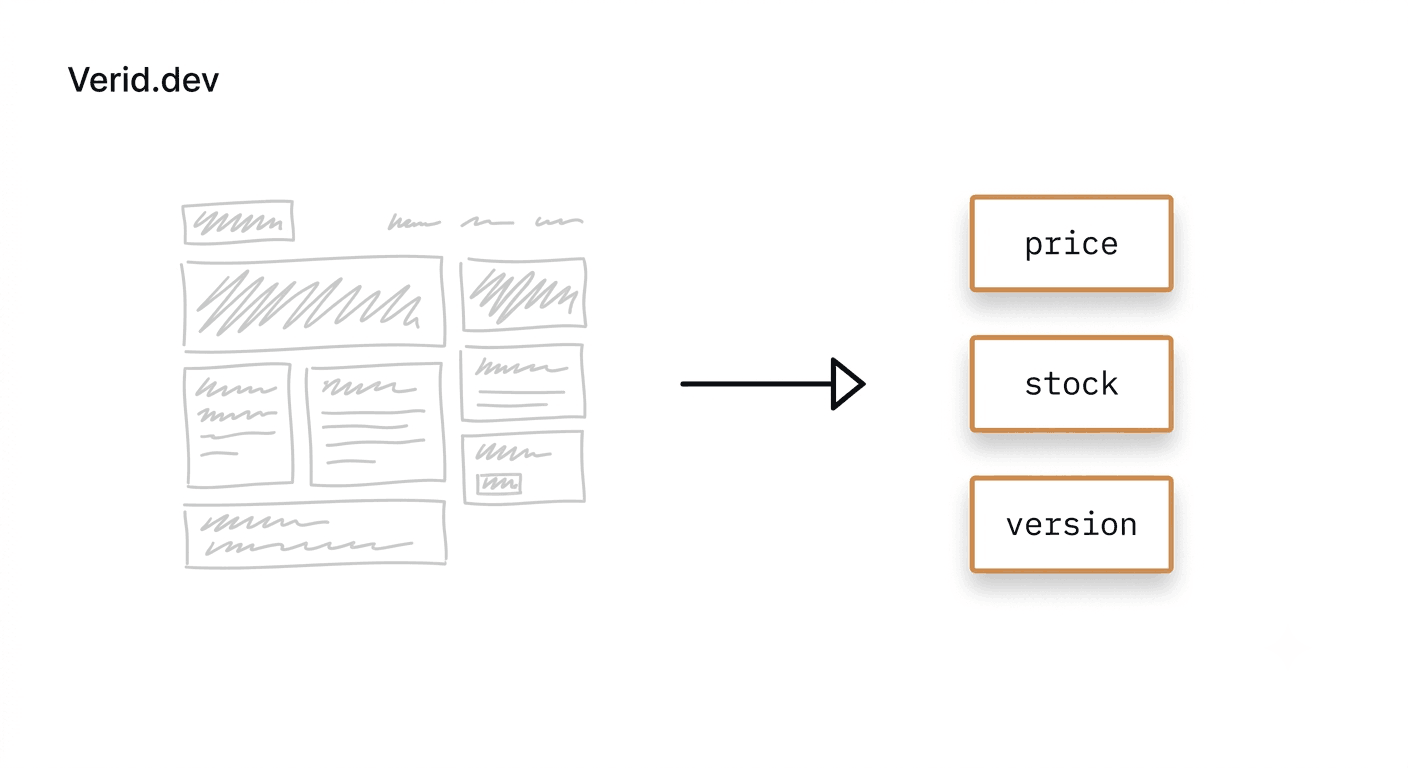
This is the layer where Verid's extraction methods operate. Instead of hashing a whole page, Verid pulls named fields out of a response using CSS selectors, XPath, JSONPath, regex, a full page hash, or a natural language AI prompt when the markup is too unstable for selectors to survive. Each method outputs typed fields rather than raw HTML, and those fields are what get compared run over run.
| Method | Best for | Breaks when |
|---|---|---|
| CSS selector | Rendered HTML pages with stable markup | Class names or structure change |
| XPath | Complex HTML/XML needing ancestor traversal | Same fragility as CSS, more verbose |
| JSONPath | JSON APIs | API response shape changes |
| Regex | Plain text, sitemaps, raw bodies | Source formatting shifts |
| Full page hash | "Anything changed" mode | Noisy on dynamic pages, high false positives |
| AI / LLM prompt | Unstructured or frequently redesigned pages | Counts against LLM call quota |
A field level config looks like this for a competitor pricing page:
{
  "method": "css",
  "fields": {
    "price": "[data-test=product-price]",
    "stock": "[data-availability]"
  }
}
And when a site keeps redesigning its markup, the same monitor can fall back to plain English extraction instead:
{
  "method": "prompt",
  "prompt": "Extract the product name, current price as a number, and availability status from this page.",
  "schema": {
    "name": "string",
    "price": "number",
    "available": "boolean"
  }
}
That second config is the answer to the "what happens when the site redesigns" problem that kills most DIY scrapers. There is no selector to break because there is no selector.
Predicates: the part most tools skip entirely
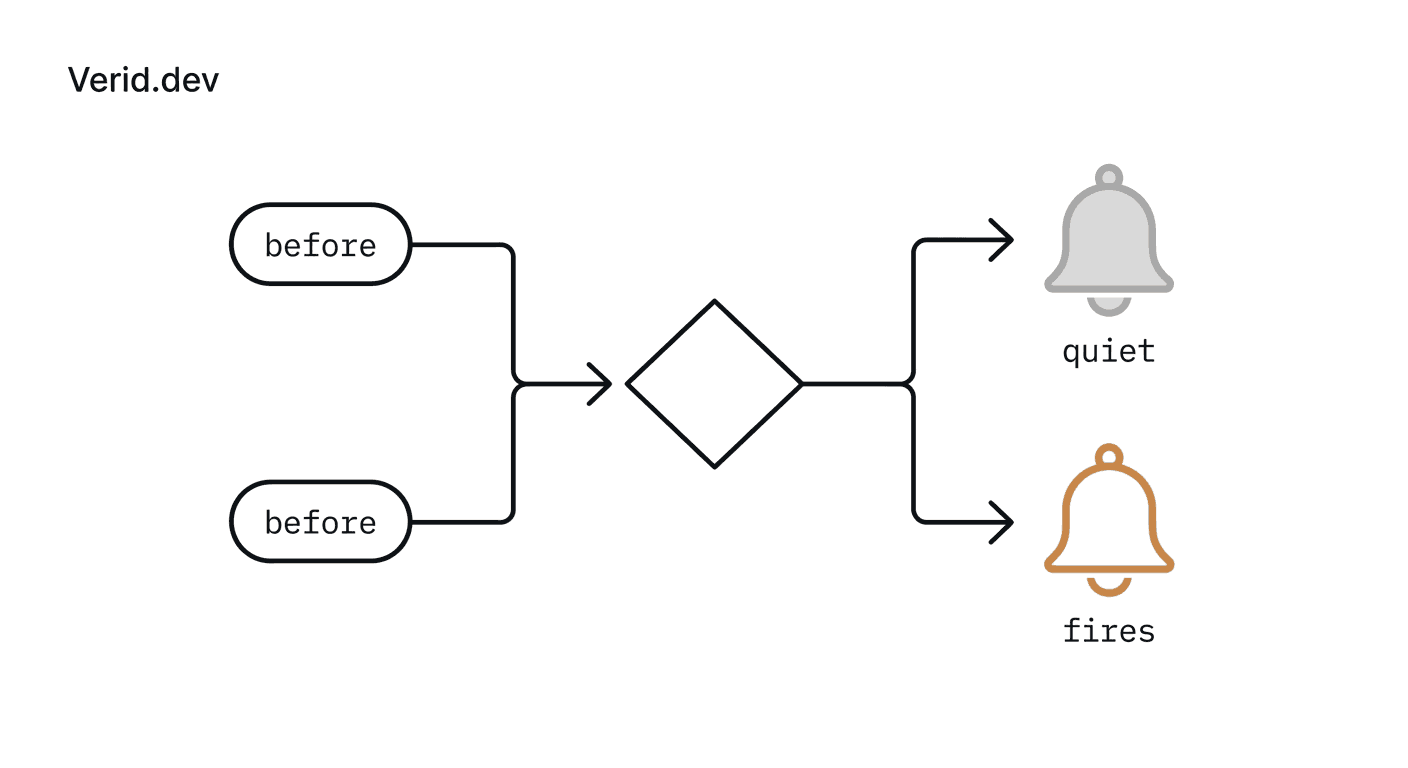
Extraction alone does not solve alert fatigue. The missing piece is a rule that decides whether the extracted change is worth waking someone up for. This is what Verid calls a predicate, and it is the single biggest difference between a quiet, useful monitor and a noisy one.
Rather than firing on any byte difference, a predicate evaluates the diff against a condition you define. Verid ships eight predicate types, and they can be composed with AND/OR logic:
{
  "type": "composite",
  "operator": "AND",
  "conditions": [
    { "type": "field_decreases_by_percent", "field": "price", "threshold": 10 },
    { "type": "field_equals", "field": "availability", "value": "in_stock" }
  ]
}
That config fires only when a price drops 10 percent or more on an item that is actually in stock. A rotating banner, a changed timestamp, or a reformatted footer never triggers it, because none of those touch the two fields the predicate actually evaluates. The first run of any monitor never fires either, since there is nothing yet to compare against. The baseline is simply recorded.
Handling JavaScript heavy and bot protected sites
Plenty of monitoring tools claim browser rendering support, but the operational reality is that always rendering with a headless browser is slow and expensive, while never rendering misses half the modern web. Verid's fetch layer escalates automatically: a static HTTP fetch runs first, and if the extracted fields come back empty, the job retries with a headless browser. Sites that actively block automated traffic fall through again to a residential proxy. You can also force fetch_mode: "browser" directly if you already know a page needs it, for example a single page application that never returns usable content on a plain fetch.
This matters because the cost of getting fetch mode wrong is invisible until it isn't. A monitor that silently returns empty fields for weeks looks identical to a monitor that found "no changes," and that is a far worse failure than an obvious error.
Delivering the alert without losing trust
A predicate firing is only useful if the resulting alert is trustworthy and verifiable. Verid signs every webhook delivery with HMAC using the monitor's secret, so the receiving endpoint can confirm the payload actually originated from Verid and was not forged or tampered with in transit. Deliveries that fail are retried up to six times with exponential backoff, and anything still failing after that lands in a dead letter queue instead of disappearing.
import { createHmac, timingSafeEqual } from 'crypto';

function verifySignature(header, rawBody, secret) {
  const parts = Object.fromEntries(header.split(',').map((p) => p.split('=')));
  const ts = parseInt(parts['t'] ?? '0', 10);
  const sig = parts['v1'];
  if (!ts || !sig) return false;
  if (Math.abs(Date.now() / 1000 - ts) > 300) return false;

  const expected = createHmac('sha256', secret).update(`${ts}.${rawBody}`).digest('hex');
  return timingSafeEqual(Buffer.from(expected, 'hex'), Buffer.from(sig, 'hex'));
}
This pattern, a timestamp plus signature compared with a constant time check, follows the same approach recommended in Stripe's webhook signature documentation and aligns with general HMAC verification guidance from MDN's SubtleCrypto reference.
A monitor end to end with the Node SDK
For teams managing monitors programmatically, Verid ships an official Node.js SDK alongside the REST API:
import { VeridClient } from '@verid.dev/sdk';

const client = new VeridClient({ apiKey: process.env.VERID_API_KEY });

const monitor = await client.monitors.create({
  name: 'Competitor pricing page',
  url: 'https://example.com/product/widget',
  schedule_interval_seconds: 900,
  extract_config: {
    method: 'css',
    fields: { price: '[data-test=product-price]', stock: '[data-availability]' },
  },
  diff_predicate: {
    type: 'composite',
    operator: 'AND',
    conditions: [
      { type: 'field_decreases_by_percent', field: 'price', threshold: 10 },
      { type: 'field_equals', field: 'stock', value: 'in_stock' },
    ],
  },
  deliveries: [{ type: 'webhook', url: 'https://your-app.com/webhooks/verid' }],
});
Five lines of configuration replace what would otherwise be a scheduler, a scraper, a state store, a diffing routine, and a notification queue built and maintained from scratch.
Where each approach actually fits
| Capability | DIY scraper | Screenshot tools | Verid |
|---|---|---|---|
| Structured field extraction | Yes, you write it | No, pixel diffs only | Yes, 6 methods |
| Predicate based alerting | You write it | No | 8 types plus composites |
| Field level diff history | You store it | Image diffs only | Per field before/after |
| Bot or JS heavy sites | You add a browser and proxies | Limited | Auto-escalates fetch |
| Signed webhook delivery | You write retries | Email/Slack only | HMAC, 6x backoff, DLQ |
Best practices for a quiet, useful monitor
Mask anything that changes regardless of meaning: timestamps, session IDs, rotating ad slots. Strip currency symbols before comparing numeric fields so percent and absolute predicates parse cleanly. Start with fetch_mode: auto and only force browser rendering when selectors come back empty in production despite working in DevTools. Use AND composites to require two conditions at once, such as a price drop combined with confirmed stock, rather than alerting on either signal alone. And treat the AI extraction method as a fallback for pages that redesign often, not as a default, since it costs more and runs against a usage quota.
Real world patterns people run today
Common use cases include tracking competitor pricing pages with a CSS extractor and a percent drop predicate, watching GitHub and npm releases with JSONPath against a version field, monitoring regulatory filing pages with full page hashing where any change matters regardless of what it is, and catching API contract drift before it breaks a production integration.
Frequently Asked Questions
What is the difference between web change detection and uptime monitoring?
Uptime monitoring checks whether a page or server responds at all. Web change detection checks whether the content of a page or API response has changed in a way that matters, which requires extracting and comparing specific values rather than just confirming a 200 status code.
Why do website monitoring tools generate so many false positives?
Most tools compare full page hashes or pixel screenshots, which flag any byte or pixel difference including rotating ads, cookie banners, and timestamps. Reducing false positives requires extracting specific fields and applying a rule, called a predicate, that only fires when that field changes in a defined way.
Can change detection tools handle JavaScript rendered websites?
Yes, but only if they support headless browser rendering. Tools that rely on plain HTTP requests will miss content that loads after JavaScript executes, which is common on single page applications built with React, Vue, or Angular.
How do I monitor a page that keeps changing its HTML structure?
Selector based extraction like CSS or XPath breaks when markup changes. An AI extraction method that describes the desired field in plain language, such as "the current sale price in USD," survives layout changes that would break a fixed selector.
About the author

Software Engineer & Technical Writer
Software engineer and technical writer. Hanzala bridges Verid’s codebase and its documentation, writing the guides, reference pages and honest comparisons that get a developer from an idea to a working monitor.
More from HANZALA SALEEM →Related posts
Predicate-Based Alerting: Stop Getting Spammed by Your Monitoring Tool
Alert fatigue is a monitoring tool bug. Verid's predicate system fires only when a change meets a condition — price drop, regex match, or threshold crossed.
Read the post →brand monitoringGoogle Alerts Alternatives: 7 Tools for Monitoring Things Google Alerts Can't
Google Alerts misses changes to specific pages, prices & JS content. 7 Google Alerts alternatives that actually cover those gaps.
Read the post →change detectionFree Website Change Monitors Compared (No Card Required)
Compare free website change monitors that need no credit card. Real limits, check frequency, and which tool actually fits your use case.
Read the post →monitoringAPI Contract Monitoring: How to Catch Breaking Changes Before They Hit Production
Learn how API contract monitoring catches breaking changes before production. Schema drift, field-level diff, and continuous JSON API monitoring explained.
Read the post →