How to Monitor Regulatory Filings and Policy Pages Automatically
Learn how to automatically track regulatory filings, policy updates, and government pages with Verid.dev - get email alerts the moment anything changes.
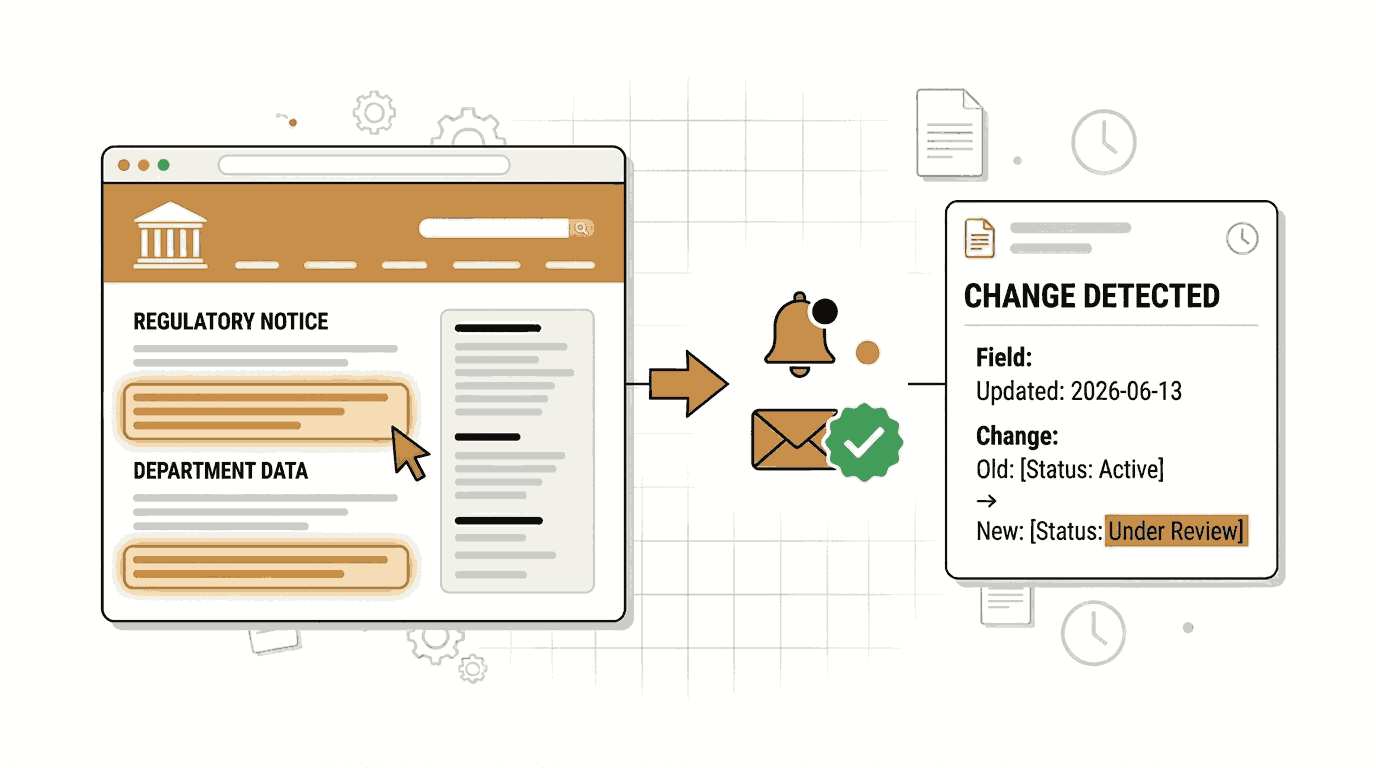
Regulatory pages change without warning. A guidance update from a government agency, a revised privacy policy from a vendor, a new SEC filing, a change to an FDA labeling rule any of these can shift your compliance obligations overnight. If you find out a week later, the damage is already done.
Compliance teams, legal professionals, investors, policy researchers, and fintech founders all share the same problem: the pages that matter most have no change notifications, no API, and no RSS feed. There is just a URL that you are supposed to check manually.
Manually refreshing a list of 20 or 30 regulatory URLs every day is not realistic. People miss updates. Teams grow and shrink. Institutional knowledge about which pages to watch walks out the door with the analyst who set it up.
Automated website monitoring solves this entirely. You point a tool at the URL, define what counts as a meaningful change, and receive an alert the moment it happens without any manual effort after the initial setup.
This guide shows you how to set up regulatory filing and policy page monitoring using Verid.dev, a developer-first web change detection API. We will cover the no-code dashboard workflow first, then the API and Node.js SDK for teams that want to automate the setup programmatically.
Why Regulatory and Policy Page Monitoring Matters
The following teams have the most to lose from missing a regulatory change on a public web page:
- Legal and compliance teams in fintech, healthcare, energy, and crypto who are directly bound by agency guidance
- Policy researchers and consultants tracking rule changes across multiple regulatory bodies
- Investors and fund managers watching for SEC, CFTC, or Treasury guidance that affects portfolio companies
- Enterprise procurement teams tracking vendor terms of service and data processing agreements
- Privacy officers monitoring competitor and vendor privacy policy updates
Organizations like the SEC, FDA, FINRA, FERC, and the U.S. Department of the Treasury publish guidance on their websites continuously. These updates carry legal and financial consequences. Many of them arrive with no proactive notification unless you are subscribed to a broad agency mailing list that buries the relevant update inside dozens of irrelevant ones.
Automated monitoring gives you a direct, targeted signal: this exact page changed, here is what was different.
Setting Up a Regulatory Monitor in the Verid Dashboard
No coding required for this part. If you are a compliance analyst, legal professional, or policy researcher without a development background, this section is for you.
Step 1: Start a Free Trial
Go to verid.dev/auth/signup and start a 14-day free trial. No credit card is required. The trial gives you unlimited monitors and 200 runs (about 14 pages checked daily for its 14 days), which is enough to start covering your most critical regulatory pages. After it, the Lite plan ($9/mo, 1,000 runs) covers about 30 pages checked daily.
Step 2: Open the Dashboard and Create a New Monitor
After signing in, you will land on the Monitors page. Click New Monitor to open the monitor creation form.
Step 3: Enter the URL You Want to Watch
Enter the URL of the regulatory or policy page you need to track. Here are real examples you could use:
- SEC Investor Alerts:
https://www.sec.gov/investor/alerts - FINRA Regulatory Notices:
https://www.finra.org/rules-guidance/notices - FDA News Releases:
https://www.fda.gov/news-events/newsroom/press-announcements - U.S. Treasury Press Releases:
https://home.treasury.gov/news/press-releases - FERC News and Events:
https://www.ferc.gov/news-events/news
Pick the page that most directly affects your work. You can add more monitors later.
Step 4: Name Your Monitor
Give the monitor a clear name so you recognize it in alerts. For example: FINRA Regulatory Notices or FDA Press Announcements.
Step 5: Choose the Right Extraction Method
This is the most important configuration decision. Verid supports six extraction methods. For regulatory and policy pages, the best choices are:
Full-Page Hash: Recommended for most regulatory pages as a starting point.
This method takes a fingerprint of the entire rendered page. If anything on the page changes any text, any link, or any number. Verid detects it and sends you an alert. You do not need to write a CSS selector or know anything about how the page is built. It works on every public webpage.
The trade-off is that minor cosmetic changes (a nav bar update, a footer link change) will also trigger an alert. For most compliance teams this is acceptable because the cost of a false positive is low but the cost of a missed update is high.
AI / LLM Prompt: Recommended when you want to suppress noise from cosmetic page changes.
Instead of hashing the entire page, you describe in plain English what you want to extract: "What is the effective date of the most recent guidance on this page?" Verid uses an LLM to extract that specific value. The alert only fires when that meaningful field changes, not when someone updates the page footer.
This approach is more precise. It is also the right choice when you want to see a structured summary of what changed rather than just knowing that the page changed.
Step 6: Set the Monitoring Schedule
Set the monitoring interval to 24 hours (once per day). A daily check uses about 30 runs a month, which fits in the free trial and on the Lite plan, and it is appropriate for regulatory pages, which typically do not change multiple times per day.
Every Verid plan, including the free trial, can check as often as every minute; plans differ by monthly runs. The Starter plan ($19/mo) includes 5,000 runs, the Pro plan ($49/mo) 15,000, and the Scale plan ($149/mo) 100,000. For most regulatory monitoring workflows, daily checks are sufficient.
Step 7: Configure Email Notifications
In the Deliveries section, select Email and enter the email address where you want to receive alerts. You can add one delivery destination during the free trial.
When a change is detected, Verid will send a plain, readable email summarizing what changed. You do not need to log into a dashboard to see the update.
Verid also supports webhook, Slack, and Discord delivery. Teams that use Slack can route change alerts directly into a compliance or legal channel so the right people see them without checking email.
Step 8: Save and Activate
Click Create Monitor. Verid will run the first check immediately to establish a baseline, then check again on your chosen schedule.
Extraction Method Comparison
Different pages call for different extraction strategies. Here is how all six Verid extraction methods compare for regulatory and policy monitoring use cases:
| Method | Best For | Advantages | Limitations | Recommended for Regulatory Pages? |
|---|---|---|---|---|
| Full-Page Hash | Any public webpage | Works on every page, zero configuration, catches all changes | False positives from cosmetic page changes (nav, footer, ads) | Yes — best starting point |
| AI / LLM Prompt | Complex or unstructured pages | Extracts meaningful fields, suppresses cosmetic noise, returns structured data | Counts against monthly LLM quota; slower per check | Yes — best for precise monitoring |
| CSS Selector | HTML pages with consistent structure | Precise, fast, targets exactly the element you care about | Requires knowing CSS; breaks if page layout changes | Situational — good for pages with stable HTML |
| XPath | Complex HTML or XML pages | More powerful than CSS for navigating document structure | Steeper learning curve; also breaks on layout changes | Situational — useful for XML-based regulatory feeds |
| JSONPath | JSON API responses | Highly precise, very stable, almost never breaks | Only works when the source is a JSON endpoint | Yes — ideal when agencies expose a public API or JSON feed |
| Regex | Plain text, raw HTML, sitemaps | Flexible pattern matching | Returns match counts rather than extracted values by default | Situational — useful for counting new filings in a list |
For most compliance teams starting out, Full-Page Hash is the fastest path to coverage. Pair it with AI / LLM extraction on your highest-priority pages for a cleaner signal.
Monitoring Regulatory Pages with the Verid API
If you are a developer or want to set up monitoring programmatically for a list of pages, the Verid REST API and official Node.js SDK give you full control.
Authentication
All API requests require your API key in the Authorization header. Keys start with vrd_ and are created in the API Keys section of the dashboard.
export VERID_API_KEY="vrd_your_key_here"Example 1: Monitor FINRA Regulatory Notices with Full-Page Hash (curl)
This command creates a monitor that checks the FINRA Regulatory Notices page once per day and sends an email alert whenever the page changes.
curl -X POST https://api.verid.dev/v1/monitors \
  -H "Authorization: Bearer $VERID_API_KEY" \
  -H "Content-Type: application/json" \
  -d '{
    "name": "FINRA Regulatory Notices",
    "url": "https://www.finra.org/rules-guidance/notices",
    "schedule_interval_seconds": 86400,
    "extract_config": {
      "method": "full_page"
    },
    "diff_predicate": {
      "type": "any_field_changes"
    },
    "deliveries": [
      {
        "type": "email",
        "to": "compliance@yourfirm.com"
      }
    ]
  }'
What this does: Verid fetches and hashes the entire rendered FINRA notices page every 24 hours. The moment the hash differs from the previous run, it sends an email to your compliance inbox with a notification that the page changed.
Example 2: Monitor FDA Press Announcements with AI Extraction (curl)
This monitor uses the LLM prompt method to extract structured information from the FDA news releases page. The alert only fires when the extracted date field changes, not on cosmetic updates.
curl -X POST https://api.verid.dev/v1/monitors \
  -H "Authorization: Bearer $VERID_API_KEY" \
  -H "Content-Type: application/json" \
  -d '{
    "name": "FDA Press Announcements",
    "url": "https://www.fda.gov/news-events/newsroom/press-announcements",
    "schedule_interval_seconds": 86400,
    "extract_config": {
      "method": "prompt",
      "prompt": "From this FDA news page, extract the title and publication date of the most recent press announcement. Return the date in ISO format.",
      "schema": {
        "latest_title": "string",
        "latest_date": "string"
      }
    },
    "diff_predicate": {
      "type": "field_changes",
      "field": "latest_date"
    },
    "deliveries": [
      {
        "type": "email",
        "to": "regulatory@yourorg.com"
      }
    ]
  }'
What this does: Verid renders the FDA press announcements page and asks its LLM to pull out the title and date of the most recent announcement. The alert fires only when the date field changes, meaning a new press announcement has been published. Cosmetic changes to the page layout or navigation will not trigger a false alert.
Example 3: Monitor SEC Investor Alerts (Node.js SDK)
Install the official Verid Node.js SDK first:
npm install @verid.dev/sdkThe following script creates two monitors: one for SEC investor alerts using full-page hash, and one for FERC news using AI extraction. It logs the IDs of the created monitors.
import { VeridClient } from '@verid.dev/sdk';

const client = new VeridClient({
  apiKey: process.env.VERID_API_KEY!,
});

async function setupRegulatoryMonitors() {
  // Monitor 1: SEC Investor Alerts — full-page hash
  const secMonitor = await client.monitors.create({
    name: 'SEC Investor Alerts',
    url: 'https://www.sec.gov/investor/alerts',
    schedule_interval_seconds: 86400,
    extract_config: {
      method: 'full_page',
    },
    diff_predicate: {
      type: 'any_field_changes',
    },
    deliveries: [
      {
        type: 'email',
        to: 'legal@yourfirm.com',
      },
    ],
  });

  console.log('SEC monitor created:', secMonitor.id);

  // Monitor 2: FERC News — AI extraction for meaningful field changes
  const fercMonitor = await client.monitors.create({
    name: 'FERC News and Events',
    url: 'https://www.ferc.gov/news-events/news',
    schedule_interval_seconds: 86400,
    extract_config: {
      method: 'prompt',
      prompt:
        'From this FERC news page, extract the title and date of the most recent news item. Return the date in ISO format.',
      schema: {
        latest_title: 'string',
        latest_date: 'string',
      },
    },
    diff_predicate: {
      type: 'field_changes',
      field: 'latest_date',
    },
    deliveries: [
      {
        type: 'email',
        to: 'legal@yourfirm.com',
      },
    ],
  });

  console.log('FERC monitor created:', fercMonitor.id);
}

setupRegulatoryMonitors();
What this does: Running this script creates two active monitors in your Verid account. From that point forward, Verid handles the scheduling, fetching, extraction, diffing, and delivery automatically. No further code needs to run on your side.
What an Email Alert Looks Like
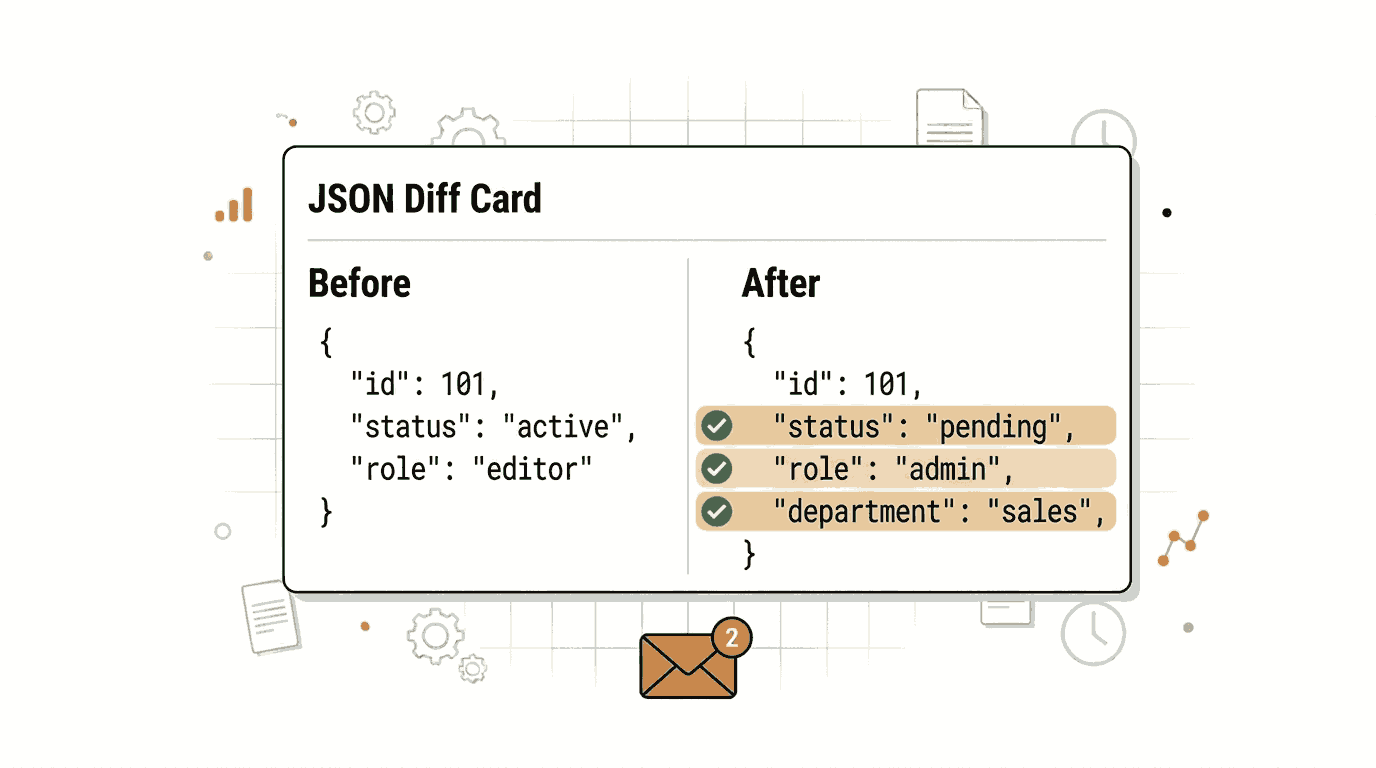
When a monitored page changes, Verid sends a readable email summary showing what was detected. For a full-page hash monitor, the alert tells you the page changed. For an LLM extraction monitor, the email includes the before and after values of the fields you configured.
The underlying delivery payload (also sent to webhooks) looks like this:
{
  "id": "del_01H...",
  "fired_at": "2026-06-13T09:00:00Z",
  "diff": {
    "fields_changed": ["latest_date", "latest_title"],
    "before": {
      "latest_date": "2026-05-20",
      "latest_title": "FERC Approves Pipeline Project in Southwest Region"
    },
    "after": {
      "latest_date": "2026-06-12",
      "latest_title": "FERC Issues Revised Guidance on Carbon Capture Incentives"
    }
  },
  "monitor": {
    "name": "FERC News and Events",
    "url": "https://www.ferc.gov/news-events/news"
  }
}
Your compliance team sees exactly what changed and when, without needing to log in anywhere.
Practical Tips for Regulatory Page Monitoring
Use daily checks for most regulatory pages. Government and agency websites rarely change multiple times per day. A 24-hour interval is enough coverage and works on every Verid plan, including the free trial.
Start with full-page hash, then refine with AI extraction. Full-page hash gives you immediate coverage. Once you identify which pages generate false positives from cosmetic changes, switch those to AI prompt extraction with a field-level predicate.
Monitor the index page AND the specific rule page. For agencies like FINRA or the SEC, watching the notices index page tells you when something new appears. Watching the specific rule page tells you when that rule is revised.
Archive every delivery. Each alert is a record of a regulatory change. If you connect Verid to a webhook endpoint on your own infrastructure, you can store every before/after diff in a database and build a searchable audit trail for regulators or auditors.
Combine email and Slack delivery. Verid allows multiple delivery destinations per monitor on paid plans. Route alerts to email for the record and to a Slack compliance channel for immediate visibility.
Frequently Asked Questions
How do you monitor regulatory changes automatically?
You create a monitor on a tool like Verid.dev by entering the URL of the regulatory page, selecting an extraction method (full-page hash for broad coverage, or AI extraction for structured data), and configuring a delivery destination like email or Slack. Verid checks the page on your chosen schedule and sends an alert only when a change is detected. No manual page refreshing is needed after initial setup.
What is the best way to track policy updates on websites?
The most reliable approach combines two monitors per high-priority page: a full-page hash monitor as a broad safety net, and an AI extraction monitor that pulls out the specific fields you care about (such as effective date or rule title). The full-page hash catches everything; the AI extraction suppresses noise from cosmetic changes and gives you structured before/after data. For pages that expose a JSON API, JSONPath extraction is even more precise.
Can I receive email alerts when a government page changes?
Yes. Verid supports email delivery natively. When you create a monitor, add an email delivery with your address in the to field. Verid will send a plain, readable email whenever the monitored page changes. You can add this in the dashboard without writing any code. Multiple recipients can be configured on paid plans.
How often should regulatory websites be monitored?
For most regulatory and government pages, once per day (every 24 hours) is appropriate. These pages typically publish new guidance or notices on a weekly or less frequent cadence. Daily monitoring ensures you are never more than 24 hours behind. If you work in a sector with high-frequency regulatory activity (crypto markets, for example), shorter intervals are available on every Verid plan, down to every minute; an hourly check uses about 720 runs a month, so faster schedules usually call for a paid plan.
Want this running on your own URL? Spin up the same monitor in about a minute. 5 free, no credit card.
About the author

Software Engineer & Technical Writer
Hanzala is a software engineer and technical writer. He splits his time between shipping features in Verid’s monitoring stack and turning them into documentation and guides a developer can follow without guessing.
More from HANZALA SALEEM →Related use cases
How to Monitor Terms of Service and Privacy Policy Changes Automatically
Learn how to monitor Terms of Service and Privacy Policy changes automatically using Verid. Get instant alerts before policy updates affect your business.
View blueprint →Compliance & RegulatoryHow to Detect WHOIS and Domain Ownership Changes Automatically
Learn how to monitor WHOIS records and detect domain ownership changes automatically using Verid. Set up alerts for registrar swaps, expiration updates, and nameserver changes.
View blueprint →Compliance & RegulatoryHow to Set Up Automated Government Contract and Tender Alerts (No Coding Required)
Never miss a government contract again. Learn how to set up automated government tender alerts using Verid to monitor procurement portals 24/7.
View blueprint →