How to Detect WHOIS and Domain Ownership Changes Automatically
Learn how to monitor WHOIS records and detect domain ownership changes automatically using Verid. Set up alerts for registrar swaps, expiration updates, and nameserver changes.
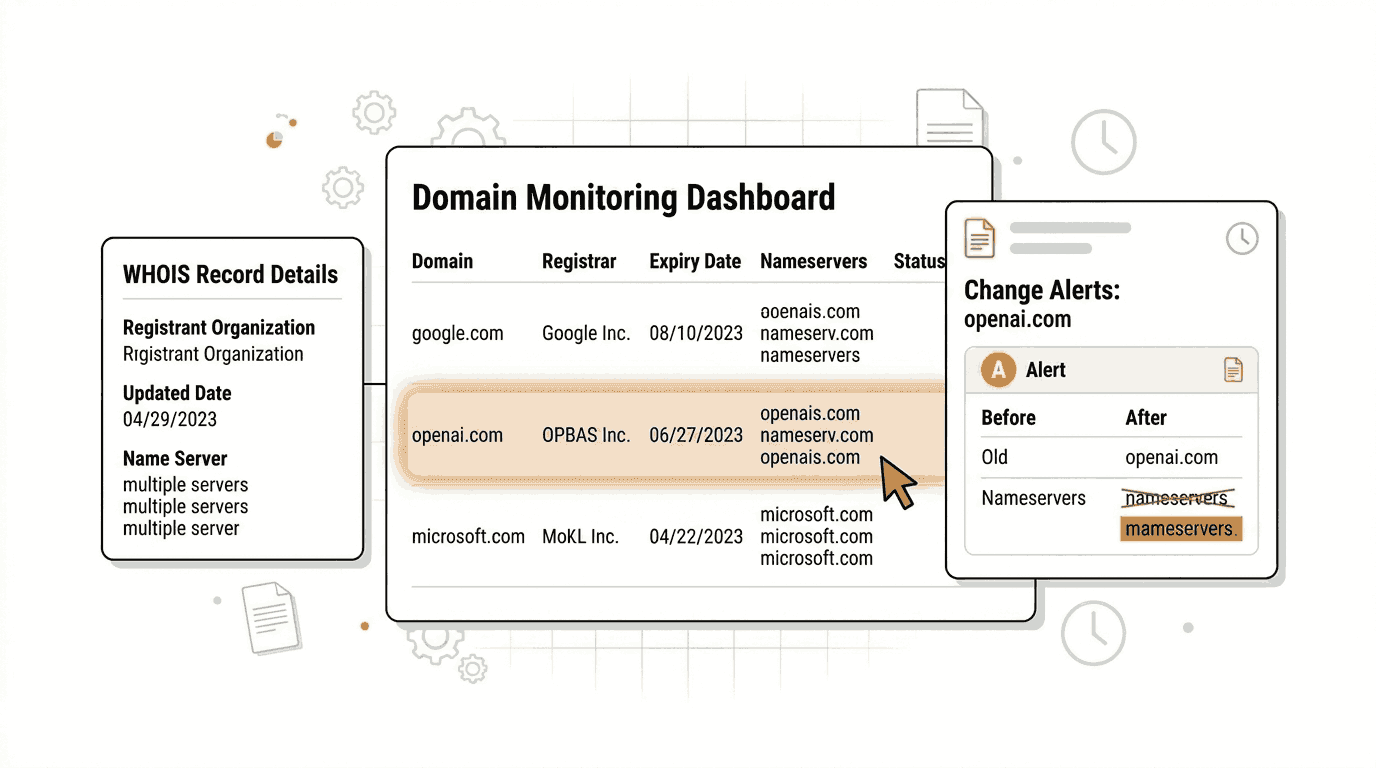
Domain names are foundational business assets. Ownership changes, registrar transfers, nameserver swaps, and expiration updates in the WHOIS record can signal anything from a routine renewal to an active domain hijacking attempt. Monitoring those changes continuously is one of the most important and most overlooked parts of domain security.
This guide explains what WHOIS data is, why changes in it matter, and how to set up automatic WHOIS change detection using Verid with no scraping infrastructure required.
What Is WHOIS Data?
WHOIS is a public database that stores registration information for every domain name. When someone registers a domain, their registrar submits a record that typically includes:
- Registrant name and organization (often redacted for privacy)
- Registrar name and IANA ID
- Registration, update, and expiration dates
- Name servers
- Domain status codes (such as
clientTransferProhibited)
As of January 28, 2025, ICANN officially retired the legacy WHOIS protocol in favor of RDAP (Registration Data Access Protocol). RDAP returns structured JSON data, uses HTTPS, and supports richer, tiered access policies. Publicly accessible WHOIS and RDAP lookups remain available for most generic top-level domains through ICANN's Lookup Tool and third-party services like who.is.
While individual personal data is frequently redacted under GDPR and ICANN privacy policies, several fields remain publicly visible and trackable: registrar, name servers, domain status codes, expiration dates, and update timestamps.
Why Domain Ownership Changes Matter
A change in a WHOIS record does not always mean something is wrong. But when it happens unexpectedly, it can signal a serious problem.
Domain hijacking is a real and costly threat. Attackers who gain unauthorized access to a registrar account can silently change name servers, redirect traffic, and intercept email before the legitimate owner notices. WHOIS monitoring creates an early-warning layer that catches those modifications the moment they appear in the registry.
Brand protection teams and trademark holders track competitor and look-alike domains. When a domain containing a protected trademark changes hands or goes live after a period of inactivity, it often signals cybersquatting or impersonation.
Domain investors and acquisition teams monitor target domains waiting for ownership changes or expiration events that signal a buying opportunity.
Compliance and IT teams in large organizations must maintain audit trails showing that registered domains are continuously under authorized control. Automated WHOIS monitoring produces that audit record automatically.
Security researchers track infrastructure used by threat actors. A nameserver change on a known-bad domain may indicate reactivation.
Setting Up WHOIS Monitoring in the Verid Dashboard
Verid is a developer-first web change detection API. It fetches a URL on a schedule you define, extracts specific fields using the method you choose, compares the result to the last known state, and fires a notification when a predicate you set is true.
For WHOIS monitoring, the target is a public WHOIS or RDAP lookup page, and the extracted fields are the registration data fields you care about.
Step 1: Create a New Monitor
Go to verid.dev and sign up. Every new account starts with a 14-day free trial, and no credit card is required. The trial includes unlimited monitors and 200 runs.
Once logged in:
- Click New Monitor in the dashboard.
- In the URL field, enter the address of a public WHOIS lookup page for the domain you want to track.
For example, to monitor the registration data for google.com, use the ICANN RDAP Lookup URL:
https://lookup.icann.org/en/lookup?name=google.com&type=domainOr use who.is, which provides a clean, crawlable page for each domain:
https://who.is/whois/google.com- Give your monitor a descriptive name, such as "WHOIS: google.com".
- Set the schedule interval to 86400 seconds (24 hours). This uses about 30 runs a month and is appropriate for WHOIS monitoring, since WHOIS records rarely change more than once per day. Every plan, including the free trial, supports intervals as short as 60 seconds; shorter intervals simply use more runs.
Step 2: Choose the Right Extraction Method
This is the most important configuration decision. Verid supports six extraction methods. For WHOIS monitoring, the best options are CSS Selector extraction, AI (LLM) extraction, and Full-Page Hash. Here is a comparison to help you decide:
| Method | How It Works | Best For WHOIS | Limitations |
|---|---|---|---|
| CSS Selector | Targets a specific HTML element by class, ID, or attribute path | Reliable if the WHOIS page has stable, labeled elements | Breaks if the page's HTML structure changes |
| AI / LLM Prompt | Describe what to extract in plain English; the model reads the page and returns structured JSON | Pages with unstructured prose layouts or inconsistent markup | Slower; counts against monthly LLM call quota |
| Full-Page Hash | Hashes the entire rendered page and fires when anything changes | Simplest setup; catches any change without knowing field names | High false-positive rate from timestamps and ads |
Recommended approach: Use CSS Selector extraction if the WHOIS page has identifiable HTML elements for each field. Use AI extraction when the page layout is inconsistent or you want resilience against markup changes.
Option A: CSS Selector Extraction
On who.is/whois/google.com, right-click the registrar name in your browser and use Inspect Element to identify the CSS selector for that element.
In the Verid dashboard, select CSS Selector as the extraction method and configure your fields. For example:
- Field name:
registrar| Selector:.registrar-name(use the actual selector from the page) - Field name:
expiry_date| Selector:.expiry-date - Field name:
name_server| Selector:.nameserver
Each field is tracked independently. Predicates and diffs reference fields by name.
Option B: AI Extraction (Recommended for WHOIS)
AI extraction is the most resilient method for WHOIS pages because WHOIS page layouts vary across registrars and lookup services, and they change over time.
Select AI / LLM Extraction in the dashboard and write a plain-English prompt:
Extract the registrar name, registration expiry date, registrant organization (if visible),
name servers, and domain status codes from this WHOIS page.
Return JSON with keys: registrar, expiry_date, registrant_org, name_servers, status_codes.
If a field is redacted or unavailable, use null.
You can optionally provide a schema to enforce consistent output:
{
  "registrar": "string",
  "expiry_date": "string",
  "registrant_org": "string or null",
  "name_servers": "array of strings",
  "status_codes": "array of strings"
}
This means even if the page layout changes, the AI model re-reads it and still returns the same structured fields. Each AI extraction counts against your plan's monthly LLM call quota. The free trial includes 50 LLM calls, and Lite includes 250 per month. Check your current usage at GET /v1/usage or on the Billing page in the dashboard.
See the full AI extraction guide for more detail on prompt writing and schema enforcement.
Step 3: Configure Change Alerts
After setting up extraction, configure how and where you want to receive notifications.
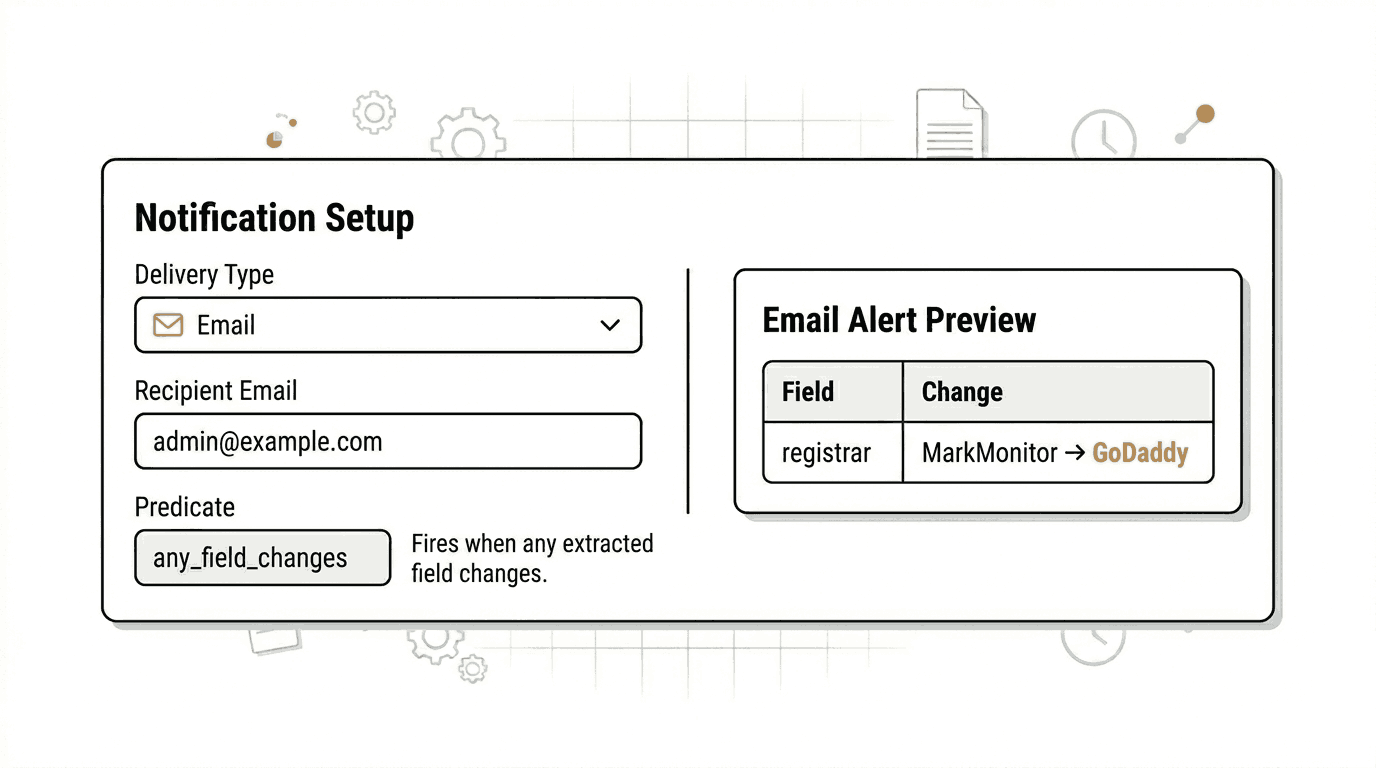
In the dashboard, scroll to the Deliveries section and click Add Delivery.
Select Email as the delivery type and enter your email address. Verid will send a plain-text email summary of exactly which fields changed and their before/after values whenever your predicate fires.
During the free trial, each monitor supports one delivery. Paid plans allow up to 2, 3, 10, or 25 deliveries per monitor depending on tier.
Configuring the predicate:
The predicate controls when a notification fires. For WHOIS monitoring, the most useful predicates are:
any_field_changes: fires whenever any extracted field changes. Use this for general WHOIS surveillance.field_changes: fires when one specific field (e.g.,registrarorname_servers) changes. Use this when you only care about specific fields.
For broad WHOIS monitoring, any_field_changes is the right choice. If the registrar, expiry date, name servers, or status codes change, you will get an email immediately.
Available delivery channels (beyond email) include signed webhooks, Slack, and Discord. See Verid's Notifications page for the full delivery options.
Real-World WHOIS Monitoring Examples
Example 1: Monitor google.com for Registrar or Nameserver Changes
Google's domain google.com is registered through MarkMonitor. Any change in registrar or name servers for this domain would be an extraordinary event. Brand protection teams and security researchers monitor domains like this as baselines to validate monitoring setups.
Target URL:
https://who.is/whois/google.comAI Extraction prompt:
Extract the registrar name, registration expiry date, name servers, and domain status codes.
Return JSON with keys: registrar, expiry_date, name_servers, status_codes.
Predicate: any_field_changes
If any of those fields changes, you will receive an email with the exact before/after diff.
Example 2: Monitor openai.com for Ownership Activity
OpenAI's domain openai.com is actively managed and commercially significant. Tracking its WHOIS record provides a real-world example of monitoring a high-value domain for registration changes.
Target URL:
https://who.is/whois/openai.comAI Extraction prompt:
Extract the registrar name, expiry date, registrant organization if shown, name servers,
and all domain status codes from this WHOIS record page.
Return JSON with keys: registrar, expiry_date, registrant_org, name_servers, status_codes.
Use null for any field that is redacted or not listed.
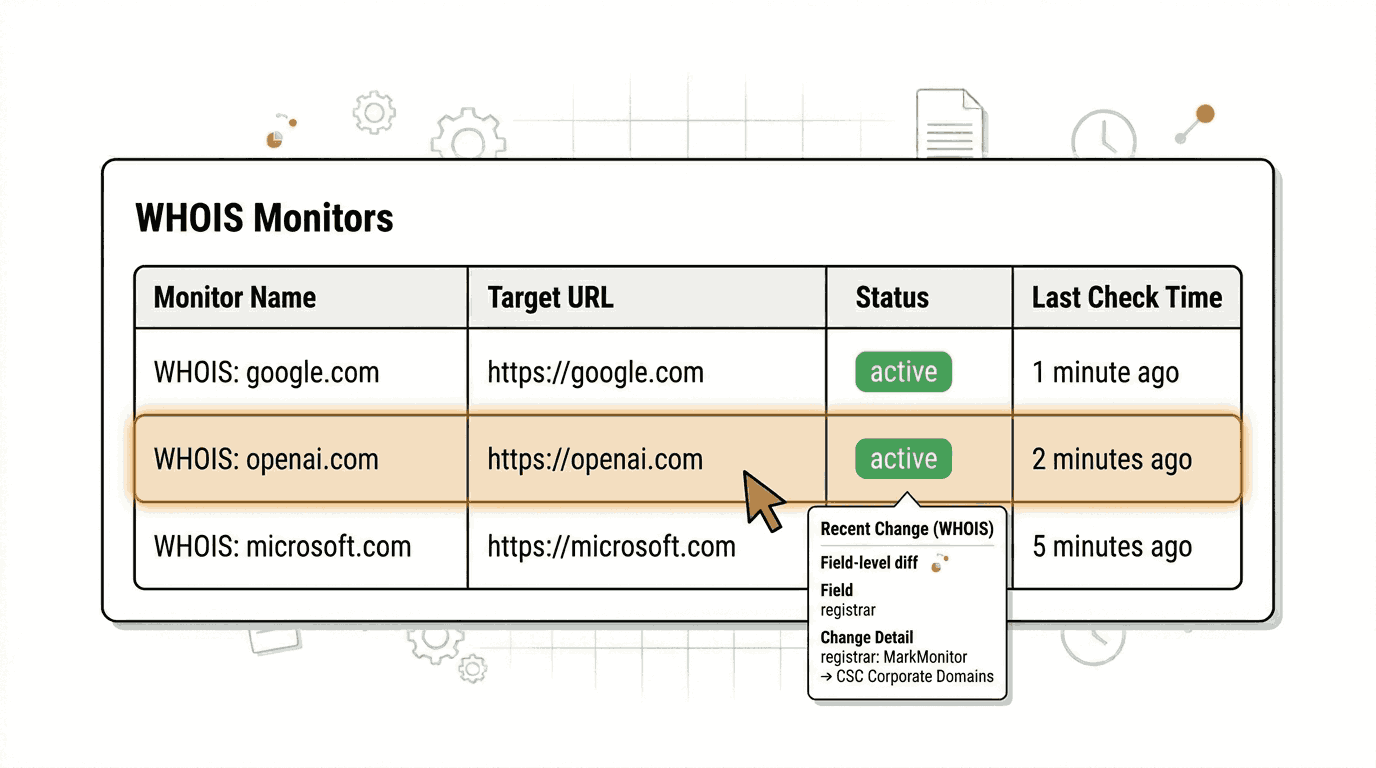
Predicate: field_changes on registrar
This fires specifically if the domain moves to a new registrar, which is one of the clearest signals of an ownership transfer.
Example 3: Track Expiration Date Changes on microsoft.com
Expiration date changes are among the most actionable WHOIS signals. A domain that previously had a multi-year expiry suddenly showing a near-term date may indicate non-renewal. Conversely, a domain that was about to expire renewing for another year is important context for acquisition teams.
Target URL:
https://who.is/whois/microsoft.comAI Extraction prompt:
Extract the domain expiry date, registrar, and name servers.
Return JSON with keys: expiry_date, registrar, name_servers.
Predicate: field_changes on expiry_date
You will be notified the moment the expiry date in the WHOIS record changes.
API and SDK Implementation
If you prefer to set up WHOIS monitors programmatically, Verid provides a full REST API with an OpenAPI 3.1 spec and an official Node.js SDK. Every feature available in the dashboard is available through the API.
The base URL for all API calls is https://api.verid.dev. All requests require an Authorization: Bearer vrd_your_key header. API keys start with the prefix vrd_ and are available from the API Keys page in the dashboard.
cURL: Create a WHOIS Monitor with AI Extraction
This example creates a monitor that checks the who.is WHOIS page for google.com daily, extracts key registration fields using AI extraction, and sends an email when anything changes.
curl -X POST https://api.verid.dev/v1/monitors \
  -H "Authorization: Bearer $VERID_API_KEY" \
  -H "Content-Type: application/json" \
  -d '{
    "name": "WHOIS: google.com",
    "url": "https://who.is/whois/google.com",
    "schedule_interval_seconds": 86400,
    "extract_config": {
      "method": "prompt",
      "prompt": "Extract the registrar name, registration expiry date, name servers, and domain status codes from this WHOIS page. Return JSON with keys: registrar, expiry_date, name_servers, status_codes. Use null for any field that is redacted or unavailable.",
      "schema": {
        "registrar": "string",
        "expiry_date": "string",
        "name_servers": "array of strings",
        "status_codes": "array of strings"
      }
    },
    "diff_predicate": {
      "type": "any_field_changes"
    },
    "deliveries": [
      {
        "type": "email",
        "to": "alerts@yourdomain.com"
      }
    ]
  }'
A successful request returns 201 Created with the full monitor object, including a UUID you can use to manage the monitor later.
cURL: Create a Monitor for a Specific Field Change
This example fires only when the registrar field changes, which is a targeted signal for domain transfer activity:
curl -X POST https://api.verid.dev/v1/monitors \
  -H "Authorization: Bearer $VERID_API_KEY" \
  -H "Content-Type: application/json" \
  -d '{
    "name": "WHOIS Registrar Watch: openai.com",
    "url": "https://who.is/whois/openai.com",
    "schedule_interval_seconds": 86400,
    "extract_config": {
      "method": "prompt",
      "prompt": "Extract the registrar name, expiry date, and name servers from this WHOIS page. Return JSON with keys: registrar, expiry_date, name_servers.",
      "schema": {
        "registrar": "string",
        "expiry_date": "string",
        "name_servers": "array of strings"
      }
    },
    "diff_predicate": {
      "type": "field_changes",
      "field": "registrar"
    },
    "deliveries": [
      {
        "type": "email",
        "to": "security@yourdomain.com"
      }
    ]
  }'
Node.js SDK
Verid publishes an official Node.js SDK on npm. Install it with:
npm install @verid.dev/sdkThe following example creates a WHOIS monitor for microsoft.com that tracks expiry date changes, then triggers an immediate manual run to fetch the current state:
import { VeridClient } from '@verid.dev/sdk';

const client = new VeridClient({
  apiKey: process.env.VERID_API_KEY,
});

// Create a WHOIS monitor for microsoft.com
const monitor = await client.monitors.create({
  name: 'WHOIS Expiry Watch: microsoft.com',
  url: 'https://who.is/whois/microsoft.com',
  schedule_interval_seconds: 86400,
  extract_config: {
    method: 'prompt',
    prompt:
      'Extract the domain expiry date, registrar, and name servers from this WHOIS page. ' +
      'Return JSON with keys: expiry_date, registrar, name_servers. Use null if a field is unavailable.',
    schema: {
      expiry_date: 'string',
      registrar: 'string',
      name_servers: 'array of strings',
    },
  },
  diff_predicate: {
    type: 'field_changes',
    field: 'expiry_date',
  },
  deliveries: [
    {
      type: 'email',
      to: 'ops@yourdomain.com',
    },
  ],
});

console.log('Monitor created:', monitor.id);

// Trigger an immediate run to capture the baseline WHOIS state
const run = await client.monitors.runNow(monitor.id);
console.log('Initial run queued:', run.run_id);
The runNow call triggers an immediate check that uses one run from your monthly allowance. There is no daily cap on manual runs.
For a full list of SDK methods and additional examples, see the Verid API documentation and the Quickstart guide.
Monitor Management: Pause, Resume, and Review Runs
Once a WHOIS monitor is running, you can manage it through the API or dashboard.
List all your monitors:
curl https://api.verid.dev/v1/monitors \
  -H "Authorization: Bearer $VERID_API_KEY"
Pause a monitor (useful when you know a domain transfer is authorized and you want to suppress alerts temporarily):
curl -X POST https://api.verid.dev/v1/monitors/{monitor_id}/pause \
  -H "Authorization: Bearer $VERID_API_KEY" \
  -H "Content-Type: application/json" \
  -d '{}'
Resume a monitor after a planned change window:
curl -X POST https://api.verid.dev/v1/monitors/{monitor_id}/resume \
  -H "Authorization: Bearer $VERID_API_KEY" \
  -H "Content-Type: application/json" \
  -d '{}'
Review recent runs to see extraction results and diff history:
curl https://api.verid.dev/v1/monitors/{monitor_id}/runs \
  -H "Authorization: Bearer $VERID_API_KEY"
Each run record includes the extracted field values, the diff against the previous run, and whether a delivery was triggered. History retention is 14 days during the free trial, 90 days on Lite, and up to 2 years on the Scale plan.
Pricing and Plan Limits
| Plan | Price | Runs/Month | History | LLM Calls/Month |
|---|---|---|---|---|
| Free trial (14 days) | $0 | 200 (whole trial) | 14 days | 50 (whole trial) |
| Lite | $9/mo | 1,000 | 90 days | 250 |
| Starter | $19/mo | 5,000 | 180 days | 500 |
| Pro | $49/mo | 15,000 | 365 days | 5,000 |
| Scale | $149/mo | 100,000 | 2 years | 25,000 |
For most individual users and small security teams, Lite ($9/month, 1,000 runs) is sufficient to monitor a handful of critical domains daily, and the 14-day free trial covers that while you test. Higher plans are appropriate when you need more runs (for hourly or more frequent checks, or a larger portfolio of domains) or longer history retention.
See the full pricing page for a complete plan comparison.
Frequently Asked Questions
What is WHOIS monitoring?
WHOIS monitoring is the practice of regularly checking the public registration record for a domain name and generating an alert when any field in that record changes. Monitored fields typically include the registrar, name servers, expiry date, and domain status codes. It helps security teams, brand protection teams, and domain investors detect unauthorized changes, ownership transfers, and expiration events.
Why should businesses monitor domain ownership changes?
Domain names are critical infrastructure. An unauthorized registrar transfer, a nameserver change, or a missed renewal can cause service outages, email interception, or brand impersonation. Continuous WHOIS monitoring creates an automated audit trail and provides an early warning before any change causes operational or reputational damage.
How often should WHOIS records be checked?
Daily checks (every 24 hours) are appropriate for most use cases. WHOIS records do not change frequently under normal circumstances, and daily polling avoids unnecessary load on public lookup services. If you need faster detection for high-value domains, hourly or 15-minute checks are available on every Verid plan; they use about 720 or 2,880 runs a month per domain, which is where paid plans come in.
Can I receive automatic WHOIS change alerts without writing code?
Yes. Verid's dashboard lets non-technical users set up a WHOIS monitor in a few minutes without writing any code. You enter the WHOIS lookup URL, configure AI extraction with a plain-English prompt, and add an email delivery address. When a field changes, Verid sends a plain-text email showing exactly what changed and what the previous value was.
Want this running on your own URL? Spin up the same monitor in about a minute. 5 free, no credit card.
About the author

Software Engineer
Suleman is a software engineer focused on web-data infrastructure. He works on Verid’s scraping and change-detection stack, and covers CSS and XPath selectors, JSON API monitoring, and how to design alerts developers won’t end up muting.
More from Suleman →Related use cases
How to Monitor Terms of Service and Privacy Policy Changes Automatically
Learn how to monitor Terms of Service and Privacy Policy changes automatically using Verid. Get instant alerts before policy updates affect your business.
View blueprint →Compliance & RegulatoryHow to Monitor Regulatory Filings and Policy Pages Automatically
Learn how to automatically track regulatory filings, policy updates, and government pages with Verid.dev - get email alerts the moment anything changes.
View blueprint →Compliance & RegulatoryHow to Set Up Automated Government Contract and Tender Alerts (No Coding Required)
Never miss a government contract again. Learn how to set up automated government tender alerts using Verid to monitor procurement portals 24/7.
View blueprint →