How to Set Up Automated Government Contract and Tender Alerts (No Coding Required)
Never miss a government contract again. Learn how to set up automated government tender alerts using Verid to monitor procurement portals 24/7.
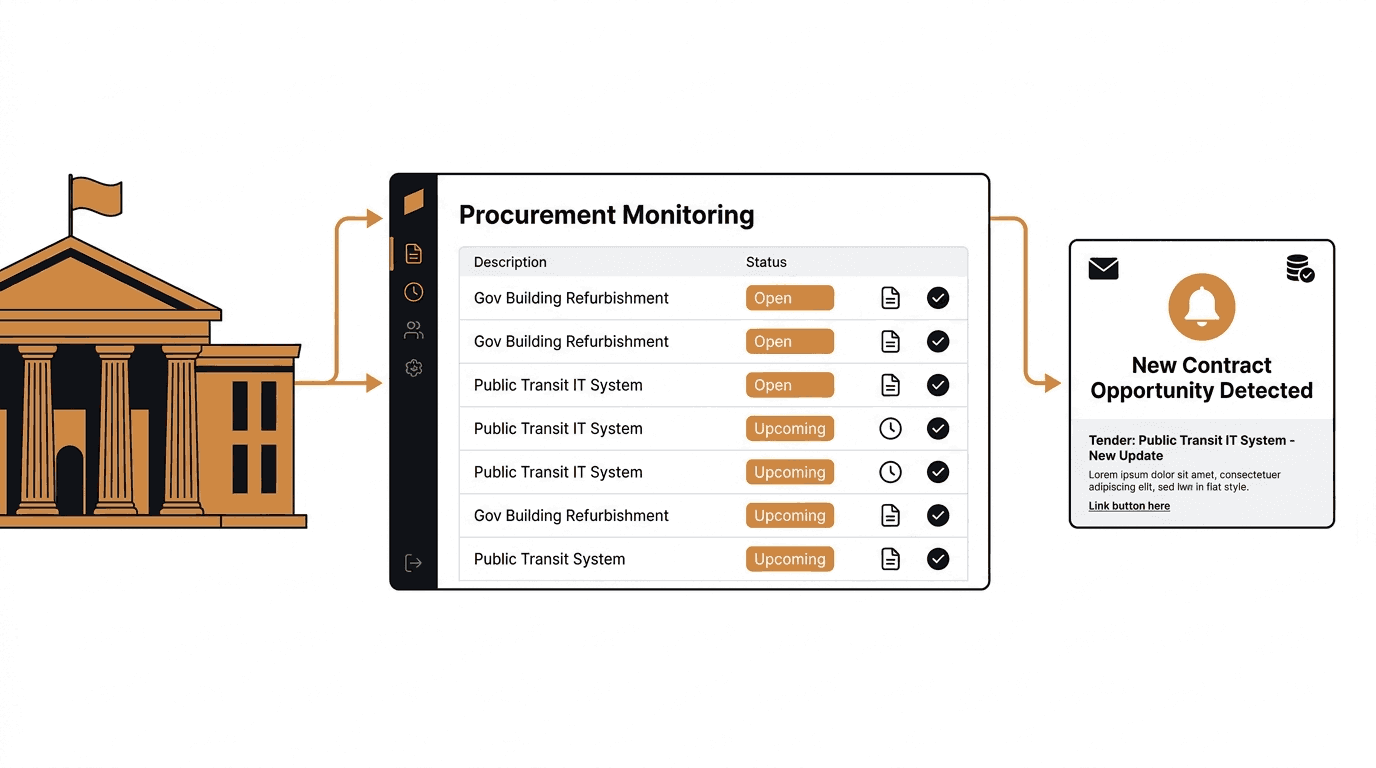
Missing a government tender by a day can mean losing a contract worth thousands or even millions. For businesses, contractors, suppliers, and consultants that depend on public sector work, manually checking government procurement portals is not just tedious. It is genuinely risky.
Most government tender websites publish new opportunities every single day. A large infrastructure tender on SAM.gov might close within 30 days of being posted. If your team discovers it on day 25, you barely have time to prepare a competitive proposal. And if you are also watching the EU's Tenders Electronic Daily (TED) alongside your national portal, and possibly state or regional portals on top of that, the daily monitoring workload quickly becomes unmanageable.
The answer is not to work harder. It is to automate.
Verid is a developer-first web change detection API that monitors any URL for changes and sends you a notification the moment something new appears. You can point it at a government procurement portal, tell it what to look for, and let it run on a schedule so you never have to manually check again. Non-technical users can set everything up directly from the Verid dashboard in a few minutes. Developers can do the same thing programmatically using the REST API or official Node.js SDK.
This guide walks through both approaches using real government tender websites as examples.
Why Manual Tender Monitoring Fails Businesses
Government procurement is one of the largest markets in the world. The US federal government alone posts over 24,000 new contract notices every month on SAM.gov. The European Union publishes hundreds of opportunities per day on TED. The UK publishes opportunities on Find a Tender. Each portal has its own search interface, its own update frequency, and its own layout.
Here is what manual monitoring actually looks like for most teams:
- An employee logs into three or four portals every morning
- They run keyword searches and skim through results
- They copy interesting opportunities into a spreadsheet
- They send an email to the bid team
- They do the same thing again tomorrow
This process takes time every single day. It is also inconsistent. Tenders can be published at any time. If someone is sick, on holiday, or simply overwhelmed, opportunities get missed. And when you scale across multiple portals or multiple keyword categories, the problem compounds fast.
Automated government tender monitoring removes the human from the loop. You define what to watch and how to be notified. The tool does the checking.
What Is Verid and How Does It Help with Tender Monitoring?
Verid monitors any webpage for changes. Instead of capturing screenshots and telling you "the page looks different," Verid extracts specific structured fields from a page, tracks those fields over time, and only alerts you when meaningful changes occur.
For government tender monitoring, this means you can monitor a procurement portal's latest opportunities page and receive an email or webhook notification the moment the number of listed tenders changes, or the moment a new entry appears on the page. No false alarms from banner rotations or timestamp updates. Just signal when it matters.
Verid supports six extraction methods, nine predicate types for controlling exactly when alerts fire, and multiple delivery options including email, webhooks, Slack, and Discord. It runs on a schedule you set, as often as every minute on every plan, including the free trial.
Part 1: Setting Up Government Tender Alerts from the Verid Dashboard
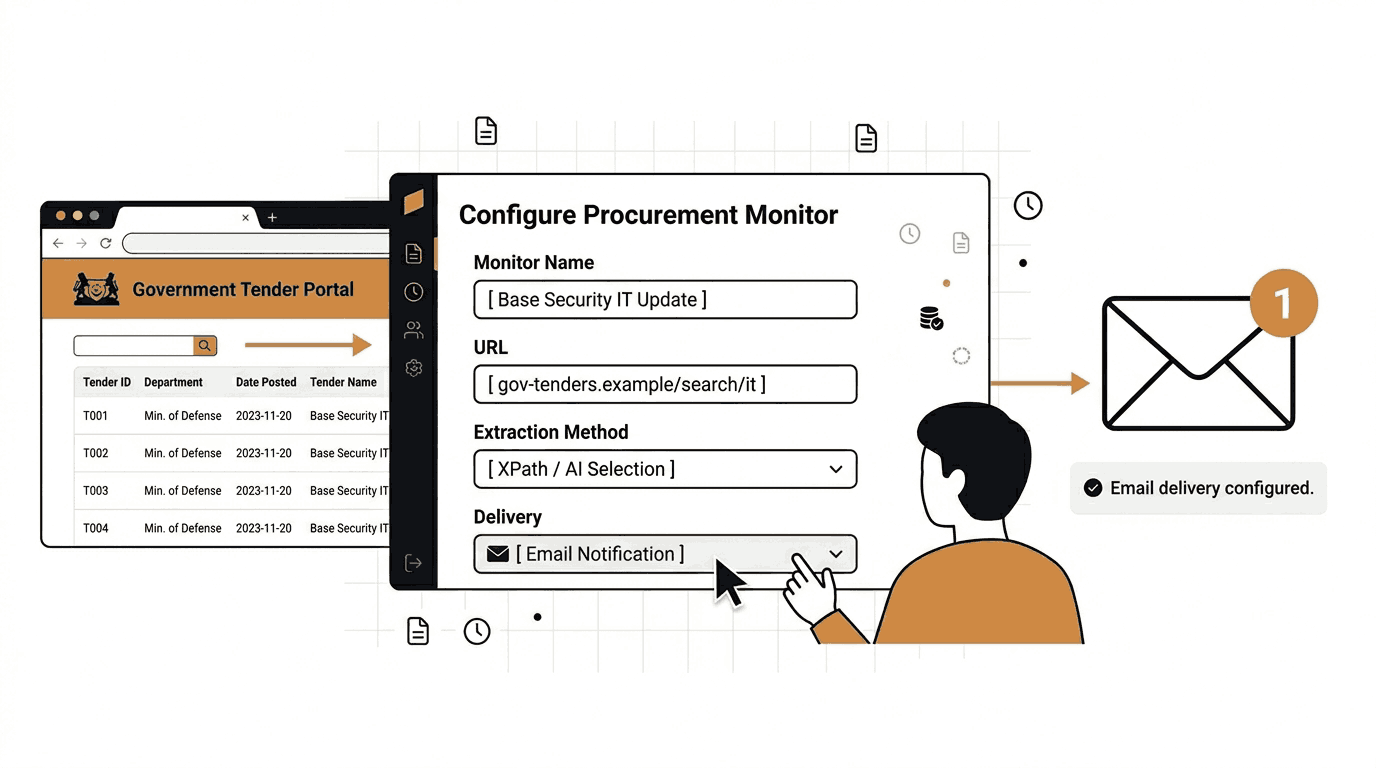
This section is for non-developers. No coding is required. You will need a Verid account, which you can start with a 14-day free trial at verid.dev/auth/signup.
Step 1: Create a New Monitor
After signing in, navigate to your dashboard and click the button to create a new monitor. Give it a descriptive name so you can identify it later. For this example, we will use:
Monitor name: SAM.gov IT Opportunities WatchStep 2: Enter the Government Tender Portal URL
For the URL field, enter the address of the government procurement page you want to monitor. Use a real publicly accessible URL, not a login-protected page.
For US federal contracts, a good starting point is the SAM.gov contract opportunities search filtered by keyword. The public search page is:
https://sam.gov/opportunities/results/keywords=information+technology&index=opp&is_active=true&page=1&sort=-modifiedDateThis page shows the most recently modified active IT contract opportunities. You can adjust the keyword in the URL to match your industry.
For European Union procurement, use the TED search results page for your target category:
https://ted.europa.eu/en/search/result?scope=ACTIVE&page=1&pageSize=10&sortColumn=TD_PUBLICATION_DATE&sortOrder=DESCFor UK government contracts, the Find a Tender search results page works well:
https://www.find-tender.service.gov.uk/Search/Results?&Status=published&Sort=PublishedDateEnter one of these URLs in the URL field of your Verid monitor.
Step 3: Choose the Right Extraction Method
This is the most important decision when setting up a monitor. Verid offers multiple ways to extract information from a webpage. The right choice depends on the type of page you are monitoring.
Government procurement portals are typically rendered HTML pages, which means CSS selectors or AI extraction are your two best options. (See the full extraction method comparison in the next section for details.)
For a general starting setup, select AI extraction as your method. In the prompt field, enter:
Count the total number of contract or tender opportunities listed on this page and return it as a number called opportunity_count. Also extract the title of the first listed opportunity as a field called top_opportunity.In the schema section, add:
{
  "opportunity_count": "number",
  "top_opportunity": "string"
}
This tells Verid to use its built-in language model to find these values on the page, even if the HTML structure changes over time.
Step 4: Configure the Predicate
The predicate controls when Verid sends you a notification. You do not want an alert every 24 hours regardless of whether anything changed. You only want an alert when something is new.
For tender monitoring, set the predicate to:
- Type: field_increases_by_absolute
- Field: opportunity_count
- Threshold: 1
This means Verid will only send you a notification when the number of listed opportunities increases by at least 1 compared to the previous check. If the count stays the same, you hear nothing.
Step 5: Set the Monitoring Schedule
A daily check (86,400 seconds) is a good default for tender portals. Each daily monitor uses about 30 runs a month, so the Lite plan's 1,000 monthly runs cover about 33 portals.
If you need faster alerts, you can shorten the interval on any plan, down to every minute. Each check uses one run, and plans differ by how many runs you get each month:
| Plan | Price | Runs per month |
|---|---|---|
| 14-day free trial | $0 | 200 for the whole trial |
| Lite | $9/mo | 1,000 |
| Starter | $19/mo | 5,000 |
| Pro | $49/mo | 15,000 |
| Scale | $149/mo | 100,000 |
For government tender monitoring, daily checks are usually sufficient. Most portals aggregate postings and the submission window for most contracts is several weeks. Moving to hourly checks (about 720 runs a month per monitor) gives you a meaningful speed advantage if you are competing in fast-moving markets.
Step 6: Add Email Delivery
In the deliveries section, click to add a new delivery and select Email. Enter your email address in the to field. Verid will send a plain readable summary every time your predicate fires.
Free trial accounts can configure one delivery channel per monitor. Paid plans allow up to 3 (Starter), 10 (Pro), or 25 (Scale) delivery channels per monitor.
Step 7: Save and Activate
Click save. Verid will run an initial check to establish a baseline. The first run never fires an alert because there is nothing to compare against yet. Starting from the second run, you will receive an email whenever the opportunity count on the page increases.
You can trigger a manual run at any time using the "Run Now" button in the dashboard to verify your configuration is working correctly.
Part 2: Choosing the Right Extraction Method for Government Portals
Verid supports six extraction methods. Here is how each one applies to government procurement websites, and which one to use in different situations.
CSS Selector Extraction
CSS selectors target specific HTML elements on a page using the element's class, ID, or position in the page structure. You identify the element you want (for example, the container that lists tender titles), and Verid extracts the text from that element every time it checks the page.
When to use it: The page has a consistent, predictable HTML structure that does not change often. Works very well when you can inspect the page in your browser's developer tools and find a stable class name or element ID for the tender listing container.
Advantages: Fast, precise, and reliable when the HTML is stable. No language model calls required, so it does not count against your LLM quota.
Limitations: If the government portal redesigns its page or changes class names, your selector will break. You will need to update it manually.
Example: On a page where each tender is wrapped in a <div class="tender-item">, you could count occurrences using a regex monitor on the raw HTML, or extract the title of the first item using:
{
  "method": "css",
  "fields": {
    "first_tender_title": "div.tender-item:first-child h3"
  }
}
XPath Extraction
XPath is a more powerful way to navigate a page's HTML structure. It can do things that CSS selectors cannot, such as selecting an element based on its text content or traversing up the tree to find a parent element.
When to use it: The page has complex nesting and CSS selectors cannot reach the element you need. Useful for XML-based feeds or government data exports.
Advantages: More expressive than CSS selectors. Can handle parent/ancestor traversal and text-based lookups.
Limitations: XPath expressions are more complex to write. Still breaks if the page structure changes significantly.
JSONPath Extraction
JSONPath is designed specifically for JSON APIs. If the government portal you are monitoring has a publicly accessible API (like the SAM.gov public API), you can point Verid at the API endpoint URL and use JSONPath to extract specific fields directly from the JSON response.
When to use it: You are monitoring a government API endpoint rather than a rendered webpage. This is the cleanest and most reliable approach when an API is available.
Advantages: JSON APIs are far more stable than HTML pages. Layout changes do not affect your extraction at all.
Limitations: Not all government portals have public APIs. Some require API keys.
Example using the SAM.gov public opportunities API:
{
  "method": "json_path",
  "fields": {
    "total_count": "$.totalRecords",
    "latest_title": "$.opportunitiesData[0].title"
  }
}
Regex Extraction
Regex searches the raw text or HTML of a page for a pattern. You can use it to count how many times a specific phrase or HTML tag appears on the page.
When to use it: You want to count occurrences of something on the page without needing to parse the HTML structure. For example, counting how many times the word "Solicitation" appears in the raw response.
Advantages: Very simple to configure. Works on the raw response so it is not affected by JavaScript rendering issues.
Limitations: Easy to generate false positives. Not suitable for extracting clean structured values.
Full-Page Hash Extraction
This method hashes the entire rendered page. If anything on the page changes, the hash changes, and Verid fires an alert.
When to use it: You just want to know if anything at all changed on the page and do not care about extracting specific values.
Advantages: Zero configuration required. Catches any change.
Limitations: Government portals often have dynamic elements like dates, view counts, and banner ads that change on every page load. This will generate false positive alerts constantly unless the portal is very static.
AI Extraction
With AI extraction, you write a plain English description of what you want to extract. Verid sends the page content to an LLM and gets back the values you described, as structured fields matching the schema you provide.
When to use it: The page structure is complex or changes frequently, or you do not want to inspect HTML. This is the easiest method for non-developers.
Advantages: No CSS knowledge needed. Adapts to layout changes automatically. Works on pages that a selector would struggle with.
Limitations: Each check counts against your monthly LLM call quota. Slightly slower than CSS extraction. Requires a clear, specific prompt to get reliable results.
Comparison Table
| Method | Best For | Technical Skill Required | Stable Across Redesigns | Counts Against LLM Quota |
|---|---|---|---|---|
| CSS Selector | Rendered HTML with stable classes | Low | No | No |
| XPath | Complex HTML or XML | Medium | No | No |
| JSONPath | Government JSON APIs | Low | Yes | No |
| Regex | Counting page occurrences | Low | Partially | No |
| Full-Page Hash | Any change detection | None | Yes | No |
| AI / LLM Prompt | Any page, easy setup | None | Yes | Yes |
Recommended approach for government tender monitoring:
If the portal has a public API, use JSONPath against the API endpoint. It is the most reliable and stable option.
If you are monitoring a rendered HTML page, use AI extraction if you want zero maintenance, or CSS selector if you are comfortable inspecting the page HTML and want to avoid LLM quota usage.
Avoid full-page hash for procurement portals as these pages typically have dynamic elements that will trigger false alerts.
Part 3: Developer Setup Using the Verid API and Node.js SDK
If you are a developer and want to create and manage government tender monitors programmatically, you can use the Verid REST API or the official Node.js SDK.
Prerequisites
Start a free trial and create an API key at verid.dev/auth/signup. All API keys start with the prefix vrd_.
export VERID_API_KEY="vrd_your_key_here"Creating a Government Tender Monitor via the API
The following example monitors the SAM.gov opportunities page for new IT contract postings. It uses AI extraction to count listed opportunities and fires when the count increases.
curl -X POST https://api.verid.dev/v1/monitors \
  -H "Authorization: Bearer $VERID_API_KEY" \
  -H "Content-Type: application/json" \
  -d '{
    "name": "SAM.gov IT Contracts Watch",
    "url": "https://sam.gov/opportunities/results/keywords=information+technology&index=opp&is_active=true&page=1&sort=-modifiedDate",
    "schedule_interval_seconds": 86400,
    "fetch_mode": "browser",
    "extract_config": {
      "method": "prompt",
      "prompt": "Count the total number of contract opportunity listings shown on this page and return it as opportunity_count. Extract the title of the first listed opportunity as top_opportunity.",
      "schema": {
        "opportunity_count": "number",
        "top_opportunity": "string"
      }
    },
    "diff_predicate": {
      "type": "field_increases_by_absolute",
      "field": "opportunity_count",
      "threshold": 1
    },
    "deliveries": [
      {
        "type": "email",
        "to": "your@email.com"
      }
    ]
  }'
A few notes on this configuration:
schedule_interval_seconds: 86400sets the check to run once every 24 hours, about 30 runs a month, which fits easily inside the Lite plan's 1,000 runs.fetch_mode: "browser"is set because SAM.gov is a JavaScript-heavy site. Verid will use a headless browser to fully render the page before extracting data.- The predicate
field_increases_by_absolutewith threshold1means you only get an email when there are more opportunities listed than there were in the previous check.
Creating a Monitor via the Node.js SDK
Install the official SDK:
npm install @verid.dev/sdkThen use it in your project:
import { VeridClient } from '@verid.dev/sdk';

const client = new VeridClient({
  apiKey: process.env.VERID_API_KEY!,
});

const monitor = await client.monitors.create({
  name: 'SAM.gov IT Contracts Watch',
  url: 'https://sam.gov/opportunities/results/keywords=information+technology&index=opp&is_active=true&page=1&sort=-modifiedDate',
  schedule_interval_seconds: 86400,
  fetch_mode: 'browser',
  extract_config: {
    method: 'prompt',
    prompt:
      'Count the total number of contract opportunity listings shown on this page and return it as opportunity_count. Extract the title of the first listed opportunity as top_opportunity.',
    schema: {
      opportunity_count: 'number',
      top_opportunity: 'string',
    },
  },
  diff_predicate: {
    type: 'field_increases_by_absolute',
    field: 'opportunity_count',
    threshold: 1,
  },
  deliveries: [
    {
      type: 'email',
      to: 'your@email.com',
    },
  ],
});

console.log('Monitor created:', monitor.id);

// Trigger a manual test run
await client.monitors.runNow(monitor.id);
console.log('Manual run triggered');
Monitoring a Government JSON API
If you want to monitor the SAM.gov public API directly (which requires a free API key from SAM.gov), you can use JSONPath extraction for a more reliable and stable monitor. This example monitors the TED API for new EU procurement notices:
import { VeridClient } from '@verid.dev/sdk';

const client = new VeridClient({
  apiKey: process.env.VERID_API_KEY!,
});

const monitor = await client.monitors.create({
  name: 'TED EU Procurement New Notices',
  url: 'https://ted.europa.eu/api/v3.0/notices/search?q=*&scope=ACTIVE&page=1&pageSize=10&fields=notice-number,title,publication-date',
  schedule_interval_seconds: 86400,
  extract_config: {
    method: 'json_path',
    fields: {
      total_notices: '$.total',
      latest_notice_id: '$.notices[0].notice-number',
    },
  },
  diff_predicate: {
    type: 'field_changes',
    field: 'latest_notice_id',
  },
  deliveries: [
    {
      type: 'email',
      to: 'your@email.com',
    },
  ],
});
Here the predicate is field_changes on latest_notice_id. The moment a new notice appears at the top of the results, its ID will differ from the previous run and Verid will send you an alert.
What the Webhook Payload Looks Like
If you use webhook delivery instead of email, Verid sends a signed POST request to your endpoint. Here is an example of what the payload looks like when a new procurement opportunity is detected:
{
  "id": "del_01H...",
  "version": "2026-05-01",
  "monitor_id": "uuid",
  "run_id": "uuid",
  "fired_at": "2026-06-13T09:00:00Z",
  "diff": {
    "fields_changed": ["opportunity_count", "top_opportunity"],
    "before": {
      "opportunity_count": 47,
      "top_opportunity": "IT Support Services for Department of Energy"
    },
    "after": {
      "opportunity_count": 49,
      "top_opportunity": "Cybersecurity Assessment Services - GSA"
    }
  },
  "monitor": {
    "url": "https://sam.gov/opportunities/results/keywords=information+technology&index=opp&is_active=true&page=1&sort=-modifiedDate",
    "name": "SAM.gov IT Contracts Watch"
  }
}
The payload shows exactly what changed: the count went from 47 to 49, and the top listed opportunity changed. You can use this data to trigger downstream workflows, update a CRM, or post to a team channel.
All webhooks are HMAC-signed using the Verid-Signature header. See the Verid webhooks documentation for verification code in Node.js, Python, Ruby, Go, and PHP.
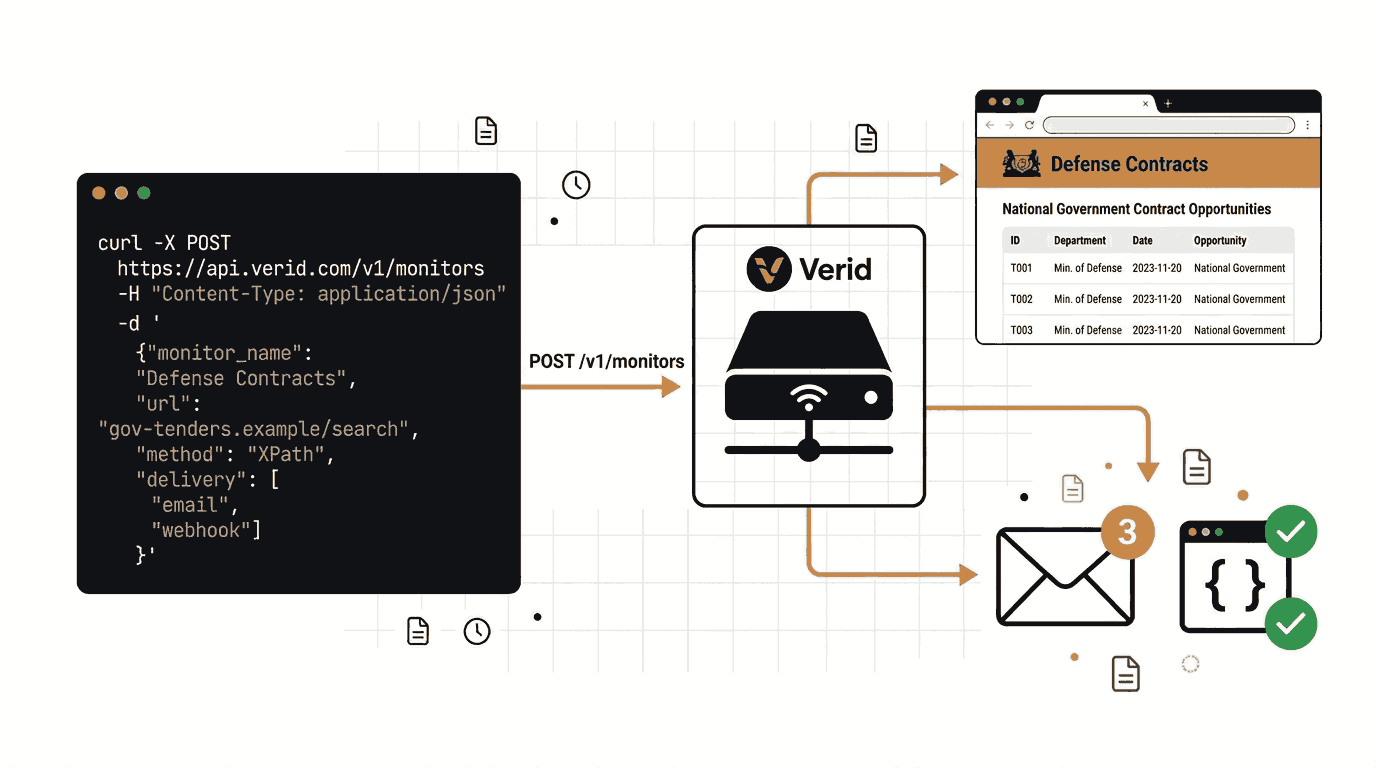
What a Government Tender Alert Email Looks Like
When Verid detects new opportunities and your predicate fires, you receive a clear plain-text email. Here is a realistic example of what that notification looks like:
Subject: Verid Alert: SAM.gov IT Contracts Watch
Monitor: SAM.gov IT Contracts Watch
Fired at: June 13, 2026 at 09:00 UTC
URL: https://sam.gov/opportunities/results/keywords=information+technology
What changed:
| Field | Before | After |
|---|---|---|
| opportunity_count | 47 | 49 |
| top_opportunity | IT Support Services for Department of Energy | Cybersecurity Assessment Services - GSA |
2 new opportunities have been detected since the last check.
View the latest opportunities: https://sam.gov/opportunities
The email tells you exactly what changed, when it changed, and links directly to the source so you can review the new postings immediately.
Setting Up Multiple Procurement Portal Monitors
Many businesses need to monitor more than one portal at a time. A company bidding on US federal contracts might also watch their home state's portal, a city or county procurement site, and possibly TED for international work.
With Verid, you simply create one monitor per URL. Each monitor runs on its own schedule and sends its own alerts. Every plan, including the free trial, allows unlimited monitors; what changes between plans is monthly runs. At one daily check per portal, the Lite plan's 1,000 runs cover about 33 portals, and the Starter plan at $19 per month (5,000 runs) is more than enough to cover most procurement teams' needs.
Here is an example of a multi-portal monitoring setup:
| Monitor Name | URL | Interval |
|---|---|---|
| US Federal IT Contracts | sam.gov/opportunities | 24 hours |
| EU Procurement (TED) | ted.europa.eu/en/search/result | 24 hours |
| UK Find a Tender | find-tender.service.gov.uk/Search | 24 hours |
| State of Texas Vendor Portal | comptroller.texas.gov/purchasing/opportunities | 24 hours |
Each of these monitors can use its own extraction method and predicate logic depending on the structure of the source page.
Tips for Better Government Tender Monitoring Results
Monitor the right page, not the homepage. Use the filtered search results page for your specific industry or keyword, not the portal's landing page. This reduces noise and ensures alerts are relevant to what you actually bid on.
Use AI extraction as your starting point. If you are not sure which CSS selectors to use, start with AI extraction and a clear prompt. It is more resilient to page changes and requires no HTML knowledge.
Trigger a manual run after setup. Use the "Run Now" function in the Verid dashboard to verify your extraction is working before waiting 24 hours for the first scheduled run. There is no daily cap on manual runs; each one uses one run from your monthly allowance.
Watch for both the count and the top entry. Extracting both opportunity_count and top_opportunity in the same monitor gives you more information in each alert. You can immediately see how many new opportunities appeared and what the most recent one is called.
Check the delivery log if alerts stop. If you stop receiving alerts, go to the deliveries section in your Verid dashboard. You can see whether recent runs triggered a delivery and whether the delivery was successfully sent. Failed deliveries can be replayed manually.
Frequently Asked Questions
How can I receive government tender alerts automatically?
The easiest way is to use a web monitoring tool like Verid. You provide the URL of the government procurement portal you want to track, configure what to look for on the page, and set a delivery method like email. Verid checks the page on a schedule and sends you a notification whenever new opportunities appear. No coding is required when using the Verid dashboard. See verid.dev/use-cases/regulatory-filings-and-policy-pages for a related example.
What is the best way to monitor government contract opportunities?
Monitoring the official procurement portal directly is more reliable than relying on third-party aggregators. For US federal contracts, monitor sam.gov/opportunities. For EU contracts, monitor ted.europa.eu. Use a tool like Verid to automate the checking so you do not have to log in manually every day. If the portal offers a public JSON API, use JSONPath extraction in Verid for the most stable and reliable results.
Can I track procurement websites without knowing how to code?
Yes. The Verid dashboard lets you set up monitors, choose an extraction method, configure alerts, and receive email notifications entirely through a visual interface. The AI extraction method means you describe what you want in plain English, so you do not need to understand HTML or CSS selectors. Start a free trial at verid.dev/auth/signup to get started.
How often should I check government tender portals?
For most procurement teams, once every 24 hours is sufficient. Government contracts typically have submission windows of several weeks, so a daily check gives you plenty of time to prepare a proposal after discovering a new opportunity. If you are in a fast-moving sector or monitoring a high-volume portal, moving to hourly checks gives you a meaningful competitive advantage. An hourly monitor uses about 720 runs a month, so Verid's Starter plan at $19 per month (5,000 runs) covers about six of them.
Want this running on your own URL? Spin up the same monitor in about a minute. 5 free, no credit card.
About the author

Software Engineer & Technical Writer
Hanzala works as a software engineer and technical writer. He documents Verid’s API and SDK while building against them, and writes tutorials on monitoring pages, parsing structured data, and wiring alerts into tools a team already uses.
More from HANZALA SALEEM →Related use cases
How to Monitor Terms of Service and Privacy Policy Changes Automatically
Learn how to monitor Terms of Service and Privacy Policy changes automatically using Verid. Get instant alerts before policy updates affect your business.
View blueprint →Compliance & RegulatoryHow to Detect WHOIS and Domain Ownership Changes Automatically
Learn how to monitor WHOIS records and detect domain ownership changes automatically using Verid. Set up alerts for registrar swaps, expiration updates, and nameserver changes.
View blueprint →Compliance & RegulatoryHow to Monitor Regulatory Filings and Policy Pages Automatically
Learn how to automatically track regulatory filings, policy updates, and government pages with Verid.dev - get email alerts the moment anything changes.
View blueprint →