
How to Use AI Extraction to Monitor Pages That Break CSS Selectors
You wrote a clean selector. It worked for three months. Then a competitor redesigned their pricing page, renamed .current-price to .psp-value-display, and your monitor went silent for a week before anyone noticed the field was just empty instead of missing.
This happens to almost every team that monitors third-party pages long enough. CSS and XPath selectors are fast and precise, but they are a contract with markup you don't control. The moment that markup changes, the contract is void and nobody tells you.
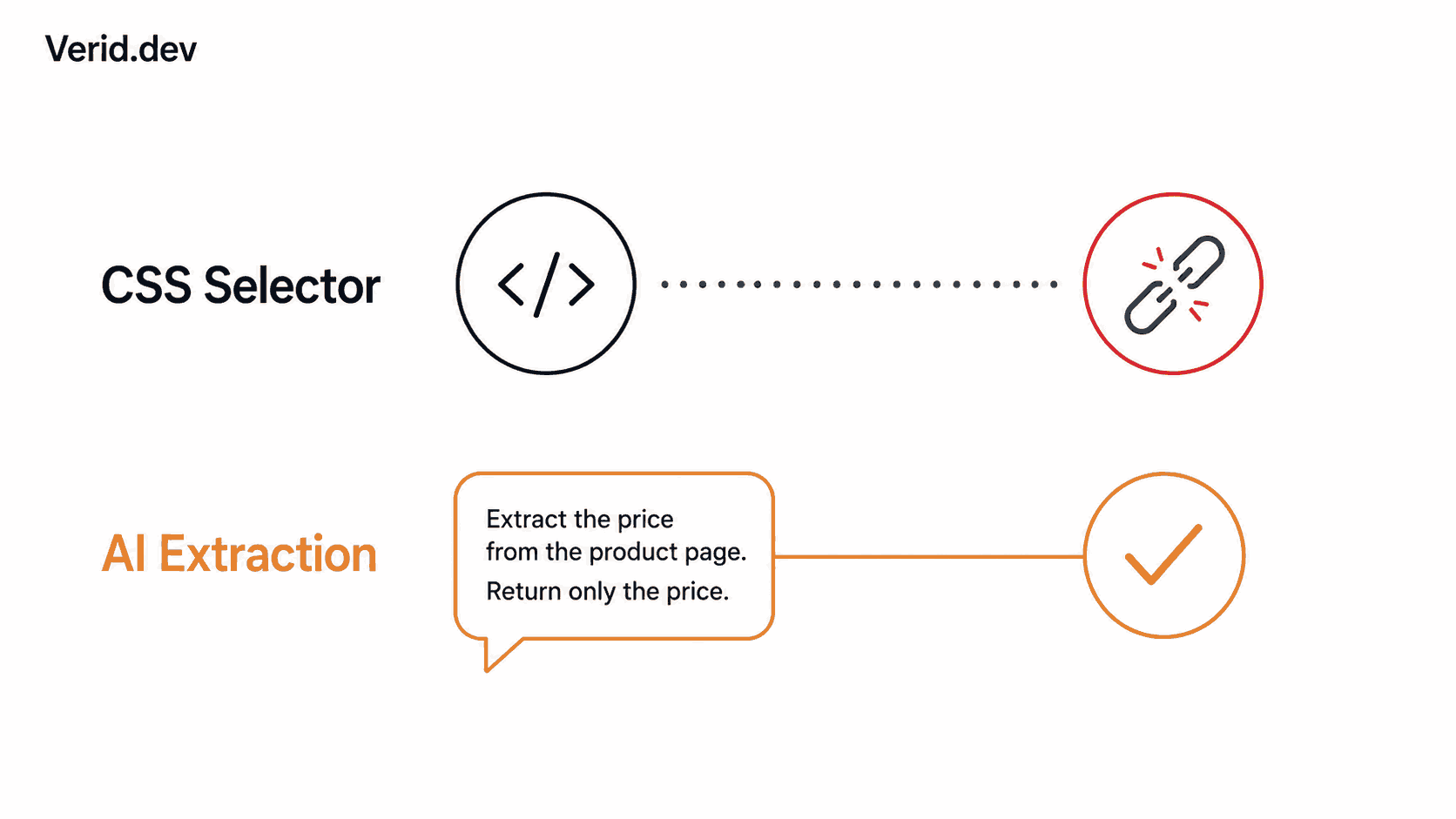
AI extraction sidesteps the problem by reading the page the way a person would: it doesn't care what class name wraps the price, it just finds the price. This post covers why selectors fail, when AI extraction is the better tool, when it isn't, and how to wire it up on Verid with prompts and schemas that actually hold up over time.
Why CSS selectors fail in the first place
A CSS selector is a path through a specific DOM tree. It assumes that tree stays stable. In practice, four things break it constantly:
Redesigns and rebrands. A new design system ships, class names get renamed from semantic (.price) to atomic or hashed (.css-1x2y3z), and every selector pointed at the old names returns nothing.
A/B testing and feature flags. Some users see one DOM structure, others see a variant. Your monitor might hit either one depending on how the page is served, so the selector works intermittently and you can't tell why.
Framework migrations. A site moves from server-rendered HTML to a client-rendered React or Vue bundle. The static HTML that used to contain the price now contains <div id="root"></div> and nothing else until JavaScript runs.
CSS-in-JS and build tooling. Webpack, Vite, and CSS Modules frequently generate non-deterministic class names on every build. A selector that worked yesterday can be invalid today even without a visible design change.
The failure mode is also quietly dangerous: a broken selector usually doesn't throw an error. It just returns an empty field, and an empty field looks identical to "nothing changed" unless your monitoring tool flags missing data explicitly.
How AI extraction solves the structural problem
Instead of matching a DOM path, AI extraction sends the page content and a plain-English instruction to a fast, JSON-capable model, which reads the content and returns structured JSON. There is no selector to break because there is no selector at all. No selectors, no regex patterns, no inspecting the DOM, just a description of what you want.
That means a prompt like "extract the current sale price and stock status" keeps working through a redesign, a framework migration, or a class-name rewrite, because none of those things change what a human reading the page would call "the price."
It also handles the JavaScript problem directly. When a page is fully client-side rendered, the AI extractor works by reading the page content after rendering, so it can still find and interpret the visible text even when CSS, XPath, or regex would all fail.
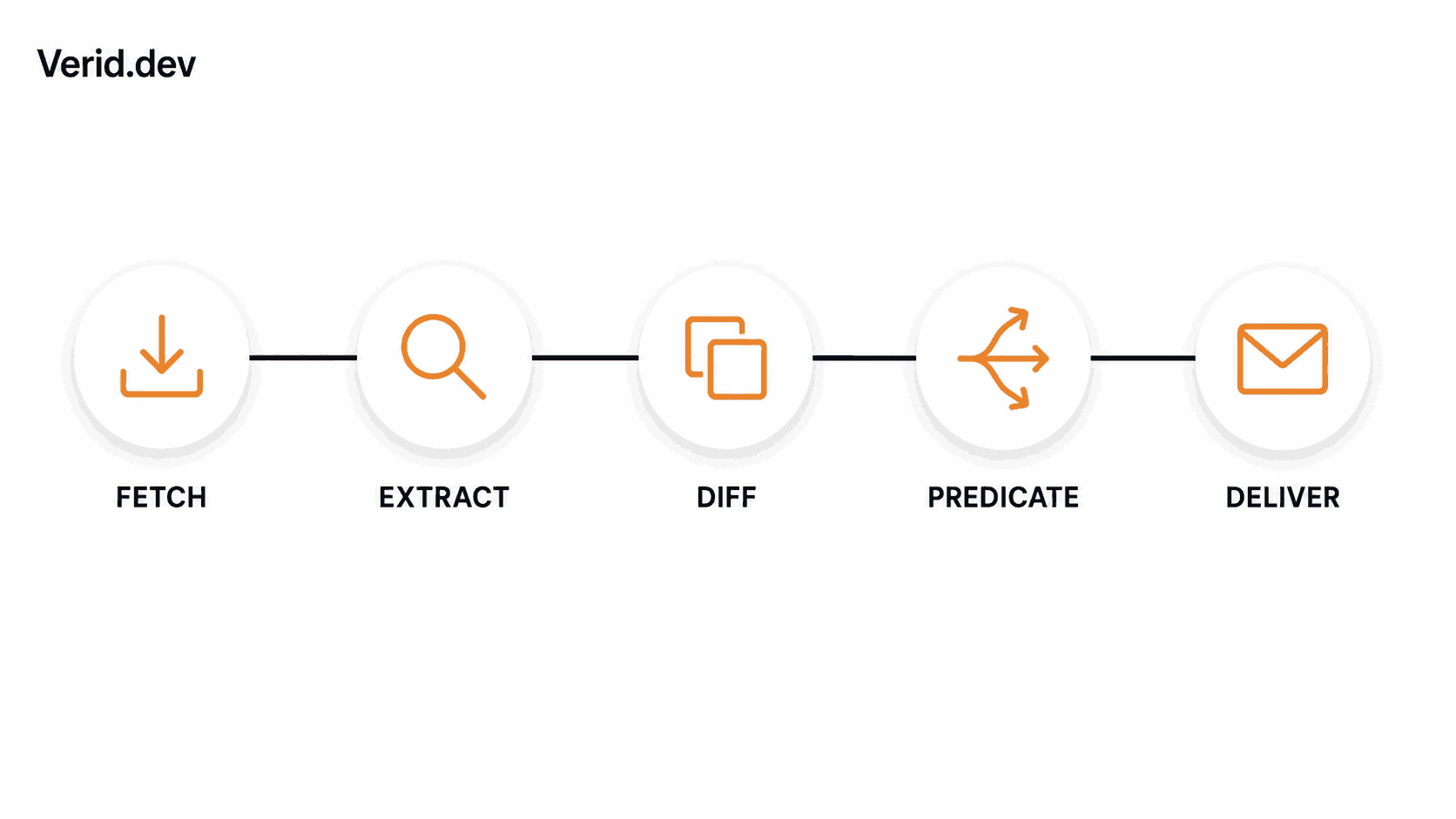
On Verid specifically, this fits into the same loop as every other extraction method: static fetch first, with auto-fallback to a headless browser, then a residential proxy if the site fights back, before the page content ever reaches the prompt-based extractor.
Traditional selector monitoring vs AI extraction
Neither approach is universally better. The honest comparison looks like this:
| Factor | CSS / XPath selectors | AI (LLM) extraction |
|---|---|---|
| Setup speed | Fast if you know DevTools | Fast, write one sentence |
| Resilience to redesigns | Breaks on class/structure changes | Survives most redesigns |
| Works on JS-rendered pages | Only after browser fallback runs | Yes, reads rendered content |
| Handles unstructured prose | No, needs a labelled element | Yes, this is its strength |
| Speed per run | Milliseconds | A few seconds slower, per Verid's docs |
| Cost | No LLM usage | Counted against quota on cache misses |
| Predictability of output shape | Exact, by definition | Needs a schema to stay consistent |
| Best for | Prices, version badges, stock tags with stable markup | Prose, descriptions, pages that move structurally |
A useful way to think about it: selectors are precise but brittle, AI extraction is resilient but slightly slower and not free to run repeatedly. Verid's own positioning is selectors for structured pages, AI for the ones that break them, which is a fair summary of when to reach for each.
Real-world examples of selector failure
A SaaS pricing page. A competitor intelligence team tracked .pro-plan-price for months. The vendor switched to a pricing calculator with a slider, and the price now renders inside a canvas-backed widget with no stable class names at all. A CSS selector has nothing to grab. A prompt like "find the monthly price shown for the Pro plan after the slider's default position" still works, because the model reads the rendered text regardless of what generated it.
A careers page. .jobs-header .count tracked an open-roles counter for a hiring pipeline tool. The company switched ATS providers and the new page lists roles as cards with no aggregate count element anywhere in the markup. An AI prompt asking "how many job postings are listed on this page" can count the cards even though no single element ever displayed that number.
A status page. Some incident pages write availability in prose, not in a tagged element: "Dashboard: Degraded Performance - we are investigating elevated response times." There's no selector for that sentence, but it's exactly the kind of input AI extraction was built for, returning a clean degraded status string instead of raw text you'd have to parse yourself.
Step-by-step implementation using Verid
Step 1: Get an API key
Sign up at verid.dev and create an API key from the API Keys page in the dashboard. Keys are prefixed vrd_ and should be treated like a password.
export VERID_API_KEY="vrd_your_key_here"Step 2: Write the prompt, not the selector
Skip the extraction method entirely and define a prompt config instead of a css or xpath one:
{
  "method": "prompt",
  "prompt": "Extract the current price and availability status of the product. Return JSON with keys: price, availability."
}
Be specific about what keys you want in the output, and mention how to handle missing data, for example by saying to use null if not listed. A schema makes the output shape predictable and gets validated automatically:
{
  "method": "prompt",
  "prompt": "Extract the product name, current price (as a number without currency symbol), availability status, and any active discount percentage from this page.",
  "schema": {
    "name": "string",
    "price": "number",
    "available": "boolean",
    "discount_pct": "number or null"
  }
}
Step 3: Create the monitor
curl -X POST https://api.verid.dev/v1/monitors \
  -H "Authorization: Bearer $VERID_API_KEY" \
  -H "Content-Type: application/json" \
  -d '{
    "name": "Product Page AI Monitor",
    "url": "https://example.com/product/42",
    "schedule_interval_seconds": 86400,
    "extract_config": {
      "method": "prompt",
      "prompt": "Extract the product name, current price (as a number without currency symbol), availability status, and any active discount percentage from this page.",
      "schema": {
        "name": "string",
        "price": "number",
        "available": "boolean",
        "discount_pct": "number or null"
      }
    },
    "diff_predicate": {
      "type": "composite",
      "operator": "OR",
      "conditions": [
        { "type": "field_changes", "field": "available" },
        { "type": "field_decreases_by_percent", "field": "price", "threshold": 5 }
      ]
    },
    "deliveries": [
      { "type": "webhook", "url": "https://your-app.com/hooks/product-change" }
    ]
  }'
This predicate fires only when stock status changes or the price drops at least 5%, so a redesign that changes nothing meaningful stays quiet.
Step 4: Verify the webhook before trusting it
Verid signs all webhook deliveries using HMAC-SHA256, with the signature included in the Verid-Signature header, formatted as Verid-Signature: t={timestamp},v1={signature}, where timestamp is a Unix timestamp in seconds and signature is HMAC-SHA256 of the timestamp and raw body using your webhook secret.
import { createHmac, timingSafeEqual } from 'crypto';

function verifyWebhook(header, rawBody, secret, toleranceSecs = 300) {
  const parts = Object.fromEntries(header.split(',').map((p) => p.split('=')));
  const timestamp = parseInt(parts['t'] ?? '0', 10);
  const signature = parts['v1'];

  if (!timestamp || !signature) return false;
  if (Math.abs(Date.now() / 1000 - timestamp) > toleranceSecs) return false;

  const expected = createHmac('sha256', secret)
    .update(`${timestamp}.${rawBody}`)
    .digest('hex');

  return timingSafeEqual(Buffer.from(expected, 'hex'), Buffer.from(signature, 'hex'));
}
If you'd rather skip raw HTTP, the official Node SDK wraps the same call:
import { VeridClient } from '@verid.dev/sdk';

const client = new VeridClient({ apiKey: process.env.VERID_API_KEY });

const monitor = await client.monitors.create({
  name: 'Product Page AI Monitor',
  url: 'https://example.com/product/42',
  schedule_interval_seconds: 86400,
  extract_config: {
    method: 'prompt',
    prompt: 'Extract the product name, price, availability, and discount percentage.',
    schema: { name: 'string', price: 'number', available: 'boolean', discount_pct: 'number or null' },
  },
  diff_predicate: { type: 'field_changes', field: 'available' },
  deliveries: [{ type: 'webhook', url: 'https://your-app.com/hooks/product-change' }],
});
Best practices for prompt-based monitors
- Name your output keys explicitly. Saying "extract the price" is weaker than saying "return JSON with a key called price," because the model uses the keys you name exactly, which makes downstream processing predictable.
- Always define a schema for production monitors. Without one, the shape of the JSON can drift slightly between runs. With one, the AI validates its output against the schema and retries if the structure is wrong.
- Keep prompts short. Prompts under 500 characters tend to get more consistent results than long, elaborate ones, even though the hard limit is higher.
- State the fallback for missing data. A line like "use null if not listed" prevents the model from guessing or omitting a key entirely.
- Tell it where to look on busy pages. Telling the model where to look, for example pointing it at "the pricing table on this page," helps when the page has a lot of irrelevant content around the target data.
Common mistakes
Using AI extraction everywhere, even when a selector would do. If a page has a stable .price class and hasn't changed in a year, a CSS selector is faster and uses no LLM quota. Reserve prompts for pages that are unstructured, JS-rendered, or have already broken a selector once.
Vague prompts with no schema. "Get the product info" will return a different shape every run. Name the keys and types you expect.
Testing the same URL repeatedly and assuming it's "working." Results are cached for 30 days based on content hash, so identical page content and prompt won't re-run the LLM. If you're iterating on a prompt during development, change it slightly to force a fresh run, or you'll be looking at a stale cached response.
Ignoring the character truncation limit. Page content is truncated at 50,000 characters before being sent to the model, so on very long pages the data you want may simply fall outside what the model ever sees. Scope the monitor to a more specific URL when possible.
Performance considerations
AI extraction is not free in either sense of the word. It's slightly slower than other extraction methods since LLM inference takes a few extra seconds, and LLM calls are only counted against your monthly quota on cache misses, meaning unchanged pages don't cost you anything but a changed page does trigger real inference every time. For high-frequency monitors checking every few minutes, that adds up fast. A practical pattern is to run a cheap method, like full-page hash, on a tight schedule to detect that something changed at all, and only escalate to a prompt-based field extraction when you specifically need to know what changed in unstructured content. Verid's documentation notes this combination directly, though field-level diffing on any extraction method already handles most of that automatically without extra wiring.
Security considerations
Two things matter here, and neither is optional in production.
First, treat your API key like a credential, because it is one. It authenticates every request to create, modify, or delete monitors on your account, so it belongs in environment variables or a secrets manager, never in client-side code or a public repo.
Second, never trust an unsigned webhook payload. You must verify the signature before processing any webhook payload, and the verification has to use a constant-time comparison (timingSafeEqual in Node, hmac.compare_digest in Python) to avoid timing attacks on the signature check itself. Also check the timestamp drift, typically a five-minute window, so a captured and replayed payload from yesterday doesn't get processed as if it just happened.
Monitoring strategy: when to reach for each method
A reasonable default for a new monitor:
- Start with CSS or XPath if the target element has a semantic class name and the page is server-rendered. It's faster, cheaper, and easier to debug in DevTools.
- If the field comes back empty on a test run and the page is client-rendered, that's the signal to switch to AI extraction rather than fighting the selector further.
- If the data lives in prose, a description, or a summary rather than a labelled field, skip selectors entirely and start with a prompt.
- If a once-reliable selector starts intermittently returning empty fields, that's usually a sign of A/B testing or partial rollout. Switching that one field to a prompt is often less maintenance than chasing every DOM variant.
You don't have to pick one method for an entire monitor either. A single monitor's fields can mix extraction methods where needed, so a stable price field can stay on CSS while a flaky availability badge moves to a prompt.
Conclusion
CSS selectors are still the right first choice for most pages, they're fast, free, and easy to verify. But they're a bet on markup staying still, and markup doesn't stay still forever. AI extraction trades a little speed and a bit of quota for resilience: it reads what a page actually says instead of where a particular tag happens to sit in the DOM. The two methods aren't competitors, they're complements, and the real skill is knowing which field on which page is about to break a selector before it actually does.
Frequently Asked Questions
Does AI extraction work on pages that require JavaScript to render?
Yes, the AI extractor reads the page content after rendering, so it can still find and interpret visible text even when CSS, XPath, or regex would all fail on a client-rendered page.
Will switching to AI extraction increase my costs?
LLM calls are only counted against your monthly quota on cache misses, and results are cached for 30 days when the page content hasn't changed, so a stable page costs nothing extra after the first run.
How is this different from just running my own scraper with an LLM call bolted on?
A DIY scraper still requires you to handle scheduling, state storage, diffing, retries, and alert rules yourself. Verid closes that loop in one API call, running fetch, extraction, diff, predicate evaluation, and delivery as one pipeline instead of five separate systems you maintain.
Can I switch an existing monitor from CSS to AI extraction without losing history?
Yes. Updating the extract_config on an existing monitor changes how future runs extract data; it doesn't require recreating the monitor or its delivery destinations.
About the author

Software Engineer & Technical Writer
A software engineer and technical writer, Hanzala focuses on developer experience at Verid: SDKs, API reference, and step-by-step guides. He writes about change detection, scheduling, and alert design for teams automating web data.
More from HANZALA SALEEM →Related posts
How to Feed AI Agents Fresh Web Data Without Re-Scraping Everything
How AI agents and RAG systems stay fresh without re-scraping entire sites: change detection, webhooks, and incremental updates explained.
Read the post →developer toolsHow to Monitor GitHub Releases and Get Instant Slack or Discord Alerts
If you maintain or depend on open-source projects, you've almost certainly been burned by a release you missed. A breaking change ships in a framework you depend on, your CI starts failing on Monday morning, and you find out the fix landed three days ago. The problem isn't that the release happened quietly: it's that you had no reliable way to catch it. This guide covers how to monitor any GitHub repository for new releases and route a structured alert to Slack or Discord the moment a stable ve
Read the post →how-toHow to Monitor PyPI Packages for Security Updates and New Releases
Learn how to monitor PyPI packages for CVEs, security advisories, and new releases using JSONPath, webhooks, and automated alerts with Verid.
Read the post →change detectionHow to Build a Website Change Detector (Node.js Guide + When to Buy)
Build a website change detector in Node.js from scratch — then learn exactly where DIY breaks down and when a managed API is the smarter call.
Read the post →