How to Monitor PyPI Packages for Security Updates and New Releases
A pip install command runs in under a second. Knowing what happened to that package between last Tuesday and today usually takes a lot longer, if anyone notices at all.
That gap is where most dependency incidents live. A maintainer's account gets compromised, a malicious version sits on PyPI for a few hours before it's pulled, and the only people who find out in time are the ones who were already watching. Everyone else finds out from a Slack message linking to a GitHub issue with three hundred comments.
This guide covers what to actually monitor in your Python dependency tree, why version-only tracking misses real risk, and how to build an automated pipeline that watches PyPI packages for security advisories, new releases, and metadata changes without writing and babysitting your own polling script.
Why Monitoring PyPI Packages Matters
PyPI hosts well over 500,000 packages, and a typical production Python service pulls in dozens of direct dependencies plus hundreds of transitive ones once you walk the full tree. Each one of those is a piece of code that runs on your machines with whatever permissions your process has.
Two separate but related risks live in that dependency graph. The first is the vulnerable package: a library published in good faith that later turns out to have a flaw, discovered by a researcher and disclosed responsibly months or years after release. The second is the malicious package: code intentionally planted to exfiltrate secrets, install a backdoor, or hijack a build pipeline, sometimes by compromising a legitimate maintainer's account rather than by tricking you into installing a typosquatted name.
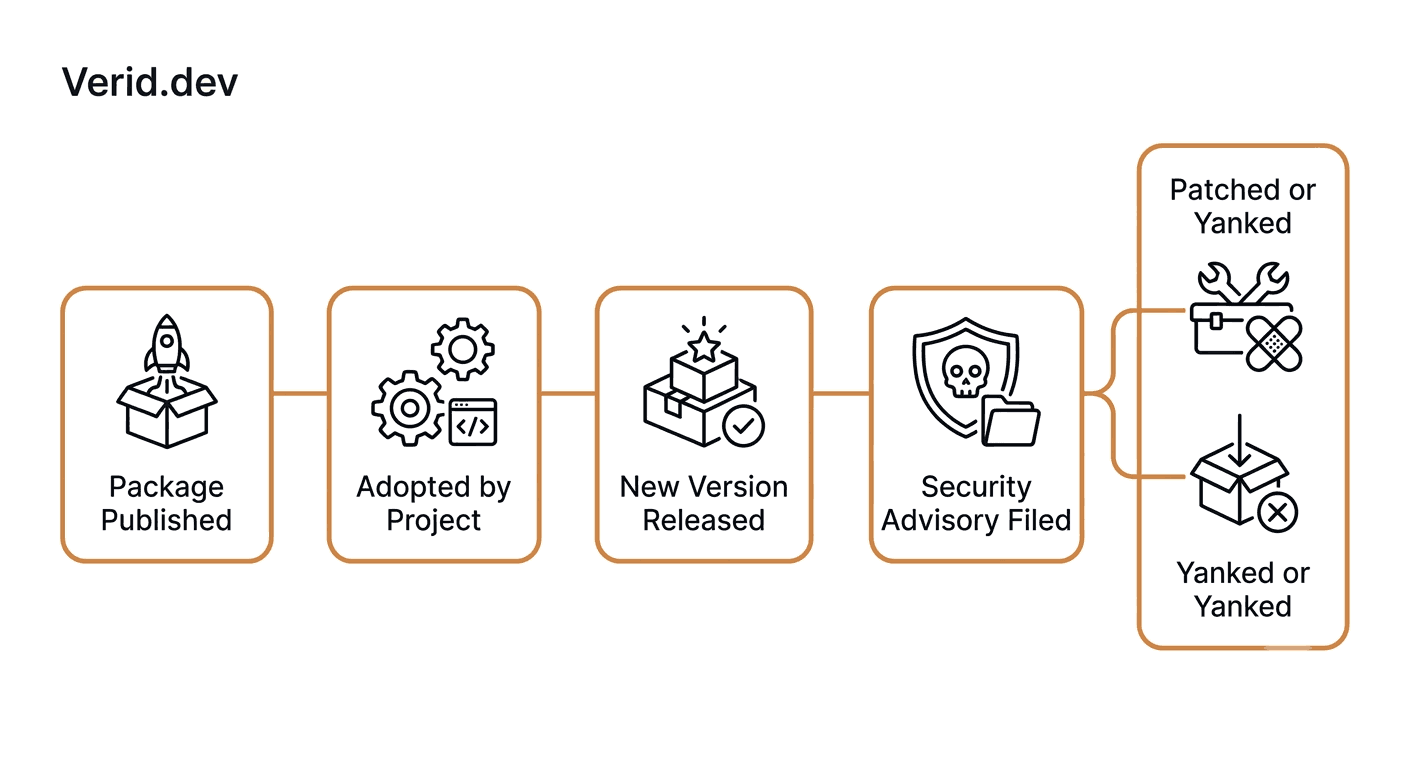
The LiteLLM incident from late 2025 is a useful example of the second category. Versions 1.82.7 and 1.82.8 shipped on PyPI with code designed to exfiltrate environment variables, including API keys and database credentials, to an attacker-controlled server. Teams that had a release monitor in place on that package found out within minutes. Teams that relied on someone eventually noticing found out when the bill came due.
The Python Packaging Authority does not run a vulnerability feed itself, but the ecosystem around PyPI has matured. GitHub's Security Advisory database tracks disclosed CVEs by package, CISA treats software supply chain integrity as a national infrastructure concern, and NIST's Secure Software Development Framework explicitly calls out dependency monitoring as a baseline control. None of that data reaches you automatically unless something is polling for it on your behalf.
The Risks of Unmonitored Dependencies
A dependency you stop watching doesn't stop changing. It just stops telling you about it.
| Risk | What Actually Happens |
|---|---|
| Delayed patching | A CVE gets a fix in version 4.2.1, but your build still pins 4.2.0 weeks later because nobody upgraded |
| Compromised release | A maintainer's PyPI token or 2FA-linked email is taken over and a malicious version ships under a trusted name |
| Silent breaking changes | A minor version bump removes a function your code calls, and you only find out at deploy time |
| Yanked releases | A package author pulls a version after discovering a bug, and your lockfile still points at it |
| Maintainer churn | A library quietly goes unmaintained, and the next CVE never gets a patch at all |
| Dependency confusion | An internal package name collides with a public PyPI name, and pip resolves to the wrong one |
None of these require a sophisticated attacker. Most of them just require time and inattention, which is exactly what most teams have in surplus when it comes to dependency hygiene.
What You Should Actually Monitor
"Monitor my dependencies" is too vague to act on. Break it down into specific, checkable signals.
| Signal to Monitor | Why It Matters | Where to Check |
|---|---|---|
| Version number | New release, new attack surface or new patch | pypi.org/pypi/<package>/json → info.version |
| Yanked status | A version was pulled after the fact, usually for a serious bug | info.yanked, info.yanked_reason |
| Python version support | A dependency drops support for the Python version you run | info.requires_python |
| Security advisories | A CVE has been filed against a version range you use | GitHub Advisory Database, CVE.org |
| Maintainer or publisher change | A new account starts publishing releases for a package you trust | PyPI project page, PyPA Trusted Publishers status |
| Release cadence | An unusually fast release after months of silence is a known precursor to supply chain compromise | Release timestamps over time |
The version field gets all the attention because it's the easiest thing to extract. The yanked flag and the release cadence get almost none, even though they're frequently the earlier signal.
A Real-World Monitoring Workflow
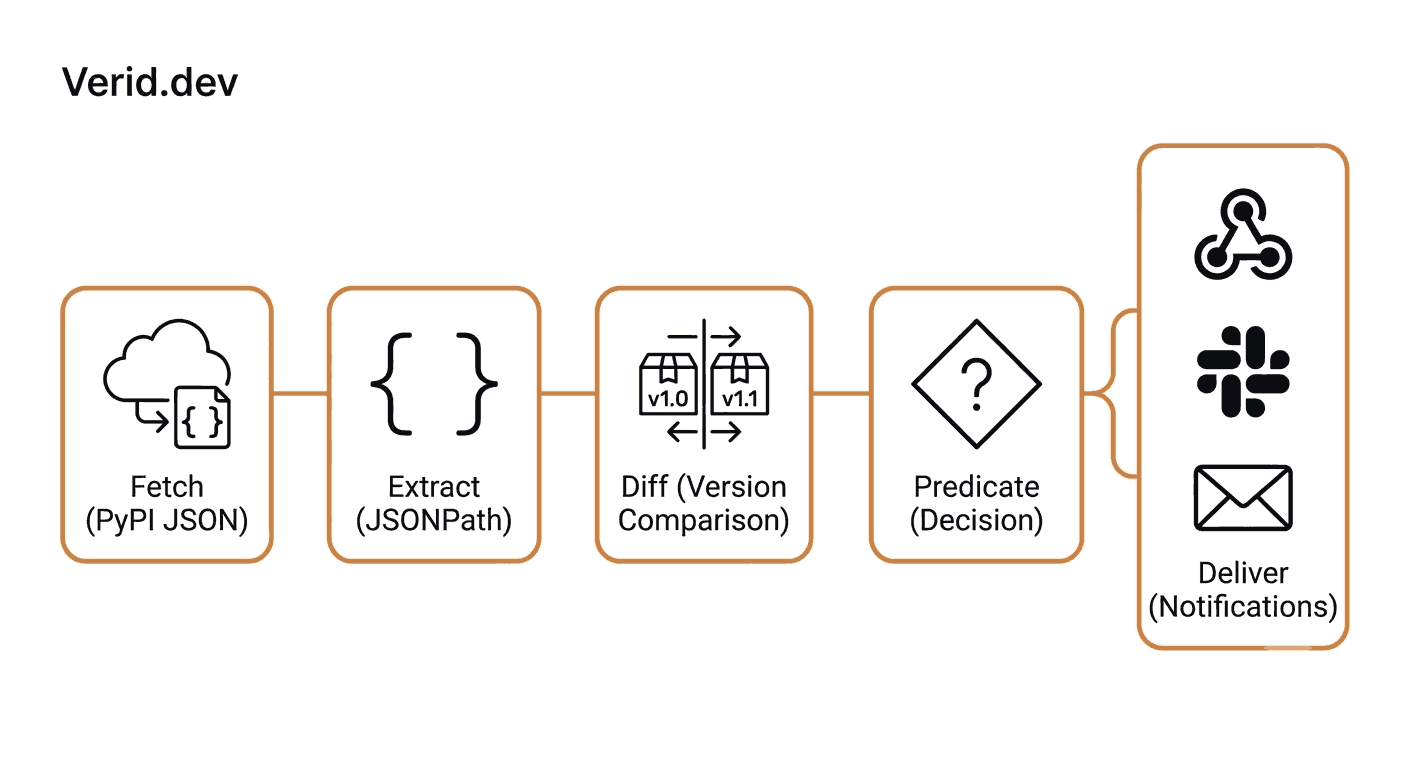
Here's roughly how a workable PyPI monitoring setup breaks down once you stop relying on manual checks.
- Inventory. List the packages that actually matter, meaning the ones in your direct dependency file plus anything with elevated blast radius (auth libraries, HTTP clients, serialization libraries, anything that touches secrets).
- Source. PyPI publishes a public, unauthenticated JSON API for every package. No scraping, no HTML parsing required.
- Extract. Pull the specific fields you care about, version, yanked status, requires_python, rather than hashing the whole response and getting alerted on every metadata edit.
- Compare. Diff the current run against the last known good state on a field-by-field basis.
- Decide. Only fire a notification when a rule you actually defined is true, not on every poll.
- Deliver. Route the alert to wherever your team will actually see it, with enough context to act without opening a dashboard.
That six-step loop is exactly what Verid is built to run, and it's worth understanding the difference between building this yourself and outsourcing the boring half of it.
| Approach | What You're Responsible For |
|---|---|
| DIY cron script | Writing the fetch, the JSON parsing, persistent state storage, retry logic, and the alerting integration yourself |
| GitHub Watch / Dependabot | Only covers repos you own or watch; doesn't apply to third-party packages you merely depend on |
| Manual PyPI checks | Doesn't scale past a handful of packages and degrades the moment someone goes on vacation |
| Verid monitor | You define the field and the rule; scheduling, state, diffing, retries, and delivery are handled |
How Verid Monitors PyPI Packages
Verid runs the extract, diff, predicate, deliver loop against any URL on a schedule you control, and PyPI's JSON endpoint is a clean fit for it. The endpoint format is consistent for every package:
https://pypi.org/pypi/<package-name>/jsonFor the requests library, that's https://pypi.org/pypi/requests/json, and the current version lives at $.info.version in the response. Because the response is structured JSON rather than rendered HTML, JSONPath extraction is the right method, no CSS selectors, no headless browser, no risk of a PyPI layout change silently breaking your monitor.
A minimal security-focused monitor extracts more than the version string. Tracking info.yanked alongside info.version means you also catch the case where a previously installed version gets pulled after release, which is often a quiet signal that something was wrong with it.
| Field to Extract | JSONPath | Why Track It |
|---|---|---|
| Version | $.info.version | Detects any new release |
| Yanked flag | $.info.yanked | Detects a version being pulled after publication |
| Yanked reason | $.info.yanked_reason | Tells you why it was pulled, when provided |
| Required Python | $.info.requires_python | Flags compatibility breaks before they hit CI |
Example Monitoring Architecture
A typical setup for a team tracking ten to twenty critical dependencies looks like this: one Verid monitor per package, each polling its PyPI JSON endpoint on an hourly or daily schedule, with a field_changes predicate on version and a separate composite predicate watching yanked. Alerts route to a shared Slack channel so the whole team sees the diff, not just whoever happened to be checking PyPI that day.
Practical API Example
The following request creates a monitor for a security-sensitive dependency, tracking both its version and yanked status, delivered to a webhook endpoint. This matches Verid's documented REST API and extraction methods.
curl -X POST https://api.verid.dev/v1/monitors \
  -H "Authorization: Bearer vrd_your_api_key" \
  -H "Content-Type: application/json" \
  -d '{
    "name": "cryptography PyPI security watch",
    "url": "https://pypi.org/pypi/cryptography/json",
    "schedule_interval_seconds": 3600,
    "extract_config": {
      "method": "json_path",
      "fields": {
        "version": "$.info.version",
        "yanked": "$.info.yanked",
        "requires_python": "$.info.requires_python"
      }
    },
    "diff_predicate": {
      "type": "composite",
      "operator": "OR",
      "conditions": [
        { "type": "field_changes", "field": "version" },
        { "type": "field_equals", "field": "yanked", "value": true }
      ]
    },
    "deliveries": [
      { "type": "webhook", "url": "https://your-app.com/hooks" }
    ]
  }'
The schedule_interval_seconds value of 3600 runs the check hourly, about 720 runs a month per package, so a few hourly packages fit on the Starter plan or higher; on the 200 runs of the 14-day free trial, a daily check (about 14 runs over the trial) is the practical choice. Every webhook delivery carries an X-Verid-Signature header, verified with HMAC-SHA256 against your monitor's secret before you trust the payload, the same pattern documented at docs.verid.dev/webhooks.
For the full dashboard walkthrough, including step-by-step screenshots and the Node.js SDK path, see Verid's dedicated guide on automatic PyPI package update alerts. If your stack also depends on npm or GitHub-hosted releases, the same JSONPath pattern applies; see npm package version tracking and GitHub release monitoring.
Manual Monitoring vs Automated Monitoring
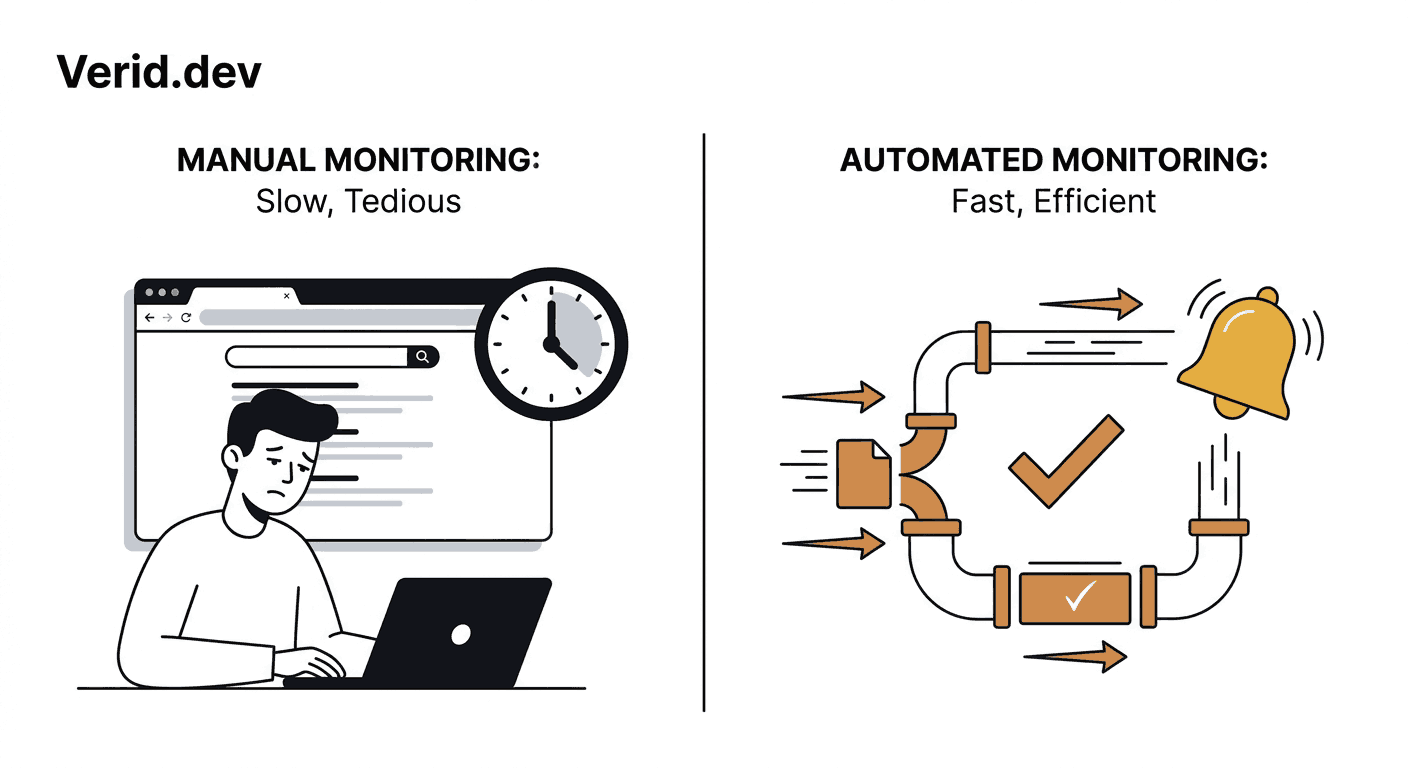
| Manual Checks | Automated Monitoring (Verid) | |
|---|---|---|
| Time per package per week | 5 to 15 minutes | Zero, after setup |
| Coverage at 50+ packages | Falls apart fast | Scales linearly with monitor count |
| Notification latency | Hours to weeks | Minutes to a day, depending on interval |
| Consistency across team | Depends on who remembers | Same rule fires every time |
| Audit trail | None | Field-level diff history per monitor |
Best Practices
A monitoring setup is only as good as the rules behind it. A few things consistently separate teams that catch issues early from teams that get the same alert as everyone else, three days late.
Track yanked status alongside version, not just version on its own. A version that gets pulled hours after release is a stronger signal than most teams realize, and it's invisible if you're only watching for a number to change.
Prioritize packages by blast radius, not by how often they update. A logging library that ships weekly is lower priority than an auth library that ships twice a year, because the auth library's surface area is bigger when something does go wrong.
Pair release monitoring with a scanner. Verid tells you the moment a new version exists; it doesn't replace pip-audit or a CI step that checks your resolved dependency tree against known CVEs from the GitHub Advisory Database. Use both: the scanner catches what's already known against your installed versions, the monitor catches the moment something changes upstream.
Route security-sensitive monitors differently than routine ones. A version bump on a formatting library can go to a low-priority channel. A yanked flag on anything that touches authentication or secrets should page someone.
Check OpenSSF Scorecard results periodically for your most critical dependencies. It won't catch a same-day compromise, but it's a useful signal for which packages have weak maintenance practices before something goes wrong.
Common Mistakes
The most common failure mode isn't a missing tool, it's monitoring the wrong granularity. Hashing the entire PyPI page and alerting on any byte change produces so much noise from unrelated metadata edits that teams turn the alert off within a month. The fix is extracting specific fields and firing only on a predicate, not on raw change.
The second is treating GitHub Watch as dependency monitoring. It only covers repositories you've explicitly subscribed to, and most teams depend on far more packages than they actively watch on GitHub. A package you don't own and have never starred is invisible to that workflow entirely.
The third is checking only for new versions and ignoring everything else in the metadata. A requires_python change that drops support for your runtime, or a yanked flag on a version you've already deployed, carries real operational risk and shows up in the same JSON response you're already polling.
Conclusion
Manually checking PyPI for dependency changes works fine for three packages and falls apart well before fifty. The fix isn't more vigilance, it's removing the manual step entirely: extract the specific fields that matter, compare them against the last known state, and only get paged when a rule you defined actually fires. That's the difference between hearing about a compromised package from a panicked Slack thread and hearing about it from your own monitor, minutes after it shipped.
Verid's 14-day free trial covers unlimited monitors and 200 runs, no credit card required, which is enough to start watching your highest-risk dependencies today.
Frequently Asked Questions
How do I get notified when a PyPI package has a new version?
Poll the package's public JSON endpoint at https://pypi.org/pypi/<package-name>/json and watch the info.version field for changes. Doing this by hand doesn't scale past a handful of packages, so most teams automate it with a scheduled monitor that fires a webhook, Slack, or email alert only when the version actually changes, as described in Verid's PyPI package update guide.
Does PyPI have an official vulnerability or CVE feed?
PyPI itself does not publish a CVE feed directly tied to package versions. Disclosed vulnerabilities for Python packages are tracked in the GitHub Advisory Database and registered through MITRE's CVE program. Pairing a release monitor with a scanner like pip-audit, which checks those databases against your installed versions, covers both the "something new shipped" and "something known is vulnerable" cases.
What's the difference between a vulnerable package and a malicious one?
A vulnerable package is published in good faith but later found to contain an exploitable flaw, usually disclosed responsibly well after release. A malicious package is intentionally compromised, often through a hijacked maintainer account or build pipeline, and can ship with code that exfiltrates secrets or installs a backdoor the moment it's imported. Both require ongoing monitoring; only the second tends to demand minutes-level alert latency.
Can I monitor private or internal Python packages the same way?
If your internal index exposes a JSON-compatible metadata endpoint, the same JSONPath extraction approach applies. For packages hosted on public PyPI under your organization's name, the standard pypi.org/pypi/<package>/json endpoint works without authentication, the same pattern used throughout this guide.
About the author

Software Engineer & Technical Writer
Software engineer and technical writer, Hanzala works on both Verid’s product and its docs. He’s most at home explaining APIs, webhooks and selector syntax in plain language, with examples you can actually run.
More from HANZALA SALEEM →Related posts
How to Track When a Competitor Switches Their Tech Stack (Without Checking Manually Every Week)
Stop manually re-checking BuiltWith. Learn how to get alerted the moment a competitor's site changes its tech stack, with a real workflow.
Read the post →how-toHow to Use AI Extraction to Monitor Pages That Break CSS Selectors
Selectors break when sites redesign. See how AI extraction keeps monitors alive, with real Verid configs, code, and a selector vs LLM comparison.
Read the post →developer toolsHow to Monitor GitHub Releases and Get Instant Slack or Discord Alerts
If you maintain or depend on open-source projects, you've almost certainly been burned by a release you missed. A breaking change ships in a framework you depend on, your CI starts failing on Monday morning, and you find out the fix landed three days ago. The problem isn't that the release happened quietly: it's that you had no reliable way to catch it. This guide covers how to monitor any GitHub repository for new releases and route a structured alert to Slack or Discord the moment a stable ve
Read the post →Developer & DevOpsThe Hidden Cost of DIY Website Monitoring: A Build vs Buy Cost Analysis
Compare DIY website monitoring with managed platforms. Learn the real costs of maintenance, scaling, alerts, and long term ownership.
Read the post →