How to Track NPM Package Version Changes Automatically
Learn how to monitor npm package versions automatically and get email alerts the moment a new version is published. No code required to get started.
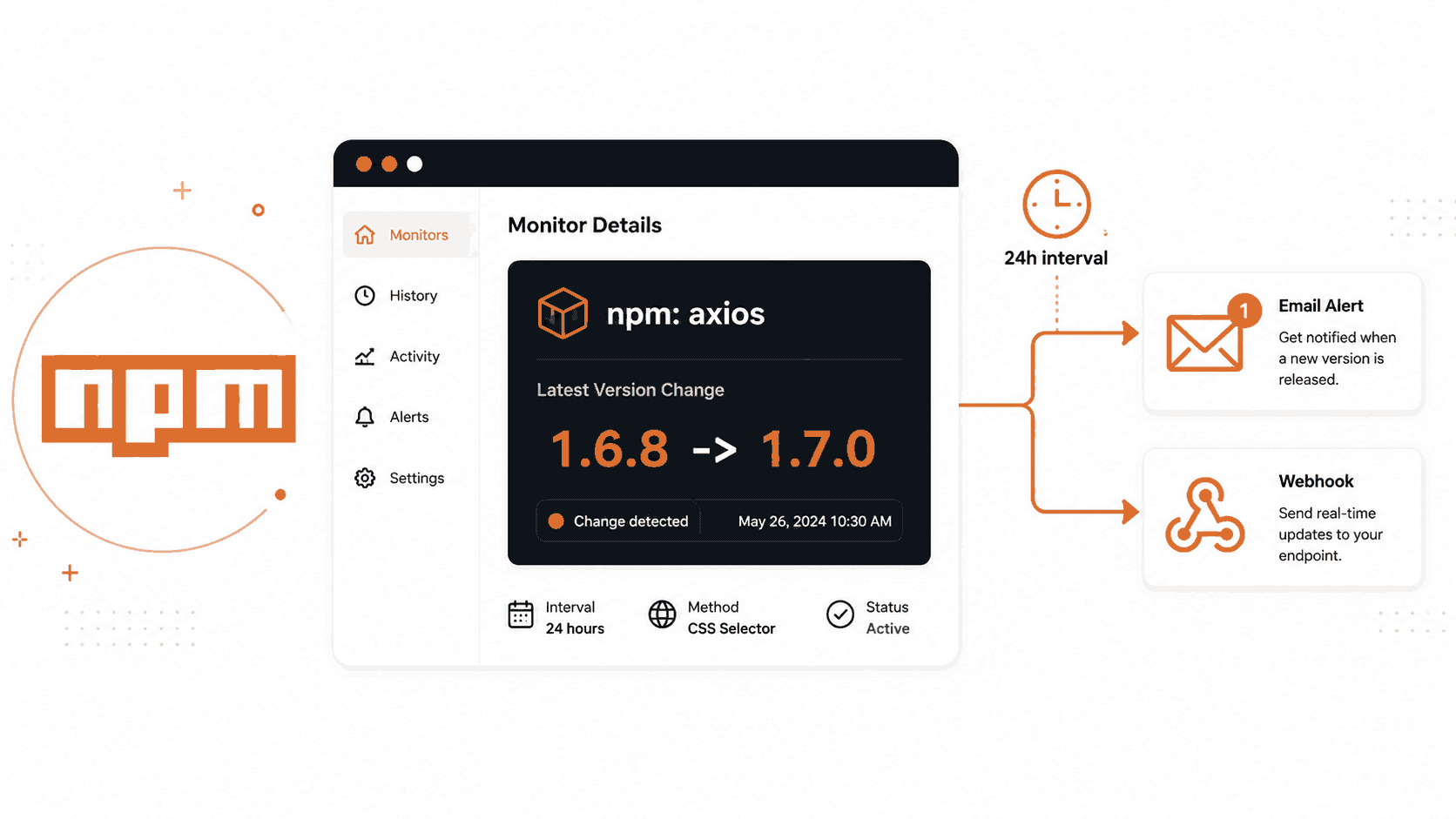
NPM packages update constantly. Security patches, bug fixes, new features, and breaking changes all land through new package versions. If you depend on a package in production and miss an update, you could be running vulnerable or outdated code for weeks without knowing it. This guide shows you how to set up automated NPM package version monitoring using Verid, so you get an alert the moment any package you care about publishes a new release.
What Is an NPM Package?
NPM stands for Node Package Manager. It is the largest software registry in the world. Developers use it to share and install reusable pieces of code called packages. When you build a JavaScript or Node.js project, you almost certainly rely on dozens of npm packages.
Each package has a version number. When the maintainer publishes a bug fix, a security patch, or a new feature, the version number increases. For example, a package might go from version 1.6.8 to 1.7.0.
Why Tracking NPM Package Versions Matters
If you depend on npm packages in a real project, staying aware of version changes is important for several reasons.
Security: Many npm updates are security patches. If a critical vulnerability is found in a package, the fix is published as a new version. Teams that do not notice the new version continue running the vulnerable code.
Bug fixes: Maintainers fix bugs with each release. Running an old version means you might be dealing with problems that have already been solved.
Compatibility: New versions sometimes change how a package behaves. Knowing about a new version early gives your team time to test and upgrade on your schedule instead of being surprised.
Feature availability: New versions often add features that can save you development time. Knowing about them early means your team can take advantage sooner.
The problem is there is no built-in push notification system on the npm registry. You cannot subscribe to a package and receive an alert when a new version is published. Your options are to check manually, run npm outdated on a schedule, or use a monitoring tool.
Running npm outdated only tells you what is outdated at the moment you run it. Tools like Dependabot or Renovate open pull requests on a daily schedule, which works for routine upgrades but can be slow when a security-relevant release is published. The most reliable approach is to poll the npm registry automatically and get an immediate alert when the version field changes.
That is exactly what Verid does.
How to Track NPM Package Versions Using the Verid Dashboard
Verid is a developer-first web change detection API. You give it a URL, tell it what to extract, and it alerts you the moment that value changes. For npm packages, the npm registry provides a public JSON document for every package. Verid can poll that document and alert you the moment the version field changes.
Here is how to set it up using the Verid dashboard without writing any code.
Step 1: Sign Up and Log In
Go to verid.dev and start a 14-day free trial. No credit card is required. The trial gives you unlimited monitors and 200 runs.
Once you sign up, open the dashboard and navigate to the API Keys page to create your first API key. You will need it later if you use the API. For the dashboard setup, you just need to be logged in.
Step 2: Create a New Monitor
Inside the dashboard, click to create a new monitor. You will be presented with a form asking for the monitor name, the URL to monitor, extraction settings, a monitoring schedule, and delivery settings.
Step 3: Enter the NPM Package URL
The npm registry exposes a public JSON document for every package. You do not need an account or API key to access it. The URL format is:
https://registry.npmjs.org/{package-name}Here are real URLs for some popular packages:
- axios:
https://registry.npmjs.org/axios - react:
https://registry.npmjs.org/react - express:
https://registry.npmjs.org/express
Enter the URL of the package you want to monitor into the URL field. For example, to monitor axios, enter:
https://registry.npmjs.org/axiosYou can also browse the package on npmjs.com to verify it exists before setting up the monitor.
Step 4: Select the Extraction Method
This is the most important step. The npm registry URL returns a JSON document, not an HTML page. For JSON sources, the correct extraction method is JSONPath.
Select JSONPath as the extraction method.
Then add a field. Name it latest_version and set the JSONPath expression to:
$.dist-tags.latestThis expression tells Verid to look inside the JSON response, find the dist-tags object, and pull out the latest field. That field always holds the most recently published stable version of the package.
You can optionally add a second field to also track when the package was last modified:
- Field name:
modified - JSONPath expression:
$.time.modified
Step 5: Set the Diff Predicate
The diff predicate tells Verid when to fire an alert. For version tracking, you want an alert when the latest_version field changes. Set the predicate type to field_changes and the field to latest_version.
This means Verid will silently ignore all polls where the version stays the same, and only fire when the version number actually changes.
Choosing the Best Extraction Method for NPM Version Tracking
Verid supports six extraction methods. Choosing the right one for npm packages is straightforward, but here is a comparison so you understand why JSONPath is the correct choice.
| Method | Best For | Works for NPM Registry? |
|---|---|---|
| CSS Selector | HTML pages with visible elements | No. The npm registry returns JSON, not HTML |
| XPath | Complex HTML and XML documents | No. Not designed for JSON APIs |
| JSONPath | JSON API responses | Yes. This is the right choice |
| Regex | Plain text, raw response body | Possible but fragile |
| Full-page hash | Detecting any change on a page | Not recommended. Hashes the whole JSON blob |
| AI / LLM Prompt | Unstructured or hard-to-scrape pages | Overkill for a structured JSON endpoint |
The correct method is JSONPath. Here is why:
The npm registry returns a clean, structured JSON document for every package. The version information is always at a predictable path: $.dist-tags.latest. JSONPath extracts exactly that field and nothing else. This means Verid stores one value, compares it on each poll, and fires only when that one value changes.
Full-page hash would also detect changes, but it would fire every time anything in the huge JSON document changes, including minor metadata. That creates noise rather than meaningful alerts.
CSS selectors and XPath are for HTML pages and would not work here at all.
Regex could technically extract the version from the raw JSON text, but JSONPath is cleaner and more reliable for a structured source.
See the full Verid extraction methods documentation for more detail on each method.
Configuring the Monitoring Schedule
The schedule controls how often Verid polls the npm registry URL and checks for changes.
In the dashboard, set the interval. On the free trial, a good interval is 24 hours (86,400 seconds), which uses about 30 runs a month per package. This means Verid will check the package once every day.
For most dependency monitoring use cases, a daily check is sufficient. NPM packages do not update dozens of times per day. You will still get notified within 24 hours of any new release.
If you need faster notifications, every plan can check as often as every minute. Faster checks use more runs, and paid plans include more runs per month:
| Plan | Runs per Month | Monthly Price |
|---|---|---|
| Free trial (14 days) | 200 for the trial | $0 |
| Lite | 1,000 | $9/mo |
| Starter | 5,000 | $19/mo |
| Pro | 15,000 | $49/mo |
| Scale | 100,000 | $149/mo |
For security-critical packages where a new patch could mean a CVE fix, an hourly check (about 720 runs a month) makes sense; the Lite plan's 1,000 runs cover one such package and the Starter plan's 5,000 about six. For routine dependency tracking, a daily check on the Lite plan works well, and the free trial covers it while you test.
See Verid pricing for the full plan comparison.
Setting Up Email Alerts
Once your monitor detects a change, it needs to know where to send the notification. Verid supports four delivery channels: webhooks, Slack, Discord, and email.
For a no-code setup, email is the simplest option.
In the dashboard, add a delivery channel and select Email. Enter your email address. That is all. The next time Verid detects a new version of your monitored package, you will receive an email summarizing what changed, including the old version number and the new version number.
Verid also supports:
- Webhooks: A signed HTTP POST to any URL you control. Useful if you want to trigger a downstream process, like opening a ticket or kicking off a CI pipeline.
- Slack: Post the change directly into any Slack channel using an incoming webhook URL.
- Discord: Post the change into a Discord channel via a webhook URL.
Each monitor can deliver to multiple destinations at once. For example, you could send an email to your team and also post to a Slack channel from the same monitor.
For details on webhook signature verification, see the Verid notifications documentation.
Real Dashboard Configuration Example
Here is a complete, realistic Verid monitor configuration for tracking the latest version of the axios npm package.
| Setting | Value |
|---|---|
| Monitor Name | npm: axios version |
| URL | https://registry.npmjs.org/axios |
| Extraction Method | JSONPath |
| Field Name | latest_version |
| JSONPath Expression | $.dist-tags.latest |
| Monitoring Interval | 86400 seconds (24 hours, about 30 runs a month) |
| Diff Predicate | field_changes on latest_version |
| Delivery Type | |
| Email Address | alerts@yourteam.com |
What Verid will detect:
On each poll, Verid fetches https://registry.npmjs.org/axios, extracts dist-tags.latest, and compares it to the value from the last run. When axios publishes a new version, you receive an email like:
Monitor: npm: axios version Changed: latest_version Before: 1.6.8 After: 1.7.0
No login required. No manual checking. The alert lands in your inbox the next time the daily poll runs after the package is published.
Tracking NPM Versions Using the Verid API
If you prefer to set up monitors programmatically, the Verid REST API gives you full control. This is useful if you want to monitor dozens of packages at once, or if you want to integrate monitor creation into your existing deployment scripts.
The base URL is https://api.verid.dev and all requests require an Authorization header with your API key.
API keys start with the prefix vrd_. You can generate one from the API Keys page in the Verid dashboard.
Create an NPM Monitor with cURL
This example creates a monitor for the axios package, polling once per day and delivering a notification to your email address when the version changes.
curl -X POST https://api.verid.dev/v1/monitors \
  -H "Authorization: Bearer vrd_your_api_key" \
  -H "Content-Type: application/json" \
  -d '{
    "name": "npm: axios version",
    "url": "https://registry.npmjs.org/axios",
    "schedule_interval_seconds": 86400,
    "extract_config": {
      "method": "json_path",
      "fields": {
        "latest_version": "$.dist-tags.latest",
        "modified": "$.time.modified"
      }
    },
    "diff_predicate": {
      "type": "field_changes",
      "field": "latest_version"
    },
    "deliveries": [
      {
        "type": "email",
        "to": "alerts@yourteam.com"
      }
    ]
  }'
Replace vrd_your_api_key with your actual API key and alerts@yourteam.com with your email address. The command is ready to run as-is otherwise.
A successful response returns HTTP 201 and the full monitor object including its ID, status, and next scheduled run time.
Monitor Multiple Packages
You can loop through a list of packages and create a monitor for each one. Here is an example monitoring axios, react, and express at once:
for pkg in axios react express; do
  curl -X POST https://api.verid.dev/v1/monitors \
    -H "Authorization: Bearer vrd_your_api_key" \
    -H "Content-Type: application/json" \
    -d "{
      \"name\": \"npm: $pkg version\",
      \"url\": \"https://registry.npmjs.org/$pkg\",
      \"schedule_interval_seconds\": 86400,
      \"extract_config\": {
        \"method\": \"json_path\",
        \"fields\": {
          \"latest_version\": \"$.dist-tags.latest\"
        }
      },
      \"diff_predicate\": {
        \"type\": \"field_changes\",
        \"field\": \"latest_version\"
      },
      \"deliveries\": [
        {
          \"type\": \"email\",
          \"to\": \"alerts@yourteam.com\"
        }
      ]
    }"
done
Create a Monitor with JavaScript
Here is the same monitor created using the native fetch API in Node.js or any modern JavaScript environment:
const response = await fetch("https://api.verid.dev/v1/monitors", {
  method: "POST",
  headers: {
    "Authorization": "Bearer vrd_your_api_key",
    "Content-Type": "application/json"
  },
  body: JSON.stringify({
    name: "npm: axios version",
    url: "https://registry.npmjs.org/axios",
    schedule_interval_seconds: 86400,
    extract_config: {
      method: "json_path",
      fields: {
        latest_version: "$.dist-tags.latest",
        modified: "$.time.modified"
      }
    },
    diff_predicate: {
      type: "field_changes",
      field: "latest_version"
    },
    deliveries: [
      {
        type: "email",
        to: "alerts@yourteam.com"
      }
    ]
  })
});

const monitor = await response.json();
console.log("Monitor created:", monitor.id);
Replace vrd_your_api_key and alerts@yourteam.com with your values. Everything else can be copied and run directly.
Use the Built-In NPM Template
Verid includes a ready-made template for npm package version tracking. Using the template is the fastest way to get started because the extraction config and predicate are already set up for you. You only need to supply the package URL and your delivery settings.
curl -X POST https://api.verid.dev/v1/monitors/from-template/npm-new-version \
  -H "Authorization: Bearer vrd_your_api_key" \
  -H "Content-Type: application/json" \
  -d '{
    "name": "npm: axios version",
    "url": "https://registry.npmjs.org/axios",
    "deliveries": [
      {
        "type": "email",
        "to": "alerts@yourteam.com"
      }
    ]
  }'
The template slug is npm-new-version. See the full list of available templates in the Verid API reference.
For the full REST API documentation including all endpoints, request fields, and error codes, see docs.verid.dev/api-reference.
Using the Verid Node.js SDK
Verid has an official Node.js SDK published on npm. The package name is @verid.dev/sdk.
Installation
npm install @verid.dev/sdkCreate an NPM Version Monitor
import { VeridClient } from '@verid.dev/sdk';

const client = new VeridClient({
  apiKey: process.env.VERID_API_KEY,
});

const monitor = await client.monitors.create({
  name: 'npm: axios version',
  url: 'https://registry.npmjs.org/axios',
  schedule_interval_seconds: 86400,
  extract_config: {
    method: 'json_path',
    fields: {
      latest_version: '$.dist-tags.latest',
      modified: '$.time.modified',
    },
  },
  diff_predicate: {
    type: 'field_changes',
    field: 'latest_version',
  },
  deliveries: [
    {
      type: 'email',
      to: 'alerts@yourteam.com',
    },
  ],
});

console.log('Monitor created:', monitor.id);
Set VERID_API_KEY as an environment variable with your actual API key before running.
Use the Template via the SDK
If you prefer the template approach, the SDK supports createFromTemplate:
import { VeridClient } from '@verid.dev/sdk';

const client = new VeridClient({
  apiKey: process.env.VERID_API_KEY,
});

await client.monitors.createFromTemplate('npm-new-version', {
  name: 'npm: react version',
  url: 'https://registry.npmjs.org/react',
  deliveries: [
    {
      type: 'email',
      to: 'alerts@yourteam.com',
    },
  ],
});
List Your Monitors and Trigger a Manual Run
// List all monitors
const { data } = await client.monitors.list();
console.log(data);

// Trigger an immediate check without waiting for the schedule
await client.monitors.runNow(monitor.id);
The SDK is available on npm at @verid.dev/sdk.
Why Monitor NPM Package Versions
Here are the most practical reasons to set up automated npm package version tracking.
Keep dependencies current. It is easy to fall behind on package updates when you are heads-down building features. Automated monitoring surfaces new versions without requiring you to run npm outdated manually or check npm every week.
Get security patches fast. When a CVE is published for a popular package, the maintainer typically follows up with a patched release within hours or days. A daily or hourly monitor on that package means you know about the fix within one polling cycle, not weeks later.
Avoid dependency drift. Teams that do not track dependency versions tend to fall many major versions behind. Large version jumps are harder to upgrade because breaking changes accumulate. Tracking versions and upgrading regularly keeps the gap small.
Monitor libraries critical to production. If your application depends on an authentication library, a database driver, or a payment SDK, a bug in that library could affect your users. Knowing about new releases the same day they are published gives you a faster path to fixing potential issues.
Track competitor or ecosystem SDKs. If you build integrations on top of third-party platforms, monitoring their SDK package lets you spot breaking changes or major feature releases before your customers report problems.
Reduce manual maintenance overhead. Checking npm manually for a handful of packages is manageable. Doing it for dozens of packages across multiple projects is not. Automated monitoring scales to any number of packages with no additional effort.
Frequently Asked Questions
How can I track NPM package updates automatically?
The npm registry exposes a public JSON endpoint at https://registry.npmjs.org/{package-name}. The dist-tags.latest field holds the most recently published stable version. You can monitor this endpoint using a tool like Verid, which polls the URL on a schedule you set, extracts the version field via JSONPath, and sends an alert when the version changes. No code is required to set this up using the Verid dashboard.
How do I get an alert when an NPM package version changes?
Set up a Verid monitor pointing at https://registry.npmjs.org/{package-name}. Use JSONPath extraction with the expression $.dist-tags.latest. Add an email delivery channel with your address. Verid will poll the registry on your chosen schedule and send you an email summarizing the old version and the new version the first time it detects a change.
What is the best way to monitor dependency updates without running npm outdated manually?
Polling the npm registry API with a monitoring tool like Verid is the most reliable approach. npm outdated only reports what is outdated at the moment you run it. Verid runs the check automatically on a schedule and pushes a notification to your email, Slack, Discord, or webhook endpoint when a new version is published. During the 14-day free trial, 200 runs cover about 14 packages on a daily schedule at no cost; after it, Lite's 1,000 runs a month cover about 30.
Can I monitor public NPM packages without writing any code?
Yes. The Verid dashboard lets you create a monitor by filling out a form. You enter the registry URL for the package, select JSONPath as the extraction method, enter $.dist-tags.latest as the expression, and add your email as the delivery channel. No code, no scripts, and no credit card required for the 14-day free trial. For a code-based setup, the Verid API and official Node.js SDK are also available.
Want this running on your own URL? Spin up the same monitor in about a minute. 5 free, no credit card.
About the author

Software Engineer & Technical Writer
Hanzala is a software engineer and technical writer. He splits his time between shipping features in Verid’s monitoring stack and turning them into documentation and guides a developer can follow without guessing.
More from HANZALA SALEEM →Related use cases
How to Monitor JSON API Fields and Get Alerts When Data Changes
Learn how to track specific fields in any JSON API response and receive instant alerts when values change. Step-by-step guide using Verid.
View blueprint →Developer & DevOpsHow to Get Automatic PyPI Package Update Alerts
Get instant alerts when any PyPI package releases a new version. Set up automated Python package update notifications with Verid in minutes.
View blueprint →Developer & DevOpsGet Instant RSS Feed New Item Alerts Without Writing a Scraper
Learn how to monitor any RSS feed and get instant alerts when new items are published. Set up RSS feed notifications in minutes with Verid.
View blueprint →