Get Instant RSS Feed New Item Alerts Without Writing a Scraper
Learn how to monitor any RSS feed and get instant alerts when new items are published. Set up RSS feed notifications in minutes with Verid.
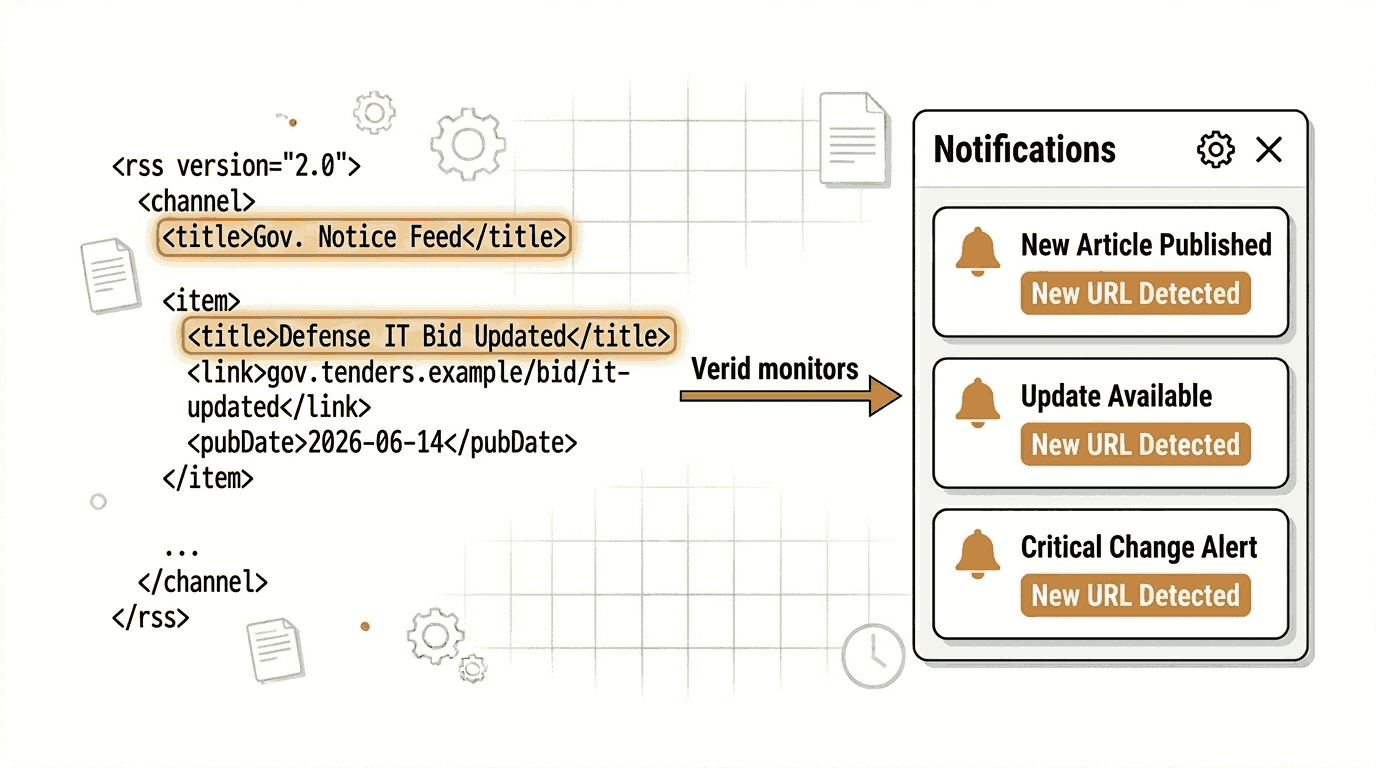
RSS feeds have been around for decades, but the need to act on them quickly has never been greater. Whether you are tracking breaking news, watching for a product release, or following a security advisory channel, knowing the moment a new item appears can save you hours of manual checking.
The challenge is that RSS monitoring is deceptively annoying to build yourself. You need to fetch the feed on a schedule, parse the XML, compare item counts or GUIDs against a previous snapshot, store state somewhere, and then wire up a notification. That is a full afternoon project that you need to maintain forever.
Verid handles the entire loop for you. It fetches your RSS feed on a schedule, extracts the fields you care about, detects when new items appear, and fires an alert to your email, Slack, Discord, or webhook endpoint. No code required if you use the dashboard. A single API call if you are a developer.
This guide covers both paths, step by step, with real working examples.
What Is an RSS Feed and Why Do People Monitor Them?
RSS (Really Simple Syndication) is a standardized XML format that websites use to publish a list of their latest content. When a blog publishes a new post, when a podcast drops a new episode, or when a GitHub project cuts a new release, the feed updates automatically.
Monitoring an RSS feed means checking that feed repeatedly and triggering an action when a new item appears. Common use cases include:
- News websites - Know the moment a story you care about breaks on BBC News or Reuters.
- Company blogs - Track announcements from vendors, partners, or competitors.
- Product release notes - Get notified when a library, framework, or SaaS tool ships an update.
- Podcasts - Automatically queue a new episode the second it goes live.
- Security advisories - Receive immediate alerts when a CVE or patch drops from a source like the National Vulnerability Database.
- Research publications - Follow new papers from institutions or preprint servers.
- Job boards - Watch for new listings that match a specific keyword or company.
In all of these cases, the goal is the same: stop manually checking a URL and start receiving a push notification the moment something new appears.
How to Monitor RSS Feed New Items Using the Verid Dashboard
The dashboard requires no coding knowledge. If you can fill out a form, you can have a working RSS feed monitor running in about two minutes.
Step 1: Start a Free Trial
Go to verid.dev and sign up. Every new account starts with a 14-day free trial: unlimited monitors and 200 runs, with no credit card required.
Step 2: Get Your API Key
After signing up, open the API Keys page in the dashboard and create a key. You will need this later if you use the API. For the dashboard flow you can skip this step for now.
Step 3: Create a New Monitor
From the dashboard home, click New Monitor. You will see a form with a handful of fields. Fill them in as follows.
Monitor name: Give it a clear name so you can identify it later. For example: BBC News Technology Feed.
URL: Enter the full URL of the RSS feed. Here are some real public RSS feeds you can use:
| Source | RSS Feed URL |
|---|---|
| BBC News Technology | https://feeds.bbci.co.uk/news/technology/rss.xml |
| Mozilla Blog | https://blog.mozilla.org/feed/ |
| GitHub Blog | https://github.blog/feed/ |
| National Vulnerability Database | https://nvd.nist.gov/feeds/xml/cve/misc/nvd-rss.xml |
| Hacker News Front Page | https://hnrss.org/frontpage |
Step 4: Choose the Right Extraction Method
This is the step where most people pause. Verid offers six extraction methods. For RSS feeds, two are relevant: Regex and Full-page hash. Here is how they compare:
| Method | How it works | Best for RSS | Drawbacks |
|---|---|---|---|
| Regex | Counts or captures a pattern in the raw feed XML | Counting <item> or <entry> tags to detect new entries | Requires a simple pattern |
| Full-page hash | Hashes the entire response and fires if anything changes | Any change at all triggers a notification | May fire on timestamps or other minor XML updates |
Recommended choice: Regex
For RSS feed monitoring, Regex is the most reliable method. Every RSS feed uses either <item> (RSS 2.0) or <entry> (Atom) tags to wrap each post. You can count those tags. When the count increases, a new item has been published.
Set the extraction like this in the dashboard:
- Method: Regex
- Field name:
item_count - Pattern:
<item>
Then set the predicate (the trigger rule) to fire when the item_count field increases by 1 or more. This means you only receive an alert when a new entry appears, not when something else in the feed XML changes.
For Atom feeds (like some podcast feeds), use <entry> as the pattern instead of <item>.
Step 5: Configure the Schedule
The schedule controls how often Verid checks your feed.
A daily check works well on the Lite plan: an interval of 24 hours (one check per day) uses about 30 runs a month, out of 1,000, and about 14 of the 200 runs in the 14-day free trial. For many use cases such as weekly newsletters or infrequent release notes, this is perfectly adequate.
Every plan, including the free trial, can check as often as every minute. Plans differ by how many runs (one run per check) you get each month:
| Plan | Runs per month |
|---|---|
| Free trial (14 days) | 200 (whole trial) |
| Lite ($9/mo) | 1,000 |
| Starter ($19/mo) | 5,000 |
| Pro ($49/mo) | 15,000 |
| Scale ($149/mo) | 100,000 |
For this example, set the schedule to 86400 seconds (24 hours).
See the full pricing page for a complete feature comparison.
Step 6: Configure Email Delivery
The delivery section controls where Verid sends the alert when a new RSS item is detected.
Verid supports four delivery channels:
- Email - A plain summary of what changed, delivered to an inbox.
- Webhook - An HMAC-signed HTTP POST to your endpoint with the full diff payload.
- Slack - The before/after field diff dropped directly into a Slack channel.
- Discord - Same structured alert, routed to a Discord webhook.
For this example, select Email and enter your email address.
When a new RSS item is published and Verid detects that item_count has increased, you will receive an email showing the before and after values. For example: item_count: 42 → 43.
If you want more detail about what the new item contains, see the API section below, where you can extract additional fields like the latest item title.
Step 7: Save and Activate
Click Save. Verid will schedule the first check and begin monitoring. The first run establishes a baseline (no alert fires on the first run). From the second run onwards, any increase in item_count will trigger your email notification.
Using the Verid API for RSS Feed Monitoring
If you prefer to set up monitors programmatically or want more control over what gets extracted, the Verid REST API gives you the full experience in a single HTTP request.
The base URL is https://api.verid.dev and every request requires your API key in the Authorization header.
Example: Monitor BBC News Technology RSS Feed
This example monitors the BBC News Technology feed and fires an email alert whenever a new <item> appears.
curl -X POST https://api.verid.dev/v1/monitors \
  -H "Authorization: Bearer vrd_your_api_key" \
  -H "Content-Type: application/json" \
  -d '{
    "name": "BBC News Technology - New Items",
    "url": "https://feeds.bbci.co.uk/news/technology/rss.xml",
    "schedule_interval_seconds": 86400,
    "extract_config": {
      "method": "regex",
      "fields": {
        "item_count": "<item>"
      }
    },
    "diff_predicate": {
      "type": "field_increases_by_absolute",
      "field": "item_count",
      "threshold": 1
    },
    "deliveries": [
      {
        "type": "email",
        "to": "you@yourdomain.com"
      }
    ]
  }'
What each field does:
name- A label for this monitor in your dashboard.url- The RSS feed URL to fetch and monitor.schedule_interval_seconds- How often to check.86400is once every 24 hours (the minimum on any plan is 60 seconds).extract_config.method-"regex"tells Verid to count pattern matches in the raw XML.extract_config.fields.item_count- The pattern<item>is counted in the response body. The match count is stored as a number.diff_predicate-field_increases_by_absolutewiththreshold: 1fires when the item count goes up by at least 1.deliveries-"email"delivers the alert to the address you specify.
When a new BBC News Technology article is published, Verid will detect that item_count increased and send you an email notification.
Example: Using a Webhook Delivery Instead
To receive the raw diff payload as an HTTP POST (useful for automation), swap the delivery to a webhook:
curl -X POST https://api.verid.dev/v1/monitors \
  -H "Authorization: Bearer vrd_your_api_key" \
  -H "Content-Type: application/json" \
  -d '{
    "name": "BBC News Technology - Webhook",
    "url": "https://feeds.bbci.co.uk/news/technology/rss.xml",
    "schedule_interval_seconds": 86400,
    "extract_config": {
      "method": "regex",
      "fields": {
        "item_count": "<item>"
      }
    },
    "diff_predicate": {
      "type": "field_increases_by_absolute",
      "field": "item_count",
      "threshold": 1
    },
    "deliveries": [
      {
        "type": "webhook",
        "url": "https://your-app.com/hooks/rss-alert"
      }
    ]
  }'
Verid will send an HMAC-signed POST to your endpoint with a payload like this:
{
  "id": "del_01H...",
  "version": "2026-05-01",
  "monitor_id": "uuid",
  "run_id": "uuid",
  "fired_at": "2026-06-13T08:00:00Z",
  "diff": {
    "fields_changed": ["item_count"],
    "before": { "item_count": 42 },
    "after":  { "item_count": 43 }
  },
  "monitor": {
    "url": "https://feeds.bbci.co.uk/news/technology/rss.xml",
    "name": "BBC News Technology - Webhook"
  }
}
See the Webhooks documentation for signature verification examples in Node.js, Python, Ruby, Go, and PHP.
Using the Verid Node.js SDK
Verid publishes an official Node.js SDK on npm. It wraps the REST API with typed methods and is the fastest way to integrate RSS monitoring into a Node.js or TypeScript application.
Install
npm install @verid.dev/sdkCreate an RSS Feed Monitor
import { VeridClient } from '@verid.dev/sdk';

const client = new VeridClient({
  apiKey: process.env.VERID_API_KEY!,
});

const monitor = await client.monitors.create({
  name: 'BBC News Technology - New Items',
  url: 'https://feeds.bbci.co.uk/news/technology/rss.xml',
  schedule_interval_seconds: 86400,
  extract_config: {
    method: 'regex',
    fields: {
      item_count: '<item>',
    },
  },
  diff_predicate: {
    type: 'field_increases_by_absolute',
    field: 'item_count',
    threshold: 1,
  },
  deliveries: [
    {
      type: 'email',
      to: 'you@yourdomain.com',
    },
  ],
});

console.log('Monitor created:', monitor.id);
What each part does:
VeridClientis initialized once with your API key, which you should store as an environment variable.client.monitors.create()sends a POST request to/v1/monitorswith the configuration you provide.- The returned
monitorobject contains the monitor ID, status, and next scheduled run time.
List All Your Monitors
const { data } = await client.monitors.list();
console.log(data.map(m => `${m.name} - ${m.status}`));
Trigger a Manual Run
await client.monitors.runNow(monitor.id);This is useful during testing so you do not have to wait 24 hours for the first scheduled check.
Real-World RSS Monitoring Examples
Monitor BBC News Technology for Breaking Stories
The BBC News Technology RSS feed is one of the most active English-language tech news feeds. Using the configuration above with a 24-hour interval covers daily summaries. Lower the interval to hourly or 15 minutes if you need near-real-time coverage; that uses about 720 or 2,880 runs a month, which fits on Starter or Pro.
Monitor Mozilla Blog for Product Announcements
Mozilla publishes major announcements (Firefox releases, security updates, policy changes) via its blog RSS feed. Because Mozilla posts infrequently but meaningfully, a 24-hour check interval is more than sufficient.
curl -X POST https://api.verid.dev/v1/monitors \
  -H "Authorization: Bearer vrd_your_api_key" \
  -H "Content-Type: application/json" \
  -d '{
    "name": "Mozilla Blog - New Posts",
    "url": "https://blog.mozilla.org/feed/",
    "schedule_interval_seconds": 86400,
    "extract_config": {
      "method": "regex",
      "fields": {
        "item_count": "<item>"
      }
    },
    "diff_predicate": {
      "type": "field_increases_by_absolute",
      "field": "item_count",
      "threshold": 1
    },
    "deliveries": [
      {
        "type": "email",
        "to": "you@yourdomain.com"
      }
    ]
  }'
Monitor GitHub Blog for Platform Release Notes
The GitHub Blog feed covers changelog entries, new features, and product announcements. It is published as a standard RSS 2.0 feed and uses <item> tags, so the same regex configuration works directly.
This is a good choice for engineering teams that depend on GitHub Actions, the GitHub API, or GitHub Packages and want to catch breaking changes or new features early.
Monitor the National Vulnerability Database for Security Advisories
The NVD RSS feed publishes new CVE entries as they are added. Security teams, developers maintaining open source packages, and compliance officers commonly monitor this feed to catch vulnerabilities affecting their stack before they become incidents.
Because the NVD feed uses Atom-style <entry> tags rather than <item>, adjust the regex pattern:
curl -X POST https://api.verid.dev/v1/monitors \
  -H "Authorization: Bearer vrd_your_api_key" \
  -H "Content-Type: application/json" \
  -d '{
    "name": "NVD Security Advisories",
    "url": "https://nvd.nist.gov/feeds/xml/cve/misc/nvd-rss.xml",
    "schedule_interval_seconds": 86400,
    "extract_config": {
      "method": "regex",
      "fields": {
        "entry_count": "<entry>"
      }
    },
    "diff_predicate": {
      "type": "field_increases_by_absolute",
      "field": "entry_count",
      "threshold": 1
    },
    "deliveries": [
      {
        "type": "email",
        "to": "security-team@yourdomain.com"
      }
    ]
  }'
When a new CVE is published, Verid fires an email to your security team so they can review it immediately rather than discovering it days later during a routine audit.
Frequently Asked Questions
How can I get alerts when an RSS feed updates?
Use a dedicated RSS feed monitoring service like Verid. Create a monitor pointing at the RSS feed URL, set the extraction method to Regex with the pattern <item> (or <entry> for Atom feeds), and configure a delivery channel such as email or Slack. Verid checks the feed on your chosen schedule and sends an alert the moment it detects a new entry.
What is the best RSS feed monitoring tool for developers?
Verid is designed specifically for developers. It provides a full REST API, an official Node.js SDK, HMAC-signed webhook delivery with automatic retries, and field-level diff payloads that you can feed directly into your own automation pipelines. Unlike browser-based screenshot tools, Verid works with the raw XML of the feed and only fires when a meaningful change occurs.
Can I monitor RSS feeds without any coding?
Yes. Verid's dashboard lets you create and configure a monitor entirely through a web interface. You enter the feed URL, choose Regex as the extraction method, enter <item> as the field pattern, set a schedule, and choose email delivery. No code is required at any step.
How often should I check an RSS feed for new items?
It depends on how frequently the feed publishes. For daily newsletters or infrequently updated blogs, once every 24 hours is sufficient. For active news feeds, security advisory channels, or software release feeds, an hourly check (about 720 runs a month) or 15-minute check (about 2,880 runs a month) gives you near-real-time coverage. The Verid pricing page shows how many monthly runs each plan includes.
Want this running on your own URL? Spin up the same monitor in about a minute. 5 free, no credit card.
About the author

Software Engineer
Suleman is a software engineer who builds the systems behind Verid: the headless-browser scrapers, the diff engine, and the webhook delivery pipeline. He writes about change detection, structured extraction, and keeping automated monitors reliable at scale.
More from Suleman →Related use cases
How to Monitor JSON API Fields and Get Alerts When Data Changes
Learn how to track specific fields in any JSON API response and receive instant alerts when values change. Step-by-step guide using Verid.
View blueprint →Developer & DevOpsHow to Get Automatic PyPI Package Update Alerts
Get instant alerts when any PyPI package releases a new version. Set up automated Python package update notifications with Verid in minutes.
View blueprint →Developer & DevOpsHow to Track NPM Package Version Changes Automatically
Learn how to monitor npm package versions automatically and get email alerts the moment a new version is published. No code required to get started.
View blueprint →