How to Track When a Competitor Switches Their Tech Stack (Without Checking Manually Every Week)
If you have ever used BuiltWith or Wappalyzer to look up what a competitor's website runs on, you already know the limitation. You get a snapshot. The moment you close the tab, that snapshot starts going stale, and the only way to catch a real change, a CMS migration, a new analytics tool, a switch from one checkout provider to another, is to remember to go look again.
Most teams don't remember. They check once during a competitive audit, then forget about it for six months, and miss the exact window when the change actually mattered.
This guide covers what technology changes are worth tracking, how detection actually works under the hood, and how to set up an automated workflow that tells you the moment something shifts, instead of relying on your own memory.
Why Monitoring Competitor Tech Stacks Actually Matters
A technology change on a competitor's site is rarely random. It's usually a signal of something happening internally.
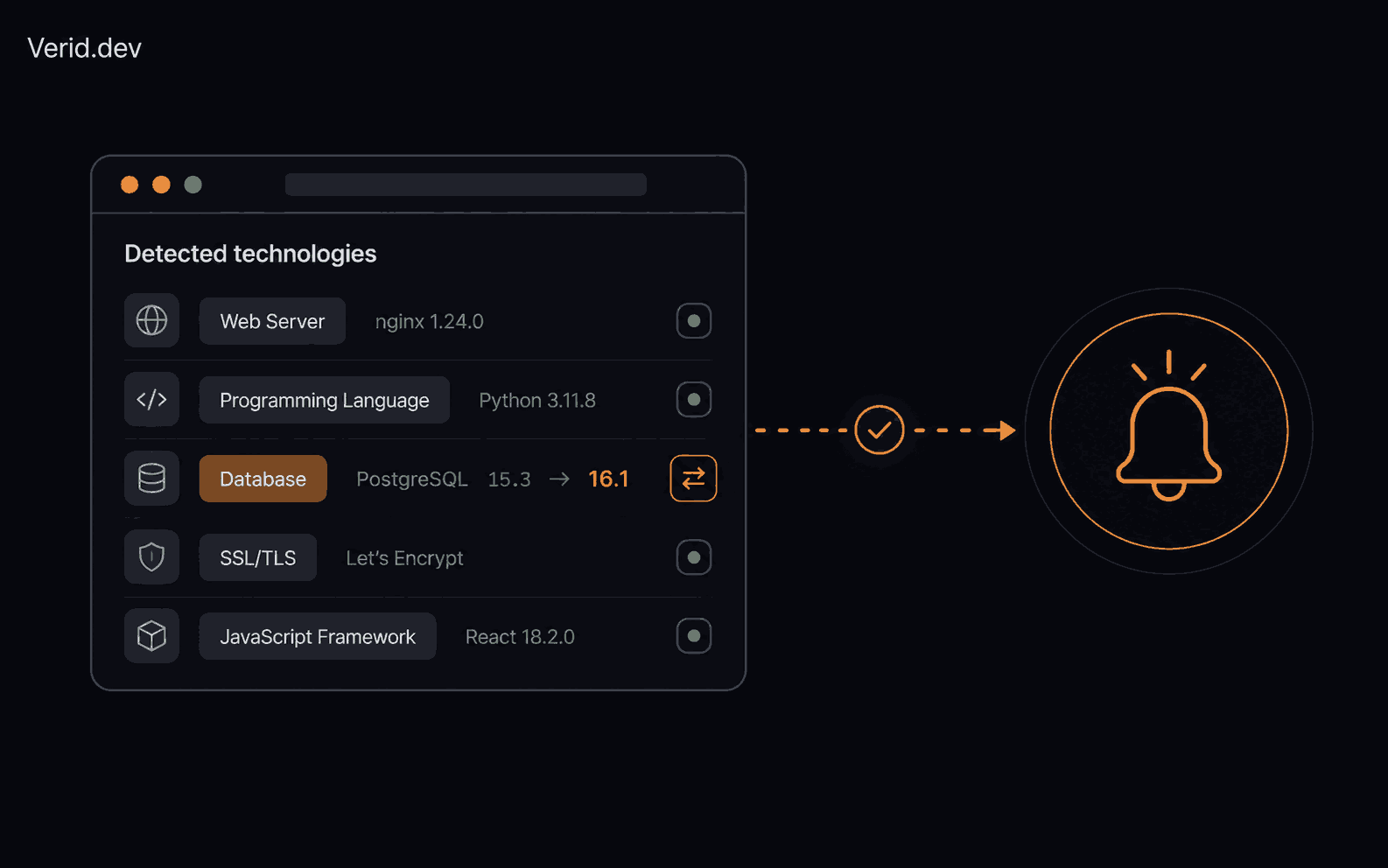
A company swapping from a legacy payment processor to Stripe or Shopify Payments often means a checkout redesign is coming, and possibly a pricing change with it. A move from a self-hosted CMS to a headless setup like Contentful or Sanity usually points to a content or marketing push. New analytics or tag management scripts appearing on a site can mean a new growth hire just started instrumenting funnels. A switch in CDN or hosting provider, say from a generic host to Cloudflare or Vercel, often precedes a performance or scaling initiative tied to a launch.
None of these are guaranteed, but they are useful leading indicators, and they show up earlier than the press release or product launch does. Product and growth teams that track this systematically get a few weeks of lead time that teams relying on manual lookups simply don't have.
Common Technology Changes Worth Watching
| Change category | What it usually signals | Where it shows up |
|---|---|---|
| CMS or framework migration | Content strategy shift, site rebuild, SEO push | Page markup, meta generator tags, build artifacts |
| Analytics or tag manager swap | New marketing or growth hire, funnel rework | Script tags, GTM container changes |
| Payment processor change | Checkout redesign, pricing or fee structure shift | Checkout page scripts, iframe sources |
| CDN or hosting provider switch | Scaling effort, upcoming launch, performance push | Response patterns, asset URLs |
| New chat, support, or onboarding widget | Customer success or sales motion change | Embedded widget scripts |
| A/B testing or personalization tool added | Conversion optimization initiative underway | Script tags, page variants |
How Technology Changes Are Actually Detected
There are really two layers to this problem, and most teams only solve the first one.
Layer one: identifying what a site currently runs. This is what BuiltWith, Wappalyzer, and similar tools do well. They fingerprint a page against a known library of script signatures, meta tags, and markup patterns and tell you, at this moment, what the site appears to be built with. Wappalyzer's free tier and browser extension are useful for quick lookups, but the API needed for bulk lookups and automated research workflows comes at a meaningfully higher cost, and none of these point-in-time scanners ship a programmatic webhook system for real-time alerts, leaving teams to poll the API or wire up a separate workflow tool if they want to know the moment something changes.
That's the gap. A detection database answers "what does this site run today." It doesn't answer "tell me the second that changes."
Layer two: watching for change over time. This is a monitoring problem, not a detection-database problem. You need three things working together: a scheduled fetch of the page, a way to extract a meaningful signal from the markup, and a rule that decides whether what changed is worth telling a human about. Build it yourself with a cron job and a scraper, and you'll spend more time maintaining brittle CSS selectors than you spend acting on the alerts.
How Verid Automates the Monitoring Layer
Verid is built specifically for this second layer: scheduled monitoring with structured extraction and predicate-based alerts, delivered as a signed webhook the moment something changes.
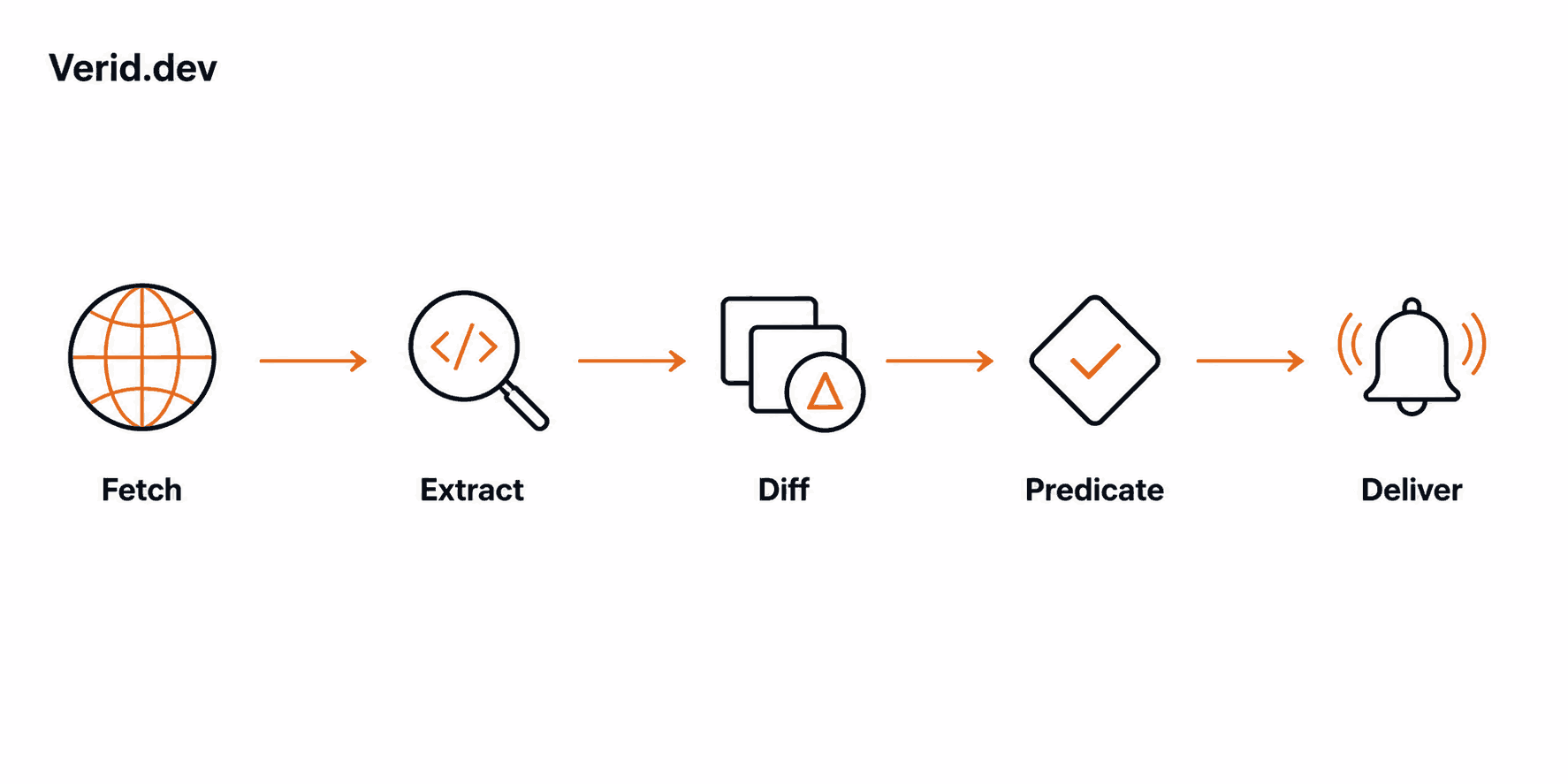
The pipeline runs in five stages on a schedule you set. First, Verid fetches the page, starting with a static request and automatically escalating to a headless browser, then a residential proxy, if the site is JavaScript-heavy or bot-protected. Second, it extracts the field you care about using one of six methods: CSS selectors, XPath, JSONPath, regex, full-page hash, or natural-language LLM extraction. Third, it diffs that extraction against the last successful run, field by field. Fourth, it checks that diff against a predicate you define, so you're only notified when a rule actually fires, not on every byte-level change. Fifth, it delivers the result as an HMAC-signed webhook, or to Slack, Discord, or email.
For tech stack monitoring specifically, two extraction methods do most of the work:
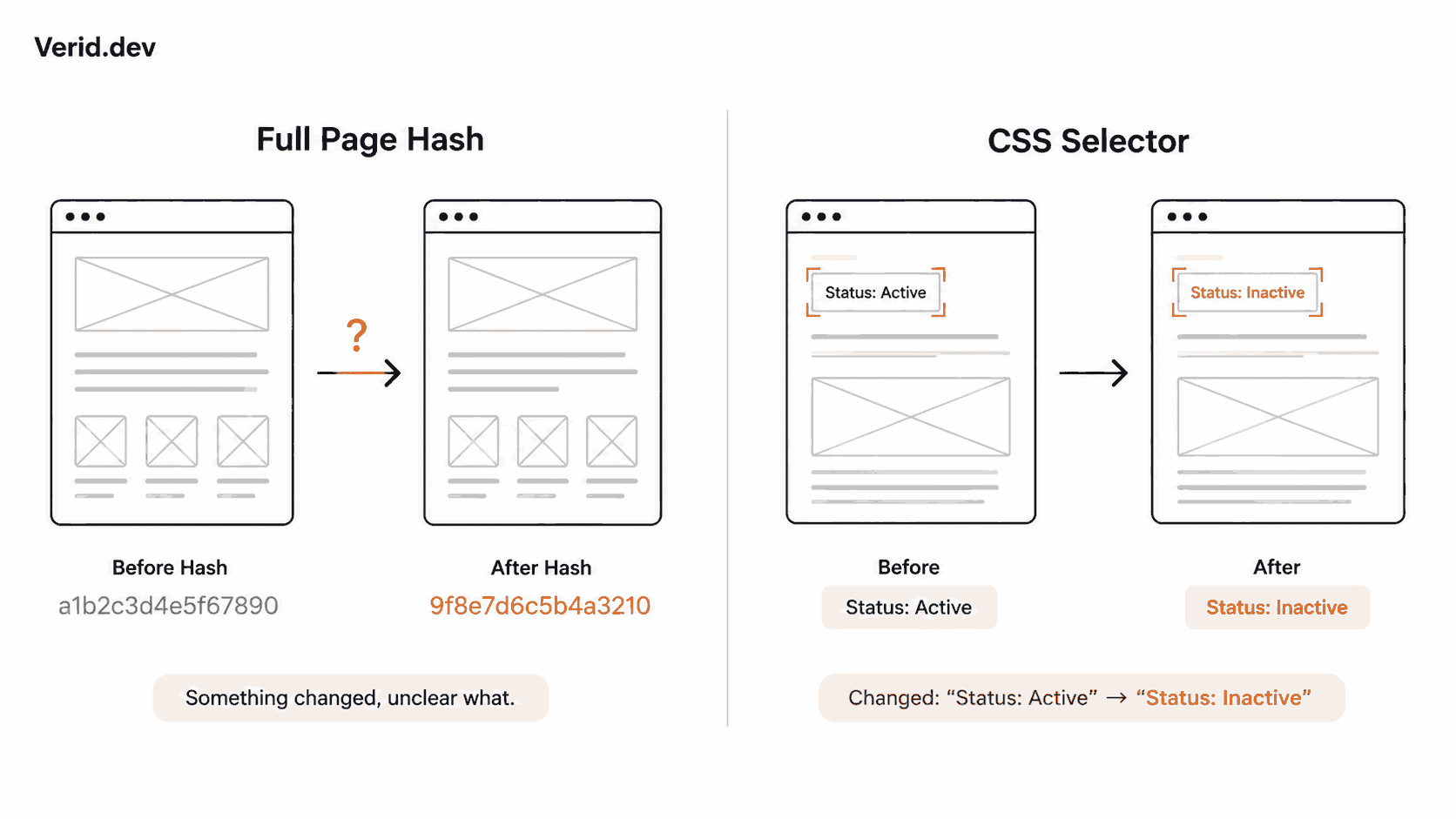
Full-page hash is the fastest way to start. Point it at a competitor's homepage or pricing page, and Verid normalizes the HTML, strips out scripts, styles, and session-specific noise, and hashes what's left. If the hash changes between runs, something meaningful shifted, which is often enough to trigger a manual look even before you've built out a more specific extractor.
CSS selectors and regex let you get specific once you know what to watch. A <meta name="generator"> tag, a script src pointing at a known analytics or payment provider, or a script tag added or removed entirely, all of these are stable enough to target directly. When a site's markup changes structure often enough to keep breaking your selectors, the LLM extraction method lets you describe the field in plain language instead, for example "the name of the analytics or tag manager script loaded on this page," and Verid handles the rest without a code deploy.
Here's a realistic monitor configuration watching a competitor's homepage for any structural change:
{
  "name": "Competitor homepage tech watch",
  "url": "https://competitor.example.com",
  "schedule_interval_seconds": 86400,
  "extract_config": {
    "method": "full_page"
  },
  "diff_predicate": { "type": "field_changes", "field": "page_hash" },
  "deliveries": [{ "type": "webhook", "url": "https://your-app.com/hooks" }]
}
This checks once a day, which uses about 30 runs a month, well inside the 1,000 monthly runs on Verid's $9 Lite plan (and only 14 of the 200 runs in the 14-day free trial), and fires only when the normalized hash of the page actually changes, scripts, styles, and CSRF tokens are stripped first so a routine page reload doesn't create false positives. Once you've confirmed there's something worth tracking, you can narrow the monitor to a specific selector targeting just the script tags or meta generator field you care about, which gives you a clean before-and-after diff instead of just a "something changed" signal.
Every webhook payload includes the before and after values, so your team sees exactly what shifted instead of having to go re-check the page manually:
{
  "monitor": "Competitor homepage tech watch",
  "fired": "field_changes",
  "field": "page_hash",
  "before": "a3f5b2c1d4e6...",
  "after": "9e21f08ab771...",
  "at": "2026-06-25T09:31:00Z"
}
Real-World Use Cases
A product marketing team tracking three direct competitors can set up a full-page hash monitor on each homepage and pricing page, checked daily, and route alerts to a Slack channel. When something fires, a five-minute manual check confirms whether it's a tech change, a pricing change, or just a copy edit.
A competitive intelligence analyst who's already identified a specific signal, say, a competitor's checkout iframe source, can build a narrower CSS or regex monitor on just that element, checked hourly, so they know within the hour if the payment processor changes.
A sales team prospecting accounts that still run a legacy or end-of-life platform can monitor a target list of prospect sites and get notified the moment one of them migrates off it, which is often the exact window when they're evaluating new vendors.
Step-by-Step Workflow
- List the competitors and pages worth watching. Homepages, pricing pages, and checkout flows tend to surface the most meaningful changes.
- Start with full-page hash on each one. This costs nothing to set up and confirms whether the page changes often enough to be worth narrower monitoring.
- Narrow to CSS, XPath, or regex once you know what to track. Target the specific script, meta tag, or markup pattern that represents the technology you care about.
- Set a predicate that matches the urgency. A
field_changespredicate is enough for most tech stack tracking; reserve threshold-based predicates for numeric signals like pricing. - Route alerts to where your team already works. A webhook into an internal tool, or a direct Slack or Discord delivery, keeps the signal visible without anyone needing to check a dashboard.
- Review and refine. If a monitor fires too often on noise, switch to a narrower selector. If it never fires and you expected change, confirm the field isn't being stripped by full-page hash's normalization, which intentionally ignores script and style tag contents.
Best Practices
Keep monitors narrow once you know what you're looking for. A full-page hash is a good first pass, but a dedicated selector on the specific script or tag gives you a usable before-and-after diff instead of a vague "something changed" alert.
Match your check interval to how fast the signal actually matters. Daily is enough for most competitive tracking; reserve 15-minute or 5-minute intervals for time-sensitive cases like a flash sale or a known migration window.
Don't rely on a single detection method. Tech stacks that obfuscate or minify their scripts in production can defeat a simple regex match, which is exactly when an LLM-based extractor, describing the signal in plain language rather than a fixed pattern, holds up better.
Common Mistakes
Checking manually instead of automating is the most common one. A quarterly BuiltWith lookup will always miss the exact week a change happened, which is usually the week it mattered most.
Treating every page change as a tech stack change is another. A site's footer copyright year or a rotating banner ad will trip a naive full-page monitor constantly. That's exactly the normalization full-page hash is built to handle, but if you're writing your own scraper, you need to account for this noise yourself or you'll end up ignoring every alert within a week.
Finally, setting check intervals far more aggressive than the signal requires wastes monitor budget and makes alerts harder to triage. Daily monitoring catches almost everything that matters for competitive tech tracking.
Frequently Asked Questions
Can I detect a competitor's tech stack changes without a browser extension?
Yes. Tools like BuiltWith and Wappalyzer are built for one-time lookups through a browser extension or dashboard. For ongoing, automated tracking you need a scheduled monitoring service that fetches the page on an interval, extracts a signal, and alerts you when it changes, which is a different category of tool than a point-in-time scanner.
How often should I check a competitor's site for technology changes?
Daily checks are sufficient for most competitive intelligence use cases, since tech stack migrations unfold over days or weeks, not minutes. Reserve faster intervals, every 15 minutes or less, for time-sensitive monitoring like a known launch window or a flash sale.
What's the difference between full-page hash and CSS selector monitoring?
Full-page hash tells you that something on the page changed, without telling you what. It's the fastest way to confirm a page is worth watching. CSS or XPath selectors target a specific element, like a script tag or meta generator field, and give you the actual before-and-after value, which is more useful once you know what signal you're tracking.
Will a competitor know I'm monitoring their site?
Scheduled monitoring tools fetch pages the same way a normal visitor or search engine crawler would, using standard HTTP requests or a headless browser when needed. This is functionally the same as checking the page yourself on a schedule, just automated.
About the author

Software Engineer
Suleman is a software engineer working on backend systems and browser automation at Verid. Much of his time goes to the unglamorous half of monitoring: brittle selectors, anti-bot interstitials, dedupe logic, and that’s what he writes about.
More from Suleman →Related posts
How to Detect When a Competitor Changes Their Pricing Page Automatically
Learn how to detect competitor pricing page changes automatically using field level extraction, predicates, and webhook alerts with Verid.
Read the post →competitor monitoringHow to Monitor Multiple Competitor Pages at Scale Without a Scraper
Learn how to track 50+ competitor pages using a change detection API, smart predicates, and webhooks. No scraping infrastructure required.
Read the post →Developer & DevOpsThe Hidden Cost of DIY Website Monitoring: A Build vs Buy Cost Analysis
Compare DIY website monitoring with managed platforms. Learn the real costs of maintenance, scaling, alerts, and long term ownership.
Read the post →competitor monitoringBest Competitor Monitoring Tools for SaaS Companies in 2026
Compare 9 competitor monitoring tools for SaaS teams in 2026, from five-figure CI suites to API-based pricing page monitors like Verid.
Read the post →