
How to Monitor a JSON API for Changes and Trigger Webhooks Automatically
Most teams discover the polling problem the hard way. Someone writes a cron job that hits an upstream API every five minutes, logs the response, compares it to a file on disk, and fires an email when something changes. Three months later that engineer leaves and the cron job silently breaks because the API added a wrapper object and the comparison logic never accounted for it.
This article walks through a better approach: structured field-level monitoring with predicate-driven webhook delivery. You define what field matters and when it matters, and the infrastructure handles fetch, diff, retry, and delivery.
Why JSON API monitoring is harder than it looks
Polling a JSON endpoint sounds trivial. In practice you end up owning:
- A scheduler (cron, a queue, a managed job runner)
- State storage (what did the last response look like?)
- A diff engine (what changed between runs?)
- Retry logic for your webhook destination
- Authentication against the source API
- A dead-letter mechanism for failed deliveries
None of this is intellectually interesting. It is, however, load-bearing infrastructure that breaks at the worst time.
The alternative is to hand off the loop to a system built for it and focus on two decisions: what field do I care about and what condition should trigger an alert.
Common use cases
Before getting into implementation, it helps to know what developers actually monitor:
| Use case | JSON API | Field of interest |
|---|---|---|
| New library version | registry.npmjs.org/typescript/latest | $.version |
| GitHub release | api.github.com/repos/:owner/:repo/releases/latest | $.tag_name |
| Crypto price threshold | api.coingecko.com/api/v3/simple/price | $.ethereum.usd |
| Upstream API schema drift | Any internal or third-party API | Any field |
| Dependency vulnerability | Security advisory JSON feeds | Severity fields |
| Exchange rate alert | Open exchange rate APIs | Target currency field |
In every case the payload is JSON, the interesting signal is a single field or a pair of fields, and the desired output is a webhook to your own system so you can take action programmatically.
Polling vs webhooks: what actually makes sense
A common misconception is that you should ask the API provider to send you webhooks instead of polling. That only works if the provider supports webhooks. Most JSON APIs you want to monitor do not. They give you a read endpoint. You call it on a schedule. That is the reality.
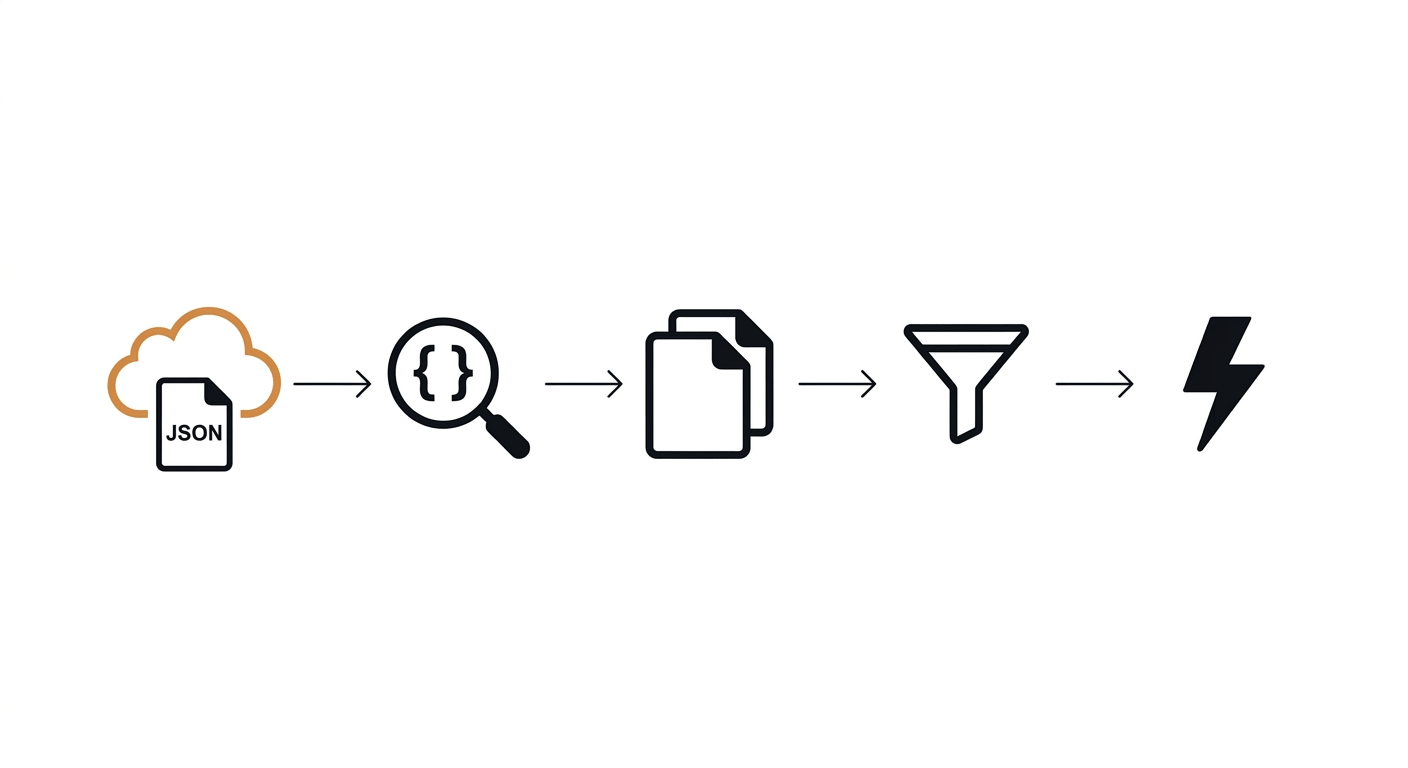
The pattern that works:
- You poll the source API on a schedule you control
- A diff engine compares the new response to the stored state
- A predicate evaluates whether the diff is significant
- If the predicate passes, your own system receives a webhook
| Approach | Who polls | Who delivers | Alert noise |
|---|---|---|---|
| DIY cron + curl | You | You | High (any byte change) |
| Screenshot/change detector | Tool | Tool | Very high (DOM noise) |
| Scraping API | Tool | You | N/A (no alerting) |
| Structured monitor (Verid) | Tool | Tool | Low (predicate-filtered) |
The key insight is step 3. Without a predicate layer, you get alerted on rate-limit headers changing, timestamps rotating, and server-side A/B test variations. With field-level predicates you fire only when the value you actually care about crosses the threshold you defined.
How JSONPath extraction works
JSONPath is a query syntax for JSON, analogous to XPath for XML. Given a response like:
{
  "tag_name": "v19.0.0",
  "prerelease": false,
  "published_at": "2026-05-08T12:00:00Z"
}
The expression $.tag_name returns "v19.0.0". You can target nested fields with $.data.price, arrays with $.releases[0].tag_name, and so on. This is the right extraction method for JSON API monitoring because it is precise, version-stable, and produces typed output rather than a raw string match.
Step-by-step: Monitor a JSON API with Verid
Verid handles the entire loop: fetch, extract, diff, predicate, deliver. The monitor is a single JSON config posted to one endpoint.
Step 1: Get an API key
Sign up at verid.dev. API keys start with vrd_.
export VERID_API_KEY="vrd_your_key_here"Step 2: Create the monitor
This example monitors the React GitHub API for new releases. It extracts three fields, but only fires when tag_name changes.
curl -X POST https://api.verid.dev/v1/monitors \
  -H "Authorization: Bearer $VERID_API_KEY" \
  -H "Content-Type: application/json" \
  -d '{
    "name": "React New Releases",
    "url": "https://api.github.com/repos/facebook/react/releases/latest",
    "schedule_interval_seconds": 3600,
    "extract_config": {
      "method": "json_path",
      "fields": {
        "tag_name": "$.tag_name",
        "name": "$.name",
        "published_at": "$.published_at"
      }
    },
    "diff_predicate": {
      "type": "field_changes",
      "field": "tag_name"
    },
    "deliveries": [
      {
        "type": "webhook",
        "url": "https://your-app.com/webhooks/verid"
      }
    ]
  }'
schedule_interval_seconds is 3600 here (hourly, about 720 runs a month). Every plan, including the free trial, can go down to 60 seconds (checks every minute); each check uses one run, so an hourly monitor needs a plan with at least 720 runs a month, such as Lite (1,000).
Step 3: Receive the webhook payload
When tag_name changes, Verid POSTs to your endpoint:
{
  "id": "del_01H...",
  "version": "2026-05-01",
  "monitor_id": "uuid",
  "run_id": "uuid",
  "fired_at": "2026-05-08T12:00:00Z",
  "diff": {
    "fields_changed": ["tag_name"],
    "before": { "tag_name": "v18.2.0" },
    "after":  { "tag_name": "v19.0.0" }
  },
  "monitor": {
    "url": "https://api.github.com/repos/facebook/react/releases/latest",
    "name": "React New Releases"
  }
}
The diff.before and diff.after objects give you the exact field transition. No parsing the full API response on your end.
Step 4: Verify the signature
Every Verid webhook includes a Verid-Signature header. You must verify it before processing. The format is:
Verid-Signature: t={timestamp},v1={hmac_sha256_signature}The signed payload is {timestamp}.{raw_body}. Here is a Node.js verification handler:
import { createHmac, timingSafeEqual } from 'crypto';

function verifyWebhook(header, rawBody, secret, toleranceSecs = 300) {
  const parts = Object.fromEntries(
    header.split(',').map((p) => p.split('='))
  );
  const timestamp = parseInt(parts['t'] ?? '0', 10);
  const signature = parts['v1'];

  if (!timestamp || !signature) return false;
  if (Math.abs(Date.now() / 1000 - timestamp) > toleranceSecs) return false;

  const expected = createHmac('sha256', secret)
    .update(`${timestamp}.${rawBody}`)
    .digest('hex');

  return timingSafeEqual(
    Buffer.from(expected, 'hex'),
    Buffer.from(signature, 'hex')
  );
}

// Express handler
app.post('/webhooks/verid', express.raw({ type: 'application/json' }), (req, res) => {
  const header = req.headers['verid-signature'];
  const rawBody = req.body.toString('utf8');

  if (!verifyWebhook(header, rawBody, process.env.WEBHOOK_SECRET)) {
    return res.status(401).send('Invalid signature');
  }

  const payload = JSON.parse(rawBody);
  console.log('Changed fields:', payload.diff.fields_changed);
  console.log('Before:', payload.diff.before);
  console.log('After:', payload.diff.after);

  res.sendStatus(200);
});
Use express.raw() or equivalent to get the unparsed body. Signature verification fails if your framework parses and re-serializes the body before you read it.
Verification examples in Python, Ruby, Go, and PHP are in the Verid webhooks docs.
Using smarter predicates
field_changes is the simplest predicate. Verid supports eight predicate types, which is where the real power is.
Skip beta releases
Only fire when a new stable version ships:
{
  "type": "composite",
  "operator": "AND",
  "conditions": [
    { "type": "field_changes", "field": "tag_name" },
    { "type": "field_equals", "field": "prerelease", "value": false }
  ]
}
Fire only on a price drop above a threshold
{
  "type": "field_decreases_by_percent",
  "field": "price",
  "threshold": 5
}
Alert when an API starts returning error statuses
{
  "type": "field_matches_regex",
  "field": "status",
  "pattern": "^(error|failed|degraded)"
}
See the full reference at docs.verid.dev/predicates.
Predicate reference
| Predicate type | When it fires | Typical use |
|---|---|---|
any_field_changes | Any tracked field differs | Full-page hash monitors |
field_changes | Specific field differs | Version bumps, status changes |
field_decreases_by_percent | Field drops by N% or more | Price drop alerts |
field_increases_by_percent | Field rises by N% or more | Stock spike alerts |
field_decreases_by_absolute | Field drops by N or more | Inventory alerts |
field_increases_by_absolute | Field rises by N or more | New sitemap entries |
field_matches_regex | New value matches pattern | Status string monitoring |
field_equals | New value equals literal | Restock alerts |
composite | AND / OR of conditions | Multi-signal monitors |
Using the Node.js SDK
If you prefer TypeScript over raw curl, the official SDK wraps the REST API:
npm install @verid.dev/sdkimport { VeridClient } from '@verid.dev/sdk';
const client = new VeridClient({ apiKey: process.env.VERID_API_KEY! });
const monitor = await client.monitors.create({
name: 'npm: typescript',
url: 'https://registry.npmjs.org/typescript/latest',
schedule_interval_seconds: 1800,
extract_config: {
method: 'json_path',
fields: { version: '$.version' },
},
diff_predicate: { type: 'field_changes', field: 'version' },
deliveries: [
{ type: 'webhook', url: 'https://your-app.com/webhooks/verid' },
],
});
// Trigger a manual run to test
await client.monitors.runNow(monitor.id);Webhook retry behavior
Your endpoint will occasionally be down. Verid retries with exponential backoff across six attempts:
| Attempt | Delay |
|---|---|
| 1 | Immediate |
| 2 | 5 minutes |
| 3 | 15 minutes |
| 4 | 30 minutes |
| 5 | 1 hour |
| 6 | 2 hours |
After six failures the delivery is marked dead. You can replay it from the dashboard or via POST /v1/deliveries/:id/replay. This matters because silent delivery failure is how monitoring systems quietly stop working.
Security checklist
A few things that matter before you put this in production:
Verify the signature on every request. Skip this and anyone who discovers your webhook URL can POST arbitrary payloads. Use the timingSafeEqual comparison shown above, not a string === check. OWASP timing attack guidance explains why.
Validate the timestamp. Verid includes a Unix timestamp in the signature header. Reject requests where |now - timestamp| > 300 seconds. This prevents replay attacks where someone captures a valid signed payload and resends it later.
Read the raw body before parsing. Your signature covers the raw bytes. If you pass req.body (already parsed by Express) into the HMAC, the comparison will fail or, worse, pass incorrectly if the serialization differs.
Store your webhook secret in an environment variable. Not in your source code. Not in a config file committed to version control.
Return 200 fast. If your handler takes more than 10-15 seconds to respond, Verid will time out and retry. Acknowledge receipt immediately and process the payload asynchronously.
Common mistakes
Comparing parsed objects instead of field values. If you fetch the full response and do a deep-equal comparison yourself, you catch every key including volatile ones like ETag, X-RateLimit-Remaining, and response timestamps. Use JSONPath to extract only what matters.
Not handling the first-run baseline. The first time a monitor runs, there is no previous state to compare against, so no predicate fires. This is correct behavior, but teams sometimes assume their first run should fire. It should not.
Using any_field_changes on volatile APIs. If the API injects a request ID or timestamp into every response, any_field_changes will fire on every poll. Pin to specific fields.
Skipping signature verification in development. It is tempting to comment out the verification check while testing locally. Add an environment flag to skip it in dev if needed, but never deploy without it.
Real-world example: tracking upstream API contract drift
One of the more underappreciated use cases is monitoring your own upstream dependencies for schema changes. If api.payments-provider.com/v2/charge silently starts returning a fee_breakdown object instead of a flat fee number, your integration breaks without warning.
A monitor for this looks like:
curl -X POST https://api.verid.dev/v1/monitors \
  -H "Authorization: Bearer $VERID_API_KEY" \
  -H "Content-Type: application/json" \
  -d '{
    "name": "Payments API: fee field type",
    "url": "https://api.payments-provider.com/v2/charge/sample",
    "schedule_interval_seconds": 300,
    "extract_config": {
      "method": "json_path",
      "fields": {
        "fee": "$.fee",
        "currency": "$.currency"
      }
    },
    "diff_predicate": {
      "type": "any_field_changes"
    },
    "deliveries": [
      { "type": "webhook", "url": "https://your-app.com/webhooks/api-drift" },
      { "type": "slack",   "url": "https://hooks.slack.com/services/..." }
    ]
  }'
This also demonstrates multi-destination delivery: the same predicate can fire to a webhook and a Slack channel simultaneously. See Verid notification options for available delivery types.
Conclusion
The loop of "fetch a JSON API, compare to last run, fire a webhook if something meaningful changed" is simple to describe and tedious to build correctly. The failure modes, retry logic, signature verification, and state management are all non-trivial and all orthogonal to whatever you actually want to do with the change event.
Verid wraps that loop into a single API call. You write the JSONPath expression, pick a predicate, and hand over a webhook URL. The rest is handled.
The quickstart gets a monitor running in under two minutes. The 14-day free trial includes unlimited monitors and 200 runs, with no credit card required.
FAQ
What is the difference between polling a JSON API and receiving a webhook?
Polling means your system asks the API for data on a schedule. A webhook means a system pushes data to you when something happens. For most public JSON APIs you have no choice but to poll because the provider does not support webhooks. A monitoring tool like Verid polls on your behalf and then pushes the result to your endpoint as a webhook, giving you the push behavior without requiring the source API to support it.
How do I avoid false alerts from JSON APIs that include timestamps or request IDs in responses?
Use JSONPath to extract only the specific fields you care about and set your predicate to field_changes on those fields. Verid only evaluates the fields you explicitly define in extract_config.fields, so volatile keys in the response that you have not extracted are ignored entirely.
What happens if my webhook endpoint is down when a change is detected?
Verid retries the delivery six times with exponential backoff, from immediate to a 2-hour final attempt. If all six fail, the delivery enters a dead-letter queue. You can replay individual deliveries from the dashboard or via the API without re-running the monitor.
How do I monitor a JSON API that requires authentication?
You can include custom request headers in your monitor config. Pass your API key or Bearer token as a header alongside the URL. Check the API reference for the request_headers parameter on monitor creation.
About the author

Software Engineer
Suleman is a software engineer who builds the systems behind Verid: the headless-browser scrapers, the diff engine, and the webhook delivery pipeline. He writes about change detection, structured extraction, and keeping automated monitors reliable at scale.
More from Suleman →Related posts
Track npm Package Updates Automatically
Stop polling npm manually. Learn how to monitor npm packages for new versions and fire webhook notifications the moment a release lands. No cron jobs required.
Read the post →developer toolsPredicate-Based Alerting: Stop Getting Spammed by Your Monitoring Tool
Alert fatigue is a monitoring tool bug. Verid's predicate system fires only when a change meets a condition — price drop, regex match, or threshold crossed.
Read the post →monitoringAPI Contract Monitoring: How to Catch Breaking Changes Before They Hit Production
Learn how API contract monitoring catches breaking changes before production. Schema drift, field-level diff, and continuous JSON API monitoring explained.
Read the post →webhooksHow to Set Up a Dead Letter Queue for Failed Webhook Deliveries
Learn how dead letter queues catch failed webhook deliveries: retry design, backoff, replay, and monitoring, with real config examples.
Read the post →