How to Monitor Airline Prices and Get Alerts When They Drop
Learn why airfare changes so often and how to monitor airline prices automatically, with a step by step setup for custom fare drop alerts.
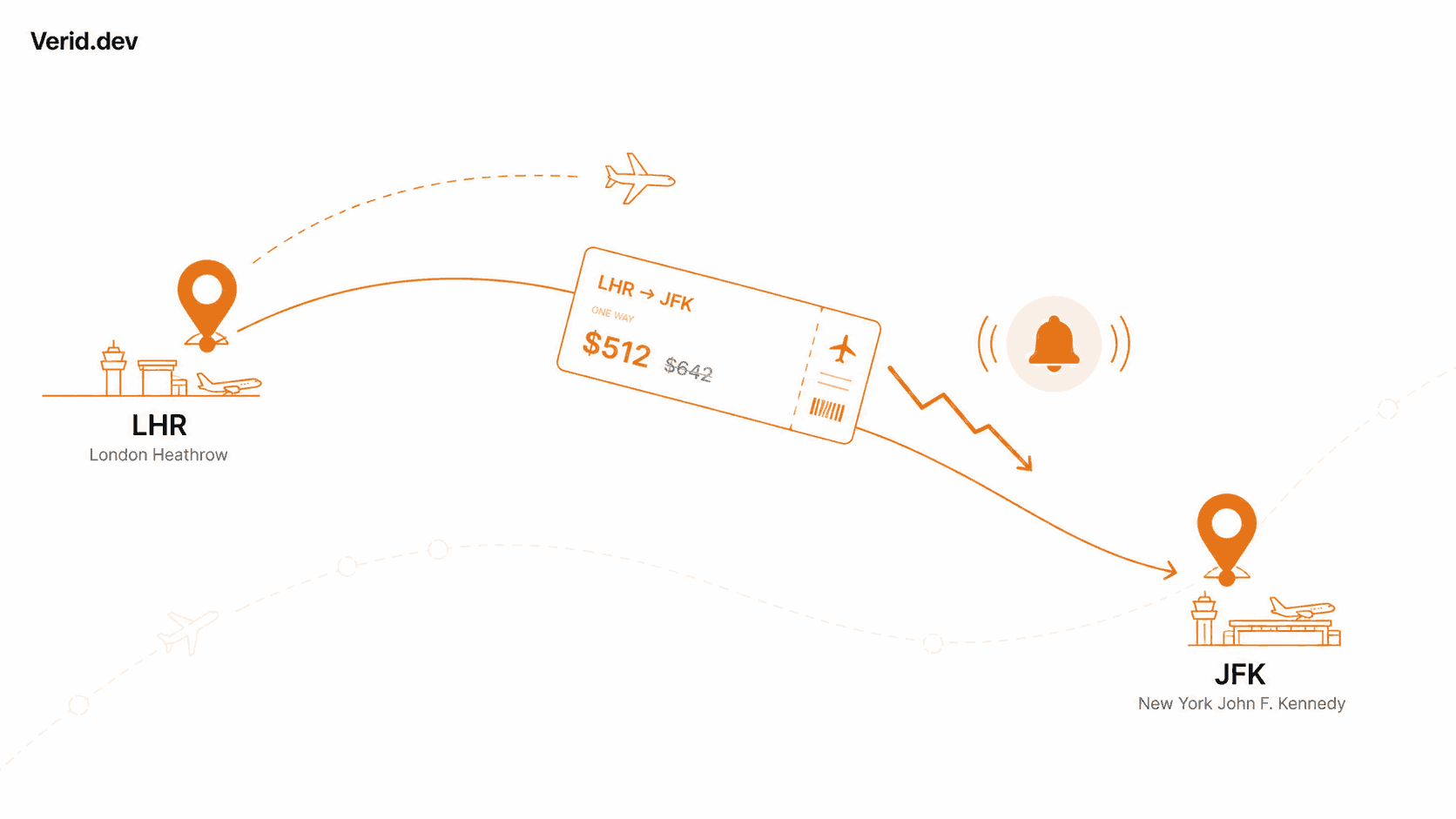
You found a decent fare to Lisbon. You closed the tab to "think about it." Six hours later it's up $180. This is not bad luck. It's the predictable result of checking prices manually in a market where prices are never actually static.
Most travelers respond by checking more often, which is exactly backwards. The fix isn't more attention, it's less. Automated fare monitoring watches the price for you, on a schedule, and only bothers you when something worth acting on actually happens. This guide covers why airline prices move the way they do, why the consumer tools you already know have real limits, and how to build a fare alert that matches your own rules, using a general purpose monitoring API like Verid when you want more control than a standard tracker gives you.
Why Airline Prices Change So Often
Airlines don't set one price per route and leave it. They run yield management systems that reprice seats continuously based on how a flight is selling relative to how many days remain before departure, historical demand for that route and date, competitor fares on the same city pair, and how full the plane already is. The U.S. Department of Transportation has documented that airline fares for the same flight can vary widely depending on when the ticket is purchased and how many seats remain in each fare bucket, and IATA has written extensively about how dynamic pricing and revenue management now extend well beyond the old fixed fare classes into continuous, algorithmic pricing.
The practical result is that a fare isn't really a price, it's a snapshot. A seat sold at $340 in the morning might sell at $410 by evening once a fare bucket closes, or drop to $290 if a competitor cuts prices on the same route. None of this is random. It's just recalculated far more often than any person could reasonably keep checking by hand.
Why Manual Checking Doesn't Work
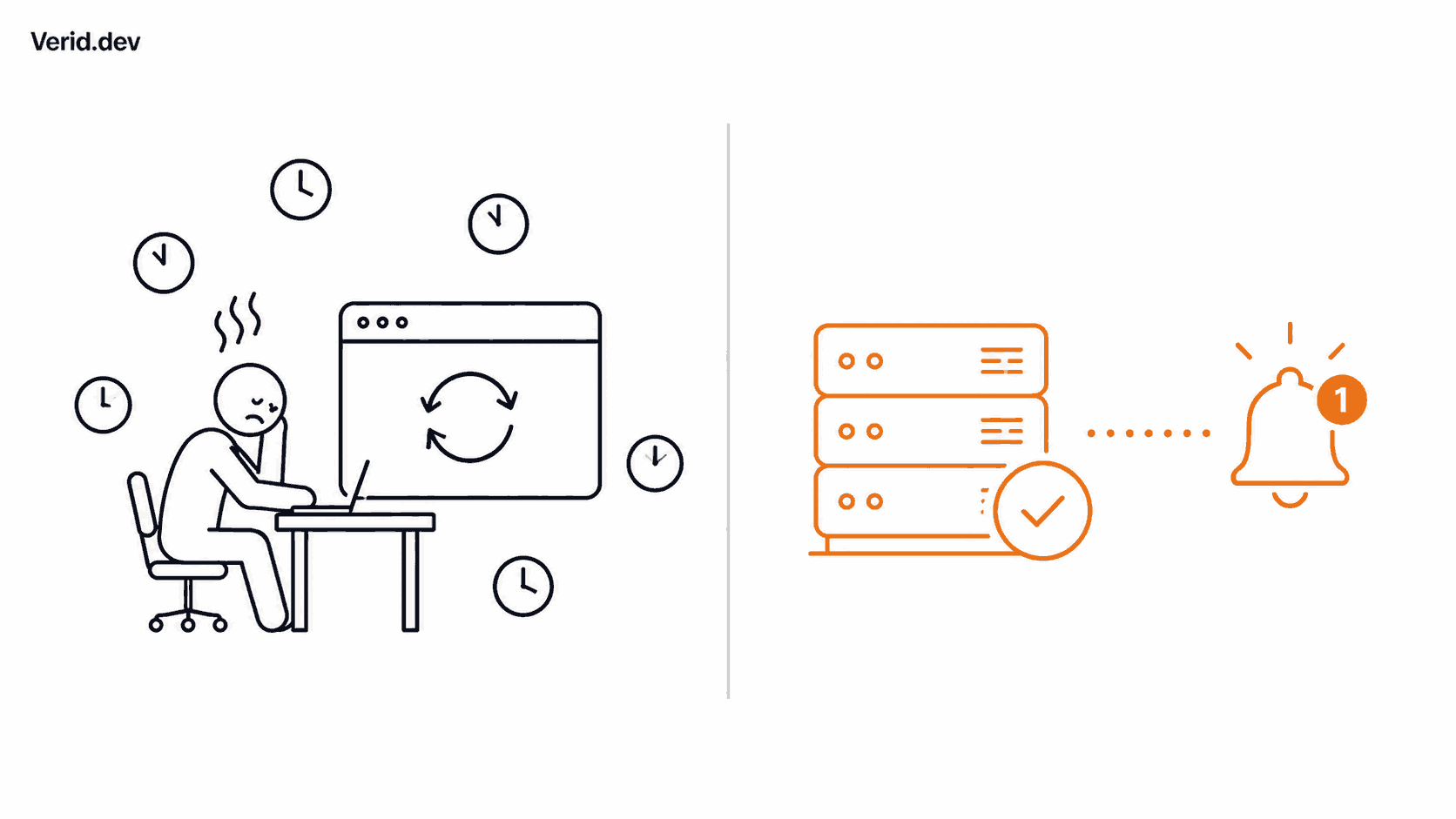
Refreshing a search results page a few times a day feels proactive, but it has three real problems. First, you only see the price at the exact moment you look, and fares move between checks. Second, repeated manual searches on the same route and dates can actually work against you, since some booking sites use search frequency and cookies as one of many signals in dynamic pricing. Third, it doesn't scale. Tracking one trip by hand is tedious. Tracking three routes for a family vacation, or fifty routes for a travel agency's client list, is not something a person can sustain.
| Manual checking | Automated monitoring | |
|---|---|---|
| Frequency | Whenever you remember | Set on a schedule, from daily to every minute |
| Consistency | Skipped when you're busy | Runs the same way every time |
| Alert trigger | You have to notice the change yourself | Fires only when your rule is met |
| Scales to multiple routes | Painful past 2 or 3 | Trivial, add another monitor |
| Noise | None, but also no history | Only alerts on real, meaningful drops |
The Real Benefit of Automated Price Monitoring
Automation doesn't just save time, it changes what you're able to catch. A price that dips for six hours overnight and recovers by morning is invisible to someone who checks once a day, but it's exactly the kind of window a scheduled monitor catches. Automation also lets you define what "worth an alert" actually means to you, instead of accepting whatever threshold a travel site decided on for everyone. A business traveler might only care about a $50 drop on a fixed itinerary. A budget traveler with flexible dates might want to know about any drop at all. Those are different rules, and they should behave differently.
Where Consumer Flight Trackers Fall Short
Tools like Google Flights, Kayak, Skyscanner, and Hopper are genuinely useful and free, and for most one-off trips they're the right starting point. But they share the same basic shape: you track a route inside their interface, and you get notified through their notification system, on their schedule, using their definition of a meaningful price change. That's fine until you want something they don't offer, such as combining two conditions at once ("only alert if price drops below $400 AND it's a nonstop"), routing the alert to a Slack channel your team actually watches, or applying the exact same rule across fifty routes for a travel agency rather than one at a time in a consumer app.
That's the gap a general purpose monitoring API fills. Instead of adapting your requirements to fit a travel app, you write the rule and let a monitoring service run it.
How Verid Approaches Fare Monitoring
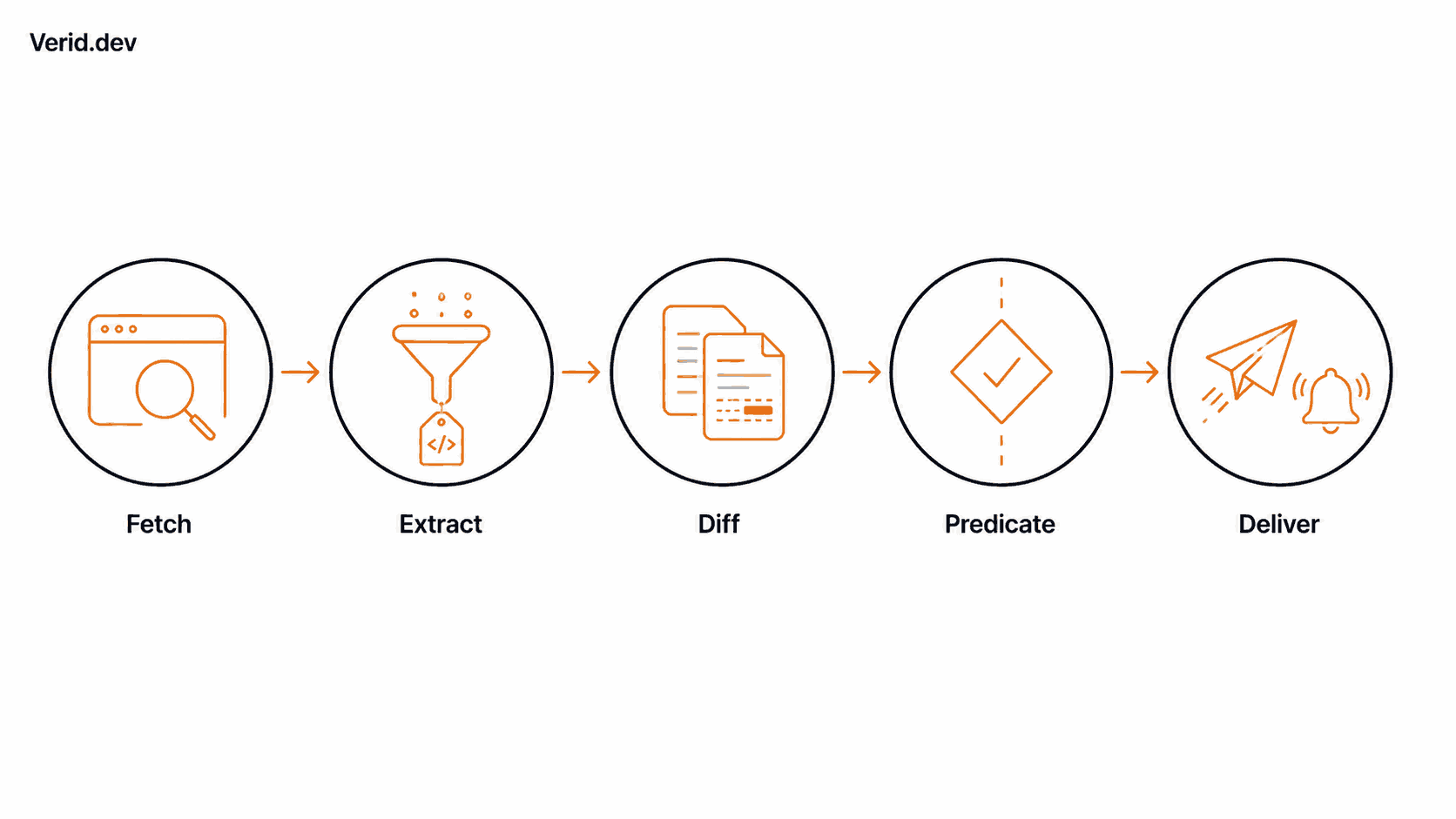
Verid is a developer first web change detection API. It isn't a travel app and it doesn't have a flight search box. What it does is watch any page or JSON endpoint you give it, on a schedule, and fire a notification only when a condition you define is actually true. Under the hood, every monitor runs the same five stage loop described on Verid's features page:
- Fetch the page. Verid tries a static fetch first, then automatically escalates to a headless browser, and finally to a residential proxy if the site actively resists automated requests.
- Extract the fields you care about, using CSS selectors, XPath, JSONPath for JSON endpoints, regex, a full page hash, or a plain English AI extraction prompt when the markup is messy or changes often.
- Diff the new value against the last successful run, field by field.
- Predicate. Verid checks the extracted value against a rule you set, such as "price dropped by 10 percent or more."
- Deliver an alert only when that predicate is true, through an HMAC signed webhook, Slack, Discord, or email, with six retries and backoff before anything lands in a dead letter queue.
This is the same underlying pattern documented in Verid's airline and hotel fare drop use case, which uses CSS extraction where a fare page has stable markup and AI extraction as a fallback when it doesn't.
Setting Up Your Own Fare Drop Monitor
You don't need to write code to do this. Verid's dashboard supports the full workflow with forms, and the same setup is available through the REST API if you'd rather script it or wire it into an existing tool.
1. Pick a page you're allowed to monitor. This matters more than people expect. A saved fare or a specific flight results page you can bookmark and reload works well. Avoid rapid, repeated automated queries against a search engine's live results in a way that would violate its terms of service; if you're unsure, check the site's terms first, or point Verid at a static confirmation or fare page instead of a search form.
2. Sign up and create an API key. Verid's 14-day free trial includes unlimited monitors, 200 runs, and 50 AI extractions, with no credit card required.
3. Choose your extraction method. If the price sits inside a stable element, a CSS selector is fastest and doesn't count against your AI extraction quota. If the page is a JavaScript heavy single page app or the markup shifts often, use the AI extractor and describe what you want in plain language.
{
  "method": "prompt",
  "prompt": "Extract the total round trip price in USD and the number of stops for this flight. Return JSON with keys: price, stops.",
  "schema": {
    "price": "number",
    "stops": "number"
  }
}
4. Set your predicate. This is the rule that decides whether you get notified at all.
{
  "type": "field_decreases_by_percent",
  "field": "price",
  "threshold": 10
}
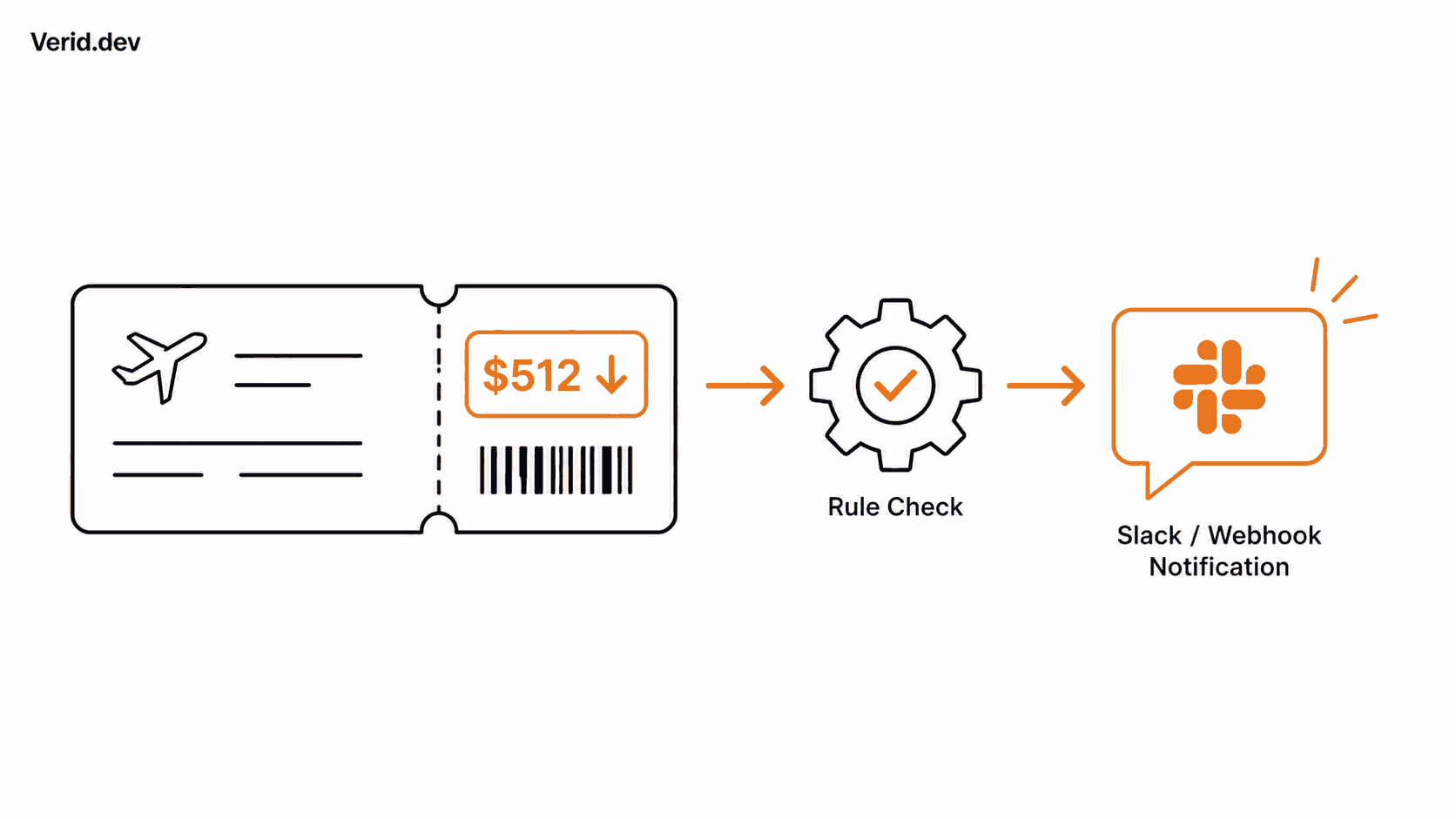
5. Point it at a delivery channel. A webhook if you're building something, Slack or Discord if you want it in a channel your household or team already checks, or email if you just want a quiet inbox notification.
Putting it together, a full monitor created through the REST API looks like this:
curl -X POST https://api.verid.dev/v1/monitors \
  -H "Authorization: Bearer vrd_your_api_key" \
  -H "Content-Type: application/json" \
  -d '{
    "name": "NYC to Lisbon, Sept 12-19",
    "url": "https://your-saved-fare-page.example.com",
    "schedule_interval_seconds": 3600,
    "extract_config": {
      "method": "prompt",
      "prompt": "Extract the total round trip price in USD for this flight. Return JSON with key: price."
    },
    "diff_predicate": {
      "type": "field_decreases_by_percent",
      "field": "price",
      "threshold": 10
    },
    "deliveries": [{ "type": "webhook", "url": "https://your-app.com/hooks" }]
  }'
From that point on, Verid runs the check, compares each result to the previous one, and stays quiet until the fare actually drops by your threshold. Every webhook carries an X-Verid-Signature header so your endpoint can confirm the alert really came from Verid before you act on it.
Real World Use Cases
The business traveler with a fixed itinerary. Dates and route are locked. A single monitor with a field_decreases_by_percent predicate at a modest threshold, like 5 to 8 percent, delivered by email, is enough to catch a rebooking opportunity without any daily checking.
The family planning a flexible summer trip. Multiple routes and date ranges mean multiple monitors, each with its own threshold, all routed to one Slack channel the whole household can see.
The digital nomad watching a repeat route. Someone flying the same corridor every few months can set a looser threshold and a longer check interval, since the goal is catching seasonal dips rather than acting within minutes.
The travel agency tracking client itineraries. A Starter or Pro plan includes unlimited monitors and 5,000 to 15,000 runs a month, enough to watch every open client booking at once and route alerts into the agency's own systems through webhooks instead of checking each one by hand.
The developer building something bigger. Because delivery is a signed webhook, a fare alert can trigger anything downstream: a text message through a separate service, an entry in a shared spreadsheet, or a Slack bot for a small travel newsletter.
Best Practices for Fare Monitoring
| Practice | Why it matters |
|---|---|
| Match check frequency to how time sensitive the trip is | Hourly is plenty for most planning; reserve 15 minute or 5 minute checks for trips close to departure |
| Scope your extraction to the price field, not the whole page | A full page hash on a page with rotating promos or ads will alert on noise, not price |
| Set a real threshold, not "any change" | field_changes fires on a one dollar move; field_decreases_by_percent filters for drops worth acting on |
| Check the site's terms of service first | Some booking sites restrict automated access to search results; monitor pages you're permitted to access |
| Combine conditions when it matters | Composite predicates let you require a price drop AND a specific condition, like nonstop only |
Common Mistakes to Avoid
A frequent one is monitoring the entire results page instead of the specific fare, which produces alerts every time an unrelated element on the page updates. Another is setting the threshold too low, which turns a useful alert into inbox noise you eventually start ignoring. A third is picking a check interval that doesn't match the trip. Checking every 5 minutes for a flight eight months out wastes your run budget; checking once a day for a flight departing in 48 hours means you might act too late. Last, treating every price drop as urgent is a mistake in itself. Fares that dip and recover within a day are common; a drop confirmed on a second check is a stronger signal than a single alert.
Conclusion
Airline prices move because airlines want them to. Manual checking puts you on the losing side of that dynamic, since you're reacting to a price that's already gone by the time you notice it. Automated monitoring flips that: the check happens continuously, in the background, and you only hear about it when your own rule says it's worth hearing about. Consumer tools like Google Flights and Kayak cover the common case well. When you need a custom threshold, a specific delivery channel, or the ability to watch more routes than a single app comfortably supports, that's the point to build your own monitor instead of working around someone else's defaults.
If you'd rather define your own fare monitoring rules than adapt to a travel app's defaults, Verid's 14-day free trial covers unlimited monitors and 200 runs, no credit card required. Start with the quickstart guide or look through the airline and hotel fare drop use case for a working starting point.
Frequently Asked Questions
How often should I check airline prices for the best deal?
For trips more than a few weeks out, checking once or twice a day is enough to catch meaningful movement without generating noise. As departure gets closer, particularly inside two to three weeks, prices can shift faster, so hourly checks are more useful.
Is it legal to monitor airline prices automatically?
Monitoring a page you're permitted to access, such as a saved fare confirmation or a page you've bookmarked, is generally fine. What matters is the target site's terms of service, particularly around automated queries against live search results. Read the terms of the specific site before setting up frequent automated checks against it.
Do I need to know how to code to set up a fare alert?
No. A dashboard based monitor covers the same setup described in this guide, from choosing a page and extraction method to setting a threshold and a delivery channel. The REST API and Node SDK exist for anyone who wants to script it or connect it to another tool.
What's the difference between a price alert and a price prediction tool?
An alert tells you a price has already changed, based on a rule you define. A prediction tool, like the ones built into some travel apps, forecasts whether a fare is likely to rise or fall based on historical patterns. Predictions are estimates; alerts are based on the actual price at the moment it was checked.
Want this running on your own URL? Spin up the same monitor in about a minute. 5 free, no credit card.
About the author

Software Engineer & Technical Writer
Hanzala is a software engineer and technical writer covering web monitoring, automation and API design. He builds the integrations he documents, which is why the code samples in his posts tend to work on the first try.
More from HANZALA SALEEM →Related use cases
How to Set Up Automated Crypto Price Alerts Using CoinGecko and Verid
Learn how to set up automated crypto price alerts using CoinGecko and Verid. Get Bitcoin and Ethereum notifications by email, Slack, or webhook.
View blueprint →Markets & FinanceHow to Track Mortgage and Loan Rate Changes Automatically Using Verid
Learn how to track mortgage and loan rate changes automatically using Verid's web change detection API. Set up alerts via webhook, email, or Slack in minutes.
View blueprint →Markets & FinanceHow to Monitor Currency Exchange Rates and Get FX Rate Alerts with Verid
Track FX rate changes on any currency pair and receive instant email or webhook alerts when rates move. Set up in minutes with Verid, no code required.
View blueprint →