How to Set Up Automated Crypto Price Alerts Using CoinGecko and Verid
Learn how to set up automated crypto price alerts using CoinGecko and Verid. Get Bitcoin and Ethereum notifications by email, Slack, or webhook.
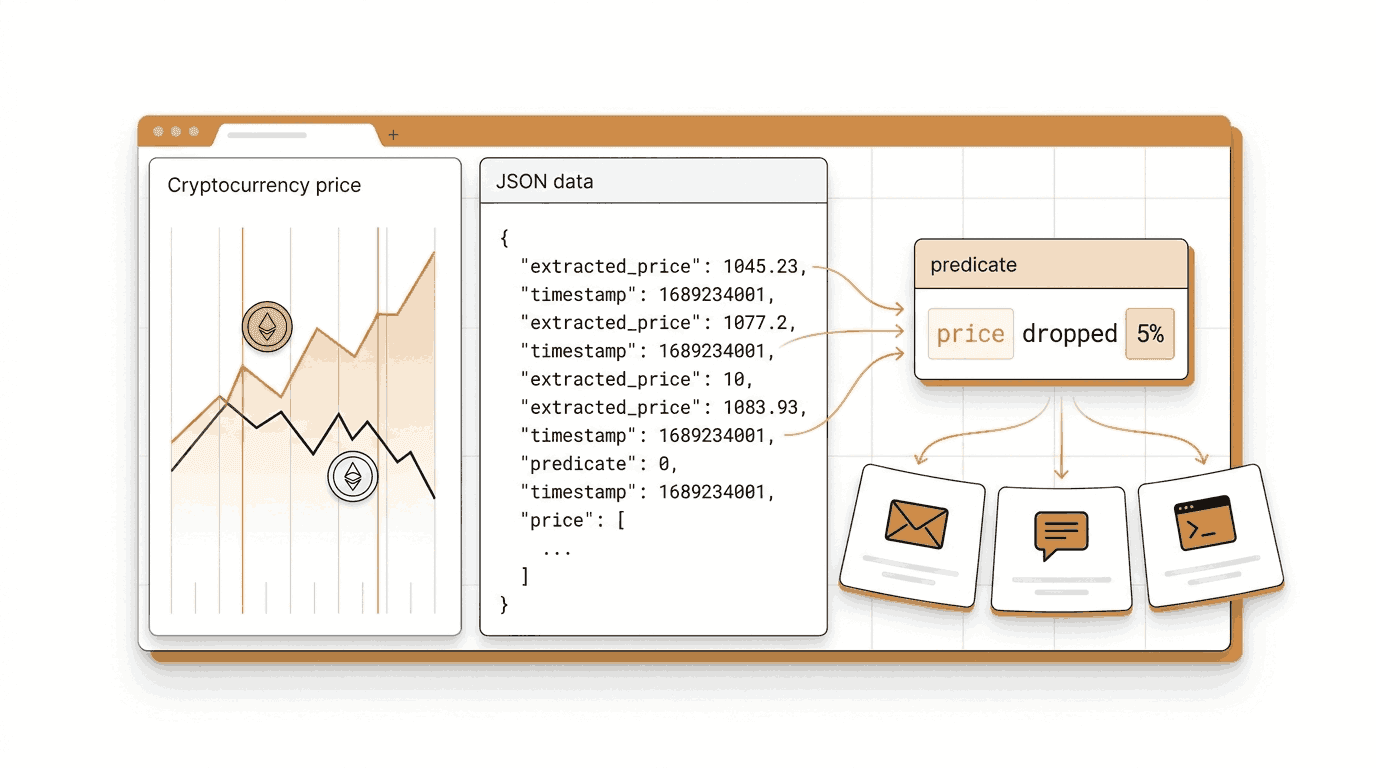
If you hold any amount of Bitcoin, Ethereum, or any other coin, you already know the anxiety. Prices move fast, sometimes while you are asleep or in the middle of something else. By the time you check manually, the moment has already passed.
Crypto price alerts fix this. Instead of checking prices yourself every few hours, you set up a rule like "tell me if Bitcoin drops more than 5%" and you get a notification the moment that rule becomes true.
This guide shows you two ways to build those alerts using Verid and the free CoinGecko API. The first way uses the Verid dashboard with no code at all. The second way uses the Verid REST API and Node.js SDK for developers who want to automate everything.
Why CoinGecko Is a Good Data Source
CoinGecko provides free, real-time cryptocurrency price data through a public API. It covers thousands of coins including Bitcoin and Ethereum, returns clean numeric values in JSON, and requires no account or API key for basic usage on the free tier.
This matters because Verid extracts data and compares it run by run. When your data source returns a clean number like 62450.12 instead of a formatted string like "$62,450.12", the percent-change math works perfectly out of the box.
Method 1: Setting Up a Crypto Price Alert in the Verid Dashboard
This section walks through creating a Bitcoin price alert using the Verid dashboard. No code required.
Step 1: Start a Free Verid Trial
Go to verid.dev/auth/signup and start a 14-day free trial. The trial gives you unlimited monitors and 200 runs with no credit card required. That is enough to check several coins once a day for the whole trial. After it, monitors pause until you choose a plan, from $9 a month for 1,000 runs.
Step 2: Create a New Monitor
Once you are inside the dashboard, click New Monitor. You will see a form asking for a URL and a name.
Step 3: Enter the CoinGecko URL
In the URL field, enter the following address. This is a real CoinGecko API endpoint that returns the current Bitcoin price in USD along with the 24-hour change.
https://api.coingecko.com/api/v3/simple/price?ids=bitcoin&vs_currencies=usd&include_24hr_change=trueIf you want to track Ethereum instead, replace bitcoin with ethereum. For both at once, use ids=bitcoin,ethereum.
Give your monitor a clear name like Bitcoin Price Monitor.
Step 4: Choose the Right Extraction Method
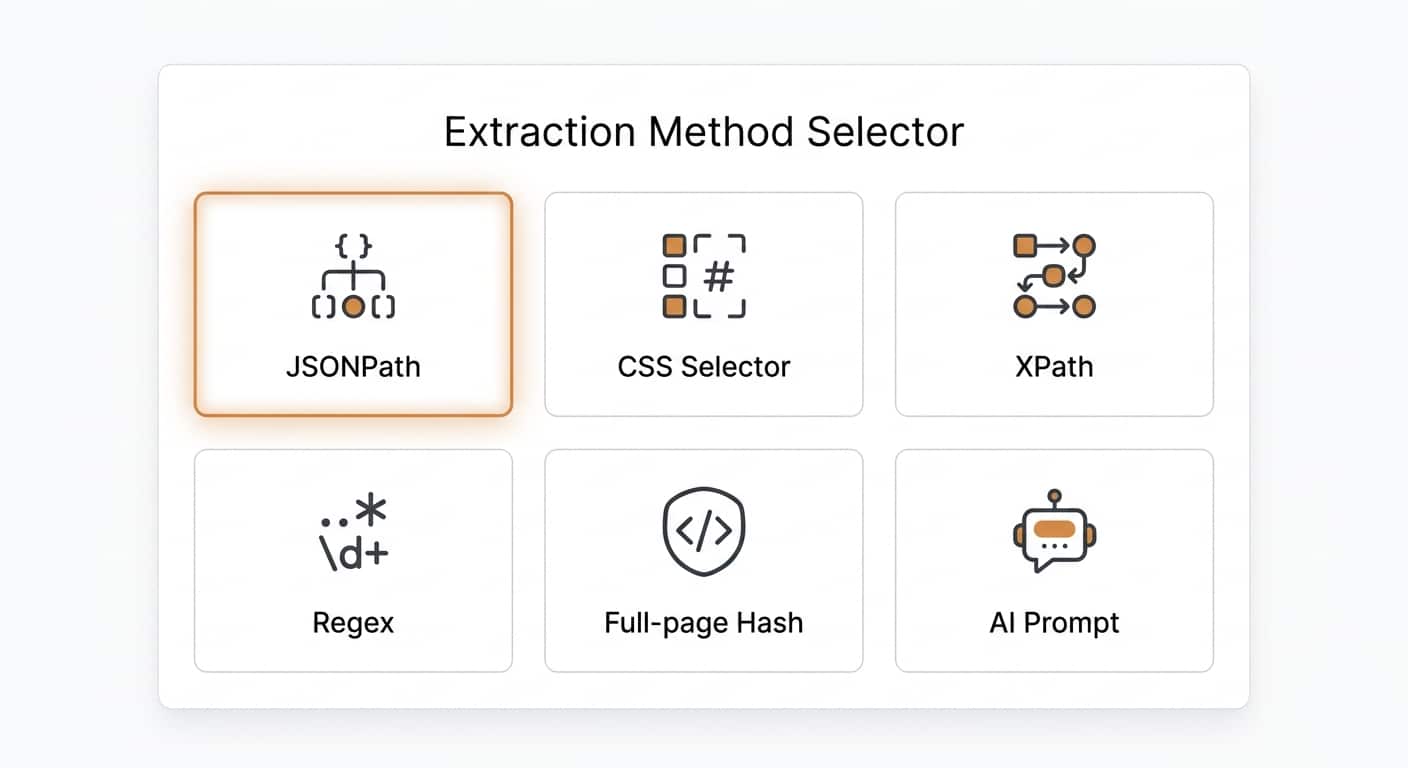
This is the most important step to understand. Verid supports six ways to extract data from a URL. The table below explains them so you can pick the right one.
| Method | Best For | Works With CoinGecko? |
|---|---|---|
| JSONPath | JSON APIs that return structured data | Yes, best choice |
| CSS Selector | HTML web pages | No, CoinGecko returns JSON |
| XPath | Complex HTML or XML documents | No |
| Regex | Raw text pattern matching | Possible but less precise |
| Full-page Hash | Detecting any change on a page | Not useful for price thresholds |
| AI / LLM Prompt | Unstructured or changing page layouts | Not needed here |
You should choose JSONPath. CoinGecko returns clean JSON, and JSONPath lets you point directly to the exact numeric field you care about. This also means Verid can apply percent-change predicates accurately because the value is already a number.
CSS selectors are great for monitoring HTML web pages like a retailer's product page. Full-page hash is useful when you just want to know if anything changed at all, without caring what changed. For a structured API like CoinGecko, JSONPath is always the right choice.
Step 5: Configure the JSONPath Fields
After selecting JSONPath, you will see a fields section where you map a name to a JSONPath expression. The CoinGecko response for the URL above looks like this:
{
  "bitcoin": {
    "usd": 62450.12,
    "usd_24h_change": -3.81
  }
}
Add these two fields in the dashboard:
| Field Name | JSONPath Expression |
|---|---|
price_usd | $.bitcoin.usd |
change_24h | $.bitcoin.usd_24h_change |
The field name price_usd is what you will reference when setting up the alert condition in the next step.
Step 6: Set the Monitoring Schedule
In the schedule section, set the interval to every 24 hours (86400 seconds). A daily check uses about 30 runs a month, well inside the free trial's 200 runs and the Lite plan's 1,000 a month, and is a good starting point to see the system working.
Every plan, including the free trial, can set intervals as short as every minute. Plans differ by how many runs (one run per check) you get each month:
| Plan | Runs per month | Price |
|---|---|---|
| Free trial (14 days) | 200 for the trial | $0 |
| Lite | 1,000 | $9/mo |
| Starter | 5,000 | $19/mo |
| Pro | 15,000 | $49/mo |
| Scale | 100,000 | $149/mo |
If you are actively trading and need near-real-time alerts, the Pro or Scale plan gives you the runs that frequent checks need (a 15-minute check uses about 2,880 runs a month). For a longer-term investor who wants to be notified of big overnight moves, the Lite plan works well.
See the full Verid pricing page for a complete comparison.
Step 7: Set the Alert Condition (Predicate)
This is where you tell Verid what actually counts as an alert. In Verid, these rules are called predicates. You do not want a notification every 24 hours. You only want one when Bitcoin drops significantly.
In the dashboard's alert condition section, choose:
- Type: Field decreases by percent
- Field:
price_usd - Threshold:
5
This means Verid will only send you a notification if the Bitcoin price is at least 5% lower than it was at the last check. Everything else is ignored.
For an upside alert on Ethereum, you would use:
- Type: Field increases by percent
- Field:
price_usd - Threshold:
5
You can also combine both conditions using the composite predicate to get alerted on any 5% move in either direction. The dashboard lets you add multiple conditions with AND or OR logic.
Setting Up Email Notifications
For the delivery method, you can use email as the simplest option. In the Deliveries section of the monitor form, add an email delivery and enter your email address.
When the alert fires, you will receive a plain, readable email showing:
- The monitor name
- Which field changed
- The value before and after
- The time the alert was triggered
For example, if Bitcoin dropped from $62,450 to $59,102 between checks, your email will show the before and after values clearly.
Verid also supports other delivery channels if you prefer:
- Webhooks send a signed HTTP POST to any URL you control, making it easy to connect with trading bots or custom dashboards
- Slack posts the before and after diff directly into any Slack channel
- Discord works the same way for Discord servers
All delivery types include automatic retries with exponential backoff, so if your webhook endpoint is temporarily down, Verid will try again up to 6 times before marking the delivery as failed. You can also replay failed deliveries manually from the dashboard.
Learn more about all delivery options on the Verid notifications page.
Method 2: Setting Up Crypto Price Alerts Using the Verid API and SDK
If you are a developer, you can create the same monitor programmatically. This is useful if you want to manage alerts for many coins at once, build alerts into your own application, or spin up monitors as part of an automated workflow.
Authentication
All API requests require your API key in the Authorization header. Your key starts with vrd_.
export VERID_API_KEY="vrd_your_key_here"Get your key from the API Keys section in the Verid dashboard.
Creating a Bitcoin Drop Alert Using curl
The following command creates a monitor that watches Bitcoin's price and fires a notification if it drops 10% from the last recorded value. It delivers the alert by email.
curl -X POST https://api.verid.dev/v1/monitors \
  -H "Authorization: Bearer $VERID_API_KEY" \
  -H "Content-Type: application/json" \
  -d '{
    "name": "Bitcoin 10% Drop Alert",
    "url": "https://api.coingecko.com/api/v3/simple/price?ids=bitcoin&vs_currencies=usd&include_24hr_change=true",
    "schedule_interval_seconds": 86400,
    "extract_config": {
      "method": "json_path",
      "fields": {
        "price_usd": "$.bitcoin.usd",
        "change_24h": "$.bitcoin.usd_24h_change"
      }
    },
    "diff_predicate": {
      "type": "field_decreases_by_percent",
      "field": "price_usd",
      "threshold": 10
    },
    "deliveries": [
      { "type": "email", "to": "your@email.com" }
    ]
  }'
The schedule_interval_seconds is set to 86400 (24 hours), which uses about 30 runs a month and fits easily in the free trial and on the Lite plan. You can lower this value to as little as 60 seconds on any plan, as long as your monthly runs cover it.
Creating an Ethereum Upside Alert Using curl
To monitor Ethereum for a 5% price increase, use this command:
curl -X POST https://api.verid.dev/v1/monitors \
  -H "Authorization: Bearer $VERID_API_KEY" \
  -H "Content-Type: application/json" \
  -d '{
    "name": "Ethereum 5% Upside Alert",
    "url": "https://api.coingecko.com/api/v3/simple/price?ids=ethereum&vs_currencies=usd&include_24hr_change=true",
    "schedule_interval_seconds": 86400,
    "extract_config": {
      "method": "json_path",
      "fields": {
        "price_usd": "$.ethereum.usd",
        "change_24h": "$.ethereum.usd_24h_change"
      }
    },
    "diff_predicate": {
      "type": "field_increases_by_percent",
      "field": "price_usd",
      "threshold": 5
    },
    "deliveries": [
      { "type": "email", "to": "your@email.com" }
    ]
  }'
Note that in the JSONPath expression, $.ethereum.usd now references the ethereum key instead of bitcoin. CoinGecko uses the coin ID as the top-level key in its response.
Creating Alerts for Both Up and Down Moves Using a Composite Predicate
If you want to be notified whenever Bitcoin moves more than 5% in either direction, use a composite predicate with OR logic:
curl -X POST https://api.verid.dev/v1/monitors \
  -H "Authorization: Bearer $VERID_API_KEY" \
  -H "Content-Type: application/json" \
  -d '{
    "name": "Bitcoin 5% Move Alert (Up or Down)",
    "url": "https://api.coingecko.com/api/v3/simple/price?ids=bitcoin&vs_currencies=usd&include_24hr_change=true",
    "schedule_interval_seconds": 86400,
    "extract_config": {
      "method": "json_path",
      "fields": {
        "price_usd": "$.bitcoin.usd",
        "change_24h": "$.bitcoin.usd_24h_change"
      }
    },
    "diff_predicate": {
      "type": "composite",
      "operator": "OR",
      "conditions": [
        { "type": "field_decreases_by_percent", "field": "price_usd", "threshold": 5 },
        { "type": "field_increases_by_percent", "field": "price_usd", "threshold": 5 }
      ]
    },
    "deliveries": [
      { "type": "email", "to": "your@email.com" }
    ]
  }'
Using the Official Node.js SDK
Install the Verid SDK from npm:
npm install @verid.dev/sdkThen create the same Bitcoin drop monitor in TypeScript:
import { VeridClient } from '@verid.dev/sdk';

const client = new VeridClient({
  apiKey: process.env.VERID_API_KEY!,
});

const monitor = await client.monitors.create({
  name: 'Bitcoin 10% Drop Alert',
  url: 'https://api.coingecko.com/api/v3/simple/price?ids=bitcoin&vs_currencies=usd&include_24hr_change=true',
  schedule_interval_seconds: 86400,
  extract_config: {
    method: 'json_path',
    fields: {
      price_usd: '$.bitcoin.usd',
      change_24h: '$.bitcoin.usd_24h_change',
    },
  },
  diff_predicate: {
    type: 'field_decreases_by_percent',
    field: 'price_usd',
    threshold: 10,
  },
  deliveries: [
    { type: 'email', to: 'your@email.com' },
  ],
});

console.log('Monitor created:', monitor.id);
You can also use the pre-built crypto-price-coingecko template which has the CoinGecko extraction config already set up. This is the fastest way to get started:
await client.monitors.createFromTemplate('crypto-price-coingecko', {
  name: 'BTC 5% Move Alert',
  deliveries: [
    { type: 'email', to: 'your@email.com' },
  ],
});
The template sets the correct JSONPath fields and a default percent-change predicate. You can override the URL, name, and deliveries as needed.
What the Alert Payload Looks Like
When a predicate fires, Verid sends a structured JSON payload to your delivery destination. Here is an example of what the data looks like when Bitcoin drops:
{
  "id": "del_01H...",
  "version": "2026-05-01",
  "monitor_id": "9b1c...",
  "fired_at": "2026-05-08T13:42:00Z",
  "diff": {
    "fields_changed": ["price_usd", "change_24h"],
    "before": { "price_usd": 62450.12, "change_24h": -1.2 },
    "after":  { "price_usd": 59102.40, "change_24h": -6.4 }
  }
}
The before and after values show exactly what changed. You can use this data to log the move, trigger a trading action, or simply read it in your email.
See the full Verid API reference and webhook documentation for more details on the payload structure and signature verification.
A Note on CoinGecko Rate Limits
CoinGecko's free public API has a rate limit. Since Verid makes one request per monitor per interval, a monitor checking once every 24 hours uses very little of that quota. If you are tracking multiple coins, stagger them across slightly different schedules to avoid hitting the limit.
For the most current information on CoinGecko's API limits, check the CoinGecko API documentation.
Frequently Asked Questions
How can I get free crypto price alerts?
You can try cryptocurrency price alerts free with Verid's 14-day free trial. Sign up at verid.dev and create as many monitors as you need, with 200 runs for the trial (about 14 coins checked daily) at no cost and no credit card required. After the trial, monitors pause until you choose a plan, from $9 a month for 1,000 runs. Each monitor connects to the free CoinGecko API to pull live prices for any coin.
Can I track Bitcoin and Ethereum prices automatically?
Yes. You can create separate monitors for Bitcoin and Ethereum by pointing each one at the CoinGecko API with the appropriate coin ID. Use ids=bitcoin for Bitcoin and ids=ethereum for Ethereum in the URL. Verid checks the price on your chosen schedule and only sends you a notification when your defined condition is met, such as a price drop or increase above a set percentage.
Does CoinGecko provide price data for crypto alerts?
Yes. CoinGecko offers a free public REST API that returns real-time prices for thousands of cryptocurrencies. The endpoint returns clean numeric values in JSON format, which makes it ideal for use with Verid's JSONPath extraction and percent-change predicates. No CoinGecko account is needed for basic usage on their free tier.
How often can Verid check cryptocurrency prices?
Every Verid plan, including the free trial, can check as often as every 60 seconds. Plans differ by monthly runs: the 14-day free trial includes 200 in total, Lite 1,000, Starter 5,000, Pro 15,000, and Scale 100,000. A daily check uses about 30 runs a month, an hourly check about 720, and a 15-minute check about 2,880. For most investors, daily or hourly checks are sufficient for catching significant price moves.
Want this running on your own URL? Spin up the same monitor in about a minute. 5 free, no credit card.
About the author

Software Engineer & Technical Writer
Hanzala is a software engineer and technical writer. He splits his time between shipping features in Verid’s monitoring stack and turning them into documentation and guides a developer can follow without guessing.
More from HANZALA SALEEM →Related use cases
How to Monitor Airline Prices and Get Alerts When They Drop
Learn why airfare changes so often and how to monitor airline prices automatically, with a step by step setup for custom fare drop alerts.
View blueprint →Markets & FinanceHow to Track Mortgage and Loan Rate Changes Automatically Using Verid
Learn how to track mortgage and loan rate changes automatically using Verid's web change detection API. Set up alerts via webhook, email, or Slack in minutes.
View blueprint →Markets & FinanceHow to Monitor Currency Exchange Rates and Get FX Rate Alerts with Verid
Track FX rate changes on any currency pair and receive instant email or webhook alerts when rates move. Set up in minutes with Verid, no code required.
View blueprint →