How to Monitor Currency Exchange Rates and Get FX Rate Alerts with Verid
Track FX rate changes on any currency pair and receive instant email or webhook alerts when rates move. Set up in minutes with Verid, no code required.
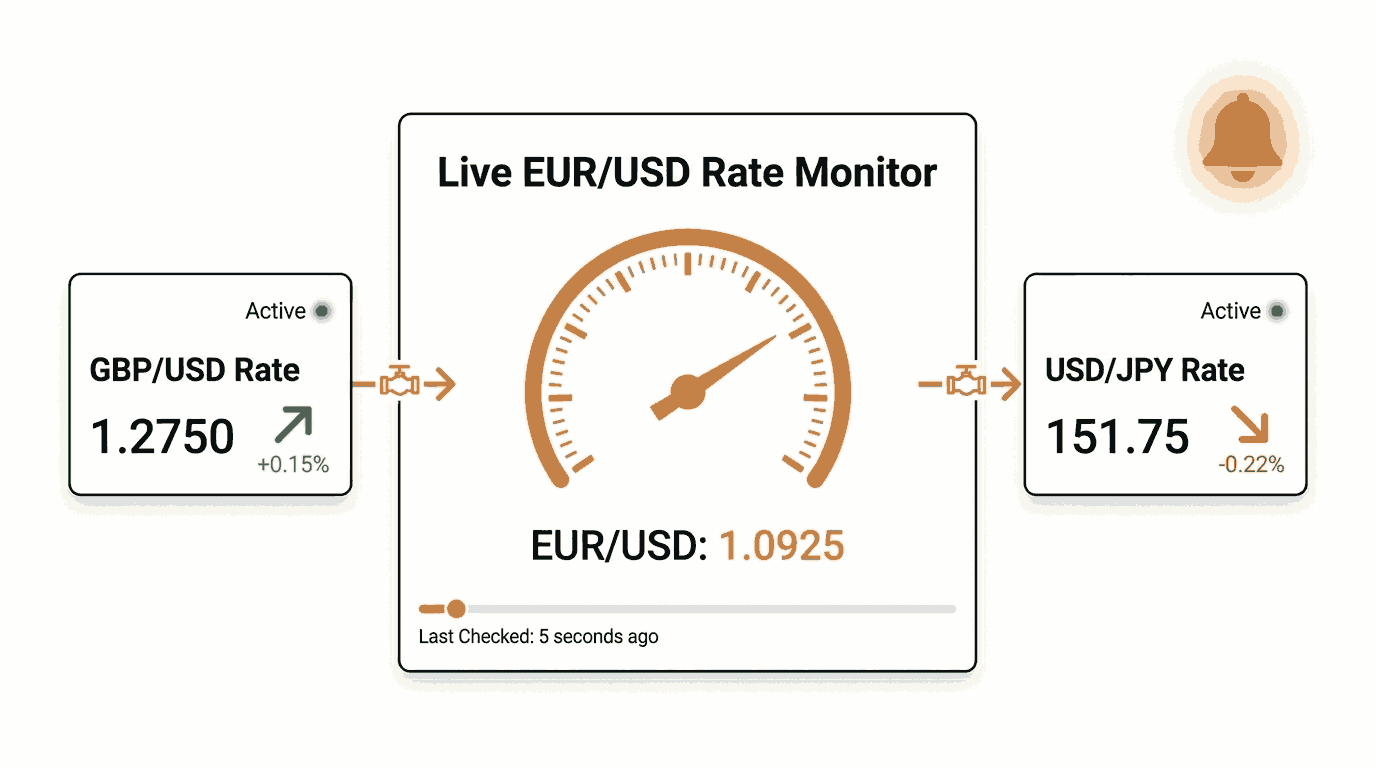
Currency exchange rates never stand still. The EUR/USD pair can swing 1-2% in a single trading session. The USD/JPY rate can gap overnight on a central bank announcement. If your business depends on foreign exchange rates, checking those numbers manually is a losing game.
This guide shows you how to set up automated currency rate monitoring using Verid, a developer-first web change detection API. You will see how to track any currency pair from a real public data source, choose the right extraction method, configure alerts, and plug the whole thing into your application via API or SDK.
No prior coding experience is needed for the dashboard walkthrough. Developers can skip straight to the API and SDK sections.
Why Currency and FX Rate Monitoring Matters
Foreign exchange rates affect more people than most realise:
- Importers and exporters lock in contracts priced in a foreign currency. A 3% rate move can wipe out an entire profit margin.
- E-commerce stores selling internationally need to update product prices when base currency values shift.
- Freelancers and remote teams receiving payments in USD, EUR, or GBP want to know the best moment to convert.
- Investors and traders watching currency pairs alongside equity positions need a feed they can act on.
- Finance and treasury teams at mid-sized companies need to know when hedging positions should be reviewed.
The traditional approach is to open a browser, navigate to a rate page, and eyeball the number. That works once. It does not work if you need to monitor EUR/USD every day, or USD/JPY every hour, across multiple pairs simultaneously.
Automated FX rate monitoring solves this by watching the source for you and pushing an alert only when the rate actually changes, or when it crosses a threshold you care about.
What Verid Does
Verid monitors any URL for structured data changes. You point it at a source, tell it what field to extract (a rate, a price, a version string), define a rule for when to alert, and choose how you want to be notified.
The monitoring loop has five stages:
- Fetch the URL on your chosen schedule.
- Extract the specific field you care about using one of six extraction methods.
- Diff the extracted value against the previous run.
- Evaluate a predicate: did the rate drop by 2%? Did the value change at all?
- Deliver an alert to your email, webhook, Slack, or Discord channel.
That loop runs on Verid's infrastructure. You do not manage servers, schedulers, or retry logic.
Step-by-Step: Monitor FX Rates in the Dashboard
This section is for non-technical users who want to set up currency monitoring without writing any code.
The Data Source: Frankfurter API
You need a reliable, public source that returns currency exchange rates in a consistent format. Frankfurter is a free, open-source API that publishes daily reference rates from the European Central Bank. It requires no API key, has no usage limits, and returns clean JSON.
The endpoint for the latest USD base rates against EUR and GBP is:
https://api.frankfurter.app/latest?from=USD&to=EUR,GBPThe response looks like this:
{
  "amount": 1.0,
  "base": "USD",
  "date": "2026-06-13",
  "rates": {
    "EUR": 0.9121,
    "GBP": 0.7854
  }
}
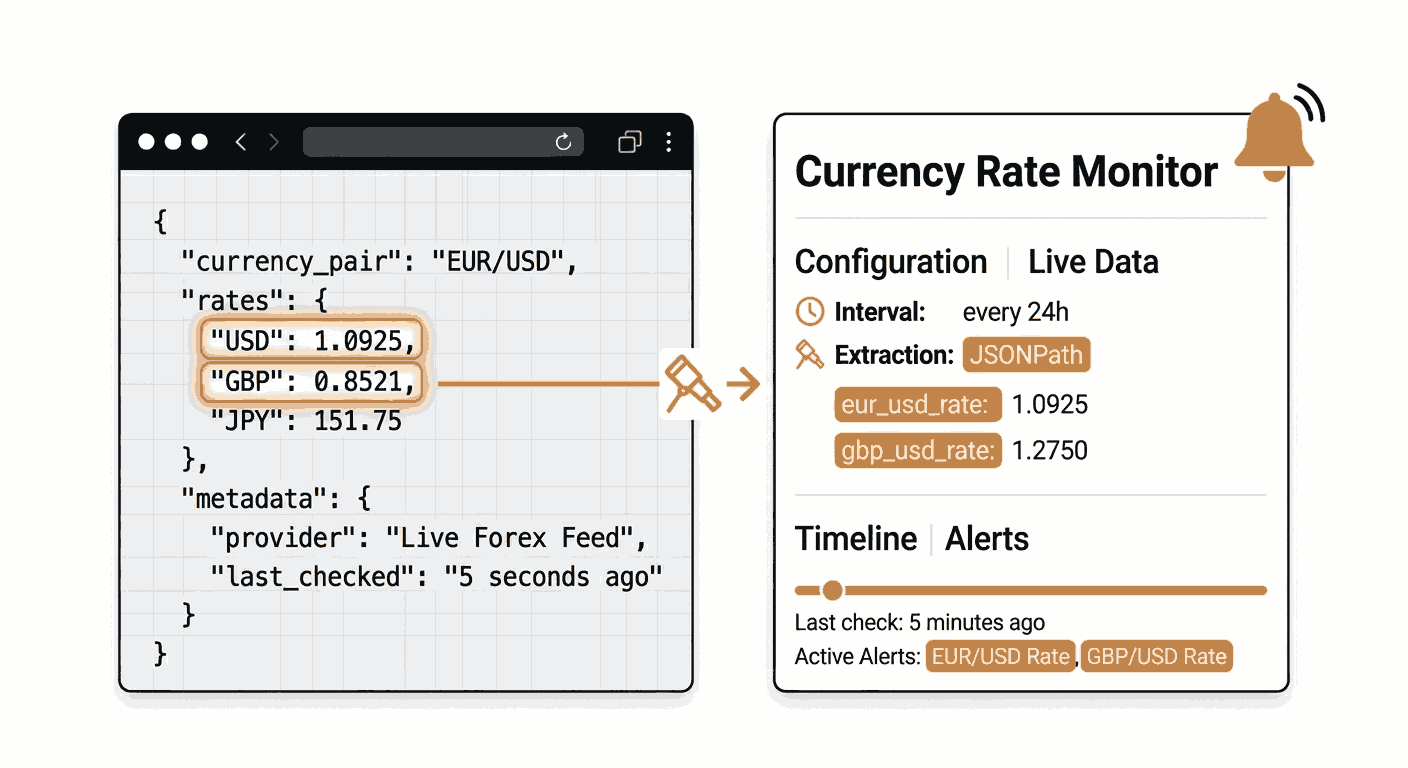
This is a JSON response, which means Verid's JSONPath extractor is the perfect tool for pulling out the rate values.
Step 1: Create a Verid Account
Go to verid.dev/auth/signup and start a 14-day free trial. The trial includes unlimited monitors and 200 runs, which is enough to follow along with this entire guide without spending anything.
Once you are logged in, navigate to the Monitors section of the dashboard and click New Monitor.
Step 2: Enter the Monitor Details
Fill in the following fields:
- Monitor name:
USD to EUR and GBP Daily Rate - URL:
https://api.frankfurter.app/latest?from=USD&to=EUR,GBP
Step 3: Choose the Extraction Method
Because the Frankfurter endpoint returns JSON, JSONPath is the correct extraction method here. JSONPath lets you point directly at a value inside a JSON response using a simple path expression.
Here is a comparison of the extraction methods available in Verid and how they apply to FX rate monitoring:
| Method | Best for | FX rate use case | Limitation |
|---|---|---|---|
| JSONPath | JSON APIs | Extracting $.rates.EUR from Frankfurter or CoinGecko | Only works on JSON responses |
| CSS Selector | Rendered HTML pages | Pulling a displayed rate from a finance website | Fragile if the site's HTML structure changes |
| XPath | Complex HTML or XML | Navigating DOM trees to find a rate value | Verbose syntax; overkill for JSON APIs |
| Regex | Raw text bodies | Matching a rate pattern in a plain text feed | No structure awareness; can false-match |
| Full-page Hash | "Did anything change?" | Detecting any update on a rate page | No field-level diff; noisy on dynamic pages |
| AI / LLM Prompt | Unstructured or frequently changing pages | Describing the rate field in plain English | Consumes monthly LLM quota |
Recommendation: Use JSONPath for any source that returns JSON. It is precise, fast, and produces clean field-level diffs that work perfectly with Verid's predicates. The Frankfurter API, CoinGecko, and most financial data APIs all return JSON.
Use CSS Selector if you want to monitor a rate displayed on a rendered webpage such as a bank's exchange rate table or a travel money comparison site. Use AI / LLM Prompt as a fallback if the site changes its layout frequently enough to break CSS selectors.
Step 4: Configure the JSONPath Fields
In the extraction configuration, set the method to JSONPath and add two fields:
| Field name | JSONPath expression |
|---|---|
eur_rate | $.rates.EUR |
gbp_rate | $.rates.GBP |
These field names are what Verid tracks across runs. They appear in your alert payloads and in the diff history in your dashboard.
Step 5: Set the Predicate
A predicate tells Verid when to send an alert. The most straightforward option for FX monitoring is any_field_changes, which fires whenever either the EUR rate or the GBP rate changes between two consecutive checks.
If you want to be alerted only when the EUR rate moves by more than a specific amount, you can use field_decreases_by_percent or field_increases_by_percent and set a threshold. For example, a 1% threshold on the EUR rate would suppress noise from small daily fluctuations and only alert you on meaningful moves.
For this walkthrough, use any_field_changes to keep things simple.
Step 6: Set the Schedule
Set the schedule interval to 86400 seconds (24 hours). This fits easily in the free trial and on the Lite plan (about 30 runs a month) and aligns with the Frankfurter API's update cadence, since the European Central Bank publishes rates once per business day.
On any plan, you can reduce the interval, down to 60 seconds, to monitor sources that update more frequently. Shorter intervals use more of your monthly runs: hourly checks (3600 seconds) use about 720 runs a month, 15-minute checks (900 seconds) about 2,880, and 5-minute checks (300 seconds) about 8,640. See the full Verid pricing page for details.
Step 7: Configure Delivery
Set the delivery method to Email and enter the address where you want to receive alerts. When a rate changes, you will get a plain, readable email summarising what changed, showing the before and after values for each field.
You can also add a webhook, Slack, or Discord destination to the same monitor. Verid supports multiple delivery channels per monitor, so you can email a stakeholder, webhook your application, and ping a Slack channel simultaneously from one change event.
Practical Dashboard Example: Complete Configuration
Here is the full configuration you can use as a reference when setting up your own monitor:
| Setting | Value |
|---|---|
| Monitor name | USD to EUR and GBP Daily Rate |
| URL | https://api.frankfurter.app/latest?from=USD&to=EUR,GBP |
| Extraction method | JSONPath |
| Field: eur_rate | $.rates.EUR |
| Field: gbp_rate | $.rates.GBP |
| Predicate | any_field_changes |
| Schedule | 86400 seconds (daily) |
| Delivery |
When the European Central Bank publishes updated rates and the Frankfurter API reflects them, Verid will detect the change on the next check and send you an email like this:
Monitor: USD to EUR and GBP Daily Rate Changed fields: eur_rate, gbp_rate eur_rate: 0.9121 → 0.9087 gbp_rate: 0.7854 → 0.7831
Using the Verid API for FX Rate Monitoring
Developers can create, manage, and trigger monitors entirely through the Verid REST API. The base URL is https://api.verid.dev and all requests use a Bearer token in the Authorization header.
Get an API Key
Sign in to your Verid dashboard and go to API Keys. Create a new key. Your key will start with the prefix vrd_.
export VERID_API_KEY="vrd_your_key_here"Create a Currency Rate Monitor via API
The following curl command creates a monitor that watches the USD to EUR rate and fires an alert any time the rate changes:
curl -X POST https://api.verid.dev/v1/monitors \
  -H "Authorization: Bearer $VERID_API_KEY" \
  -H "Content-Type: application/json" \
  -d '{
    "name": "USD to EUR Daily Rate",
    "url": "https://api.frankfurter.app/latest?from=USD&to=EUR",
    "schedule_interval_seconds": 86400,
    "extract_config": {
      "method": "json_path",
      "fields": {
        "eur_rate": "$.rates.EUR"
      }
    },
    "diff_predicate": {
      "type": "any_field_changes"
    },
    "deliveries": [
      {
        "type": "email",
        "to": "alerts@your-company.com"
      }
    ]
  }'
Verid returns 201 Created with the full monitor object, including the assigned id you can use to manage it later.
Alert Only on a Significant Rate Move
If you want to suppress small daily fluctuations and only receive an alert when the EUR rate drops by 1% or more, use the field_decreases_by_percent predicate:
curl -X POST https://api.verid.dev/v1/monitors \
  -H "Authorization: Bearer $VERID_API_KEY" \
  -H "Content-Type: application/json" \
  -d '{
    "name": "USD/EUR Drop Alert (1%)",
    "url": "https://api.frankfurter.app/latest?from=USD&to=EUR",
    "schedule_interval_seconds": 86400,
    "extract_config": {
      "method": "json_path",
      "fields": {
        "eur_rate": "$.rates.EUR"
      }
    },
    "diff_predicate": {
      "type": "field_decreases_by_percent",
      "field": "eur_rate",
      "threshold": 1
    },
    "deliveries": [
      {
        "type": "email",
        "to": "fx-alerts@your-company.com"
      }
    ]
  }'
You can mirror the same logic for upward moves using field_increases_by_percent.
Monitor Multiple Currency Pairs
To monitor several pairs, either add multiple fields to a single monitor or create separate monitors for each pair. The multi-field approach is simpler:
curl -X POST https://api.verid.dev/v1/monitors \
  -H "Authorization: Bearer $VERID_API_KEY" \
  -H "Content-Type: application/json" \
  -d '{
    "name": "USD Basket Rate Monitor",
    "url": "https://api.frankfurter.app/latest?from=USD&to=EUR,GBP,JPY,CAD",
    "schedule_interval_seconds": 86400,
    "extract_config": {
      "method": "json_path",
      "fields": {
        "eur_rate": "$.rates.EUR",
        "gbp_rate": "$.rates.GBP",
        "jpy_rate": "$.rates.JPY",
        "cad_rate": "$.rates.CAD"
      }
    },
    "diff_predicate": {
      "type": "any_field_changes"
    },
    "deliveries": [
      {
        "type": "email",
        "to": "treasury@your-company.com"
      },
      {
        "type": "webhook",
        "url": "https://your-app.com/hooks/fx-rates"
      }
    ]
  }'
What the Webhook Payload Looks Like
When a predicate fires, Verid sends a structured JSON payload to your webhook endpoint. For FX rate monitoring, a typical payload looks like this:
{
  "id": "del_01H...",
  "version": "2026-05-01",
  "monitor_id": "uuid",
  "run_id": "uuid",
  "fired_at": "2026-06-14T16:00:00Z",
  "diff": {
    "fields_changed": ["eur_rate", "gbp_rate"],
    "before": {
      "eur_rate": "0.9121",
      "gbp_rate": "0.7854"
    },
    "after": {
      "eur_rate": "0.9087",
      "gbp_rate": "0.7831"
    }
  },
  "monitor": {
    "url": "https://api.frankfurter.app/latest?from=USD&to=EUR,GBP",
    "name": "USD to EUR and GBP Daily Rate"
  }
}
Every webhook is signed with HMAC-SHA256. Verify the Verid-Signature header before processing the payload. Full verification examples in Node.js, Python, Ruby, Go, and PHP are in the Webhooks documentation.
Trigger a Manual Run
To fetch the latest rate immediately without waiting for the next scheduled run:
curl -X POST https://api.verid.dev/v1/monitors/{monitor_id}/run \
  -H "Authorization: Bearer $VERID_API_KEY" \
  -H "Content-Type: application/json" \
  -d '{}'
This returns { "run_id": "uuid", "queued": true }. Manual runs have no daily cap; each one uses one run from your plan's monthly allowance, like a scheduled check.
Using the Verid Node.js SDK
Verid publishes an official Node.js SDK on npm. It wraps the REST API in a typed interface and is the fastest way to integrate currency monitoring into a Node.js or TypeScript application.
Install the SDK
npm install @verid.dev/sdkCreate an FX Rate Monitor
import { VeridClient } from '@verid.dev/sdk';

const client = new VeridClient({
  apiKey: process.env.VERID_API_KEY!,
});

const monitor = await client.monitors.create({
  name: 'USD to EUR Daily Rate',
  url: 'https://api.frankfurter.app/latest?from=USD&to=EUR',
  schedule_interval_seconds: 86400,
  extract_config: {
    method: 'json_path',
    fields: {
      eur_rate: '$.rates.EUR',
    },
  },
  diff_predicate: {
    type: 'any_field_changes',
  },
  deliveries: [
    {
      type: 'email',
      to: 'alerts@your-company.com',
    },
  ],
});

console.log('Monitor created:', monitor.id);
List All Monitors
const { data } = await client.monitors.list();
console.log('Active monitors:', data.length);
Trigger a Manual Check
await client.monitors.runNow(monitor.id);
console.log('Manual run queued');
The SDK uses the same field names and structures as the REST API, so everything you read in the API section applies directly here.
Choosing the Right Verid Plan for FX Monitoring
| Plan | Price | Runs per month | Best for |
|---|---|---|---|
| Free trial | $0 for 14 days | 200 for the trial | Testing the setup, one or two currency pairs |
| Lite | $9/mo | 1,000 | One pair checked hourly, or dozens checked daily |
| Starter | $19/mo | 5,000 | Small teams watching a basket of pairs |
| Pro | $49/mo | 15,000 | Finance teams needing near-real-time alerts |
| Scale | $149/mo | 100,000 | High-frequency trading systems, large enterprises |
The Frankfurter API updates once per business day, so the Lite plan is fully sufficient for ECB-rate monitoring, and the free trial covers it while you test. If you monitor a source that publishes intraday rates, such as a forex broker API, you will likely need a paid plan's larger run allowance to check more frequently.
View the full plan comparison at verid.dev/pricing.
Frequently Asked Questions
How can I automatically track currency exchange rates without writing code?
Start a 14-day free trial at verid.dev, click New Monitor, paste in a currency rate API URL such as https://api.frankfurter.app/latest?from=USD&to=EUR, select JSONPath extraction, add your email address as the delivery channel, and save. Verid checks the rate on the schedule you set and emails you the moment it changes. No code is needed.
Can I receive an email when a currency rate changes?
Yes. When creating or editing a monitor in the Verid dashboard or API, add an email delivery with { "type": "email", "to": "your@email.com" }. Verid sends a plain, readable summary of what changed, including the before and after values, each time a predicate fires.
What is the best data source for FX rate monitoring?
For daily reference rates tied to the European Central Bank, Frankfurter (https://api.frankfurter.app/latest) is a strong choice. It is free, requires no API key, returns clean JSON, and has been stable for years. For cryptocurrency exchange rates, CoinGecko's free API returns live prices in JSON format and works equally well with Verid's JSONPath extractor.
Can developers integrate currency monitoring into their own applications?
Yes. Verid exposes a full REST API and an official Node.js SDK. You can create monitors programmatically, receive structured webhook payloads with before-and-after field values, and build automated workflows on top of rate change events, such as triggering a repricing job, updating a database, or sending a notification through your own system.
Want this running on your own URL? Spin up the same monitor in about a minute. 5 free, no credit card.
About the author

Software Engineer & Technical Writer
Software engineer and technical writer. Hanzala bridges Verid’s codebase and its documentation, writing the guides, reference pages and honest comparisons that get a developer from an idea to a working monitor.
More from HANZALA SALEEM →Related use cases
How to Monitor Airline Prices and Get Alerts When They Drop
Learn why airfare changes so often and how to monitor airline prices automatically, with a step by step setup for custom fare drop alerts.
View blueprint →Markets & FinanceHow to Set Up Automated Crypto Price Alerts Using CoinGecko and Verid
Learn how to set up automated crypto price alerts using CoinGecko and Verid. Get Bitcoin and Ethereum notifications by email, Slack, or webhook.
View blueprint →Markets & FinanceHow to Track Mortgage and Loan Rate Changes Automatically Using Verid
Learn how to track mortgage and loan rate changes automatically using Verid's web change detection API. Set up alerts via webhook, email, or Slack in minutes.
View blueprint →