How to Get Restock Alerts for Out-of-Stock Products Using Verid
Learn how to use Verid to monitor any product page and get an email the moment it comes back in stock. Step-by-step guide for beginners.
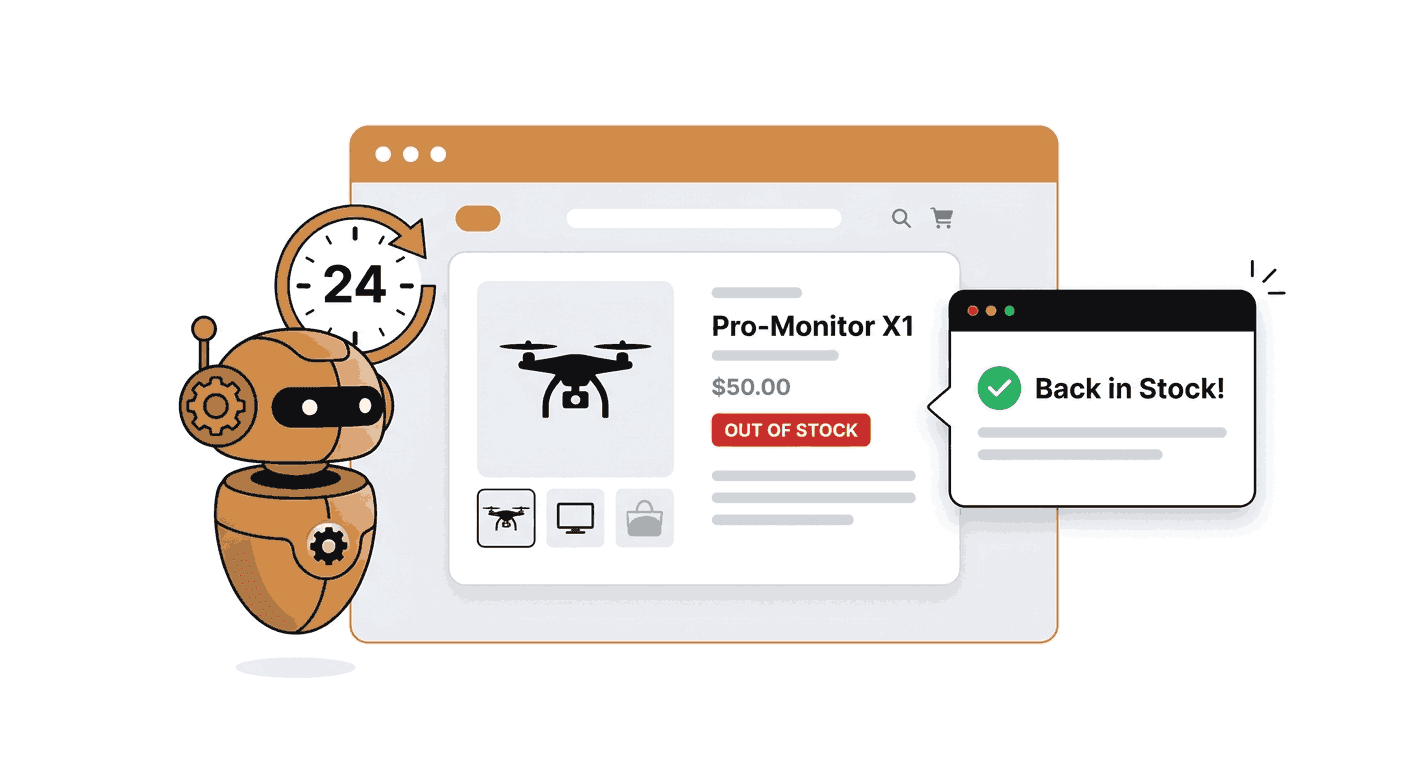
The Problem: You Miss Restocks Every Time
Popular products sell out fast. Graphics cards, limited sneaker drops, concert merch, high-demand electronics they can go from available to gone in minutes.
Most retailers offer a "notify me" button, but those emails are often batched and delayed. By the time your inbox gets the message, the product is gone again.
Checking the page manually every few hours is not realistic either. You forget, you fall asleep, or you check at the wrong time.
There is a better way. You can use Verid to automatically watch a product page on a schedule and send you an email the moment the stock status changes.
What is Verid?
Verid is a web change detection tool built for developers and non-developers alike. It monitors any URL on a schedule, extracts specific data from the page, checks whether a condition is met, and sends an alert through your chosen delivery channel.
Instead of comparing screenshots or sending noisy "the page changed" alerts, Verid works at the field level. You tell it exactly what to watch, for example the stock status label, and it only alerts you when that specific value meets your condition.
Verid supports six extraction methods, multiple predicate types, and four delivery channels: webhook, Slack, Discord, and email. It has a 14-day free trial with no credit card required.
Why Verid Works for Restock Alerts
Product pages almost always display stock status in one of two places:
- A visible text label such as "Out of Stock", "Sold out", "Currently unavailable", or "In Stock"
- The presence or absence of an "Add to Cart" button
- A structured JSON value embedded in the page
Verid can extract any of these using the right extraction method, then fire an alert only when the value changes to an in-stock state.
This means you get zero noise while the product is unavailable, and one clean alert the moment it restocks.
Best Extraction Method for Restock Alerts
Verid offers six extraction methods. Choosing the right one depends on how the product page presents its stock information.
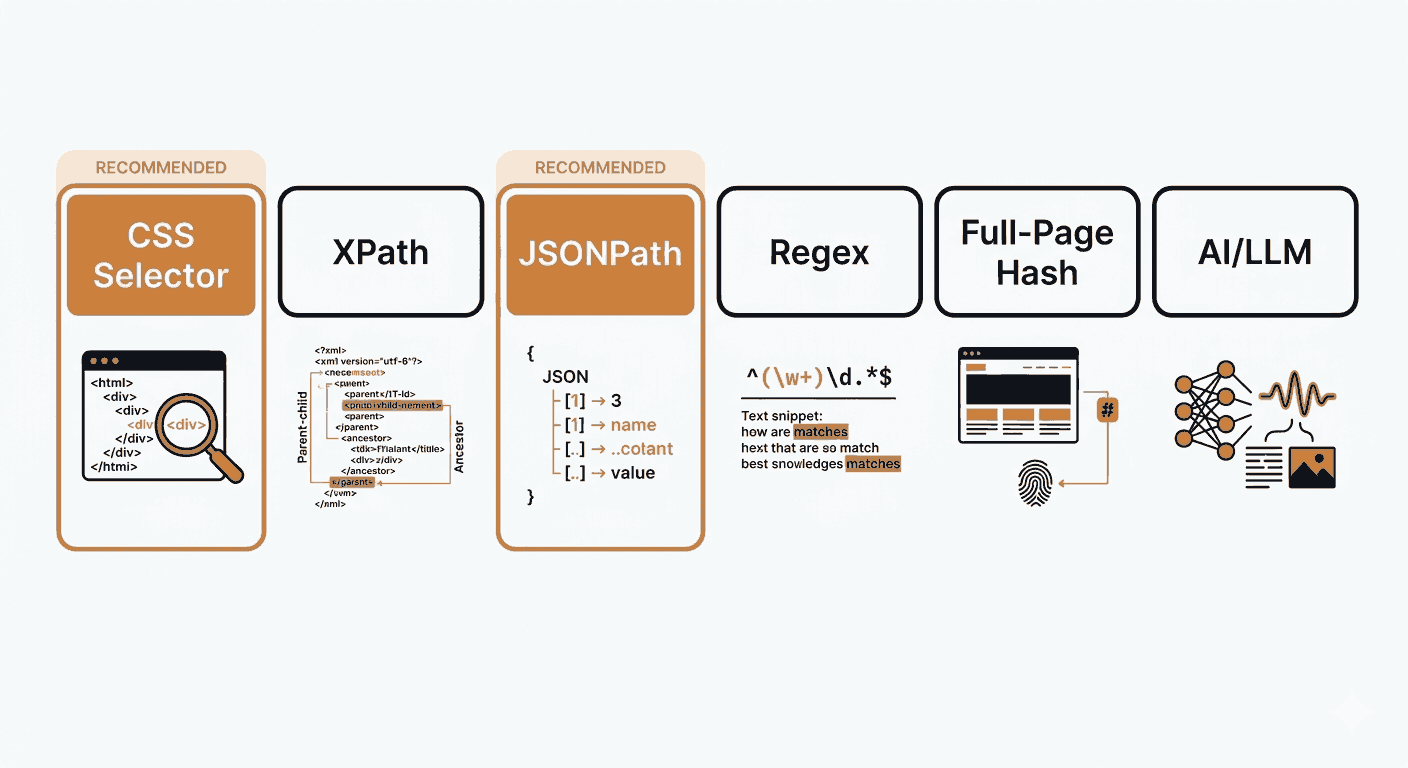
Here is a quick comparison:
| Method | Best for | Beginner difficulty | Recommended for restock alerts |
|---|---|---|---|
| CSS Selector | Stock label clearly visible in HTML | Easy | Yes, first choice |
| XPath | Elements hard to target with CSS | Moderate | Yes, when CSS fails |
| JSONPath | Product page exposes JSON data | Easy | Yes, for structured data |
| Regex | Stock text follows a predictable pattern | Moderate | Yes, as a fallback |
| Full-page hash | Detecting any change on the page | Very easy | No, too noisy |
| LLM extraction | Unstructured or messy pages | Easy (AI does the work) | Yes, when other methods fail |
Recommendations:
- Use CSS selector when the availability text appears in a clearly identifiable HTML element, for example a
<span>with a class like.availabilityor.stock-status. This is the fastest and most reliable option for most product pages. - Use XPath when CSS selectors are difficult, for example when the target element has no unique class or is nested inside complex markup.
- Use JSONPath when the product page includes structured JSON data, such as a schema.org
Productobject or a JSON API response. Many modern e-commerce sites embed availability as$.offers.availability. - Use Regex when the stock text appears inline in a paragraph or follows a predictable pattern like
"In stock: X units". - Use LLM extraction when the page layout is inconsistent or hard to target. You describe the field in plain English, for example "the text that says whether this product is in stock or out of stock", and Verid's AI finds it.
- Avoid full-page hash for restock alerts. It triggers on any page change, including cookie banners, ad rotations, and timestamps. You will get alerts that have nothing to do with stock status.
Step-by-Step Dashboard Setup
This section walks you through setting up a restock alert using the Verid dashboard. No coding required.
Step 1: Create or log in to your Verid account
Go to verid.dev and start a 14-day free trial. No credit card is required. The trial gives you unlimited monitors and 200 runs, and every check uses one run.
Step 2: Create a new monitor
From your dashboard, click "New Monitor" or "Create Monitor".
Step 3: Paste the product URL
Enter the URL of the product page you want to watch. For this example, we will use a real Amazon product page:
https://www.amazon.com/dp/B0CHWRXH8BGive your monitor a name like "Amazon Product Restock Alert".
Step 4: Choose an extraction method
Select CSS as the extraction method. This works well for most product pages where the stock status appears as a text label in the HTML.
Step 5: Define the field to extract
Create a field called availability. In the CSS selector box, enter the selector that targets the stock status text on the page.
For Amazon product pages, the availability text is typically inside an element like #availability span. However, CSS selectors vary between websites and even between product pages on the same site. If a selector does not return the expected value, use Verid's selector picker, page preview, or extraction test feature to inspect the actual HTML and find the correct selector.
Example field configuration:
{
  "method": "css",
  "fields": {
    "availability": "#availability span"
  }
}
Step 6: Set the condition
This is the rule that decides when Verid sends you an alert.
Use the field_equals predicate to fire when the availability text becomes a specific in-stock value:
{ "type": "field_equals", "field": "availability", "value": "In Stock" }Or use field_matches_regex to catch multiple in-stock strings at once:
{
  "type": "field_matches_regex",
  "field": "availability",
  "pattern": "^(In Stock|Add to Cart|Available|Ships soon)$"
}
Important: The match is case-sensitive. Check the exact text shown on the product page before setting your condition. "In Stock" and "in stock" are treated as different values.
Step 7: Choose email delivery
Under the Delivery section, select Email and enter your email address. Verid will send you a plain, readable summary when the condition is met.
Step 8: Set the schedule interval
Set the check interval to 86400 seconds (24 hours). That uses about 30 runs a month, well inside Lite's 1,000 ($9/month), and the 14-day trial's 200 runs cover it while you test. Verid will visit the product page once every 24 hours.
Step 9: Save and run a test
Save the monitor. Use the "Run now" or "Test" button in the dashboard to trigger a manual check and confirm that Verid is extracting the availability text correctly.
Step 10: Wait for the alert
Once saved, Verid runs automatically on your schedule. When the product comes back in stock and the condition matches, Verid sends you an email. Open the email and buy the product.
Email Delivery
This guide uses email delivery because it is the simplest option and requires no extra setup.
Email alerts from Verid include a plain summary of what changed, including the before and after values of the monitored field. You do not need to log in to your dashboard to see what happened.
Other delivery options:
- Slack is a good choice if you are monitoring products as part of a team. Verid can drop the before/after diff directly into any Slack channel the moment the predicate fires. See webhook and Slack alerts for setup details.
- Webhook is the most powerful option. It sends a structured JSON payload to any URL you choose, which you can connect to automation tools like Zapier, Make, n8n, or your own custom application. See the web monitoring API guide for examples.
- Discord works the same way as Slack, routing the field-level alert to a Discord webhook.
For a simple restock alert where you just want an email, none of those are necessary.
Schedule Interval
The schedule interval controls how often Verid checks the product page. Every plan can check as often as every 60 seconds; what differs is how many runs you get each month.
| Plan | Runs per month | Best for |
|---|---|---|
| 14-day free trial | 200 for the trial | Testing a few daily product checks, learning Verid |
| Lite ($9/mo) | 1,000 | Daily checks on dozens of products, or one hourly |
| Starter ($19/mo) | 5,000 | Several products checked hourly |
| Pro ($49/mo) | 15,000 | High-demand products checked every 15 minutes |
| Scale ($149/mo) | 100,000 | Very high-demand, limited drops checked every few minutes |
For most everyday restock alerts, a 24-hour interval is a reasonable starting point. If you are watching a product that sells out within hours of restocking, a shorter interval will give you a better chance of catching it in time. Hourly checks use about 720 runs a month, so you will want a paid plan for those.
See the Verid pricing page for the full plan comparison.
API Setup for Developers
If you prefer to create monitors programmatically, Verid provides a full REST API at https://api.verid.dev. The base monitor creation endpoint is POST /v1/monitors, as documented in the Verid API docs.
cURL example:
curl -X POST https://api.verid.dev/v1/monitors \
  -H "Authorization: Bearer vrd_your_api_key" \
  -H "Content-Type: application/json" \
  -d '{
    "name": "Amazon Product Restock Alert",
    "url": "https://www.amazon.com/dp/B0CHWRXH8B",
    "schedule_interval_seconds": 86400,
    "extract_config": {
      "method": "css",
      "fields": {
        "availability": "#availability span"
      }
    },
    "diff_predicate": {
      "type": "field_matches_regex",
      "field": "availability",
      "pattern": "^(In Stock|Add to Cart|Available)$"
    },
    "deliveries": [
      {
        "type": "email",
        "email": "you@example.com"
      }
    ]
  }'
Replace vrd_your_api_key with the API key shown in your Verid dashboard under API Keys. Replace you@example.com with your actual email address.
JavaScript fetch example:
const response = await fetch('https://api.verid.dev/v1/monitors', {
  method: 'POST',
  headers: {
    'Authorization': 'Bearer vrd_your_api_key',
    'Content-Type': 'application/json'
  },
  body: JSON.stringify({
    name: 'Amazon Product Restock Alert',
    url: 'https://www.amazon.com/dp/B0CHWRXH8B',
    schedule_interval_seconds: 86400,
    extract_config: {
      method: 'css',
      fields: {
        availability: '#availability span'
      }
    },
    diff_predicate: {
      type: 'field_matches_regex',
      field: 'availability',
      pattern: '^(In Stock|Add to Cart|Available)$'
    },
    deliveries: [
      {
        type: 'email',
        email: 'you@example.com'
      }
    ]
  })
});

const data = await response.json();
console.log(data);
For full endpoint documentation including all available predicate types and delivery options, refer to the official Verid API reference.
Node.js SDK Setup
Verid publishes an official Node.js SDK on npm. Install it with:
npm install @verid.dev/sdkThen create a restock monitor with email delivery:
import { VeridClient } from '@verid.dev/sdk';

const client = new VeridClient({
  apiKey: process.env.VERID_API_KEY,
});

const monitor = await client.monitors.create({
  name: 'Amazon Product Restock Alert',
  url: 'https://www.amazon.com/dp/B0CHWRXH8B',
  schedule_interval_seconds: 86400,
  extract_config: {
    method: 'css',
    fields: {
      availability: '#availability span',
    },
  },
  diff_predicate: {
    type: 'field_matches_regex',
    field: 'availability',
    pattern: '^(In Stock|Add to Cart|Available)$',
  },
  deliveries: [
    {
      type: 'email',
      email: 'you@example.com',
    },
  ],
});

console.log('Monitor created:', monitor.id);
Set your API key as an environment variable:
export VERID_API_KEY="vrd_your_api_key"You can also trigger a manual run to test immediately:
await client.monitors.runNow(monitor.id);For full SDK documentation and method signatures, visit docs.verid.dev.
A Complete Restock Alert Scenario
Here is how the full workflow looks in practice:
- You find a product on Amazon that is currently showing "Currently unavailable".
- You create a Verid monitor pointing to that product URL, using a CSS selector to extract the availability text.
- You set the condition to alert when the text matches "In Stock" or "Add to Cart".
- You set the delivery to email and the schedule to every 24 hours.
- Verid visits the page once a day. On the first run, it records "Currently unavailable" as the baseline.
- One week later, the product restocks. Verid checks the page and finds "In Stock".
- The condition matches. Verid sends you an email with the before and after values.
- You open the email, click through to the product page, and complete your purchase.
You did not have to check the page once. You did not miss the restock.
Common Mistakes to Avoid
Monitoring the whole page instead of the stock text
Full-page monitoring fires on any change, including timestamps, ad banners, and cookie notices. Always target the specific stock label field.
Using too broad a condition
If your condition is "field changes", it will fire every time the availability text updates for any reason, including minor wording changes. Use field_equals or field_matches_regex with specific in-stock strings.
Forgetting to test extraction
Always run a test before leaving the monitor active. Confirm that Verid is actually returning the availability text, not an empty string. If it returns nothing, the CSS selector may be wrong.
Using a 24-hour interval for high-demand items
If a product sells out again within an hour of restocking, a daily check will not help you. Use a shorter interval on products you really need, and consider a paid plan for the extra runs.
Not checking whether the site blocks automated monitoring
Some websites use bot protection tools like Cloudflare that may interfere with monitoring. Verid automatically escalates from a static fetch to a headless browser and then, on Starter and above, to a residential proxy, but some highly protected pages may still be difficult to monitor reliably.
Conclusion
Waiting for a product to come back in stock is frustrating, especially when store alerts are slow and manual checking is impractical. Verid solves this by watching the product page on a schedule, extracting the stock status with precision, and sending you a clean email the moment the condition is met.
The 14-day free trial gives you unlimited monitors and 200 runs, which is enough to check about 14 products daily while you test. After the trial, paid plans give you 1,000 to 100,000 runs a month, starting at $9/month.
Set up your first restock alert at verid.dev in a few minutes and stop refreshing product pages manually.
Frequently Asked Questions
Can I use Verid for Amazon restock alerts?
Yes. Verid can monitor Amazon product pages. Use a CSS selector to target the availability text, which typically appears inside #availability span on Amazon product pages. Because Amazon uses dynamic page rendering, Verid may automatically fall back to its headless browser layer to fetch the page correctly. Always run a test extraction to confirm the selector returns the right value before leaving the monitor active.
Which extraction method is best for restock alerts?
CSS selector is the best starting point for most product pages. If the stock status text has a clear, consistent HTML element you can target, a CSS selector is fast and reliable. For pages where the availability is embedded in JSON data, JSONPath is a better choice. Use LLM extraction as a fallback when the page layout is inconsistent or hard to target with a selector.
Can Verid send email alerts?
Yes. Email is one of Verid's four delivery channels, alongside webhook, Slack, and Discord. When a monitor fires, Verid sends a plain-text email summarizing what changed, including the before and after values of the monitored field. Email delivery is available on all plans, including the free trial.
How often can Verid check a product page?
On every plan, including the free trial, Verid can check as often as every 60 seconds. Plans differ by runs per month: one check is one run, so a daily check uses about 30 runs a month, hourly about 720, and every 5 minutes about 8,640. The 14-day free trial includes 200 runs in total, Lite ($9/month) 1,000, Starter ($19/month) 5,000, Pro ($49/month) 15,000, and Scale ($149/month) 100,000. For high-demand products that sell out within minutes of restocking, a shorter interval backed by a paid plan's runs significantly improves your chances of catching the restock in time.
Want this running on your own URL? Spin up the same monitor in about a minute. 5 free, no credit card.
About the author

Software Engineer & Technical Writer
Hanzala is a software engineer and technical writer covering web monitoring, automation and API design. He builds the integrations he documents, which is why the code samples in his posts tend to work on the first try.
More from HANZALA SALEEM →Related use cases
How to Monitor an Etsy Shop for New Listings (No Scraping Skills Required)
Monitor any Etsy shop for new listings and get instant alerts by email, Slack, or webhook. Set up in minutes using Verid's no-code dashboard or API.
View blueprint →E-commerce & PricingHow to Monitor Shopify Product Prices and Stock Automatically
Learn how to track Shopify product prices and stock availability automatically using Verid. Get instant alerts when prices drop or items restock.
View blueprint →Markets & FinanceHow to Monitor Airline Prices and Get Alerts When They Drop
Learn why airfare changes so often and how to monitor airline prices automatically, with a step by step setup for custom fare drop alerts.
View blueprint →