How to Monitor Shopify Product Prices and Stock Automatically
Learn how to track Shopify product prices and stock availability automatically using Verid. Get instant alerts when prices drop or items restock.
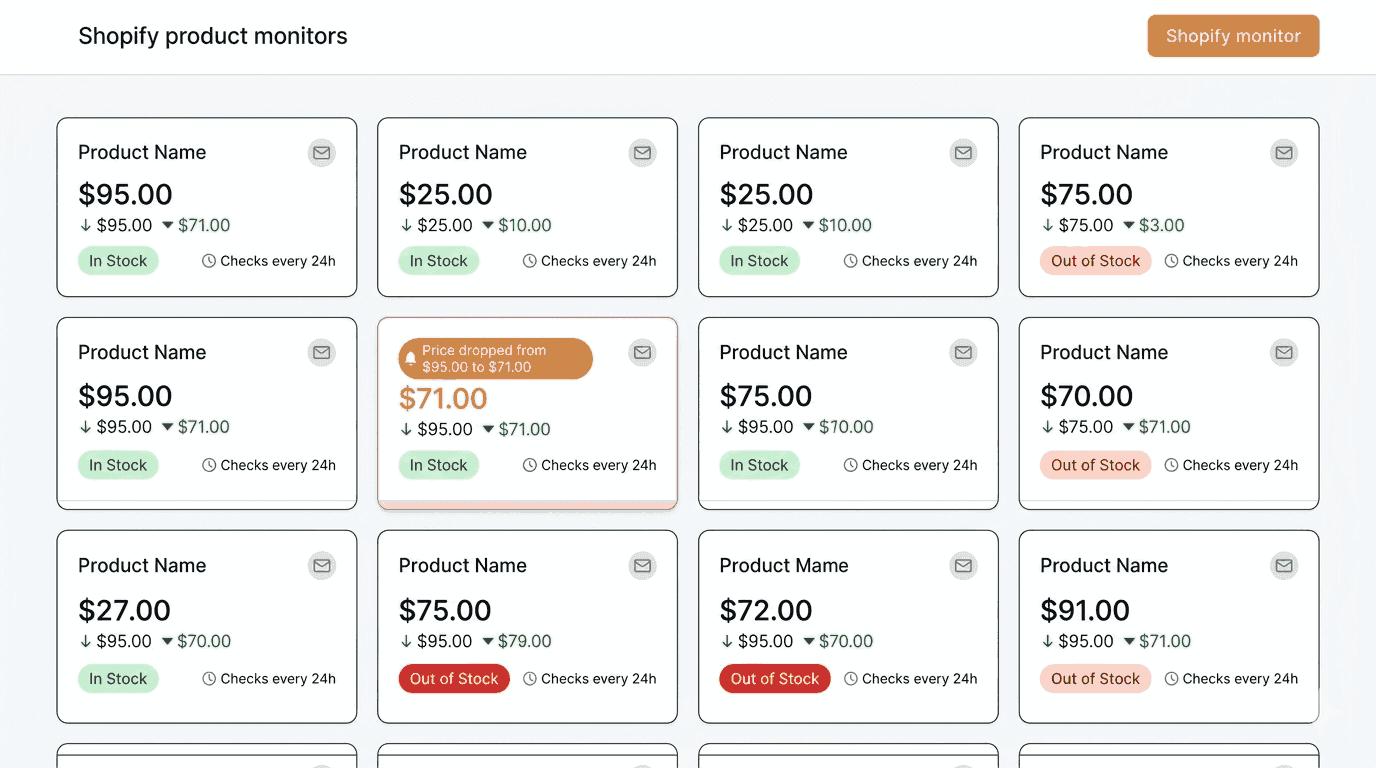
Checking a Shopify product page every few hours to see if the price has dropped or a sold-out item is back in stock is exhausting. You miss changes. You act too late. And when you are watching dozens of products across multiple stores, manual checking simply does not scale.
This guide shows you how to automate Shopify stock monitoring and price tracking using Verid, a developer-first web change detection API. Verid extracts specific fields from any page, compares them to the previous run, and sends you an alert only when something meaningful changes. No screenshots. No noise.
Whether you are a store owner, a reseller, a developer, or just a savvy shopper trying to catch a price drop, this guide has you covered. The first half walks through the Verid dashboard with no code required. The second half covers the API and SDK for developers who want to automate everything.
Why You Need Automated Shopify Price and Stock Monitoring
Shopify powers over 4.6 million live stores worldwide. If you buy from, compete with, or sell on Shopify, prices and stock levels are constantly moving targets.
Here is who needs to pay attention:
Resellers and dropshippers need to know the moment a supplier marks a product back in stock. Missing a restock window by even a few hours means losing sales.
Competitors and price-watchers need to react when a rival Shopify store lowers its price. A 10% price cut on a competitor's best-selling item can shift buying behavior within hours.
Store owners want to confirm that a theme update or a Shopify deployment did not accidentally break the displayed price or hide the Add to Cart button.
Bargain shoppers want to be notified the moment a product they have been watching drops below a target price.
Doing all of this manually means opening product pages, comparing numbers in your head, and hoping you do not miss anything. Automated monitoring removes that burden entirely.
How to Monitor Shopify Products Using the Verid Dashboard
If you have never written a line of code, this section is for you. You will be up and running with a live Shopify product monitor in a few minutes.
Step 1: Create Your Verid Account and Add a Monitor
Go to verid.dev and start a 14-day free trial. No credit card is required. The trial includes unlimited monitors and 200 runs.
Once you are inside the dashboard, click New Monitor. You will be asked to enter:
- Name: A label for your monitor, such as "Allbirds Wool Runner - Price Watch"
- URL: The full Shopify product page URL you want to monitor
For the URL, use a real product page. For example:
https://www.allbirds.com/products/mens-wool-runnersPaste the URL into the URL field and continue to the next step.
Step 2: Choose the Right Extraction Method
This is where you tell Verid what to actually pull out of the page. Verid supports six extraction methods: CSS selector, XPath, JSONPath, regex, full-page hash, and AI/LLM prompt.
For Shopify product pages, CSS selector extraction is the right choice for most situations. Shopify themes follow predictable patterns. The price, stock status, and title are almost always accessible through consistent CSS class names or data attributes.
For Price Monitoring
Configure the extraction method as css and point it at the price element. Shopify themes vary, so Verid's built-in shopify-product-price template ships with a fallback selector chain that covers the most common Shopify themes including Dawn, Debut, and most popular paid themes:
[data-product-price], .product__price, .price__regular .price-itemThis comma-separated list means Verid tries each selector in order and uses the first one that matches. You do not need to know which exact theme the store uses.
What it extracts:
{
  "price": "$95.00"
}
If you also want to catch sale prices, add a second field targeting the sale price element:
{
  "method": "css",
  "fields": {
    "price": "[data-product-price], .product__price, .price__regular .price-item",
    "sale_price": ".price__sale .price-item--sale"
  }
}
For Stock Availability Monitoring
Stock status on Shopify pages is typically shown as a badge or text element near the product form. The most common selectors that work across themes are:
.product-form__inventory, [data-remaining-count]Add it as a named field alongside your price:
{
  "method": "css",
  "fields": {
    "price": "[data-product-price], .product__price, .price__regular .price-item",
    "sale_price": ".price__sale .price-item--sale",
    "stock": ".product-form__inventory, [data-remaining-count]",
    "title": "h1.product__title, h1.product-single__title"
  }
}
What it extracts:
{
  "price": "$95.00",
  "sale_price": null,
  "stock": "In stock",
  "title": "Men's Wool Runners"
}
When should you use the AI/LLM extraction method instead?
If the Shopify store uses a heavily customized theme or the price is loaded via JavaScript after the page renders, CSS selectors might return empty results. In that case, switch to the prompt method and describe what you want in plain English:
{
  "method": "prompt",
  "prompt": "Extract the product name, current price as a number, and availability status from this page.",
  "schema": {
    "name": "string",
    "price": "number",
    "available": "boolean"
  }
}
The AI extractor is more resilient to layout changes, but it counts against your plan's monthly LLM call quota. For standard Shopify themes, CSS selectors are the faster and more cost-effective choice.
See the full extraction methods guide for a comparison of all six methods.
Step 3: Configure the Monitoring Schedule
After setting up extraction, you configure how often Verid should check the page.
Set the interval to every 24 hours (86,400 seconds). A daily check uses about 30 runs a month, well inside Lite's 1,000 ($9/month), and it is a sensible default for tracking Shopify prices and stock changes that do not shift multiple times per day.
In the dashboard, select Daily from the schedule options.
Every plan, and the 14-day free trial, can check as often as every minute. Plans differ by how many runs (one run per check) you get each month:
| Plan | Price | Runs per month |
|---|---|---|
| 14-day free trial | $0, no card | 200 total |
| Lite | $9/mo | 1,000 |
| Starter | $19/mo | 5,000 |
| Pro | $49/mo | 15,000 |
| Scale | $149/mo | 100,000 |
If you are tracking a limited edition drop where stock could sell out within minutes, setting a 5 to 15 minute interval makes more sense. A 15-minute check uses about 2,880 runs a month, so pick a plan with enough runs, such as Starter or Pro. For everyday competitor price tracking, daily checks are sufficient.
Step 4: Configure Alert Deliveries
This step controls where Verid sends you a notification when a change is detected.
Verid supports four delivery methods:
- Email: A plain readable summary of what changed, sent to your inbox
- Webhook: A signed HMAC POST request to your own endpoint for custom automation
- Slack: The before/after diff posted directly to a Slack channel
- Discord: Same field-level alert sent to a Discord webhook
For this tutorial, configure delivery as Email. In the dashboard, choose Email as the delivery type and enter your email address:
to: buyer@yourstore.comVerid retries failed deliveries up to 6 times with exponential backoff. If a delivery keeps failing, it lands in a dead-letter queue where you can replay it manually. You will not silently miss an alert.
Once you save the monitor, it becomes active immediately. The first run establishes the baseline silently. From the second run onward, Verid compares the new extracted values to the previous run and sends you a notification if anything matches your delivery rules.
Monitor Shopify Products Using the Verid API
If you are a developer, you can create and manage monitors programmatically through the Verid REST API. All endpoints are at https://api.verid.dev and require a Bearer token using your API key, which starts with vrd_.
Get Your API Key
Sign up at verid.dev and navigate to the API Keys page in the dashboard. Copy your key and export it:
export VERID_API_KEY="vrd_your_key_here"Creating a Shopify Price and Stock Monitor via cURL
The following request creates a monitor that checks the Allbirds Men's Wool Runners page every 24 hours. It extracts the price, sale price, stock status, and title using CSS selectors, and fires a delivery when any of those fields change. The delivery goes to your email.
curl -X POST https://api.verid.dev/v1/monitors \
  -H "Authorization: Bearer $VERID_API_KEY" \
  -H "Content-Type: application/json" \
  -d '{
    "name": "Allbirds Wool Runners - Price & Stock",
    "url": "https://www.allbirds.com/products/mens-wool-runners",
    "schedule_interval_seconds": 86400,
    "extract_config": {
      "method": "css",
      "fields": {
        "price": "[data-product-price], .product__price, .price__regular .price-item",
        "sale_price": ".price__sale .price-item--sale",
        "stock": ".product-form__inventory, [data-remaining-count]",
        "title": "h1.product__title, h1.product-single__title"
      }
    },
    "diff_predicate": {
      "type": "any_field_changes"
    },
    "deliveries": [
      { "type": "email", "to": "you@example.com" }
    ]
  }'
A successful response returns 201 Created with the full monitor object including its id, status: "active", and the scheduled next_run_at timestamp.
Creating a Monitor via JavaScript (fetch)
const response = await fetch('https://api.verid.dev/v1/monitors', {
  method: 'POST',
  headers: {
    'Authorization': `Bearer ${process.env.VERID_API_KEY}`,
    'Content-Type': 'application/json',
  },
  body: JSON.stringify({
    name: 'Allbirds Wool Runners - Price & Stock',
    url: 'https://www.allbirds.com/products/mens-wool-runners',
    schedule_interval_seconds: 86400,
    extract_config: {
      method: 'css',
      fields: {
        price: '[data-product-price], .product__price, .price__regular .price-item',
        sale_price: '.price__sale .price-item--sale',
        stock: '.product-form__inventory, [data-remaining-count]',
        title: 'h1.product__title, h1.product-single__title',
      },
    },
    diff_predicate: {
      type: 'any_field_changes',
    },
    deliveries: [
      { type: 'email', to: 'you@example.com' },
    ],
  }),
});

const monitor = await response.json();
console.log('Monitor created:', monitor.id);
Stock-Only Alert: Fire Only When Item Comes Back In Stock
If you specifically want to be alerted only when an out-of-stock Shopify product becomes available again, use the field_equals predicate targeting the stock field:
curl -X POST https://api.verid.dev/v1/monitors \
  -H "Authorization: Bearer $VERID_API_KEY" \
  -H "Content-Type: application/json" \
  -d '{
    "name": "Restock Alert - Allbirds Wool Runners",
    "url": "https://www.allbirds.com/products/mens-wool-runners",
    "schedule_interval_seconds": 86400,
    "extract_config": {
      "method": "css",
      "fields": {
        "stock": ".product-form__inventory, [data-remaining-count]"
      }
    },
    "diff_predicate": {
      "type": "field_equals",
      "field": "stock",
      "value": "In stock"
    },
    "deliveries": [
      { "type": "email", "to": "you@example.com" }
    ]
  }'
This monitor stays silent when the item is sold out and fires a delivery the moment Shopify updates the stock label to "In stock". Note that the value you use must match what the specific Shopify theme actually renders. Some themes say "Available" or "Only 2 left" instead of "In stock". Check the live page first and adjust accordingly.
Price Drop Alert: Fire Only When Price Drops by 10%
curl -X POST https://api.verid.dev/v1/monitors \
  -H "Authorization: Bearer $VERID_API_KEY" \
  -H "Content-Type: application/json" \
  -d '{
    "name": "Price Drop Alert - Allbirds Wool Runners",
    "url": "https://www.allbirds.com/products/mens-wool-runners",
    "schedule_interval_seconds": 86400,
    "extract_config": {
      "method": "css",
      "fields": {
        "price": "[data-product-price], .product__price, .price__regular .price-item"
      }
    },
    "diff_predicate": {
      "type": "field_decreases_by_percent",
      "field": "price",
      "threshold": 10
    },
    "deliveries": [
      { "type": "email", "to": "you@example.com" }
    ]
  }'
Important note on price parsing: Thefield_decreases_by_percentpredicate requires a numeric value. CSS-extracted prices that include a currency symbol like"$95.00"may not parse correctly for percent-based predicates. If your monitor does not fire when you expect it to, switch to theany_field_changespredicate on thepricefield instead, or use LLM extraction with a numeric schema to normalize the value. See the Price Drop Alert recipe in the docs for full guidance.
Using the Official Verid Node.js SDK
Verid publishes an official Node.js SDK on npm. Install it with:
npm install @verid.dev/sdkThe SDK wraps the REST API and provides typed methods for all common operations. Here is how to create the same Shopify monitor using the SDK:
import { VeridClient } from '@verid.dev/sdk';

const client = new VeridClient({
  apiKey: process.env.VERID_API_KEY!,
});

// Create a Shopify price and stock monitor
const monitor = await client.monitors.create({
  name: 'Allbirds Wool Runners - Price & Stock',
  url: 'https://www.allbirds.com/products/mens-wool-runners',
  schedule_interval_seconds: 86400,
  extract_config: {
    method: 'css',
    fields: {
      price: '[data-product-price], .product__price, .price__regular .price-item',
      sale_price: '.price__sale .price-item--sale',
      stock: '.product-form__inventory, [data-remaining-count]',
      title: 'h1.product__title, h1.product-single__title',
    },
  },
  diff_predicate: {
    type: 'any_field_changes',
  },
  deliveries: [
    { type: 'email', to: 'you@example.com' },
  ],
});

console.log('Monitor active:', monitor.id);
Using the Pre-Built Shopify Template
Verid includes a pre-built template with the slug shopify-product-price that ships with the fallback selector chain already configured. This is the fastest way to start monitoring any Shopify store:
import { VeridClient } from '@verid.dev/sdk';

const client = new VeridClient({ apiKey: process.env.VERID_API_KEY! });

// Use the shopify-product-price template
await client.monitors.createFromTemplate('shopify-product-price', {
  name: 'Allbirds - Wool Runners',
  url: 'https://www.allbirds.com/products/mens-wool-runners',
  deliveries: [{ type: 'email', to: 'buyer@example.com' }],
});
You can also do the same via the REST API:
curl -X POST https://api.verid.dev/v1/monitors/from-template/shopify-product-price \
  -H "Authorization: Bearer $VERID_API_KEY" \
  -H "Content-Type: application/json" \
  -d '{
    "name": "Allbirds - Wool Runners",
    "url": "https://www.allbirds.com/products/mens-wool-runners",
    "deliveries": [{ "type": "email", "to": "buyer@example.com" }]
  }'
You can change the template's schedule after the monitor is created, down to every minute on any plan. A daily check uses about 30 runs a month and an hourly check about 720, so choose the frequency your monthly runs can cover.
What a Delivery Looks Like
When Verid detects a change and fires a delivery, the payload looks like this:
{
  "id": "del_01H...",
  "version": "2026-05-01",
  "monitor_id": "9b1c...",
  "run_id": "7e2a...",
  "fired_at": "2026-05-08T12:00:00Z",
  "diff": {
    "fields_changed": ["sale_price", "price"],
    "before": {
      "price": "$95.00",
      "sale_price": null,
      "stock": "In stock",
      "title": "Men's Wool Runners"
    },
    "after": {
      "price": "$95.00",
      "sale_price": "$71.00",
      "stock": "In stock",
      "title": "Men's Wool Runners"
    }
  }
}
In this example, the regular price stayed at $95.00 but a sale price of $71.00 appeared. That is a classic Shopify discount campaign you would have missed checking manually.
Real-World Use Cases
Monitoring a Competitor's Shopify Store Prices
If you run a Shopify store that competes with another brand in the same niche, you can set up one monitor per key competitor product. When their price drops, you get an email and can decide whether to adjust your own pricing in response.
Set the predicate to any_field_changes on the price field so you are alerted on any movement, up or down.
Getting Notified When a Sold-Out Product Restocks
Limited-edition drops, seasonal products, and bestsellers frequently go out of stock. Use the field_equals predicate with "value": "In stock" to fire an alert only when the product becomes available again. Pair this with a shorter monitoring interval (such as 1 hour or 15 minutes, counted against your monthly runs) if the restock is time-sensitive.
Tracking Limited Edition Product Drops
Some Shopify brands announce and then launch limited-edition products at a fixed date. You can monitor the product page before the launch. When the "Notify Me" or "Sold Out" text disappears and "In stock" appears, Verid fires immediately.
Watching for Price Drops Before Purchasing
If you are waiting to buy a specific product and want to catch a sale, set up a monitor on that product page with a field_changes predicate on the price field. Any time the price value changes, you get an alert. You do not need to keep checking the page manually.
Tips for Better Shopify Monitoring
Track individual variants, not just the product page. Shopify shows one default variant at a time. If you want to track the "Blue, Size 10" variant specifically, use the variant URL. Shopify appends ?variant=VARIANT_ID to the product URL for each variant. Monitor each variant as its own Verid monitor.
If price fields come back empty, enable browser mode. Some custom Shopify themes load prices via JavaScript after the initial page load. If your CSS selectors return nothing on the first run, update the monitor and set fetch_mode to browser. Verid will render the page in a headless browser before extracting.
Match stock labels exactly. Different Shopify themes render stock status differently. Common values include "In stock", "Available", "Only 3 left", and "Sold out". When using field_equals, check the live page first and copy the exact text the theme shows.
Use composite predicates for advanced logic. If you want an alert only when the price drops AND the item is in stock at the same time, use a composite predicate with AND. See the predicates documentation for syntax examples.
Frequently Asked Questions
Can I monitor Shopify products automatically without any code?
Yes. Verid's dashboard lets you create a Shopify price and stock monitor by entering a product URL and a few configuration options. No coding required. The 14-day free trial includes unlimited monitors and 200 runs, enough to check about 14 products daily while you test, and delivers alerts by email. After that, Lite ($9/month, 1,000 runs) covers about 30 products checked daily.
How often can Verid check a Shopify product page?
Every plan, and the free trial, can check a monitor as often as every 60 seconds. What differs is how many runs you get each month: Lite ($9/month) includes 1,000, Starter ($19/month) 5,000, Pro ($49/month) 15,000, and Scale ($149/month) 100,000. The 14-day free trial includes 200 runs in total. A daily check uses about 30 runs a month and an hourly check about 720. All intervals are configurable per monitor.
What is the best way to detect Shopify price changes automatically?
The most reliable method is CSS selector extraction targeting the price element, combined with the field_changes or any_field_changes predicate. Verid's pre-built shopify-product-price template includes a fallback CSS selector chain that works across Shopify's most popular themes including Dawn and Debut, so you do not need to inspect the page's HTML manually.
Can I receive Shopify stock alerts by email?
Yes. Verid supports email delivery natively. When you create a monitor, add a delivery with "type": "email" and "to": "your@email.com". When a stock or price change is detected, Verid sends you a plain readable summary of what changed, including the before and after values.
Want this running on your own URL? Spin up the same monitor in about a minute. 5 free, no credit card.
About the author

Software Engineer & Technical Writer
Hanzala works as a software engineer and technical writer. He documents Verid’s API and SDK while building against them, and writes tutorials on monitoring pages, parsing structured data, and wiring alerts into tools a team already uses.
More from HANZALA SALEEM →Related use cases
How to Monitor an Etsy Shop for New Listings (No Scraping Skills Required)
Monitor any Etsy shop for new listings and get instant alerts by email, Slack, or webhook. Set up in minutes using Verid's no-code dashboard or API.
View blueprint →E-commerce & PricingHow to Get Restock Alerts for Out-of-Stock Products Using Verid
Learn how to use Verid to monitor any product page and get an email the moment it comes back in stock. Step-by-step guide for beginners.
View blueprint →Markets & FinanceHow to Monitor Airline Prices and Get Alerts When They Drop
Learn why airfare changes so often and how to monitor airline prices automatically, with a step by step setup for custom fare drop alerts.
View blueprint →