How to Automatically Track Scholarship and Grant Deadlines with Verid (No Coding Needed)
Stop refreshing scholarship pages by hand. See how Verid automatically tracks deadlines and emails you the moment one changes.
If you have ever bookmarked ten scholarship pages and then forgotten to check them until the deadline passed, you already know the real problem. It is not finding scholarships. It is remembering to keep checking them.
Scholarship and grant pages change constantly. A university updates a deadline. A grant program quietly moves its submission window. A "coming soon" page finally posts the real date. If you are not refreshing that exact page at the right moment, you miss it.
This is where an automated scholarship deadline tracker helps. Instead of a human checking pages every day, a monitoring tool checks the page for you and only tells you when something actually changes.
Verid is a web change detection tool built for exactly this kind of job. You give it a page to watch, tell it what to look for, and it checks the page on a schedule, compares the new result to the last one, and sends you an alert when a real change happens.
In this guide, you will learn how to set up automated grant and scholarship alerts using Verid, first from the dashboard (no code required), then using the API and SDK if you are comfortable with a bit of technical setup.
How Scholarship Deadline Monitoring Works with Verid
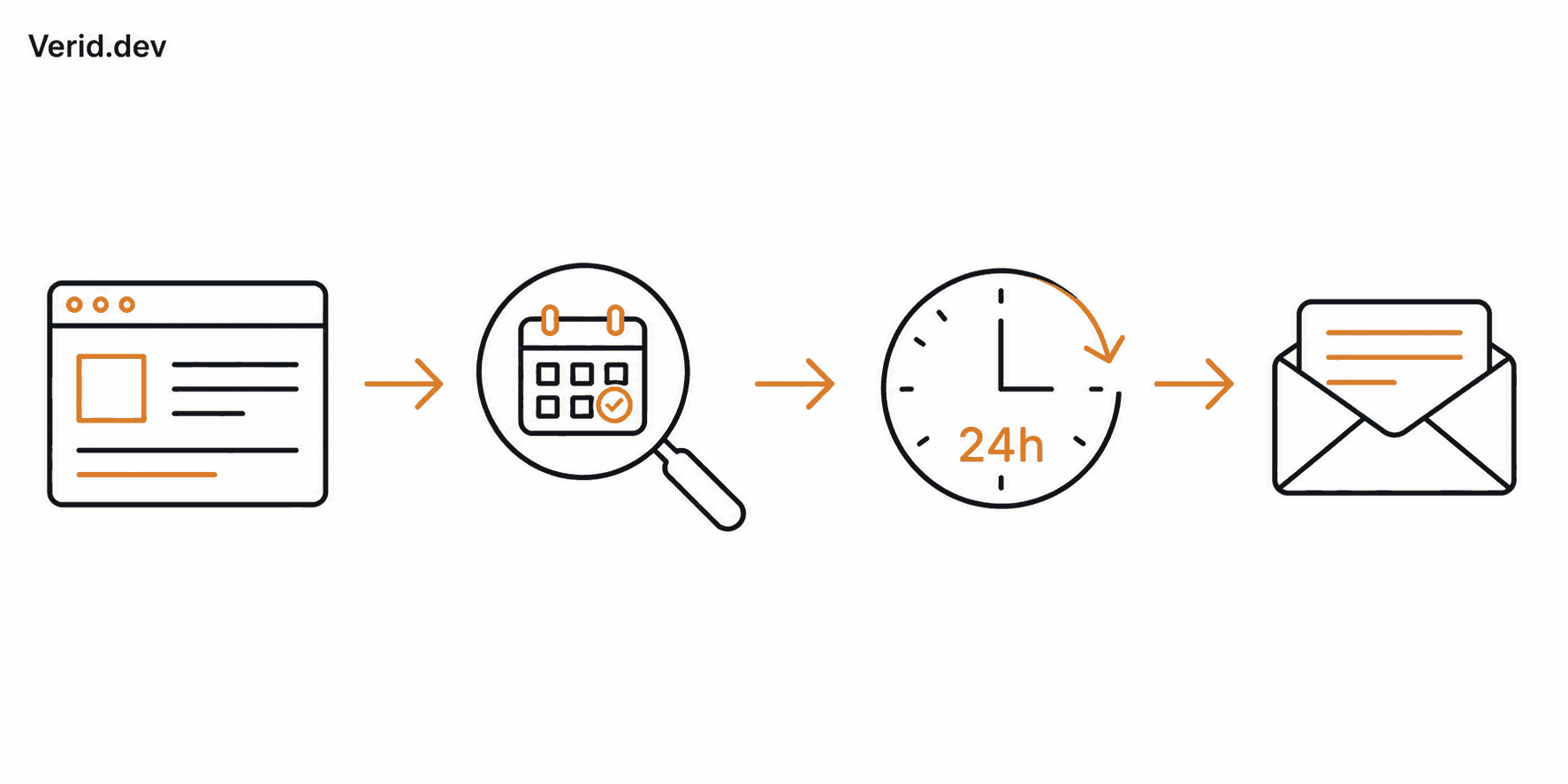
Here is the basic loop, in plain terms:
Scholarship or grant website
        ↓
Verid checks the page on a schedule
        ↓
Verid extracts the deadline field
        ↓
Verid compares it to the last saved result
        ↓
A real change is detected (deadline updated)
        ↓
You get an email
A few important facts about how this actually runs:
- A daily schedule checks the page every 24 hours (about 30 runs a month, well inside the Lite plan's 1,000).
- Every plan, including the free trial, can check as often as every 60 seconds. Faster checks use more runs, so paid plans add more runs per month: 1,000 on Lite, 5,000 on Starter, 15,000 on Pro, and 100,000 on Scale.
- Every check is compared against the last one. You are only alerted when the specific field you are tracking (like a deadline date) actually changes, not every time the page loads slightly differently.
For scholarship and grant tracking, checking once a day is usually more than enough. Deadlines do not normally change multiple times in a single day, so a daily check on the Lite plan works well for this use case.
Which Extraction Method Should You Use for Scholarship Pages?
Before Verid can alert you to a change, it needs to know exactly what part of the page to watch. This is called "extraction." Verid supports six extraction methods, but for scholarship and grant monitoring, three are worth comparing.
| Method | Best for | Accuracy | Maintenance | Difficulty |
|---|---|---|---|---|
| CSS selector | Pages with a clean, consistent layout (a fixed "Deadline:" element every time) | High, if the page structure never changes | Breaks if the site redesigns | Easy once set up, but fragile |
| Full-page hash | "Just tell me if anything on this page changed" | Low precision, catches every change including irrelevant ones | Very low maintenance | Easiest to set up |
| AI / LLM prompt | Scholarship and grant pages with inconsistent formatting, long paragraphs, or frequent redesigns | High, because it reads the page like a person would | Very low maintenance, keeps working through layout changes | Easiest for non-developers |
For scholarship and grant deadline tracking, the AI / LLM prompt extraction method is usually the best choice.
Scholarship pages are written by universities, foundations, and government offices. They rarely follow a consistent HTML structure, and deadlines are often buried inside a paragraph of text rather than sitting in a clean, labeled box. This is exactly the situation where CSS selectors become brittle. If the page redesigns even slightly, a CSS-based monitor can silently break.
With the AI / LLM prompt method, you describe in plain English what you want, for example "find the application deadline date for this scholarship," and Verid's extractor reads the page and pulls that value out, even if the wording or layout shifts later.
Full-page hash is the simplest option, but it is noisy. It flags any change on the page, including unrelated updates like a rotating banner or an updated "last visited" counter, not just the deadline itself. That means more false alerts and more emails you end up ignoring.
CSS selectors work well if you are monitoring a page with a very consistent, code-like structure, such as an official government portal that rarely redesigns. But for most public scholarship listing pages, the AI / LLM prompt method gives the most reliable, lowest-maintenance result.
Setting Up Scholarship Deadline Monitoring from the Verid Dashboard
This section walks through the process assuming you have never used Verid before. Every setting described here maps directly to a real, documented Verid feature, since the dashboard is built to expose the same controls as the Verid API.
Step 1: Create a free account
Go to the Verid signup page and start a free trial. No credit card is required. The 14-day trial includes:
- Unlimited monitors
- 200 runs for the whole trial (one run per check), with checks as often as every 60 seconds
- 14-day history
- 1 delivery destination per monitor (such as email)
Step 2: Start a new monitor
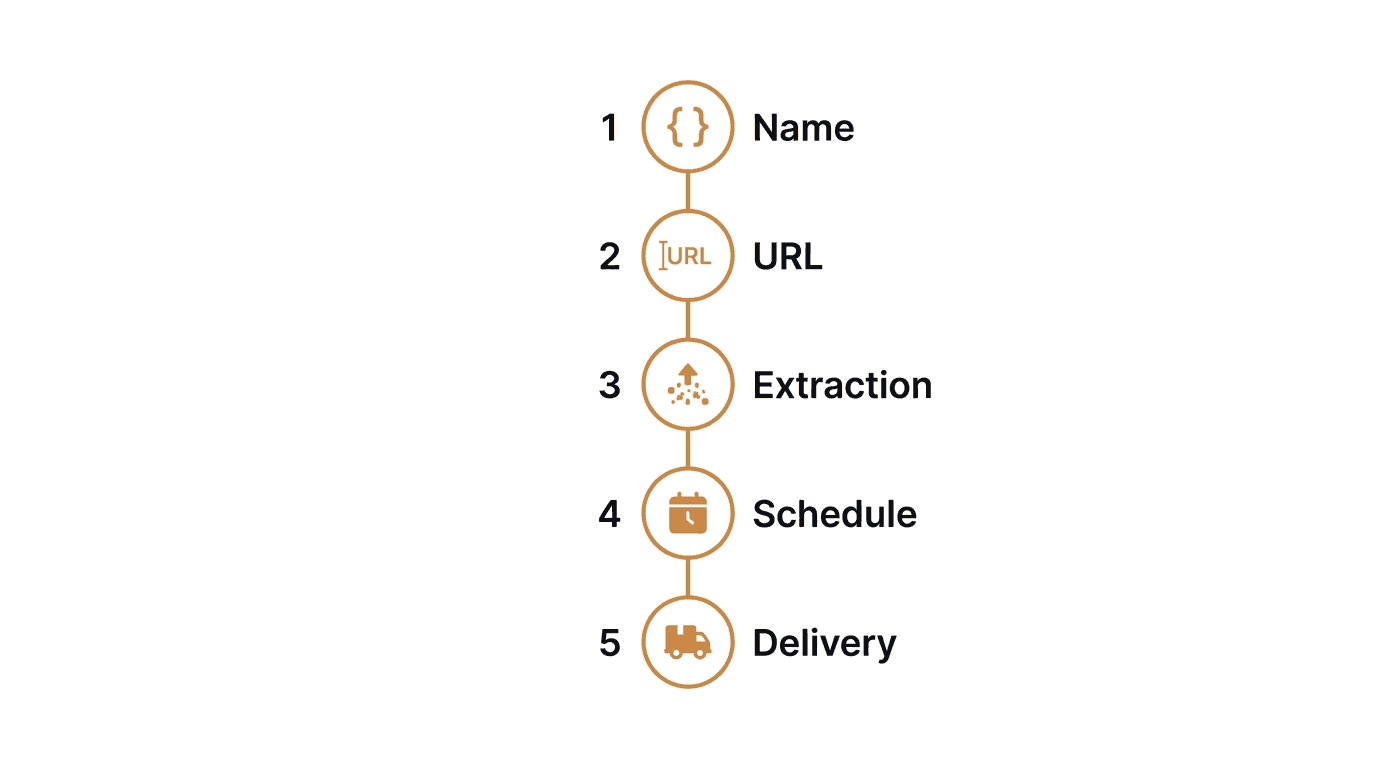
From your dashboard, start creating a new monitor. You will be asked for:
- A name for the monitor, for example "Scholarship Deadline Tracker"
- The URL of the scholarship or grant page you want to track
Step 3: Choose your extraction method
Select AI / LLM prompt as your extraction method (this is the recommended option explained above). Then write a short, plain-English description of what to pull from the page, for example:
"Extract the application deadline date for this scholarship program."
You can also provide a simple shape for the result, telling Verid you expect a field called deadline back. This keeps the result structured and easy to compare over time.
Step 4: Set your schedule
Set the check frequency. Every 24 hours uses about 30 runs a month and is well suited to deadline tracking since dates rarely change more than once a day.
Step 5: Set the alert condition
Tell Verid when it should actually notify you. For deadline tracking, choose the condition that fires when the deadline field changes, rather than firing on every single check. This is what keeps your inbox quiet until something real happens.
Step 6: Add your delivery method
Add Email as your delivery destination and enter the address where you want alerts sent. (Slack and webhook delivery are also available if you want alerts routed elsewhere, more on that below.)
Step 7: Run a test, then let it go live
Trigger a manual test run to confirm the monitor is reading the deadline correctly. Once you're happy with the result, save the monitor. It will now run automatically on the schedule you set, no further action needed from you.
Setting Up Scholarship Deadline Monitoring with the API
If you are comfortable with a little technical setup, you can create the exact same monitor using the Verid REST API. This is useful if you want to manage many scholarship pages at once, or plug alerts into your own tools.
First, get your API key from the API Keys page in your dashboard. Then create a monitor with a POST request:
curl -X POST https://api.verid.dev/v1/monitors \
  -H "Authorization: Bearer vrd_your_api_key" \
  -H "Content-Type: application/json" \
  -d '{
    "name": "DAAD Study Scholarship Deadline",
    "url": "https://www2.daad.de/deutschland/stipendium/datenbank/en/21148-scholarship-database/?detail=50026200",
    "schedule_interval_seconds": 86400,
    "extract_config": {
      "method": "prompt",
      "prompt": "Extract the application deadline date for this DAAD scholarship program.",
      "schema": { "deadline": "string" }
    },
    "diff_predicate": {
      "type": "field_changes",
      "field": "deadline"
    },
    "deliveries": [
      { "type": "email", "to": "you@example.com" }
    ]
  }'
A quick breakdown of what each part does:
schedule_interval_seconds: 86400sets the check to once every 24 hours, which uses about 30 runs a month.extract_configuses the"prompt"method, Verid's AI extraction, with aschematelling it to return a field nameddeadline.diff_predicatewith"field_changes"means Verid only alerts you when thedeadlinefield is different from the last check, not on every run.deliveriessends the alert to your email address.
You can find the full list of available fields, including how to add Slack or webhook delivery, in the Verid API Reference.
Setting Up Scholarship Deadline Monitoring with the Node.js SDK
If you are working in a JavaScript or TypeScript project, Verid also provides an official Node.js SDK that wraps the same API calls.
Install it:
npm install @verid.dev/sdkThen create the same monitor in code:
import { VeridClient } from '@verid.dev/sdk';

const client = new VeridClient({
  apiKey: process.env.VERID_API_KEY,
});

const monitor = await client.monitors.create({
  name: 'DAAD Study Scholarship Deadline',
  url: 'https://www2.daad.de/deutschland/stipendium/datenbank/en/21148-scholarship-database/?detail=50026200',
  schedule_interval_seconds: 86400,
  extract_config: {
    method: 'prompt',
    prompt: 'Extract the application deadline date for this DAAD scholarship program.',
    schema: { deadline: 'string' },
  },
  diff_predicate: { type: 'field_changes', field: 'deadline' },
  deliveries: [{ type: 'email', to: 'you@example.com' }],
});

// Trigger an immediate test run
await client.monitors.runNow(monitor.id);
This does exactly the same thing as the dashboard setup and the raw API call above, just from within your own application code.
Delivery Options: Email, Slack, and Webhook
Once a deadline change is detected, Verid can notify you through several channels:
- Email: A plain, readable summary of what changed, sent straight to your inbox. No dashboard login required. This is the simplest option for non-developers and is what this guide uses above.
- Slack: If your scholarship search is a team or family effort, Verid can post the before-and-after change directly into a Slack channel using a Slack incoming webhook URL.
- Webhook: For developers, Verid can send a signed HTTP request to your own endpoint the moment a deadline changes, so you can pipe alerts into your own systems.
For most non-developers tracking personal scholarship or grant deadlines, email is the easiest and most reliable option, and it is what we recommend setting up first.
Real-World Example: Tracking a DAAD Scholarship Deadline
To make this concrete, here is a real page you could monitor today: the DAAD Study Scholarship for Master's Studies in All Academic Disciplines, part of the German Academic Exchange Service's official scholarship database.
This page lists eligibility details and an application deadline that is updated annually. Rather than checking it manually every few weeks, you could set up a Verid monitor exactly as shown above, pointed at this URL, using the AI / LLM prompt method to extract the deadline field, checked once a day, with an email alert the moment the listed date changes.
The same pattern works for any scholarship or grant listing page, including government financial aid portals like Federal Student Aid, research funding pages from agencies like the National Science Foundation, or country-specific exchange programs.
Frequently Asked Questions
Can Verid monitor a scholarship page that requires me to log in first?
No. Verid checks publicly accessible pages. If a scholarship or grant deadline is only visible after logging in, it cannot be monitored automatically.
How often will I get alerts if the deadline never changes?
Never. Verid only sends a notification when the specific field you're tracking actually changes. If the deadline stays the same, you will not receive repeated emails.
Do I need to know how to code to use Verid for scholarship tracking?
No. The dashboard setup described in this guide requires no coding. The API and SDK sections are optional, for readers who want to automate monitor creation across many scholarship pages at once.
What happens if the scholarship website redesigns its page?
If you use the AI / LLM prompt extraction method, Verid is far less likely to break, since it reads the page for meaning rather than relying on a fixed HTML structure. If you used CSS selectors instead, a redesign could require you to update your selector.
Want this running on your own URL? Spin up the same monitor in about a minute. 5 free, no credit card.
About the author

Software Engineer & Technical Writer
Hanzala is a software engineer and technical writer. He splits his time between shipping features in Verid’s monitoring stack and turning them into documentation and guides a developer can follow without guessing.
More from HANZALA SALEEM →Related use cases
Academic Journal and Paper Update Alerts
Get instant alerts when new papers publish in academic journals or on arXiv. Set up automated monitoring with Verid on a 14-day free trial, no coding required.
View blueprint →Research & NicheHow to Monitor Appointment Slot Availability and Never Miss a Booking Again
Stop manually refreshing booking pages. Use Verid to monitor appointment slot availability and get instant alerts when a slot opens up.
View blueprint →Research & NicheHow to Monitor Job Listings for Keywords and Get Instant Alerts
Learn how to set up automated job listing alerts with Verid. Get notified the moment new jobs matching your keywords appear - no coding required.
View blueprint →