Real-Time Stock Price Drop Alerts Using Verid Change Detection API
Learn how to build stock price drop alerts using Verid's Change Detection API. Monitor stock prices, set thresholds, and get notified automatically.
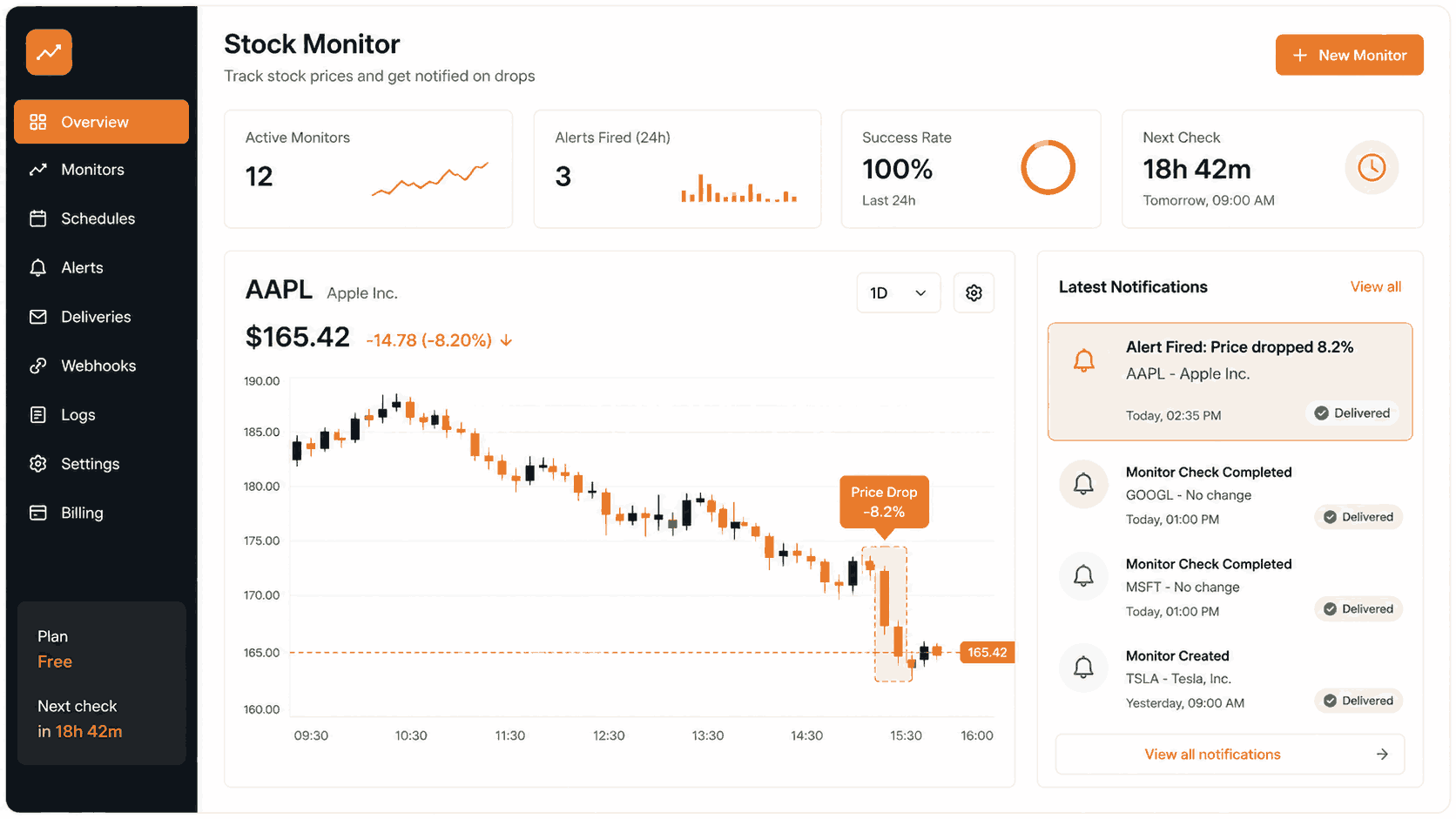
Imagine you are watching a stock, waiting for the price to fall below a level you are comfortable buying at. Refreshing a finance page every few hours is not practical. You want an alert to land in your inbox or Slack the moment it happens, without running any extra infrastructure.
That is exactly what this guide covers. You will learn how to use Verid to monitor a stock price endpoint and receive an automatic notification the moment the price drops by a percentage you define.
No scraping expertise required. No servers to maintain. Just a few lines of configuration.
What Is Verid and Why Use It for Stock Monitoring?
Verid is a developer-first web change detection API. It polls any URL on a schedule, extracts a specific field (like a price value), compares it to the previous run, and fires a webhook, email, or Slack message only when a rule you define becomes true.
For stock price monitoring, that means:
- You point Verid at a public price API (like CoinGecko for crypto, or any JSON endpoint that returns a numeric price).
- You define a predicate such as "fire when price drops by 5% or more."
- Verid handles polling, state storage, diff calculation, and delivery.
You do not write a scheduler. You do not store previous prices in a database. You do not write retry logic. Verid does all of that.
For broader context on how automated price monitoring works, resources like Investopedia and TradingView explain price alert mechanics in detail. Verid is the infrastructure layer that makes those alerts programmable via API.
No-Code Setup via the Verid Dashboard
If you do not write code, you can still set up a stock price drop alert using the Verid Dashboard. Here is how to do it step by step.
Step 1: Create a free account
Go to verid.dev and sign up for a 14-day free trial. No credit card required. The trial gives you unlimited monitors and 200 runs.
Step 2: Get your API key
After signing in, go to the API Keys section in your dashboard. Create a new key. It will look like vrd_xxxxxxxxxxxx. Save it somewhere safe.
Step 3: Open the monitor creation form
In the dashboard, click New Monitor. You will see a form with the following fields.
Step 4: Fill in the monitor details
- Name: Give it a descriptive name like
Apple Stock Price AlertorBTC Drop Alert. - URL: Enter the URL of the data source. For crypto, CoinGecko's free public API works well. For example:
https://api.coingecko.com/api/v3/simple/price?ids=bitcoin&vs_currencies=usd - Schedule: Every plan, including the free trial, can check as often as every minute, and each check uses one run. A daily check uses about 30 runs a month; an hourly check uses about 720, which fits on the Lite plan ($9/month, 1,000 runs).
Step 5: Configure extraction
- Set the extraction method to JSONPath.
- Add a field named
price_usdwith the expression$.bitcoin.usd.
This tells Verid to pull the numeric price value out of the JSON response each time it runs.
Step 6: Set your predicate
This is the rule that controls when an alert fires.
- Choose field_decreases_by_percent from the predicate dropdown.
- Set the field to
price_usd. - Set the threshold to your desired percentage drop, for example
5for a 5% drop.
Verid will only send you an alert when the price falls by 5% or more compared to the previous run. If the price ticks slightly, you will not be notified.
Step 7: Add a delivery channel
- Choose Email and enter your email address.
- Optionally, add a Slack or Discord webhook URL.
Step 8: Save the monitor
Click Create Monitor. Verid will run the monitor on your defined schedule and fire the alert the next time the predicate is true.
API-Based Setup for Developers
If you prefer to configure monitors programmatically, Verid provides a full REST API with an OpenAPI 3.1 spec and an official Node.js SDK.
Prerequisites
- A Verid API key (starts with
vrd_) curlor a Node.js environment
API Example: Monitor Bitcoin Price Drop via CoinGecko
The following curl command creates a monitor that checks the Bitcoin price once a day (set the interval to 3600 for hourly checks) and fires when the price drops by 10% or more.
export VERID_API_KEY="vrd_your_api_key_here"

curl -X POST https://api.verid.dev/v1/monitors \
  -H "Authorization: Bearer $VERID_API_KEY" \
  -H "Content-Type: application/json" \
  -d '{
    "name": "Bitcoin 10% Drop Alert",
    "url": "https://api.coingecko.com/api/v3/simple/price?ids=bitcoin&vs_currencies=usd&include_24hr_change=true",
    "schedule_interval_seconds": 86400,
    "extract_config": {
      "method": "json_path",
      "fields": {
        "price_usd": "$.bitcoin.usd",
        "change_24h": "$.bitcoin.usd_24h_change"
      }
    },
    "diff_predicate": {
      "type": "field_decreases_by_percent",
      "field": "price_usd",
      "threshold": 10
    },
    "deliveries": [
      { "type": "email", "email": "you@yourapp.com" },
      { "type": "webhook", "url": "https://your-app.com/hooks/stock-alert" }
    ]
  }'
Key fields explained:
schedule_interval_seconds: 86400- This is 24 hours, about 30 runs a month.method: "json_path"- Verid will parse the JSON response and extract values using JSONPath expressions.$.bitcoin.usd- This expression pulls the numeric USD price from CoinGecko's response.field_decreases_by_percentwiththreshold: 10- The alert only fires when the price has dropped 10% or more since the last run.- Deliveries include both email and a webhook endpoint.
Important note on numeric prices: Thefield_decreases_by_percentpredicate requires a numeric value. CoinGecko returns raw numbers (e.g.68400), which works perfectly. If you use a page where prices include currency symbols like"$68,400", the predicate will not fire. Use a JSON API source or switch to LLM extraction to normalize the value to a number.
Node.js SDK Example
Install the official Verid SDK:
npm install @verid.dev/sdkimport { VeridClient } from '@verid.dev/sdk';
const client = new VeridClient({
apiKey: process.env.VERID_API_KEY!,
});
async function createStockPriceDropAlert() {
const monitor = await client.monitors.create({
name: 'Bitcoin 10% Drop Alert',
url: 'https://api.coingecko.com/api/v3/simple/price?ids=bitcoin&vs_currencies=usd&include_24hr_change=true',
schedule_interval_seconds: 86400, // 24 hours (about 30 runs/month)
extract_config: {
method: 'json_path',
fields: {
price_usd: '$.bitcoin.usd',
change_24h: '$.bitcoin.usd_24h_change',
},
},
diff_predicate: {
type: 'field_decreases_by_percent',
field: 'price_usd',
threshold: 10,
},
deliveries: [
{ type: 'email', email: 'you@yourapp.com' },
{ type: 'webhook', url: 'https://your-app.com/hooks/stock-alert' },
],
});
console.log('Monitor created:', monitor.id);
// Trigger a manual run to test immediately (uses one run from your allowance)
await client.monitors.runNow(monitor.id);
console.log('Manual run triggered');
}
createStockPriceDropAlert();Extraction Methods Compared
For stock price monitoring, choosing the right extraction method matters. Here is how they compare for this use case.
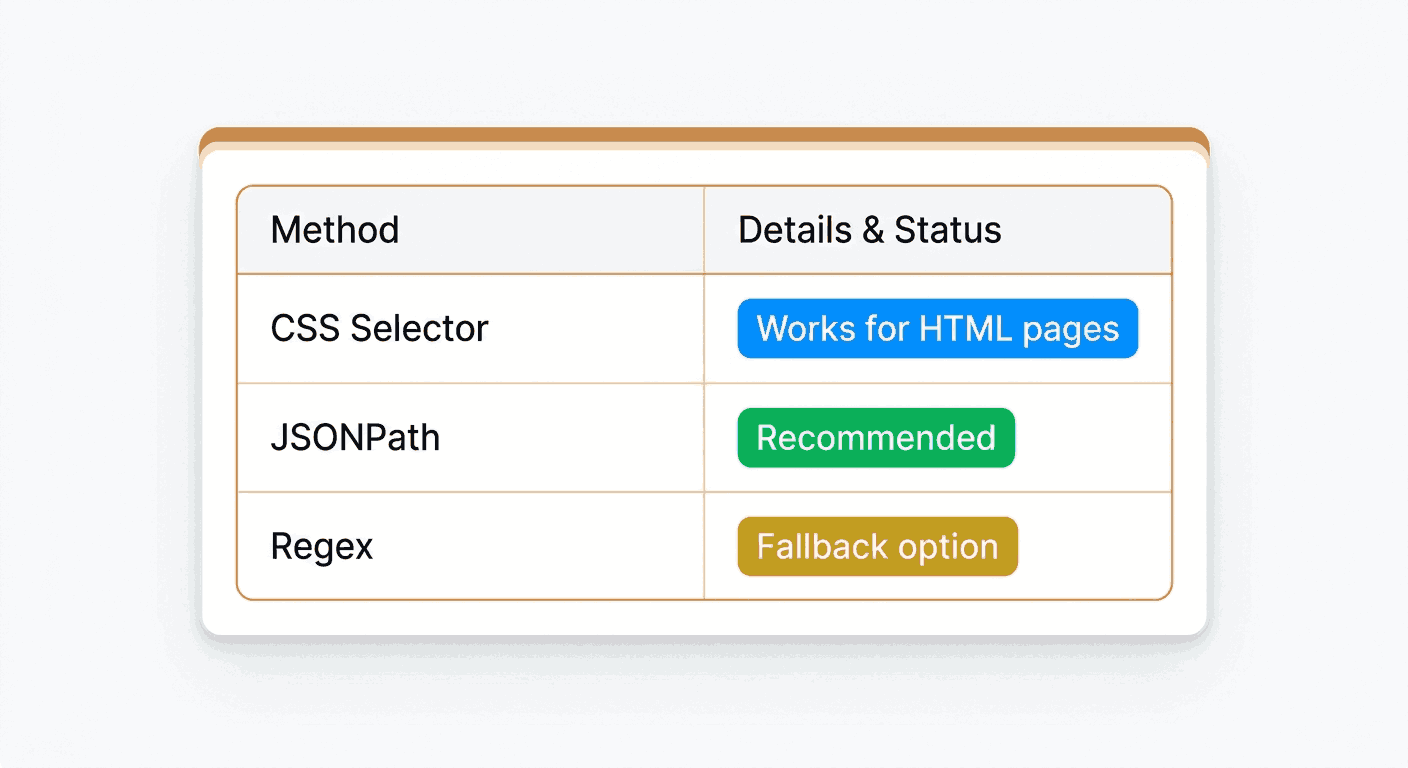
| Method | How it works | Best for stock monitoring | Numeric output |
|---|---|---|---|
| JSONPath | Extracts a field directly from a JSON API response | Public JSON APIs (CoinGecko, Alpha Vantage) | Yes, returns raw numbers |
| CSS Selector | Targets an element in a rendered HTML page | Finance sites like Yahoo Finance HTML pages | No, returns text with $ symbol |
| Regex | Matches a pattern in raw HTML or text | Quick extraction from raw response bodies | Possible, use a capture group |
| LLM / AI | Uses natural language to extract fields | Pages that change layout often | Yes, if schema specifies number type |
| XPath | Walks the DOM tree | Complex HTML where CSS selectors are insufficient | No, returns text |
| Full-page hash | Detects any change on the page | Only useful for "did anything change at all" | No |
Recommendation for stock price drop alerts: Use JSONPath against a public JSON API. CoinGecko's free public API at api.coingecko.com returns numeric values directly, which means the field_decreases_by_percent predicate works out of the box without any additional parsing.
If you need to monitor a traditional finance website instead of an API, use the LLM extraction method with a schema that specifies "price": "number". Verid's AI extractor will normalize the price string to a numeric value automatically. Note that LLM extractions count against your monthly LLM quota (50 during the 14-day free trial, 500/month on Starter).
Predicate Reference for Price Monitoring
Verid supports nine predicate types. For stock price alerts, these three are most relevant:
1. field_decreases_by_percent
Fires when a numeric field drops by at least N% since the last run. Use this for "alert me when the stock drops 5%."
{
  "type": "field_decreases_by_percent",
  "field": "price_usd",
  "threshold": 5
}
2. field_decreases_by_absolute
Fires when a numeric field drops by at least an absolute amount. Use this for "alert me when the stock drops $10."
{
  "type": "field_decreases_by_absolute",
  "field": "price_usd",
  "threshold": 10
}
3. composite (AND / OR)
Combine multiple conditions. For example, alert only when the price drops by 5% AND the 24-hour change is negative.
{
  "type": "composite",
  "operator": "AND",
  "conditions": [
    {
      "type": "field_decreases_by_percent",
      "field": "price_usd",
      "threshold": 5
    },
    {
      "type": "field_decreases_by_percent",
      "field": "change_24h",
      "threshold": 1
    }
  ]
}
Scheduling and Automation
Daily Checks (24-hour interval)
With a 24-hour interval, Verid checks your monitor once a day, which uses about 30 runs a month, well inside the Lite plan's 1,000 ($9/month); the 14-day trial's 200 runs cover it while you test. For most long-term investors who want a daily summary of significant drops, this is sufficient.
A 24-hour interval means:
- Verid fetches the price once per day.
- It compares the current price to the price from the previous day's run.
- If the drop exceeds your threshold, the alert fires.
Set schedule_interval_seconds: 86400 (86400 seconds = 24 hours) in your monitor config.
Paid Plans (Higher Frequency)
Every plan can check as often as every minute, but more frequent checks use more runs: about 720 a month for an hourly monitor, 2,880 for every 15 minutes, and 8,640 for every 5 minutes. Verid's paid plans give you more runs:
| Plan | Runs per Month | Price |
|---|---|---|
| 14-day free trial | 200 for the trial | $0 |
| Lite | 1,000 | $9/month |
| Starter | 5,000 | $19/month |
| Pro | 15,000 | $49/month |
| Scale | 100,000 | $149/month |
For active traders who want near-real-time monitoring, checks every 5 minutes or even every minute are possible on any plan; a 5-minute monitor fits within Pro's 15,000 runs, and Scale covers several. For most users tracking general price dips, hourly checks on Lite or Starter are more than sufficient.
Notifications - Email, Slack, and Webhooks
Verid supports four delivery channels. You can add multiple channels to a single monitor.
Email Notifications
Email is the simplest delivery method. Add it to your deliveries array:
{ "type": "email", "email": "you@yourapp.com" }When the predicate fires, Verid sends a plain, readable email summarizing what changed: the field name, the before value, and the after value.
Slack Notifications
Verid supports Slack delivery natively. Add it to your deliveries array:
{ "type": "slack", "webhookUrl": "https://hooks.slack.com/services/YOUR/SLACK/WEBHOOK" }To get a Slack webhook URL, go to your Slack workspace, open Apps, add the Incoming Webhooks app, and copy the webhook URL. Paste it into the Verid delivery config above. The alert will drop the before/after diff directly into the channel you selected.
Webhook Delivery
Webhooks give you the most flexibility. Verid POSTs a signed JSON payload to your endpoint when the predicate fires. All webhooks are signed with HMAC-SHA256 using the Verid-Signature header. Verid retries up to 6 times with exponential backoff if your endpoint is unavailable.
The webhook payload looks like this:
{
  "id": "del_01H...",
  "version": "2026-05-01",
  "monitor_id": "uuid",
  "run_id": "uuid",
  "fired_at": "2026-06-15T08:00:00Z",
  "diff": {
    "fields_changed": ["price_usd"],
    "before": { "price_usd": 68400 },
    "after":  { "price_usd": 61200 }
  },
  "monitor": {
    "url":  "https://api.coingecko.com/api/v3/simple/price?ids=bitcoin&vs_currencies=usd",
    "name": "Bitcoin 10% Drop Alert"
  }
}
End-to-End Working Example
Here is a complete, copy-paste ready Node.js script that:
- Creates a stock price drop monitor targeting Bitcoin via CoinGecko.
- Delivers alerts to both email and a Slack webhook.
- Verifies incoming webhook signatures.
Step 1: Create the monitor
// create-monitor.ts
import { VeridClient } from '@verid.dev/sdk';

const client = new VeridClient({
  apiKey: process.env.VERID_API_KEY!,
});

async function main() {
  const monitor = await client.monitors.create({
    name: 'Bitcoin Drop Alert - 10%',
    url: 'https://api.coingecko.com/api/v3/simple/price?ids=bitcoin&vs_currencies=usd&include_24hr_change=true',
    schedule_interval_seconds: 86400, // Daily (about 30 runs/month); set to 3600 for hourly
    extract_config: {
      method: 'json_path',
      fields: {
        price_usd: '$.bitcoin.usd',
        change_24h: '$.bitcoin.usd_24h_change',
      },
    },
    diff_predicate: {
      type: 'field_decreases_by_percent',
      field: 'price_usd',
      threshold: 10,
    },
    deliveries: [
      {
        type: 'email',
        email: 'alerts@yourapp.com',
      },
      {
        type: 'slack',
        webhookUrl: process.env.SLACK_WEBHOOK_URL!,
      },
      {
        type: 'webhook',
        url: 'https://your-app.com/hooks/stock-alert',
      },
    ],
  });

  console.log(`Monitor created with ID: ${monitor.id}`);
}

main();
Step 2: Receive and verify the webhook
// webhook-handler.ts
import express from 'express';
import { createHmac, timingSafeEqual } from 'crypto';

const app = express();

// Parse raw body for signature verification
app.use('/hooks', express.raw({ type: 'application/json' }));

function verifyWebhook(header: string, rawBody: string, secret: string): boolean {
  const parts = Object.fromEntries(header.split(',').map((p) => p.split('=')));
  const timestamp = parseInt(parts['t'] ?? '0', 10);
  const signature = parts['v1'];

  if (!timestamp || !signature) return false;
  if (Math.abs(Date.now() / 1000 - timestamp) > 300) return false;

  const expected = createHmac('sha256', secret)
    .update(`${timestamp}.${rawBody}`)
    .digest('hex');

  return timingSafeEqual(Buffer.from(expected, 'hex'), Buffer.from(signature, 'hex'));
}

app.post('/hooks/stock-alert', (req, res) => {
  const header = req.headers['verid-signature'] as string;
  const rawBody = req.body.toString();

  if (!verifyWebhook(header, rawBody, process.env.WEBHOOK_SECRET!)) {
    return res.status(401).send('Invalid signature');
  }

  const payload = JSON.parse(rawBody);
  const { before, after } = payload.diff;

  const priceBefore = before.price_usd;
  const priceAfter = after.price_usd;
  const dropPercent = (((priceBefore - priceAfter) / priceBefore) * 100).toFixed(2);

  console.log(`Alert: ${payload.monitor.name}`);
  console.log(`Price dropped ${dropPercent}%: $${priceBefore} -> $${priceAfter}`);

  // Your logic here: save to database, trigger a trade, send a push notification, etc.

  res.sendStatus(200);
});

app.listen(3000, () => console.log('Webhook server running on port 3000'));
Step 3: Environment variables
export VERID_API_KEY="vrd_your_key_here"
export SLACK_WEBHOOK_URL="https://hooks.slack.com/services/YOUR/SLACK/WEBHOOK"
export WEBHOOK_SECRET="your_monitor_webhook_secret"
Run the monitor creation script once, then keep the webhook server running to receive alerts when the predicate fires.
Monitoring Public Stock Prices with Alpha Vantage
If you want to monitor traditional equities (like AAPL or MSFT) rather than crypto, Alpha Vantage provides a free stock price API.
export VERID_API_KEY="vrd_your_api_key_here"
export ALPHA_VANTAGE_KEY="your_alpha_vantage_api_key"

curl -X POST https://api.verid.dev/v1/monitors \
  -H "Authorization: Bearer $VERID_API_KEY" \
  -H "Content-Type: application/json" \
  -d '{
    "name": "AAPL Stock Drop Alert - 5%",
    "url": "https://www.alphavantage.co/query?function=GLOBAL_QUOTE&symbol=AAPL&apikey='"$ALPHA_VANTAGE_KEY"'",
    "schedule_interval_seconds": 86400,
    "extract_config": {
      "method": "json_path",
      "fields": {
        "price": "$.\"Global Quote\".\"05. price\"",
        "change_percent": "$.\"Global Quote\".\"10. change percent\""
      }
    },
    "diff_predicate": {
      "type": "field_decreases_by_percent",
      "field": "price",
      "threshold": 5
    },
    "deliveries": [
      { "type": "email", "email": "you@yourapp.com" },
      { "type": "slack", "webhookUrl": "https://hooks.slack.com/services/YOUR/SLACK/WEBHOOK" }
    ]
  }'
Note on Alpha Vantage prices: Alpha Vantage returns prices as numeric strings like "182.52". Verid's predicate engine attempts to parse these to numbers automatically. Test with a manual run after creating the monitor to confirm the extraction is returning numeric values before relying on it for live alerts.Best Practices
- Use a JSON API source, not an HTML page. JSON endpoints return clean numeric values that work directly with percent-drop predicates. HTML price strings with currency symbols often cause parsing issues.
- Start with a 5-10% threshold. A threshold that is too small (like 0.5%) will fire on normal market noise. Start higher and lower it once you have confirmed the alerts are useful.
- Add multiple delivery channels. Use both email and a webhook so you have a record of every alert even if one delivery method has an issue.
- Use the free trial to test your setup. Trigger a manual run (there is no daily cap; each one uses one run from your allowance) to confirm your extraction and predicate are working correctly before waiting for a scheduled run.
- First run establishes the baseline. Verid does not fire an alert on the very first run because there is nothing to compare against. The second run onwards will evaluate the predicate.
- Upgrade if you need intraday alerts. The 14-day trial's 200 runs cover a daily check on about 14 monitors, and Lite's 1,000 runs a month ($9/month) cover about 33. If you need alerts within minutes of a price move, the Pro plan (15,000 runs, enough for 15-minute or 5-minute checks) or Scale plan (100,000 runs) are better fits.
Frequently Asked Questions
How does a stock price drop alert work with Verid?
Verid fetches your price endpoint on a schedule you configure. After each run, it compares the extracted price to the value from the previous run. If the price has dropped by the percentage you defined in the predicate, Verid fires a delivery to your email, Slack, or webhook endpoint. The alert is quiet by default and only fires when your rule is true.
Can I use Verid without coding?
Yes. The Verid Dashboard lets you create, configure, and manage monitors through a web interface without writing any code. You fill in the URL, pick an extraction method, set a predicate, and choose a delivery channel. No API calls required for basic setup.
What is the best check interval for stock price monitoring?
It depends on your use case. For long-term investors watching for major dips, a 24-hour interval is practical and cheap, at about 30 runs a month (Lite at $9/month includes 1,000). For active traders who want to catch intraday moves, 15-minute or 5-minute intervals are more appropriate; they use about 2,880 and 8,640 runs a month per monitor, which fit on the Pro plan (15,000 runs) or Scale plan (100,000 runs). Note that Verid compares the current price to the price from the last successful run, not a static reference price you set manually.
Does Verid support real-time stock price alerts?
Verid is a polling-based system, not a streaming system. The shortest check interval is 60 seconds, on every plan, and each check uses one run. If you need true real-time alerts (under 1 minute), a dedicated market data websocket provider such as Alpaca or a brokerage API with streaming support would be a better fit. For most price dip monitoring use cases, 5-minute or 15-minute intervals are sufficient.
Want this running on your own URL? Spin up the same monitor in about a minute. 5 free, no credit card.
About the author

Software Engineer & Technical Writer
A software engineer and technical writer, Hanzala works on Verid’s API surface and everything written about it. His posts cover website change detection, scraping trade-offs, and integrating monitoring alerts into an existing stack.
More from HANZALA SALEEM →Related use cases
How to Monitor Airline Prices and Get Alerts When They Drop
Learn why airfare changes so often and how to monitor airline prices automatically, with a step by step setup for custom fare drop alerts.
View blueprint →Markets & FinanceHow to Set Up Automated Crypto Price Alerts Using CoinGecko and Verid
Learn how to set up automated crypto price alerts using CoinGecko and Verid. Get Bitcoin and Ethereum notifications by email, Slack, or webhook.
View blueprint →Markets & FinanceHow to Track Mortgage and Loan Rate Changes Automatically Using Verid
Learn how to track mortgage and loan rate changes automatically using Verid's web change detection API. Set up alerts via webhook, email, or Slack in minutes.
View blueprint →