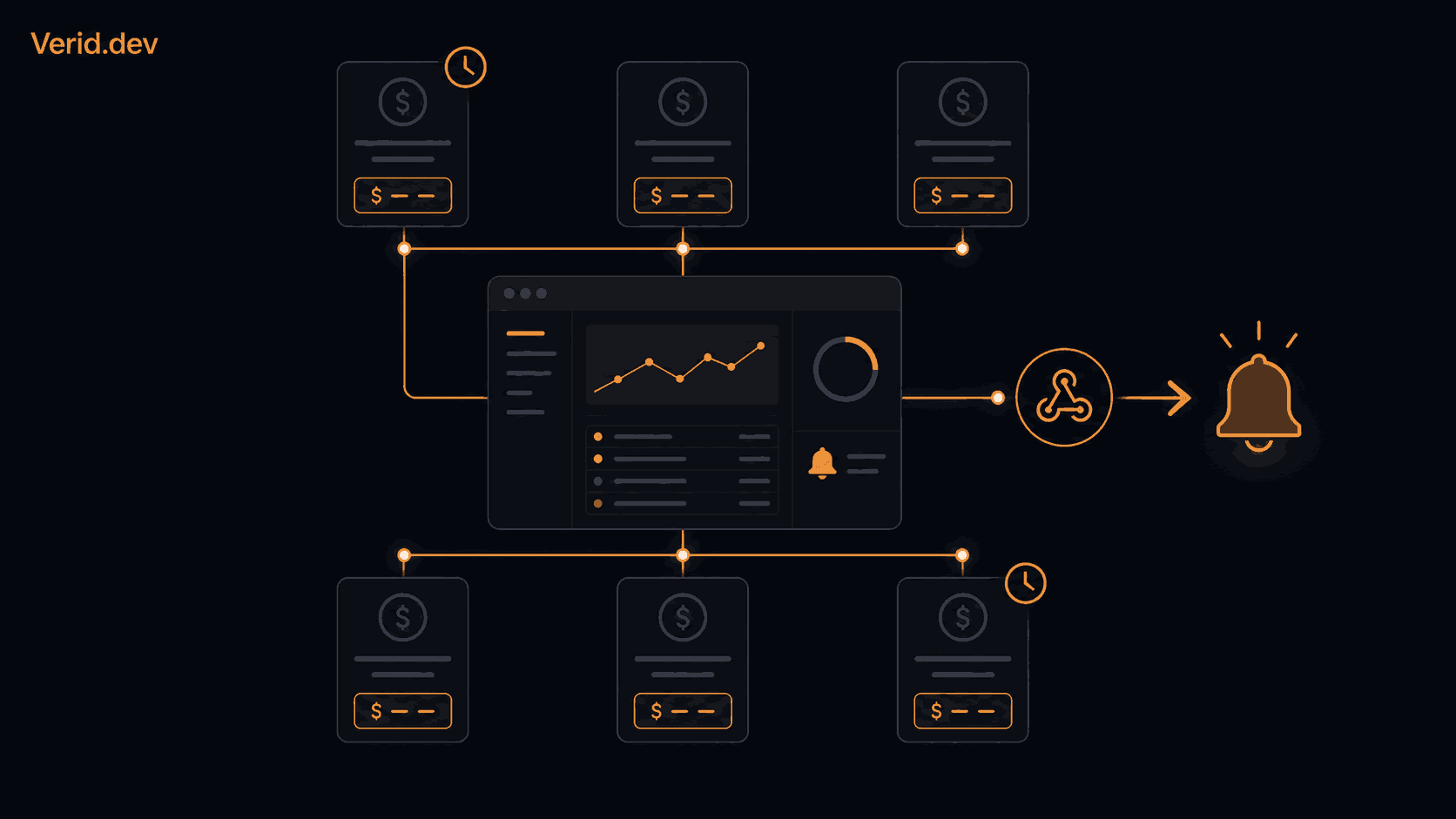
How to Monitor SaaS Competitor Pricing Changes at Scale
Pricing pages are the least stable part of a SaaS company's website and the least monitored. Product pages get watched. Blog RSS feeds get watched. But the page that tells you a competitor just added a usage tier, killed their annual discount, or quietly moved a feature behind a higher plan usually gets checked whenever someone happens to remember.
That gap is expensive. A competitor drops their entry price by 20 percent on a Tuesday and you find out from a prospect three weeks later, in a lost deal call.
This guide covers why manual pricing checks break down past a handful of competitors, what actually goes wrong when teams try to automate it with generic scrapers, and how to build a monitoring setup with Verid that tells you the moment something meaningful changes on a competitor's pricing page, not every time a testimonial carousel rotates.
Why SaaS Pricing Monitoring Matters
SaaS pricing pages change more often than most teams assume. Vendors test new tiers, adjust per-seat rates, add usage-based add-ons, and run limited promotions that never get announced anywhere except the page itself. None of it shows up in a press release.
The cost of missing a change isn't abstract. Sales loses pricing objections it should have anticipated. Product misses a signal that a competitor is repositioning around a new segment. Finance builds a competitive pricing model on numbers that are already three revisions old.
Manual review doesn't scale past two or three competitors, and even then it's inconsistent. Someone checks on Monday, forgets the following week, and the one week they skip is the week the price actually moved.
Common Challenges at Scale
Once you're tracking more than a handful of pricing pages, a few problems show up consistently.
Pricing pages aren't uniform. Some vendors list a flat number per tier. Others hide enterprise pricing behind "Contact us." Many use JavaScript to render prices client-side, which breaks scrapers that only fetch raw HTML.
Prices aren't always numbers you can diff directly. A price rendered as $49/mo or Starting at $49 is a string, not a number. Tools that expect a clean numeric field choke on the currency symbol and the surrounding text.
Noise drowns out signal. Full-page screenshot diffing tools fire on cookie banners, rotating testimonials, and A/B test variants. If every alert is noise, the team stops opening the alerts, and the one that mattered gets ignored with the rest.
DIY scraping has a maintenance tax. A script built to pull one competitor's price with a CSS selector breaks the day that competitor redesigns their pricing page. Someone has to notice it silently stopped working, then rewrite the selector.
How Verid Solves the Problem
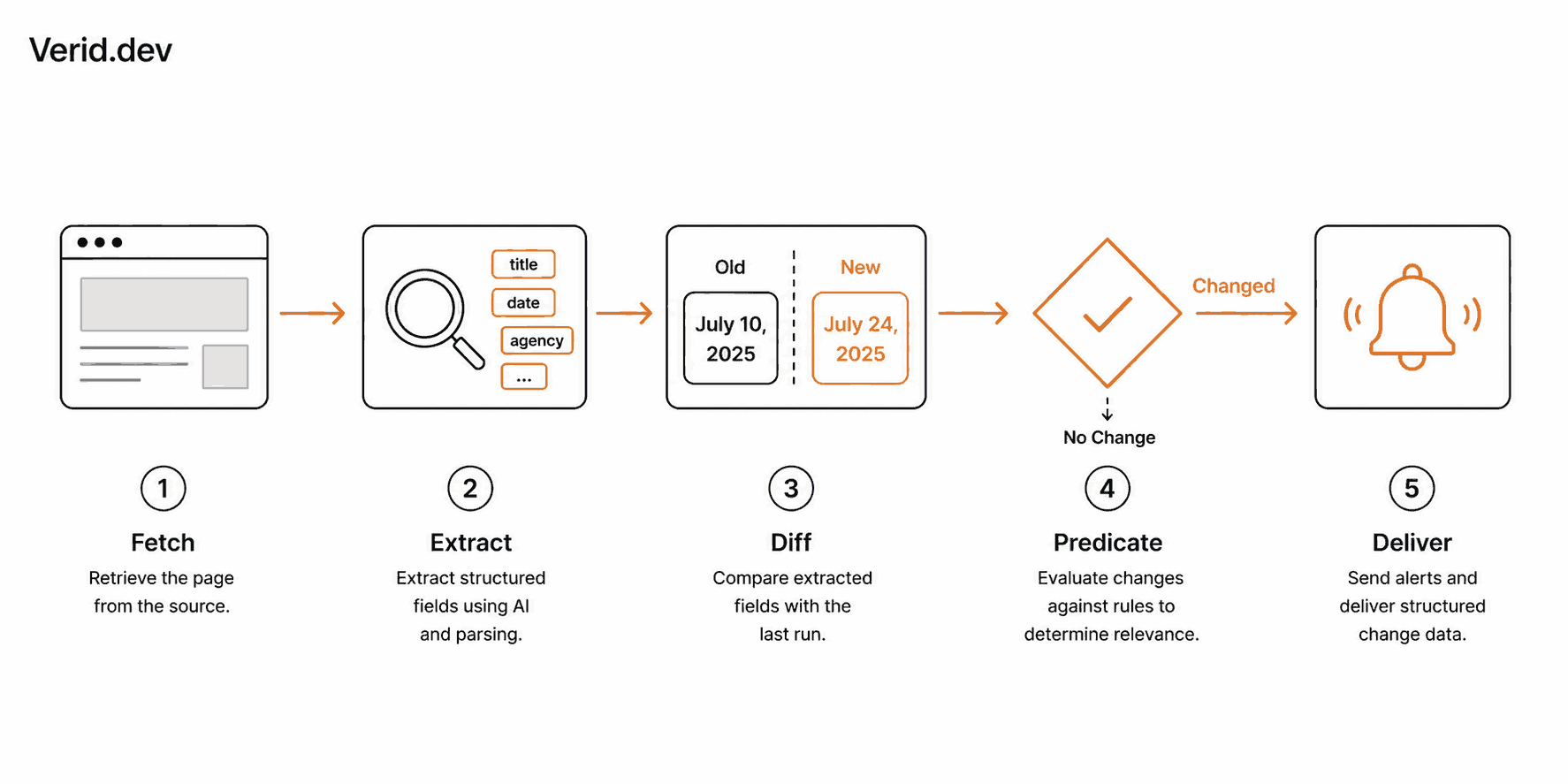
Verid is a web change detection API built around a simple idea: you shouldn't get an alert every time a page changes, only when a specific field crosses a rule you defined.
Instead of comparing screenshots, Verid extracts named fields from a page on a schedule, runs a field-level diff against the last successful check, and only fires a delivery when a predicate you wrote evaluates to true. Practically, that means "alert me only when the Pro plan's price drops," not "alert me every time anything on this page moves."
For pricing pages specifically, this matters because Verid supports six extraction methods, including CSS selectors for pages with stable markup and an AI-powered prompt extractor for pages where pricing is spread across cards, tables, or JavaScript-rendered components that don't map cleanly to a single selector. You describe the field in plain language ("the monthly price of the Pro plan, as a number") and Verid's extractor pulls it out, no regex required.
Combined with nine predicate types, including percentage-based price drops, exact value matches for tier names, and composite AND/OR rules, you get alerts scoped to what actually matters for a pricing decision.
Step-by-Step Monitoring Workflow
Here's a practical setup for tracking a competitor's pricing page.
1. Identify what you're actually tracking. Decide which fields matter: the price of each tier, the plan names, feature inclusions, or all three. Trying to track everything on the page at once usually produces more noise than a scoped monitor.
2. Pick the right extraction method. If the pricing page renders a clean number in the DOM (<span class="price">49</span>), a CSS selector works fine. If the page uses inconsistent markup, dynamic currency formatting, or renders pricing through client-side JavaScript, the prompt-based LLM extractor is more reliable, since it reads the rendered page and returns a typed value regardless of the underlying markup.
3. Set a predicate, not a raw change trigger. A raw "notify on any change" rule catches every layout tweak. A field_decreases_by_percent predicate at a 5 to 10 percent threshold catches the moves that actually affect competitive position.
4. Choose a delivery channel your team will actually see. Slack or a webhook into your CRM tends to get more attention than an email that sits in an inbox.
5. Set a check interval that matches how fast the page actually moves. A direct competitor's pricing page is a reasonable candidate for hourly checks. A less critical adjacent player might only need daily.
Real Example
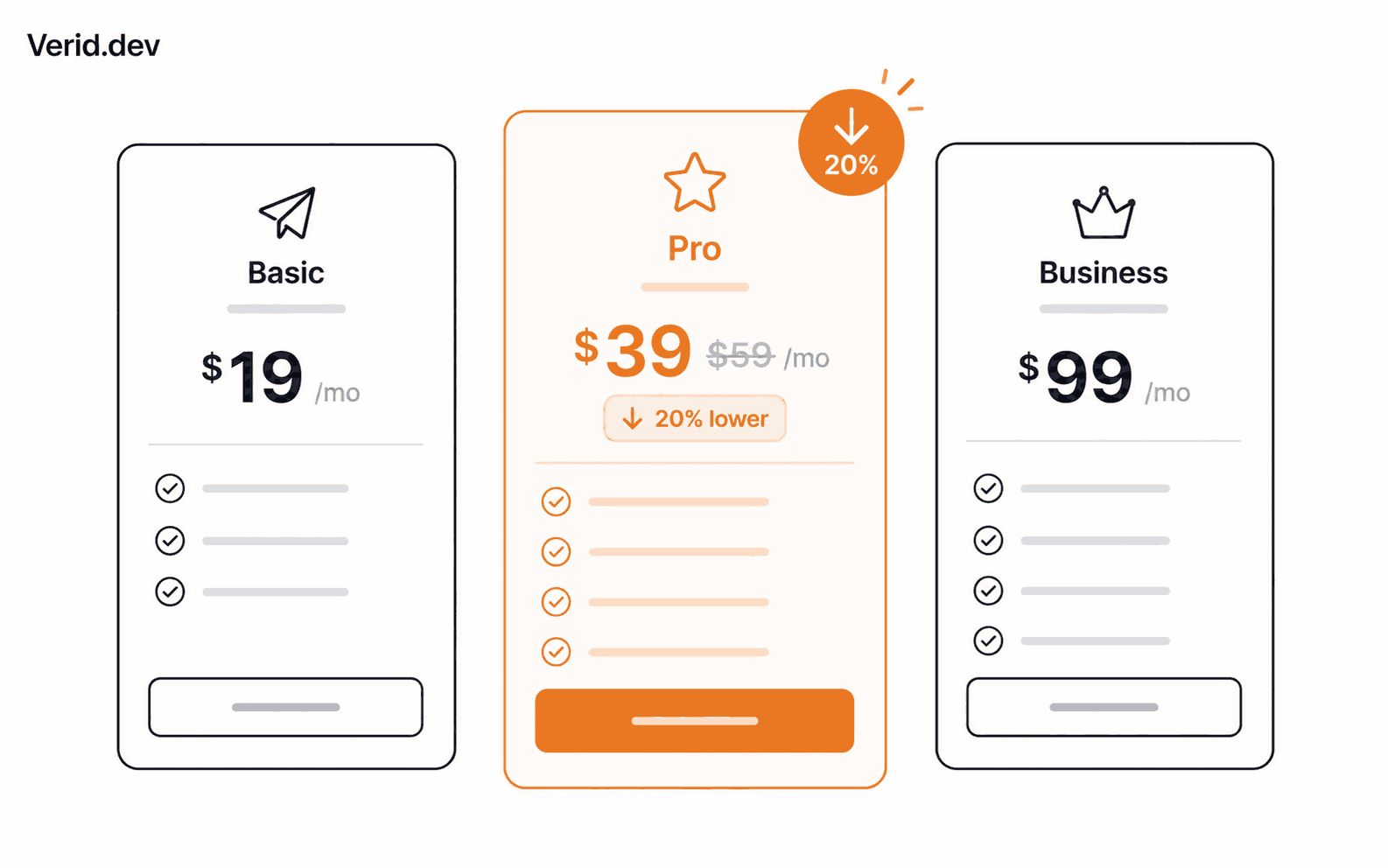
Say you're tracking a competitor whose pricing page shows a numeric monthly price for each tier and an availability badge for a limited-time promo. A CSS selector can pull both fields directly, and a composite predicate can fire only when the price drops or the promo badge appears.
| Field | Extraction method | Why |
|---|---|---|
| Tier price (clean number in DOM) | CSS selector | Fast, free, no LLM quota used |
| Tier price (mixed with currency symbol or text) | Prompt-based extraction | Returns a normalized number, avoids parsing errors |
| Plan name or tier structure | CSS or prompt | Catches when a tier is renamed or removed entirely |
| "Contact us" enterprise pricing | Prompt-based extraction | No fixed selector exists; a natural-language field description works better |
Code Example
A monitor watching a competitor's pricing page for a price drop on a specific plan, using CSS extraction:
curl -X POST https://api.verid.dev/v1/monitors \
  -H "Authorization: Bearer $VERID_API_KEY" \
  -H "Content-Type: application/json" \
  -d '{
    "name": "Competitor Pro Plan Price",
    "url": "https://competitor.com/pricing",
    "schedule_interval_seconds": 3600,
    "extract_config": {
      "method": "css",
      "fields": {
        "price": "[data-plan=pro] .price-amount",
        "tier_name": "[data-plan=pro] h3"
      }
    },
    "diff_predicate": {
      "type": "field_decreases_by_percent",
      "field": "price",
      "threshold": 5
    },
    "deliveries": [
      { "type": "webhook", "url": "https://your-app.com/hooks/pricing-change" }
    ]
  }'
There's a real gotcha worth flagging here. If the price on the page renders as $49.99 rather than a raw 49.99, the currency symbol turns the extracted value into a string that fails to parse as a number, and field_decreases_by_percent silently never fires. This is documented directly in Verid's price-drop recipe. The fix is either a CSS selector scoped to just the digits, or switching to prompt-based extraction, which normalizes the value for you:
curl -X POST https://api.verid.dev/v1/monitors \
  -H "Authorization: Bearer $VERID_API_KEY" \
  -d '{
    "name": "Competitor Pricing Page (AI extraction)",
    "url": "https://competitor.com/pricing",
    "schedule_interval_seconds": 3600,
    "extract_config": {
      "method": "prompt",
      "prompt": "Extract the monthly price of the Pro plan as a number without a currency symbol, the plan name, and whether a limited-time promotion badge is present.",
      "schema": {
        "price": "number",
        "tier_name": "string",
        "promo_active": "boolean"
      }
    },
    "diff_predicate": {
      "type": "composite",
      "operator": "OR",
      "conditions": [
        { "type": "field_decreases_by_percent", "field": "price", "threshold": 5 },
        { "type": "field_changes", "field": "promo_active" }
      ]
    },
    "deliveries": [
      { "type": "webhook", "url": "https://your-app.com/hooks/pricing-change" }
    ]
  }'
If you're building this into an internal tool rather than calling the API directly, the official Node.js SDK covers the same workflow:
import { VeridClient } from '@verid.dev/sdk';

const client = new VeridClient({ apiKey: process.env.VERID_API_KEY });

const monitor = await client.monitors.create({
  name: 'Competitor Pricing Page',
  url: 'https://competitor.com/pricing',
  schedule_interval_seconds: 3600,
  extract_config: {
    method: 'prompt',
    prompt: 'Extract the monthly price of the Pro plan as a number, the plan name, and whether a promo is active.',
    schema: { price: 'number', tier_name: 'string', promo_active: 'boolean' },
  },
  diff_predicate: {
    type: 'composite',
    operator: 'OR',
    conditions: [
      { type: 'field_decreases_by_percent', field: 'price', threshold: 5 },
      { type: 'field_changes', field: 'promo_active' },
    ],
  },
  deliveries: [{ type: 'webhook', url: 'https://your-app.com/hooks/pricing-change' }],
});
Every webhook Verid sends is HMAC-signed, so verify it before trusting the payload. Verid's webhook docs cover signature verification in Node, Python, Ruby, Go, and PHP. If you're setting up your own verification logic from scratch, the Node.js crypto module documentation and OWASP's guidance on webhook and API authentication are worth a read before you ship it.
Best Practices
- Scope extraction to the specific plan card or price element, not the entire page, using CSS selectors or XPath where the markup is stable.
- Use a percentage or absolute-value predicate instead of a raw field-change trigger, so you don't get alerted on cosmetic edits.
- Set check frequency based on how competitive the space is. Hourly is reasonable for a direct competitor; daily is fine for a secondary one. See Verid's plan comparison for how many runs each plan includes.
- Track tier names and feature inclusions alongside price. A competitor can hold price steady while quietly moving a feature to a higher plan, which is a pricing change in everything but name.
- Route alerts into a channel your team actually checks, ideally the same Slack channel sales and product already use.
Common Mistakes
| Mistake | Why it fails | Better approach |
|---|---|---|
| Screenshot diffing entire pricing pages | Fires on ads, badges, and unrelated layout shifts | Extract only the fields you care about |
| Using CSS selectors on prices with currency symbols | Value parses as a string, percentage predicates never fire | Scope the selector tighter or use prompt-based extraction |
| Checking manually on a calendar reminder | Inconsistent, easy to skip, catches changes late | Automate with a scheduled monitor |
| Alerting on every field change | Team stops reading alerts after a week of noise | Use threshold-based predicates like field_decreases_by_percent |
| Ignoring "Contact us" enterprise tiers | Assumes no change data exists | Use natural-language extraction to catch page copy or eligibility changes |
Manual vs Automated Monitoring
| Manual checking | Automated monitoring (Verid) | |
|---|---|---|
| Consistency | Depends on someone remembering | Runs on a fixed schedule, never skipped |
| Time cost | Grows linearly with competitor count | Flat, regardless of how many pages you track |
| Detection speed | Days to weeks | Minutes to an hour, depending on interval |
| Noise | N/A, but easy to miss subtle changes | Filtered by predicate, only fires on defined rules |
| Scales past 5 competitors | Rarely, in practice | Yes, monitors are unlimited; checks draw on monthly runs |
Conclusion
Competitor pricing pages change quietly, and the teams that catch those changes fastest are the ones with the shortest reaction time on sales objections and positioning. Manual checks don't scale, and generic screenshot tools trade one problem (missing changes) for another (drowning in irrelevant ones).
A predicate-driven setup, where you extract the exact fields you care about and only get alerted when a rule you defined actually fires, closes that gap without adding a maintenance burden. Verid's 14-day free trial covers unlimited monitors and 200 runs, no credit card required, enough to start tracking your closest competitors today.
FAQs
How often should I check a competitor's pricing page?
Hourly is a reasonable default for a direct competitor in a fast-moving category. Daily checks are usually enough for secondary competitors whose pricing rarely shifts. Match the interval to how often that specific page has historically changed rather than applying one interval everywhere.
Can I monitor pricing pages that don't show a plain number?
Yes. Pages that render pricing through JavaScript, split it across multiple elements, or hide it behind "Contact us" copy are better suited to prompt-based extraction, where you describe the field in plain language instead of writing a selector.
What's the difference between a screenshot monitoring tool and a field-level monitoring API?
Screenshot tools flag that a page changed visually, which includes cookie banners, rotating images, and ad content. A field-level API like Verid extracts specific values, like a price or tier name, and only alerts when that specific value meets a rule you set.
Do I need to write code to set this up?
The REST API and Node.js SDK are the most flexible option for teams that want the monitor wired directly into internal tools or CRM workflows, but a monitor can also be created and managed entirely through the dashboard without writing any code.
About the author

Software Engineer
Suleman is a software engineer focused on web-data infrastructure. He works on Verid’s scraping and change-detection stack, and covers CSS and XPath selectors, JSON API monitoring, and how to design alerts developers won’t end up muting.
More from Suleman →Related posts
Free Website Change Monitors Compared (No Card Required)
Compare free website change monitors that need no credit card. Real limits, check frequency, and which tool actually fits your use case.
Read the post →visual monitoringVisual Regression Testing vs Visual Monitoring: Which Do You Need?
Visual regression testing catches bugs before release. Visual monitoring catches changes after deployment. Learn the difference and which one you need.
Read the post →comparisonApify Alternative for Scheduled Website Monitoring
Compare Apify Actors to a dedicated change monitoring API. See when building an Actor makes sense, and when webhooks on a rule get you there faster.
Read the post →AiHow to Feed AI Agents Fresh Web Data Without Re-Scraping Everything
How AI agents and RAG systems stay fresh without re-scraping entire sites: change detection, webhooks, and incremental updates explained.
Read the post →