Visual Regression Testing vs Visual Monitoring: Which Do You Need?
Someone changes a button's padding and the layout shifts three pixels to the left. A marketing team swaps a hero image on a page nobody told engineering about. A competitor quietly redesigns their pricing table. All three are visual changes. None of them get caught the same way.
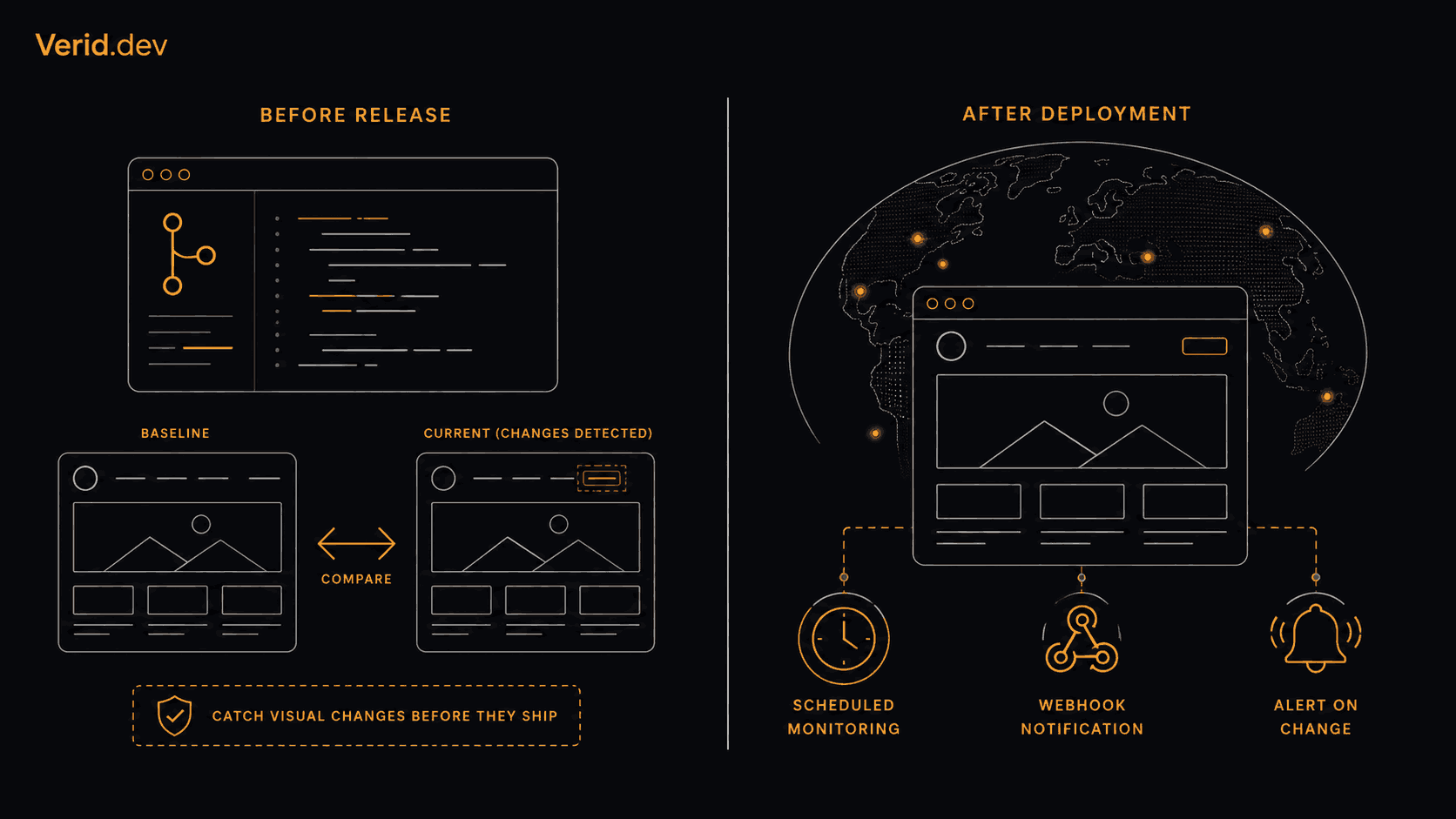
Visual regression testing and visual monitoring both work by comparing screenshots, and that surface similarity is exactly why teams mix them up when picking a tool. The short answer: visual regression testing checks your own code before it ships, and visual monitoring checks what's already live, on a schedule, indefinitely. Below is how to tell which one your team actually needs, and where the two overlap.
What is the difference between visual regression testing and visual monitoring?
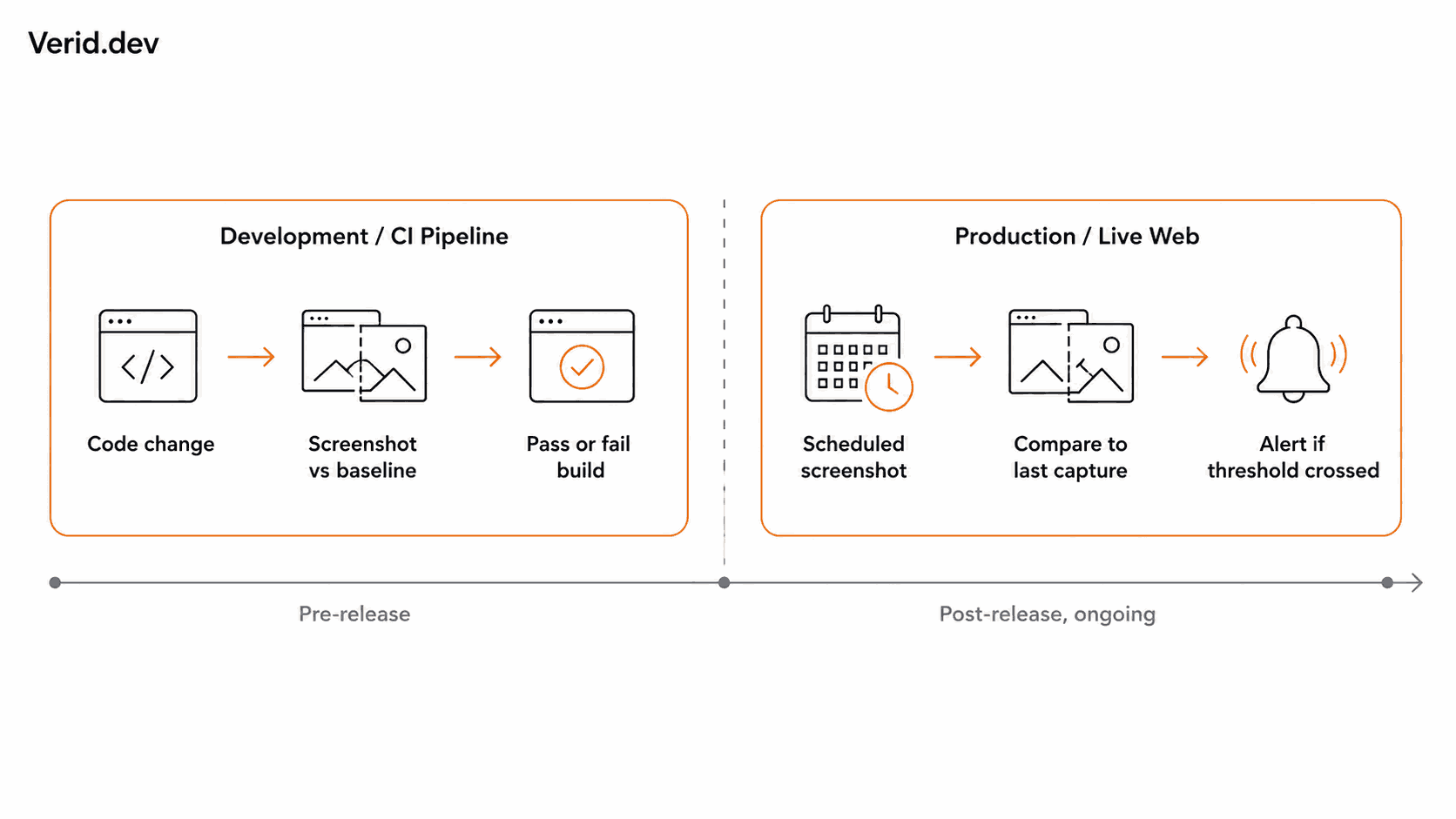
Visual regression testing runs inside a build or a CI pipeline. It compares a fresh screenshot against an approved baseline, and if the difference crosses a tolerance, the build fails or a reviewer gets a diff to approve. It answers one question: did this specific code change alter how the UI renders, compared to the last known good state?
Visual monitoring runs against a live URL on an interval, independent of any deploy. It compares the current screenshot to the previous scheduled capture and alerts when the change is meaningful. It answers a different question: does this page still look the way it did the last time I checked it, whether I changed anything or not?
The distinction that matters isn't the screenshot comparison itself, since both use pixel diffing under the hood. It's what triggers the check and what environment it's pointed at. One is a release gate. The other is an ongoing watch.
| Factor | Visual Regression Testing | Visual Monitoring |
|---|---|---|
| Primary goal | Catch unintended UI changes before release | Detect meaningful changes on pages that are already live |
| Typical environment | Development, staging, CI/CD pipeline | Production, or any public URL you don't control |
| What triggers a check | A commit, a pull request, or a deploy | A schedule (every few minutes to once a day) |
| Baseline | An approved reference screenshot committed to the repo | The previous scheduled capture |
| Who acts on it | Developers and QA, before merge | Product, marketing, QA, or ops, after the fact |
| Typical result of a failed check | Blocked build or a diff waiting for review | An alert with before, after, and a diff image |
| Can it watch pages you don't own | No, only what your pipeline can build | Yes, any public URL |
What is visual regression testing?
Visual regression testing is a form of automated UI testing that compares a rendered page or component against a stored baseline image, pixel by pixel, and fails the check when the difference exceeds a set threshold. It's a specific case of regression testing generally, which exists to confirm a code change didn't break something that used to work, applied here to appearance instead of behavior.
In practice it lives in the same place as your other automated tests. Playwright and Cypress both support screenshot comparison natively, Playwright's toHaveScreenshot() assertion being the most common entry point for teams already writing end to end tests in that framework. Teams that need cross browser coverage, AI assisted diffing to cut down on noisy false positives, or a review workflow for designers tend to reach for a dedicated platform such as Percy, Chromatic, or Applitools instead of maintaining baselines by hand.
The workflow is always some version of: capture a screenshot on a pull request, diff it against the approved baseline, surface anything that changed for a human to accept or reject, and update the baseline once it's approved. It's opinionated about timing (before merge) and about scope (whatever your build can render), and that's the entire point. It's a gate, not a watch.
What is visual monitoring?
Visual monitoring captures a screenshot of a live page on a recurring schedule and compares it to the previous capture, alerting when enough of the page has changed to matter. There's no build, no pull request, and no baseline you approve up front. The "baseline" is simply whatever the page looked like last time it was checked.
This is the layer Verid's visual monitoring feature covers. You point it at a URL, choose a region to watch (or the whole page), mask elements that always churn like cookie banners or rotating testimonials, and set a change threshold so the alert fires only when the movement is real and not a font rendering difference between two runs. Every check keeps its screenshot, so an alert arrives with the before image, the after image, and a red highlighted overlay of exactly which pixels moved.
The visual monitoring product page covers the mechanics in more depth, including how regions, masking, and thresholds interact, so this article won't repeat that walkthrough. What matters for the comparison at hand is the framing: visual monitoring watches production, competitor pages, partner sites, or anything else with a public URL, on a clock, whether or not you ever touch the underlying code.
When should you use visual regression testing?
Use it whenever you control the code and want to catch a mistake before a user sees it. A few concrete cases:
- A developer resizes a button and the change shifts a sibling element out of alignment. A visual regression test catches it in the pull request, before the merge.
- A design system component gets updated in one place and used across forty pages. Component level visual tests (the kind Chromatic runs against Storybook stories) catch every page that inherited the change, not just the one someone remembered to check manually.
- A CSS refactor is supposed to be purely cosmetic cleanup, and the team wants a safety net that fails the build if it wasn't.
- A checkout flow needs to render identically across Chrome, Safari, and Firefox, and manual cross browser QA doesn't scale to every release.
The common thread is that the change originates in your codebase and there's a build step to hook into. If nothing is being deployed, there's nothing for a regression test to gate.
When is visual monitoring the better choice?
Visual monitoring earns its place wherever the change doesn't come from your own deploy pipeline, or where you need eyes on a page you don't control at all:
- A CMS edit, a CDN configuration change, or a marketing tag manager update alters a page after the build already passed. Nothing in CI ever ran against that change, because nothing was deployed through CI.
- A competitor updates their pricing page. There's no build to hook a test into. Watching their live URL is the only option.
- A government or regulatory website changes an important notice, and a compliance team needs to know within a day, not whenever someone happens to check.
- A SaaS product's public documentation changes, and a partner integration or a support team needs to know their reference material moved.
- A third party script, widget, or embedded ad reflows part of a page you own, and it happens with the HTML technically unchanged and no deploy event to trigger anything.
In each case the thing you're watching either isn't yours to build, or changes independently of your release process. That's the gap visual regression testing structurally cannot cover, because it only ever compares your build against your last build.
Can you use visual regression testing and visual monitoring together?
Yes, and for any team shipping regularly, that's usually the right setup rather than a either-or decision. The two don't compete for the same job. Visual regression testing stops a bad commit from becoming a bad deploy. Visual monitoring catches everything that happens to a page after it's already live, which is a longer list than most teams expect: CMS edits, CDN swaps, expired third party assets, a font that stopped loading, a consent banner that quietly broke.
A practical split looks like this: keep Percy, Chromatic, BackstopJS, or Playwright's built in snapshot testing in the CI pipeline, gating merges the way they already do. Then add a visual monitor on the URLs that matter most after deploy, such as the homepage above the fold, the checkout flow, and any page a non engineering team can edit without going through code review. One approach protects the release. The other protects everything that happens to the page afterward, which a green pipeline has no way to see.
Which approach should your team choose?
If the honest answer to "what changed" is always "a commit we made," visual regression testing in CI is the whole answer, and a monitoring layer would mostly sit idle. If pages under your domain get edited outside of code (by marketing, by a CMS, by a third party script) or if you need to watch pages you don't control at all, like a competitor's pricing page or a regulator's notice board, visual regression testing has no way to see any of that, and visual monitoring is the piece that's missing.
Most teams past a certain size end up needing both, just aimed at different moments: a pipeline gate before release, and a live watch after it. Verid's visual monitoring is built for the second half of that pair. It's a screenshot diff on a schedule, scoped to the region you care about, delivered as a signed webhook, Slack, Discord, or email alert with the before, after, and diff image attached. It isn't a CI gate and doesn't try to be one. If you're deciding where to start, the 14-day free trial includes 100 visual runs with no credit card required, which is enough to see whether a scheduled watch on your homepage or your top competitor's pricing page catches something your pipeline never would.
Frequently Asked Questions
Is visual regression testing the same as visual monitoring?
No. Both compare screenshots, but visual regression testing runs against your own build in a CI pipeline and gates a release, while visual monitoring runs against a live URL on a schedule and alerts on changes after the fact, whether or not anything was deployed.
When should I use visual regression testing?
Use it when you control the code and want to catch layout or styling bugs before they merge or deploy, especially in component libraries, design systems, or checkout flows where a small CSS change can have a wide blast radius.
When should I use visual monitoring?
Use it for anything that can change outside your deploy pipeline: your own pages after a CMS edit, competitor pages, partner or reseller pages using your brand, regulatory notices, or any public URL where you need to know it changed without waiting for someone to notice manually.
Can visual regression testing and visual monitoring work together?
Yes. They cover different moments in a page's life. Regression testing protects the release; monitoring protects everything that happens to the page after that release, which includes content edits, third party scripts, and anything a competitor or partner does on a page you don't build.
About the author

Software Engineer & Technical Writer
A software engineer and technical writer, Hanzala focuses on developer experience at Verid: SDKs, API reference, and step-by-step guides. He writes about change detection, scheduling, and alert design for teams automating web data.
More from HANZALA SALEEM →Related posts
Free Website Change Monitors Compared (No Card Required)
Compare free website change monitors that need no credit card. Real limits, check frequency, and which tool actually fits your use case.
Read the post →comparisonApify Alternative for Scheduled Website Monitoring
Compare Apify Actors to a dedicated change monitoring API. See when building an Actor makes sense, and when webhooks on a rule get you there faster.
Read the post →AiHow to Feed AI Agents Fresh Web Data Without Re-Scraping Everything
How AI agents and RAG systems stay fresh without re-scraping entire sites: change detection, webhooks, and incremental updates explained.
Read the post →comparisonFirecrawl vs Verid: A Scraping API and a Monitoring Loop Are Not the Same Thing
Firecrawl scrapes and now checks pages on a schedule. Verid is built only for monitoring. Here's the real architectural difference.
Read the post →