SERP Monitoring: Track Rank and Result Changes Automatically
Learn how to monitor Google search results, track competitor rankings, and detect SERP feature changes automatically using Verid's change detection API.
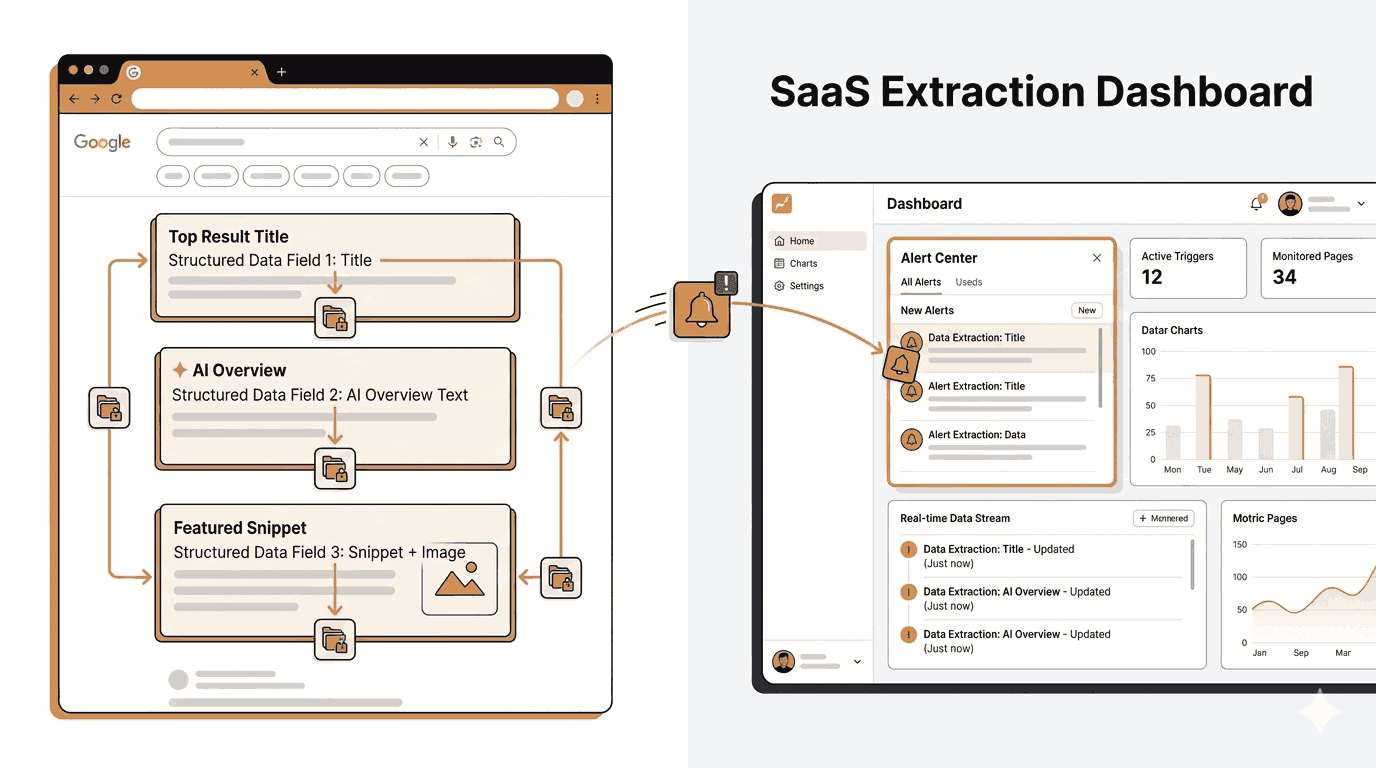
Your most important keyword has ten blue links, and any of them can change overnight. A competitor can jump into position two. Someone can rewrite their title tag and take your clicks. Your own page can slip from #3 to #7 after an update, and you only notice when traffic dips a week later.
SERP monitoring fixes that by checking the search results page for a keyword on a schedule, recording what is there, and alerting you when something moves. This guide shows you how to set it up in the Verid dashboard, through the API, and with the Node.js SDK. It also covers five practical setups, the webhook payloads you will receive, what a run costs, and the limits you should know before you start.
What is SERP monitoring?
SERP monitoring means automatically checking a search engine results page (SERP) for a keyword at regular intervals, storing the organic results, and comparing each check to the last one. When the results change in a way you care about, you get an alert.
A SERP monitor differs from a classic rank tracker in one useful way. A rank tracker answers "where does my site rank?". A SERP monitor can also answer "what changed on the page?": who entered, who left, whose title or snippet was rewritten.
Verid supports both questions with two modes:
| Mode | Question it answers | What triggers an alert |
|---|---|---|
Rank Tracking (rank_tracking) |
Where does my domain rank for this keyword? | Your rank moves by a threshold you set, or your domain enters or drops out of the results |
SERP Analysis (full_analysis) |
What is on the results page, and when does any of it change? | Any change in the result list: a rank, a title, a snippet, a domain entering or leaving |
Both modes keep a full history of every check, so you also get a SERP history for the keyword that you can read in the dashboard or pull through the API.
Why teams monitor SERPs
- SEO teams watch rank after content updates, link building, or a Google core update.
- Competitive intelligence teams see when a rival enters the top results or rewrites a listing.
- Agencies keep timestamped evidence of ranking changes for client reports.
- Product and brand teams watch branded queries for new competitors or unwanted results.
- Developers pipe SERP data into their own tools through a SERP tracking API instead of building a scraper.
How do you monitor SERP changes?
You monitor SERP changes in four steps, whether you use a dashboard or code:
- Pick a keyword, engine, country, and language. For example: "best invoicing software", Google, US, English.
- Choose a mode. Use Rank Tracking to follow one domain, or SERP Analysis to watch the whole result list.
- Set a check frequency. Daily is the default. The fastest option is every 10 minutes.
- Add a delivery. Email, Slack, Discord, or a signed webhook.
Verid then loads the results page in a real headless browser, reads between 1 and 5 pages of organic results, and stores each result's position, title, URL, domain, and description. You do not build a search URL, write XPath, or maintain selectors. That was how SERP monitoring worked with a generic page monitor. A dedicated SERP monitor removes all of it.
The next three sections walk through each way to set it up.
SERP monitoring in the Verid dashboard
You do not need code for this. Start a 14-day free trial (no credit card), open SERP tracking in the dashboard, and choose New SERP monitor.
The form has four sections: Basics, Targeting, Schedule & alerts, and Notifications. A live panel on the right shows the exact API request your choices produce, so the form doubles as an API reference.
Step 1: Pick a mode (Basics)
Two buttons sit at the top of the form:
- Rank Tracking: "Track one domain's position for a keyword."
- SERP Analysis: "Get the full result list as JSON."
The rest of the form adapts to your choice. In SERP Analysis mode, the target domain and rank threshold fields disappear because that mode watches the whole list.
Step 2: Enter the keyword and name (Basics)
Type the Keyword exactly as a searcher would, for example best project management software. The Name field fills itself from the keyword when you leave the keyword box, so you can accept it or change it.
One monitor per keyword keeps results clean. If you track 40 keywords, you get 40 monitors, and monitors are unlimited on every plan.
Step 3: Choose the search engine (Basics)
The Search engine menu offers Google, Bing, Yahoo, DuckDuckGo, and Yandex. Google and Bing are the most tested. The others are supported, but treat them as newer.
Step 4: Set the market (Targeting)
- Target domain (Rank Tracking only, optional): enter
yourdomain.com. Verid finds it in the organic results and tracks its position. Matching ignoreshttps://andwww.. Leave it blank to just record the results without tracking a rank. - Location: a two-letter country code such as
us,gb, orde. - Language: a two-letter language code such as
en. - Device: the form shows Desktop and Mobile, but results are desktop only today. Leave it on Desktop.
- Pages to scrape: 1 to 5. One page is about 10 organic results, so 5 pages reach roughly the top 50.
Step 5: Set the schedule and alert rule (Schedule & alerts)
Check frequency offers: every 10 minutes, 30 minutes, hour, 6 hours, 12 hours, once a day, every 2 days, and once a week. New monitors start at once a day, which is a sensible default for most keywords.
In Rank Tracking mode, Alert on rank change takes a number of positions. Set it to 3 and you are alerted when your domain moves three or more positions, or enters or leaves the results. Leave it blank and Verid still records every check but never alerts on movement.
In SERP Analysis mode there is no threshold. An alert fires whenever the result list changes.
Step 6: Add notifications (Notifications)
Use the + Email, + Slack, + Discord, and + Webhook buttons to add destinations. You can add up to 25 per monitor. If you add none, changes stay visible in the dashboard only.
Click Create SERP monitor. Then use run now to queue a first check instead of waiting for the schedule.
Step 7: Read the history and the diff
Every check lands in the monitor's run history: status, time, rank, and the full organic result list. For any two runs, the dashboard has a diff page showing what moved between them. That is your SERP history for the keyword, and it is the fastest way to see what happened on the day your rank fell.
SERP monitoring with the API
If you manage many keywords, create monitors from code. The base URL is https://api.verid.dev, and every request needs an Authorization: Bearer vrd_your_api_key header. If you want the full reference, see the SERP tracking docs.
Create a rank tracking monitor
curl -X POST https://api.verid.dev/v1/serp-monitors \
  -H "Authorization: Bearer vrd_your_api_key" \
  -H "Content-Type: application/json" \
  -d '{
    "name": "best invoicing software - us",
    "keyword": "best invoicing software",
    "mode": "rank_tracking",
    "engine": "google",
    "target_domain": "yoursite.com",
    "location_code": "us",
    "language_code": "en",
    "pages": 1,
    "schedule_interval_seconds": 86400,
    "rank_change_threshold": 3,
    "deliveries": [
      { "type": "email", "to": "you@yourcompany.com" }
    ]
  }'
Create a SERP analysis monitor
For the whole result list, switch the mode and drop the target domain. Sending target_domain with full_analysis is rejected with a 422.
curl -X POST https://api.verid.dev/v1/serp-monitors \
  -H "Authorization: Bearer vrd_your_api_key" \
  -H "Content-Type: application/json" \
  -d '{
    "name": "SERP analysis - best invoicing software",
    "keyword": "best invoicing software",
    "mode": "full_analysis",
    "engine": "google",
    "location_code": "us",
    "language_code": "en",
    "pages": 3,
    "schedule_interval_seconds": 21600,
    "deliveries": [
      { "type": "webhook", "url": "https://your-app.com/hooks/serp" }
    ]
  }'
Field reference
| Field | Type | Default | Notes |
|---|---|---|---|
name |
string | required | 1 to 200 characters |
keyword |
string | required | 1 to 500 characters |
mode |
rank_tracking or full_analysis |
rank_tracking |
See the two modes above |
engine |
google, bing, yahoo, duckduckgo, yandex |
google |
Google and Bing are the most tested |
target_domain |
string | none | rank_tracking only. Rejected with a 422 in full_analysis |
location_code |
two-letter country code | us |
Country level only |
language_code |
two-letter language code | en |
|
device |
desktop or mobile |
desktop |
Results are desktop only today |
pages |
1 to 5 | 1 |
Each page costs one run per check |
schedule_interval_seconds |
integer | required | Minimum 600 (10 minutes) |
rank_change_threshold |
positive integer | none | rank_tracking only. No threshold means no rank alerts |
deliveries |
array | [] |
Up to 25. Webhook, Slack, Discord, email |
Run a check now
Do not wait for the schedule when you are testing. Queue a check on demand:
curl -X POST https://api.verid.dev/v1/serp-monitors/YOUR_MONITOR_ID/run \
  -H "Authorization: Bearer vrd_your_api_key" \
  -H "Content-Type: application/json" \
  -d '{}'
Run now has no daily cap. Each check still uses one run per page from your monthly allowance.
Read run history and a per-run diff
List the runs, newest first:
curl https://api.verid.dev/v1/serp-monitors/YOUR_MONITOR_ID/runs \
  -H "Authorization: Bearer vrd_your_api_key"
Each run returns id, status (running, success, error, or skipped), started_at, completed_at, organic_results (an array of position, title, url, domain, description), target_rank, rank_delta, ai_overview_present, featured_snippet_present, delivery_triggered, duration_ms, and error_message.
To compare a run against the one before it, fetch a single run:
curl https://api.verid.dev/v1/serp-monitors/YOUR_MONITOR_ID/runs/RUN_ID \
  -H "Authorization: Bearer vrd_your_api_key"
That response includes the run and the previous run, so you can compute the diff yourself or just read the two result lists side by side.
The same family of endpoints lets you list, update, delete, pause, and resume monitors. You can also fetch a monitor's webhook signing secret.
SERP monitoring with the Node.js SDK
Install the official SDK:
npm install @verid.dev/sdkThen create a monitor, queue a check, and read history:
import { VeridClient } from '@verid.dev/sdk';

const client = new VeridClient({
  apiKey: process.env.VERID_API_KEY!,
});

const monitor = await client.serpMonitors.create({
  name: 'best invoicing software - us',
  keyword: 'best invoicing software',
  mode: 'rank_tracking',
  engine: 'google',
  target_domain: 'yoursite.com',
  location_code: 'us',
  language_code: 'en',
  schedule_interval_seconds: 86400,
  rank_change_threshold: 3,
  deliveries: [{ type: 'email', to: 'you@yourcompany.com' }],
});

// Queue a check right now
await client.serpMonitors.runNow(monitor.id);

// Newest-first run history
const { data: runs } = await client.serpMonitors.runs(monitor.id, { limit: 10 });
for (const run of runs) {
  console.log(run.started_at, run.status, run.target_rank, run.rank_delta);
}
Need to track a whole keyword list? Loop over it and create one monitor per keyword. The client also exposes list, get, update, delete, pause, resume, and signingSecret.
const keywords = ['best invoicing software', 'invoice generator', 'freelance invoicing'];

for (const keyword of keywords) {
  await client.serpMonitors.create({
    name: `${keyword} - us`,
    keyword,
    mode: 'rank_tracking',
    target_domain: 'yoursite.com',
    schedule_interval_seconds: 86400,
    rank_change_threshold: 3,
    deliveries: [{ type: 'email', to: 'you@yourcompany.com' }],
  });
}
That is a working SERP tracking API workflow with no scraper, no proxy pool, and no scheduler to maintain.
What the alerts look like
Email, Slack, and Discord deliver a readable summary. Webhooks deliver JSON. Every webhook is signed with a Verid-Signature header in the form t=<unix>,v1=<hex HMAC-SHA256>, and you should reject anything older than five minutes.
Rank tracking payload
{
  "id": "d_2h8Kq...",
  "version": "2026-05-01",
  "monitor_id": "9f3c...",
  "run_id": "r_71ba...",
  "fired_at": "2026-10-13T09:14:02.418Z",
  "diff": { "fields_changed": [], "before": {}, "after": {} },
  "serp": {
    "keyword": "best invoicing software",
    "target_domain": "yoursite.com",
    "rank": 7,
    "previous_rank": 3,
    "rank_delta": 4
  },
  "monitor": {
    "name": "best invoicing software - us",
    "url": "https://www.google.com/search?q=..."
  }
}
A positive rank_delta means your domain moved down the page (from #3 to #7 here). The diff object is always empty on SERP alerts. The change lives in the serp block.
SERP analysis payload
{
  "id": "d_9xLp2...",
  "version": "2026-05-01",
  "monitor_id": "4b1e...",
  "run_id": "r_a03c...",
  "fired_at": "2026-10-13T09:14:02.418Z",
  "diff": { "fields_changed": [], "before": {}, "after": {} },
  "serp_analysis": {
    "keyword": "best invoicing software",
    "results": [
      { "rank": 1, "title": "Best invoicing software of 2026", "description": "Compare the top invoicing tools side by side.", "domain": "https://www.capterra.com/" },
      { "rank": 2, "title": "Top-rated invoicing software - G2", "description": "Real user reviews for every invoicing platform.", "domain": "https://www.g2.com/" }
    ],
    "previous_results": [
      { "rank": 1, "title": "Top-rated invoicing software - G2", "description": "Real user reviews for every invoicing platform.", "domain": "https://www.g2.com/" },
      { "rank": 2, "title": "Best invoicing software of 2026", "description": "Compare the top invoicing tools side by side.", "domain": "https://www.capterra.com/" }
    ]
  },
  "monitor": {
    "name": "SERP analysis - best invoicing software",
    "url": "https://www.google.com/search?q=..."
  }
}
results and previous_results cover every page you asked for. Diff the two lists in your code, or read the same comparison on the dashboard's diff page. Here, capterra.com and g2.com swapped places.
Failed webhook deliveries are retried up to 6 times over about four hours, and only on server errors or network failures.
Five practical SERP monitoring examples
Example 1: Watch your rank with threshold alerts
Goal: know when your page slips on a keyword you care about.
Setup: Rank Tracking mode, your domain as the target, a daily schedule, and rank_change_threshold set to 3.
- You get an alert when your rank moves by 3 or more positions in either direction.
- You also get one if your domain drops out of the results, or enters them.
- Smaller wobbles (#4 to #5) stay quiet but are still recorded in the history.
Use a threshold of 1 for a keyword that drives revenue, and 5 for one you check casually. If you leave the threshold blank you get a pure SERP history with no alerts.
Example 2: Alert when a competitor enters the top results
Goal: find out when a specific rival appears for your keyword.
Setup: SERP Analysis mode with pages set to 1 or 2 and a daily schedule.
{
  "name": "SERP analysis - best CRM software",
  "keyword": "best CRM software",
  "mode": "full_analysis",
  "pages": 2,
  "schedule_interval_seconds": 86400,
  "deliveries": [{ "type": "webhook", "url": "https://your-app.com/hooks/serp" }]
}
An alert fires whenever a domain enters or leaves the list. In your webhook handler, check whether the rival's domain appears in results but not in previous_results. That gives you a precise "competitor entered the top 20" signal that you can route to Slack.
Example 3: Detect title and snippet rewrites in the top results
Goal: see when a competitor changes how their listing reads.
Setup: the same SERP Analysis monitor. Every result carries its title and description, and an alert fires on any change to either.
When a top-three result rewrites its title tag or Google starts showing a new snippet, the payload shows the old and new text side by side. This is a cheap way to learn which angle is winning, and to spot when a rival tests a new headline against yours.
Example 4: Compare the same keyword across countries
Goal: see how one keyword ranks in different markets.
Setup: create one monitor per country with the same keyword and a different location_code and language_code.
const markets = [
  { location_code: 'us', language_code: 'en' },
  { location_code: 'gb', language_code: 'en' },
  { location_code: 'de', language_code: 'de' },
];

for (const market of markets) {
  await client.serpMonitors.create({
    name: `best invoicing software - ${market.location_code}`,
    keyword: 'best invoicing software',
    mode: 'rank_tracking',
    target_domain: 'yoursite.com',
    schedule_interval_seconds: 86400,
    rank_change_threshold: 3,
    ...market,
  });
}
Targeting is country plus language, not city. It works best on Google, Bing, and DuckDuckGo. Yahoo applies language only, and Yandex applies neither.
Example 5: Compare Google and Bing for the same keyword
Goal: check whether your rank holds up outside Google.
Setup: two monitors with the same keyword, one with engine: "google" and one with engine: "bing".
Engines rank pages differently, so a rank on Google tells you little about Bing. Google and Bing are the two most tested engines in Verid, which makes them the best pair to compare.
What about AI Overviews and featured snippets?
Be careful here, because many tools overstate what they do. Verid does not capture AI Overview text and does not alert when one appears. What it does record is a pair of yes/no flags on every Google run: ai_overview_present and featured_snippet_present.
You can read those flags in run history or pull them through the runs endpoint. That is enough to answer "did Google show an AI Overview on this keyword last Tuesday?", and to spot when a keyword's page layout changed. They are informational only and do not trigger a SERP features change alert. If you need an alert when your organic rank is hurt by a new feature, use a rank threshold in Example 1. The rank drop is what pages you.
How much does SERP monitoring cost in runs?
Each page of results Verid reads uses one run. That makes the math simple:
runs per month = checks per month x pages per check
| Setup | Runs per month |
|---|---|
| 1 keyword, 1 page, once a day | about 30 |
| 1 keyword, 3 pages, once a day | about 90 |
| 1 keyword, 1 page, every hour | about 720 |
| 1 keyword, 1 page, every 10 minutes | about 4,320 |
SERP monitoring is included on the + SERP plans: Lite + SERP ($14/month, 1,000 runs), Starter + SERP ($29/month, 5,000 runs), Pro + SERP ($74/month, 15,000 runs), and Scale + SERP ($224/month, 100,000 runs). Runs are shared with your other monitors. Monitors themselves are unlimited, and every plan can use the same 10-minute minimum interval.
For example, the Lite + SERP plan covers roughly 33 keywords checked daily at one page each. You can also buy run credits at $10 per 1,000 runs, which unlock SERP on any plan.
The 14-day free trial includes 200 runs plus 100 SERP runs and needs no credit card. A daily one-page keyword uses about 14 of those over the trial, so you can test around seven keywords properly. See pricing for current details.
Tips for reliable SERP monitoring
- Start daily. Most keywords do not move every hour. Move to hourly only for the few that drive revenue.
- Use rank tracking for your site and SERP analysis for the market. They answer different questions, and you can run both on the same keyword.
- Set a threshold you will act on. A threshold of 1 on a volatile keyword creates noise. Pick the smallest move you would actually respond to.
- Mind the page count. Tracking position 31 needs 4 pages, which is four runs per check. Do not pay for depth you do not need.
- Check the history before you panic. One bad check can be a temporary reshuffle. Look at the last few runs on the diff page first.
- Name monitors with the market.
keyword - usbeatskeywordonce you have the same term in three countries. - Test with run now. Queue a check right after creating the monitor to confirm the target domain matches before you wait a day.
If you also want to know when your own pages change what they show Google, pair this with SEO title and meta description drift. To see what rivals say on their own pages, use competitor ad and landing page copy changes. The SERP tracking API product page has the full feature list.
What SERP monitoring in Verid does not do
Better to know these up front:
- Desktop only. The device option exists, but results are desktop results. There are no mobile rankings today.
- Country and language, not city. You cannot target a city, ZIP code, or coordinates.
- 10-minute minimum. Checks cannot run more often than every 10 minutes, which also keeps search engines from blocking the check.
- Organic results only. Each result has position, title, URL, domain, and description. It does not extract ads, People Also Ask, or AI Overview text.
- Up to 5 pages. Depth tops out at roughly the top 50 results.
- No keyword data. There is no volume or difficulty data. Pair it with your keyword research tool.
- Google and Bing are the most tested. Yahoo, DuckDuckGo, and Yandex work but have had less mileage.
- Run history follows your plan. Retention is 14 days on the trial, then 90, 180, 365, or 730 days on paid plans.
Frequently asked questions
What is SERP monitoring?
SERP monitoring is the practice of checking a search engine results page for a keyword on a schedule, recording the organic results, and alerting you when they change. It shows you not only where your site ranks but who else moved, and how their listings read.
How do you monitor SERP changes?
Pick a keyword, engine, country, and language. Choose Rank Tracking to follow one domain or SERP Analysis to watch the whole list. Set a check frequency and add a delivery such as email or a webhook. Verid checks on schedule, stores every result, and alerts you when your rank moves past your threshold or the result list changes.
What is a SERP alerts tool?
A SERP alerts tool notifies you when a search results page changes. With Verid, rank alerts fire when your domain moves by your chosen number of positions or enters or leaves the results, and result-list alerts fire when any rank, title, snippet, or domain changes. Alerts go to email, Slack, Discord, or a signed webhook.
How do I monitor Google SERP changes for a specific country?
Set location_code to a two-letter country code and language_code to a two-letter language code, in the dashboard's Targeting section or in the API. Google uses both. Targeting is country level only, not city.
Can I see SERP history for a keyword?
Yes. Every check is stored, with the full organic result list, your rank if you set a target domain, and the AI Overview and featured snippet flags for Google. You can read it in the dashboard, compare any run with the previous one on the diff page, or pull it from the runs endpoint. Retention depends on your plan.
How often should I check a SERP?
Daily works for most keywords. Use hourly or every 10 minutes only for a few revenue-critical ones, since every check costs one run per page. A daily one-page check is about 30 runs a month.
Does Verid alert me when an AI Overview appears?
No. Each Google run records whether an AI Overview and a featured snippet were present, and you can read those flags in the run history. They do not trigger alerts, and Verid does not capture AI Overview text.
Is there a SERP tracking API?
Yes. The /v1/serp-monitors endpoints let you create, update, pause, resume, run, and delete monitors, and read run history, with a Node.js SDK for convenience. See the SERP tracking API page for details.
Start SERP monitoring today
SERP monitoring comes down to a keyword, a schedule, and an alert you will act on. With Verid you set all three in one form, or in one API call.
- Rank Tracking follows your domain and alerts on the movement you choose.
- SERP Analysis watches the whole result list for entries, exits, and rewrites.
- Run history gives you a SERP history to explain every drop.
Start your 14-day free trial (no credit card), create your first SERP monitor, and let the results page tell you when it changes. Prefer to read first? The SERP tracking docs cover every field.
Want this running on your own URL? Spin up the same monitor in about a minute. 5 free, no credit card.
About the author

Software Engineer & Technical Writer
Hanzala is a software engineer and technical writer. He splits his time between shipping features in Verid’s monitoring stack and turning them into documentation and guides a developer can follow without guessing.
More from HANZALA SALEEM →Related use cases
How to Track Competitor Tech Stack Changes Automatically
Learn how to detect when competitors change their tech stack, update their tools, or ship new features using Verid's web change detection API.
View blueprint →Competitor AnalysisHow to Detect SEO Title and Meta Description Drift Using Verid
Learn how to detect SEO title and meta description drift automatically using Verid. Monitor metadata changes across your site and get instant alerts before rankings drop.
View blueprint →Competitor AnalysisHow to Monitor SaaS Competitor Pricing Changes Automatically
Learn how to monitor SaaS competitor pricing pages automatically with Verid. Get instant alerts when plans, prices, or features change - no manual checks needed.
View blueprint →