How to Automate Regulatory Compliance Monitoring for Legal Teams
Most legal teams still find out about a regulatory change the same way they did ten years ago: someone happens to check an agency page, a colleague forwards an email digest, or the change surfaces during a quarterly review that's already three months behind the actual publication date.
That gap is the real cost of manual compliance monitoring. Not the missed update itself, but the time between publication and awareness. This guide covers what automated monitoring actually requires, how to build it without adopting an enterprise GRC platform, and where a lightweight approach fits next to the tools your compliance team may already use.
Why manual regulatory monitoring breaks down
Regulatory pages don't publish through a shared API. A Treasury guidance page, an FDA labeling rule, a FINRA notice, and a state insurance bulletin each live on their own site, with their own layout, and their own update schedule. There's no RSS feed that unifies them.
Three patterns show up repeatedly on legal and compliance teams that rely on manual checks:
- The assignment doesn't survive personnel changes. Someone owns "watch this list of 20 pages" until they change roles, and the habit quietly dies with them.
- Email digests are noisy and incomplete. Agency newsletters bundle everything together, and the one clause that matters to your business gets buried between press releases.
- Enterprise regulatory intelligence platforms solve a different problem. Tools built for tracking obligations across dozens of jurisdictions and mapping them to internal controls are priced and scoped for large compliance departments, not for a legal team that needs to watch a specific list of thirty pages.
That third point matters. This isn't an argument against platforms like Vanta, OneTrust, or Drata, which are built for continuous control evidence and framework mapping at a different scale. It's about the gap underneath them: the specific agency pages, dockets, and policy notices that don't have an API and don't fit neatly into a framework library.
What automated monitoring actually requires
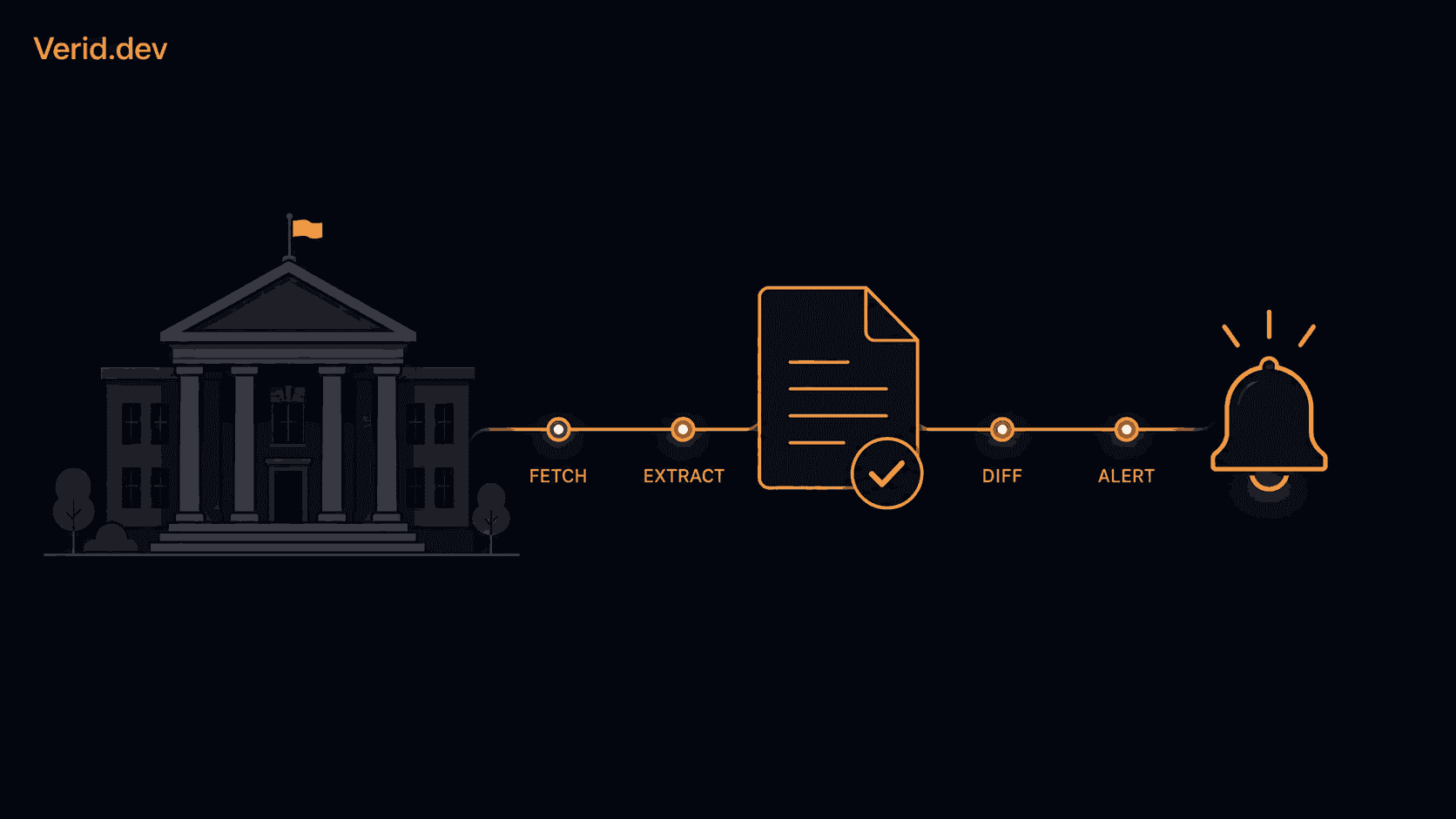
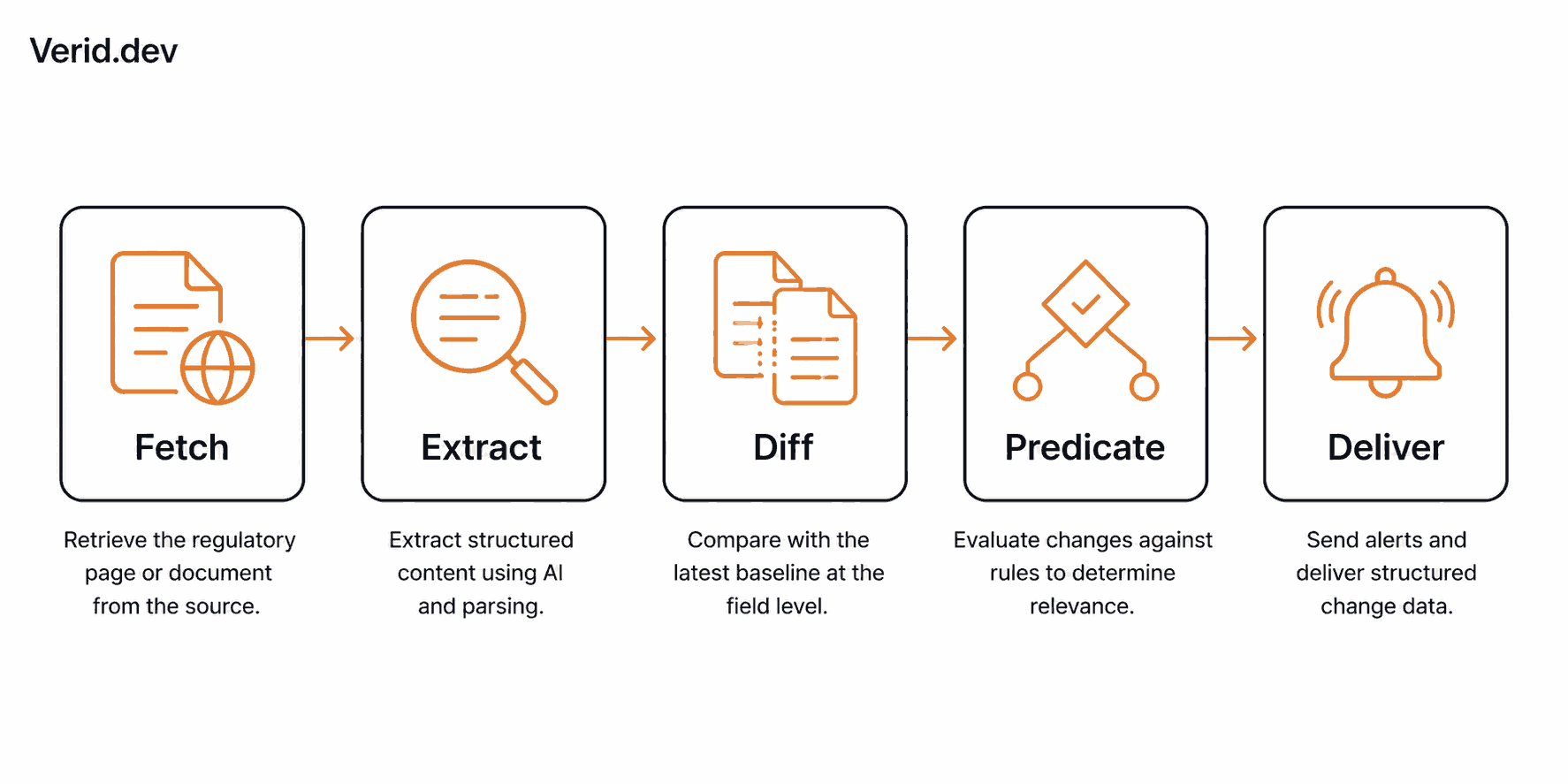
"Automate compliance monitoring" sounds simple until you build it. A working system needs five things happening in sequence, on a schedule, without someone manually triggering each step.
| Stage | What it does | Why manual processes skip it |
|---|---|---|
| Fetch | Retrieve the page, handling JavaScript rendering and bot protection | Most scripts only handle static HTML |
| Extract | Pull the specific field or text block that matters | Screenshots and full-page checks can't isolate one value |
| Diff | Compare the new extraction against the last known version | Requires storing state somewhere reliable |
| Predicate | Decide whether the change is meaningful enough to alert on | Without this, every cosmetic edit becomes a false alarm |
| Deliver | Push the change to the right person or system | Needs retry logic so a failed notification doesn't disappear |
Skip the predicate step and you get the classic complaint about screenshot-based monitoring tools: constant alerts for cookie banner updates and rotating ad content, and real changes lost in the noise.
Manual versus automated monitoring
| Factor | Manual review | Automated monitoring |
|---|---|---|
| Time to detect a change | Days to weeks | Minutes to hours |
| Consistency | Depends on the assignee | Runs on a fixed schedule regardless of staffing |
| Noise | Digest emails bundle everything | Predicates fire only on meaningful changes |
| Audit trail | Ad hoc notes, if any | Structured before/after record for every fired change |
| Coverage at scale | Breaks down past a handful of pages | Scales to dozens of pages at the same cost per page |
Building the monitor: two configurations that cover most regulatory pages
Two complementary monitor types work well for a regulatory or policy page: a full-page hash as a noisy backup signal, and a prompt-based extraction that returns a structured value and only fires when that specific field changes.
Full-page hash: the noisy backup
This is the simplest possible monitor. Verid hashes the entire response and triggers when the hash changes, with no selectors required. It's a reasonable safety net precisely because it's noisy: if the prompt-based extraction below misses something, the hash still catches it.
{ "method": "full_page" }Pair it with a predicate that fires on any change at all:
{ "type": "any_field_changes" }Prompt-based extraction: the actual signal
The AI/LLM prompt method lets you describe in plain English what to extract, and an optional schema forces the response into a consistent structure whose keys become field names you can reference in predicates. For a regulatory page, that means asking for the specific fields your legal team actually cares about, not the whole page.
{
  "method": "prompt",
  "prompt": "From this regulatory page, extract: (1) the effective date of the most recent revision (ISO date), (2) the title of the rule, (3) a one-sentence summary of what changed.",
  "schema": {
    "effective_date": "string",
    "rule_title": "string",
    "summary": "string"
  }
}
Then fire the alert only when the date that actually matters moves:
{ "type": "field_changes", "field": "effective_date" }Wiring it into a live monitor
Here's the full request against the Verid API, based on the documented regulatory filings use case:
curl -X POST https://api.verid.dev/v1/monitors \
  -H "Authorization: Bearer vrd_your_api_key" \
  -H "Content-Type: application/json" \
  -d '{
    "name": "Treasury - Guidance on X",
    "url": "https://home.treasury.gov/news/guidance/x",
    "schedule_interval_seconds": 86400,
    "extract_config": {
      "method": "prompt",
      "prompt": "From this regulatory page, extract: (1) the effective date of the most recent revision (ISO date), (2) the title of the rule, (3) a one-sentence summary of what changed.",
      "schema": {
        "effective_date": "string",
        "rule_title": "string",
        "summary": "string"
      }
    },
    "diff_predicate": { "type": "field_changes", "field": "effective_date" },
    "deliveries": [
      { "type": "email", "to": "legal@example.com" }
    ]
  }'
A daily check (86400 seconds) is enough for most agency pages. Regulatory sites don't change hourly, and checking too often just burns through your monthly usage without adding value.
When the effective date changes, the delivered payload looks like this:
{
  "id": "del_01H...",
  "fired_at": "2026-05-08T10:00:00Z",
  "diff": {
    "fields_changed": ["effective_date", "summary"],
    "before": {
      "effective_date": "2026-01-15",
      "rule_title": "Guidance on X for Q1 2026",
      "summary": "Original publication of the Q1 guidance."
    },
    "after": {
      "effective_date": "2026-05-08",
      "rule_title": "Revised Guidance on X - Q2 2026",
      "summary": "Updates the Q1 guidance with revised thresholds for reporting and a new effective date."
    }
  }
}
Every webhook is signed. The signature header uses HMAC-SHA256 in the same format Stripe and Svix use, so verification code you've already written for Stripe webhooks applies here almost unchanged. That matters for compliance work specifically: you want proof the alert wasn't spoofed before you treat it as an audit-worthy event.
Where this fits next to a GRC platform
If your organization already runs Vanta, OneTrust, Drata, or a similar platform for framework evidence and control testing, a lightweight monitor doesn't replace that work. It covers the pages those platforms don't track by default: a specific state agency bulletin, a FERC docket, a niche regulator's press page, or a competitor's terms of service you're watching for a legal reason unrelated to your own compliance framework.
| Enterprise GRC platform | Lightweight page monitoring | |
|---|---|---|
| Best for | Framework mapping, control evidence, audit workflows | Watching a defined list of specific pages |
| Typical cost | Priced for compliance departments, often with per-seat fees | Usage-based, scales with the number of pages watched |
| Setup time | Weeks, including onboarding and framework configuration | Minutes per page |
| Coverage | Curated regulatory content across many jurisdictions | Any URL you point it at, including pages with no API |
| Ownership | Centralized compliance team | Can sit with a single legal analyst or a small team |
A real workflow: in-house counsel watching 30 pages
A three-person legal team at a fintech company keeps a running list of 30 URLs: state money transmitter bulletins, CFPB guidance pages, and a handful of card network policy updates. Nobody has time to check 30 pages a day.
The team sets up one monitor per page using the prompt-based configuration above, scheduled daily, delivering to a shared Slack channel and an email distribution list for the general counsel. Each fired alert includes the before/after summary, so whoever's on call that week can scan it in under a minute and decide whether it needs a memo or can wait for the next standing meeting.
Every fired webhook also lands in the team's own tracking spreadsheet through the webhook endpoint, creating a running log they can hand to outside counsel or auditors on request. That log becomes the audit trail: not a promise that nothing was missed, but a timestamped record of exactly what was flagged and when.
Best practices checklist
- Use the prompt-based extractor for pages with inconsistent layouts, and reserve full-page hashing as a backup signal rather than the primary alert.
- Keep the check interval daily unless a specific page changes more often. Regulatory pages don't change frequently enough to justify sub-daily polling for most workflows.
- Store every fired delivery somewhere durable. Treating each webhook as a record of change and archiving the before/after summary builds an audit trail auditors appreciate.
- Route alerts to more than one destination. A Slack channel for immediate visibility and an email to a named owner avoids the single point of failure of one person's inbox.
- Revisit your field list quarterly. Agencies redesign pages, and a prompt that worked in January can need a small wording adjustment after a site refresh.
Choosing a monitoring setup
| Plan | Price | Runs per month | Good fit for |
|---|---|---|---|
| 14-day free trial | $0 | 200 for the whole trial | Testing the approach on a handful of priority pages |
| Lite | $9/mo | 1,000 | A short watch list of about 33 pages checked daily |
| Starter | $19/mo | 5,000 | A legal team covering a full regulatory watch list |
| Pro | $49/mo | 15,000 | Multi-jurisdiction teams or consulting firms tracking many clients |
| Scale | $149/mo | 100,000 | Large-scale regulatory intelligence operations |
Every plan includes unlimited monitors and can check as often as every minute; plans differ by monthly runs, and a daily check uses about 30 runs a month. Full plan details and current limits are on the Verid pricing page.
Summary
Automating regulatory compliance monitoring for a legal team doesn't require replacing an existing GRC platform or building a scraping pipeline from scratch. It requires a fetch and extraction layer that handles inconsistent government page layouts, a diff and predicate step that filters out cosmetic noise, and signed, retried delivery so alerts don't quietly fail. Full-page hashing as a backup and prompt-based extraction as the primary signal cover most regulatory and policy pages without writing a custom scraper for each one.
Getting started
Verid runs this exact pattern as a documented use case: point it at a regulatory or policy page, choose full-page hashing or prompt-based extraction, and get a webhook, Slack message, or email the moment something meaningful changes. The 14-day free trial covers unlimited monitors and 200 runs with no credit card, enough to test the approach on your highest-priority pages before deciding whether to expand it across your full watch list. Full setup details are in the quickstart guide and the regulatory filings use case.
FAQ
Can automated monitoring replace a compliance officer's review?
No. It replaces the manual act of checking pages for changes, not the legal judgment applied once a change is flagged. A person still decides what a revised rule means for the business.
How often should regulatory pages be checked?
Daily is sufficient for most agency and policy pages, since these sources rarely update more than once a day. Higher-frequency checks are more useful for pricing or inventory data than for regulatory text.
What's the difference between full-page hashing and AI extraction for compliance pages?
Full-page hashing flags any byte-level change, including navigation and layout edits that have nothing to do with the rule itself. AI extraction with a defined schema isolates the specific field, like an effective date, so alerts only fire when something substantive changes.
Is a webhook-based alert admissible as an audit record?
A signed webhook with a timestamp and a before/after diff is a strong internal record of when a change was detected, and many teams archive it as one input to their audit trail. Whether it satisfies a specific regulator's evidentiary standard is a question for your compliance and legal counsel, not a technical one.
About the author

Software Engineer & Technical Writer
A software engineer and technical writer, Hanzala works on Verid’s API surface and everything written about it. His posts cover website change detection, scraping trade-offs, and integrating monitoring alerts into an existing stack.
More from HANZALA SALEEM →Related posts
Free Website Change Monitors Compared (No Card Required)
Compare free website change monitors that need no credit card. Real limits, check frequency, and which tool actually fits your use case.
Read the post →visual monitoringVisual Regression Testing vs Visual Monitoring: Which Do You Need?
Visual regression testing catches bugs before release. Visual monitoring catches changes after deployment. Learn the difference and which one you need.
Read the post →comparisonApify Alternative for Scheduled Website Monitoring
Compare Apify Actors to a dedicated change monitoring API. See when building an Actor makes sense, and when webhooks on a rule get you there faster.
Read the post →AiHow to Feed AI Agents Fresh Web Data Without Re-Scraping Everything
How AI agents and RAG systems stay fresh without re-scraping entire sites: change detection, webhooks, and incremental updates explained.
Read the post →