SERP Location Changer: Track Google Results by Country
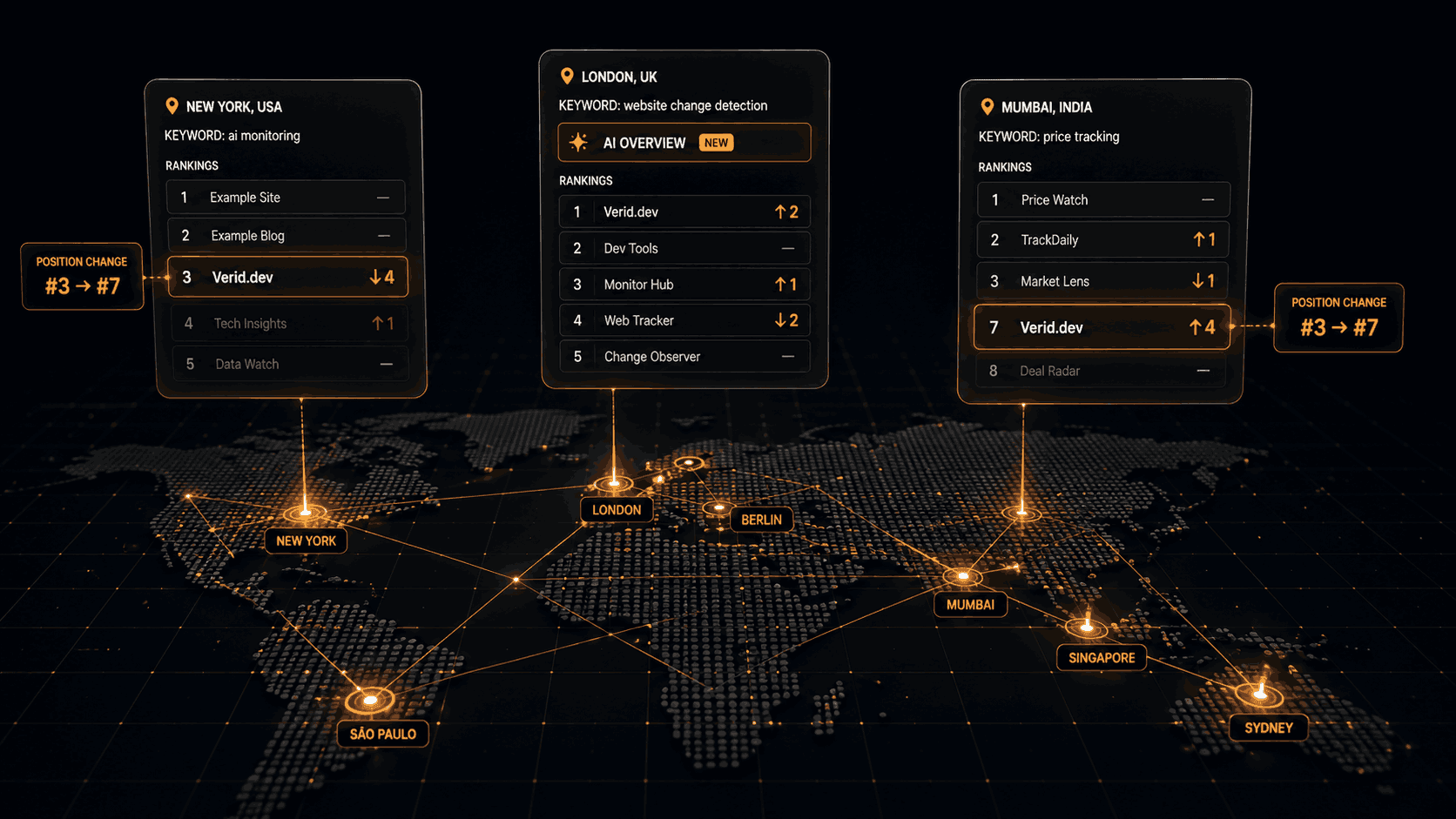
A SERP location changer shows you Google results as if you were searching from somewhere else. It answers a simple question: do people in another country see the same page-one results you see? Usually they do not. The same keyword can put your site at position 3 in the US, position 9 in the UK, and nowhere in Germany.
Checking once by hand is easy. Knowing when those results shift is the hard part, because nobody checks three countries every morning. This guide explains why results differ by location, how to check them manually, and how to track SERP changes by country automatically with a SERP tracking API.
One note up front, so you can judge whether this fits your case: Verid tracks at the country and language level. It does not target cities, ZIP codes, or coordinates.
Why Google search results differ by location
Google tries to return the most useful page for the person asking. Location is one of the strongest signals it has. Three things change when the country changes.
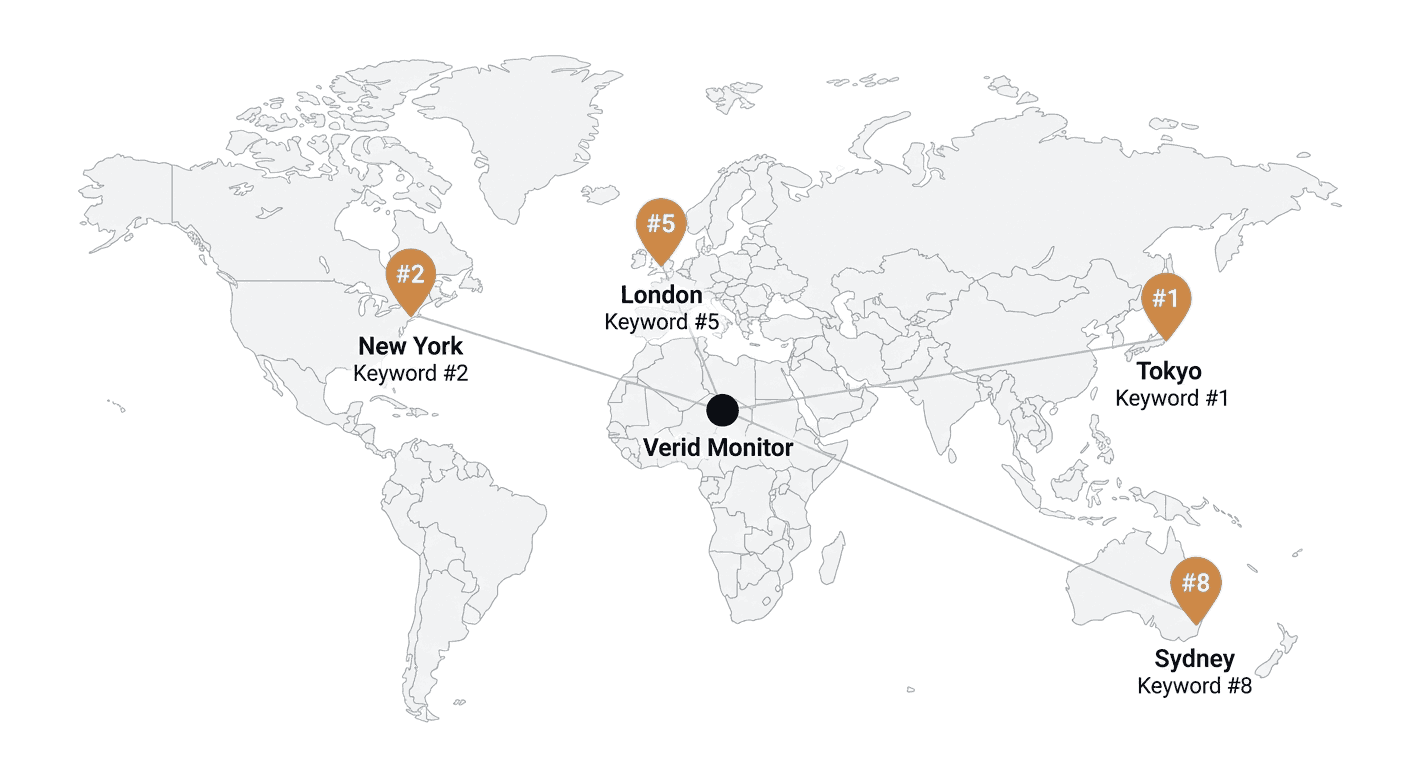
The ranking order changes. A UK retailer with a .co.uk domain and a UK address often outranks a bigger US competitor for UK searches. Your own site can swing the same way. Hreflang tags, local backlinks, and the language of your content all feed into it.
The competitors change. Regional publishers and local players rarely show up in a US result. Switch to Germany and a different set of domains takes the top 10.
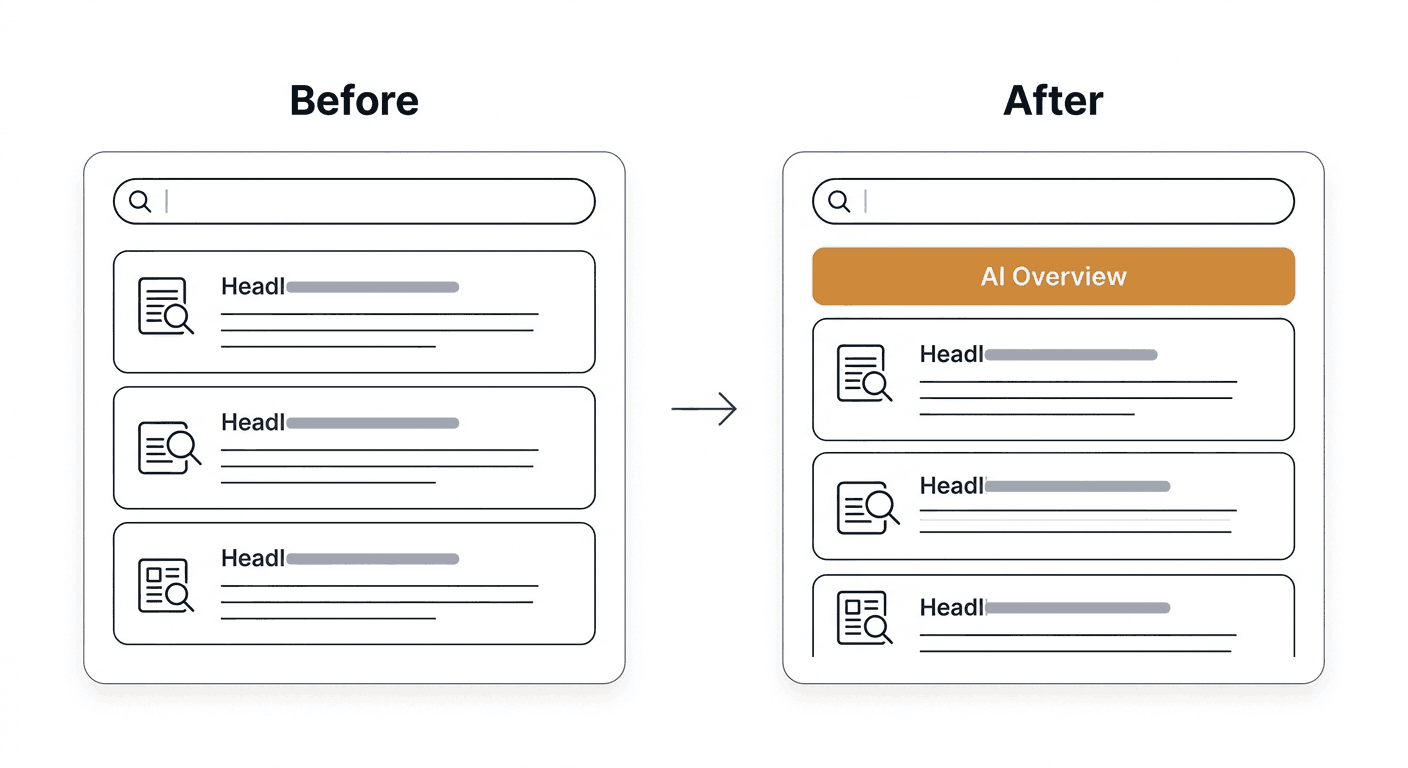
The page layout changes. Whether Google shows an AI Overview or a featured snippet can differ by country, and so can the ads above your listing. That pushes your organic result up or down the screen even when its position number stays the same.
The practical takeaway: your "ranking" is not one number. It is one number per market. If you sell in several countries, you need to look at each one.
| What changes by country | Why it matters |
|---|---|
| Organic order | Directly affects clicks |
| Which domains appear | Shows who your real local competitors are |
| AI Overview and featured snippet presence | Changes how much of the page your listing owns |
| Ads above the results | Pushes organic results down |
SERP location changer: how to check Google results by country manually
You have a few free options for a one-off look. All of them work, and all of them are fine for an audit.
- Add Google's country parameter. Appending
gl=deto a Google search URL asks for German results, andhl=desets the interface language. It is the fastest way to see a country view without extra tools. - Use a location-spoofing browser setup. Browser developer tools can override your geolocation, and a VPN can change your apparent country. Both are slow to repeat and easy to get wrong.
- Use a free SERP checker by location. Several SEO tools offer a quick "search as if you were in X" page. These are handy, but they show one moment in time.
Manual checks share one flaw: they produce no history. You see today's results, close the tab, and have nothing to compare against next month. If a competitor overtakes you in France on a Tuesday, you find out when the traffic report looks off.
What a local SERP checker can and cannot tell you
Search for "local serp checker" and you will find tools that promise city-level precision. Be careful about what you need.
If you run a plumbing business in one city, you need true local results, and that means a tool built for map packs and proximity. Verid is not that tool.
If you sell software, content, or ecommerce across countries, country-level data is usually what decides your SEO strategy. That is where Verid fits.
Here is the honest scope for how Verid handles location:
- Country and language only. You set a two-letter country code and a two-letter language code. There is no city, ZIP, or coordinate setting.
- Desktop results only. The device field exists, but results are desktop today. Do not use it to judge mobile rankings.
- Engine support differs. Google, Bing, and DuckDuckGo honour the country. Yahoo honours only the language. Yandex applies neither country nor language. Google and Bing are the most tested engines.
That is a narrower promise than some rank trackers make, and it is the accurate one.
How do you monitor SERP changes by country automatically?
The method is simple: one SERP monitor per keyword per country.
You create the same keyword several times, changing only location_code (and language_code where it matters): us, gb, de, and so on. Each monitor keeps its own run history, so you can compare any two runs for any country. The dashboard has a diff page for each run that shows what moved between two checks.
Every run loads one to five result pages in a real headless browser and records each organic result as a structured row: position, title, url, domain, and description. A run also records whether Google showed an AI Overview or a featured snippet. Those two flags are informational. They are stored with the run, but they do not trigger alerts.
You pick one of two modes depending on what you want to be told.
Mode 1: rank tracking for your own domain
Use rank_tracking when you care where your site sits. Set target_domain and a rank_change_threshold. Each run reports your target_rank and a rank_delta against the previous run.
An alert fires when your rank moves by at least the threshold, or when your domain enters or drops out of the results. If you set no threshold, nothing alerts, but history is still recorded. That is a good setting for a quiet baseline.
Mode 2: full analysis for any change in the results
Use full_analysis when you want to know about any shift in the top results, including your competitors. There is no target domain in this mode. The whole result list is stored as items with rank, title, description, and domain.
An alert fires whenever something in the list changes from the previous successful run: a rank, a title, a snippet description, or a domain entering or leaving. It does not fire on the first run. Sending a target_domain in this mode is rejected.
Which one should you pick? Use rank_tracking for your own money keywords in each market. Use full_analysis for the keywords where you want to watch the whole page, competitors included.
Set up a SERP tracking API monitor for a country
Here is a rank tracking monitor for "project management software" as seen from the UK, checking daily and alerting when your rank moves by 3 or more places.
Create the monitor with curl
curl -X POST https://api.verid.dev/v1/serp-monitors \
  -H "Authorization: Bearer vrd_your_api_key" \
  -H "Content-Type: application/json" \
  -d '{
    "name": "SERP - project management software (GB)",
    "keyword": "project management software",
    "mode": "rank_tracking",
    "engine": "google",
    "target_domain": "example.com",
    "location_code": "gb",
    "language_code": "en",
    "pages": 1,
    "schedule_interval_seconds": 86400,
    "rank_change_threshold": 3,
    "deliveries": [
      { "type": "webhook", "url": "https://your-app.com/hooks/serp-alert" }
    ]
  }'
There is no search URL to build, no selectors to write, and no personalization flags to set. You give the API a keyword, an engine, a country, and a language.
The same monitor with the SDK
import { VeridClient } from '@verid.dev/sdk';

const client = new VeridClient({ apiKey: 'vrd_your_api_key' });

const countries = [
  { location_code: 'us', language_code: 'en' },
  { location_code: 'gb', language_code: 'en' },
  { location_code: 'de', language_code: 'de' },
];

for (const { location_code, language_code } of countries) {
  await client.serpMonitors.create({
    name: `SERP - project management software (${location_code.toUpperCase()})`,
    keyword: 'project management software',
    mode: 'rank_tracking',
    engine: 'google',
    target_domain: 'example.com',
    location_code,
    language_code,
    schedule_interval_seconds: 86400,
    rank_change_threshold: 3,
    deliveries: [{ type: 'webhook', url: 'https://your-app.com/hooks/serp-alert' }],
  });
}
The loop creates three monitors, one per market. Each tracks its own history and fires its own alert.
For a full-analysis monitor, drop target_domain and rank_change_threshold and set "mode": "full_analysis".
What the alert looks like
When a rank monitor fires, the webhook carries a serp object with the keyword, target_domain, rank, previous_rank, and rank_delta. A full-analysis webhook carries serp_analysis with the keyword, the current results, and the previous_results, so you can compute the diff yourself. Every webhook is signed with a Verid-Signature header, and failed deliveries retry six times over about four hours. You can also send alerts to Slack, Discord, or email instead of a webhook.
You can read the stored history any time through GET /v1/serp-monitors/{id}/runs, or trigger a check right away with POST /v1/serp-monitors/{id}/run.
Best practices for tracking SERP changes by country
Start with the markets that earn revenue. Three countries done well beat fifteen done loosely. Add more once the alerts are useful.
Match the language to the market. Germany with de is not the same as Germany with en. If your German audience searches in German, track in German.
Set a threshold that fits the keyword. A threshold of 1 will fire on normal churn for a volatile keyword. A threshold of 3 to 5 usually separates real movement from noise. Tune it after a week of history.
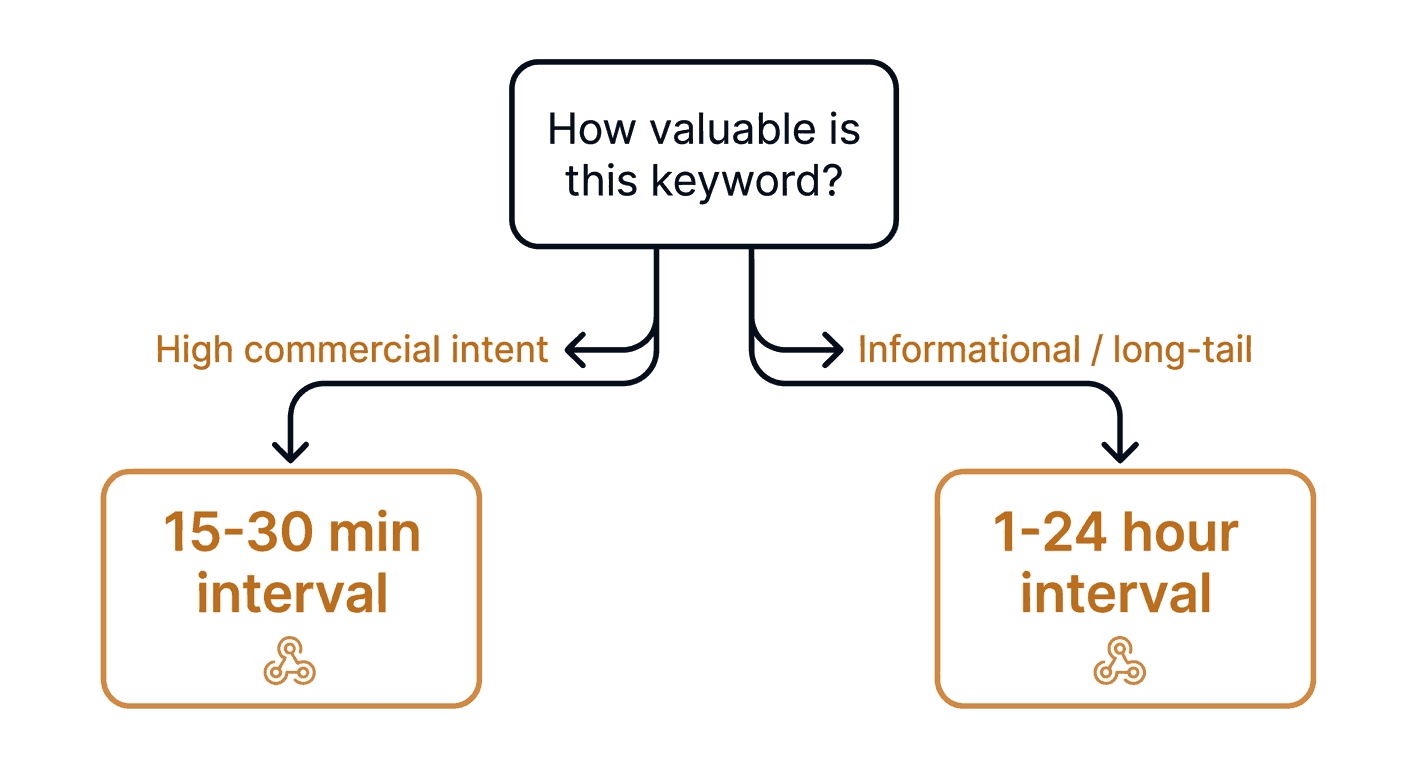
Check often enough, not constantly. Daily is the default for new monitors, and it is enough for most keywords. The minimum interval is 10 minutes, but a competitive keyword rarely needs more than a few checks a day. Pick the interval from how fast you could act on an alert.
Add depth only where it pays. One page covers roughly the top 10. Three pages cover roughly the top 30 but cost three times the runs.
Common challenges with country-level SERP tracking
Engines sometimes block automated checks. Search engines defend against automated traffic. Verid paces requests per engine and backs off when it is blocked. For Google, a backup data source can fill in a check when the direct browser check is blocked. Other engines have no such backup. If a monitor fails 10 checks in a row, it is set to an error state and the owner is emailed.
Country is as precise as it gets. If your question is "what does a searcher in Leeds see versus Bristol?", this approach cannot answer it. Plan around that limit instead of discovering it later.
Desktop only. Mobile results can differ from desktop. Today you are tracking the desktop view, so treat the numbers as desktop rankings.
Cost scales with depth and frequency. Each result page read counts as one run. A daily check of one page uses about 30 runs a month. A check of three pages uses three runs each time. Multiply that by keywords and countries before you scale up.
Less-tested engines need a sanity check. Yahoo, DuckDuckGo, and Yandex are supported, but Google and Bing are the most tested. Look at the first few runs by eye before you trust the alerts.
What it costs
SERP monitoring runs on the "+ SERP" plans. Runs are shared with your other checks, and monitors are unlimited on every plan.
| Plan | Price per month | Runs |
|---|---|---|
| Lite + SERP | $14 | 1,000 |
| Starter + SERP | $29 | 5,000 |
| Pro + SERP | $74 | 15,000 |
| Scale + SERP | $224 | 100,000 |
Here is a worked example. Ten keywords across three countries is 30 monitors. At one page and one daily check each, that is about 900 runs a month, which fits inside the Lite + SERP allowance. Going to three pages triples it to about 2,700, which fits Starter + SERP.
You can also buy run credits at $10 per 1,000 runs as a one-time purchase, and they unlock SERP on any plan.
Conclusion: from one-off SERP location checks to a running record
A SERP location changer is a good way to see how Google results by country differ today. It is a poor way to learn that they changed yesterday.
To track SERP changes by country, create one monitor per keyword per country, use rank_tracking with a threshold for your own domain, and use full_analysis when you want to watch the whole result list. Then let the alerts come to Slack, email, or your own endpoint. Be clear on the limits: country and language level, desktop only, and one run per page.
Ready to try it? Start the 14-day free trial (no credit card, 200 runs plus 100 SERP runs), create your first monitor for your top keyword in two countries, and compare the runs after a week. The SERP tracking API page and the SERP tracking docs cover the full setup.
FAQ
What is a SERP location changer?
A SERP location changer lets you view search results as if you were in another place. You can do it by hand by changing your browser location or by adding Google's gl country parameter to a search URL. Both give you a single snapshot. Verid does the same thing on a schedule per country: you set a country and language code on a monitor, and it records the results every run and alerts you when they change.
Can I check Google search results by city or ZIP code with Verid?
No. Verid works at the country and language level only. There is no city, ZIP code, or coordinate targeting. If you need neighbourhood-level local results, use a tool built specifically for local rank tracking.
Which search engines honour the country setting?
Google, Bing, and DuckDuckGo honour the country. Yahoo uses only the language and ignores the country. Yandex applies neither country nor language. Google and Bing are the most tested engines.
How do you monitor SERP changes without checking by hand?
Create a SERP monitor with a keyword, an engine, a country, and a language, then pick a mode. Rank tracking alerts you when your domain's position moves by your chosen threshold. Full analysis alerts you whenever anything in the result list changes. Both run on a schedule, as often as every 10 minutes.
How many runs does SERP tracking use?
Each result page read is one run. A daily check of a single page is about 30 runs a month, and a check of three pages costs three runs each time. The 14-day free trial includes 100 SERP runs so you can test it before paying.
Does Verid track AI Overviews by country?
Partly. Each Google run records whether an AI Overview and a featured snippet were present. Those two flags are stored with the run for you to review, but they do not trigger alerts, and Verid does not capture the AI Overview text.
About the author

Software Engineer & Technical Writer
Software engineer and technical writer, Hanzala works on both Verid’s product and its docs. He’s most at home explaining APIs, webhooks and selector syntax in plain language, with examples you can actually run.
More from HANZALA SALEEM →Related posts
SERP Rank Tracker vs SERP Monitoring: What You're Missing
Your rank tracker says position 3. Your clicks dropped 22%. Here's why rank tracking and SERP location monitoring answer completely different questions.
Read the post →seoSERP Analysis Tool: 10 Best Options Compared (2026)
SERP analysis tools compared: rank trackers, change detection, AI Overview support, pricing, and features — find the right fit for 2026.
Read the post →change detectionFree Website Change Monitors Compared (No Card Required)
Compare free website change monitors that need no credit card. Real limits, check frequency, and which tool actually fits your use case.
Read the post →visual monitoringVisual Regression Testing vs Visual Monitoring: Which Do You Need?
Visual regression testing catches bugs before release. Visual monitoring catches changes after deployment. Learn the difference and which one you need.
Read the post →