SERP Analysis Tool: 10 Best Options Compared (2026)
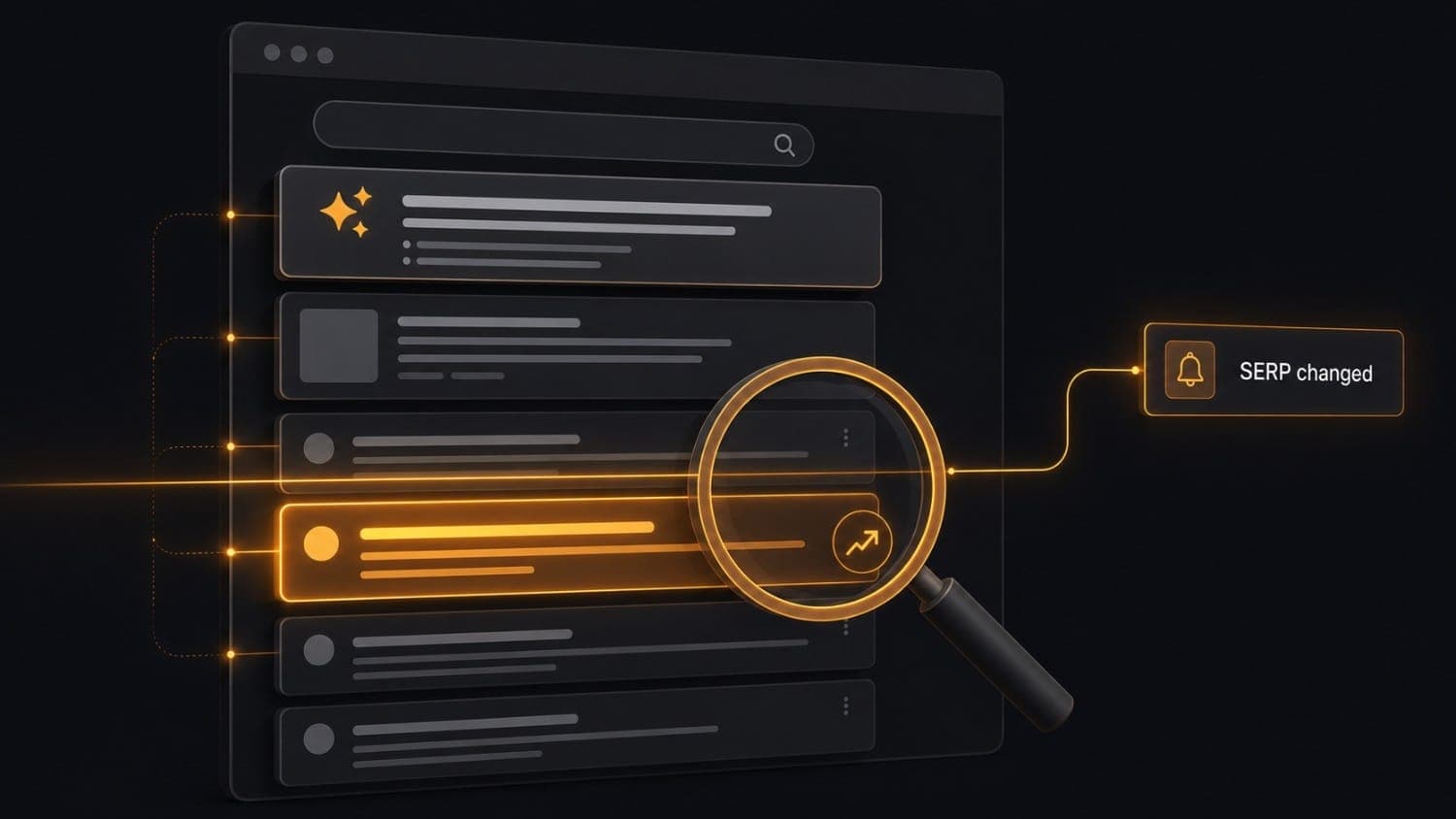
Choosing a SERP analysis tool in 2026 is harder than it was a year ago, because "SERP analysis" now means two different jobs. The first is the classic one: where does my page rank for this keyword. The second is newer: what changed on the results page, and who moved.
Both matter. Google's results pages are layered with AI Overviews, featured snippets, People Also Ask blocks and video carousels. A tool that says "position 3" without showing who sits at positions 1 and 2 gives you an incomplete signal. This guide compares ten tools across both jobs, with current pricing, honest weak spots and a quick way to pick.
SERP analysis in 2026: two camps
The category has split, and the strongest setups use both sides.
- Rank trackers (a SERP tracker or SERP rank tracker) report numeric position, competitor share of voice and historical trends. Good for strategy and weekly reporting.
- SERP monitors (a SERP change monitoring tool) watch the results themselves and alert you when the list moves. Good for real-time awareness and triage.
A third group, SERP APIs, returns raw parsed results as JSON so you can build either of the above yourself. If you only need a quick one-off lookup, a free SERP checker does the job. Once you need history, alerts or scale, you need one of the tools below.
The 10 best SERP analysis tools in 2026
For each tool you get what it does well, where it falls short and pricing as of 2026. Tools 1 to 7 are rank trackers, tool 8 is an API, tool 9 sits in between, and tool 10 is a SERP monitor.
1. Semrush Position Tracking
Semrush's position tracking module sits inside a broader SEO suite that most teams already pay for. It tracks keywords across locations, devices and search engines, surfaces SERP features ownership (who holds the featured snippet, who appears in the local pack), and produces competitor visibility reports useful for executive dashboards.
The data quality is solid. Daily refreshes are included at all paid tiers. The main tradeoff is cost: Semrush Pro starts at $139.95/month (as of 2026) and the position tracking limits are tight at lower tiers. If you already live in the Semrush ecosystem, it is the obvious first stop.
Best for: Teams already using Semrush for keyword research and backlink analysis who want rank tracking in the same workflow. Pricing: From $139.95/month (Pro). Keyword tracking limits vary by plan. Weak spots: Expensive as a standalone rank tracker. No real-time alerts on SERP layout changes, because position data refreshes daily, not continuously.
2. Ahrefs Rank Tracker
Ahrefs built its reputation on backlink analysis, and its rank tracker benefits from the same data infrastructure. You get position history, SERP feature tracking per keyword, share of voice across keyword groups and competitor ranking comparisons. Correlating a drop with a link profile shift is easier here than almost anywhere else.
Ahrefs pricing runs from $129/month (Lite) to $1,499/month at the upper tiers. The rank tracker is bundled into all plans, not sold separately.
Best for: SEO teams that run regular backlink campaigns and want rank data and link analysis in the same tool. Pricing: From $129/month (Lite). Weak spots: Like Semrush, no alerting on SERP layout or feature changes. Position updates are not real-time. Hard to justify if you only need the rank tracker.
3. SE Ranking
SE Ranking is the value pick in a market crowded with expensive enterprise tools. You get daily rank checks across Google, Bing and Yahoo, competitor tracking, an on-page SEO checker and a site audit tool, plus an AI Search Toolkit for tracking AI-generated answer visibility. All of it starts at $44/month on annual billing.
Feature depth per dollar is genuinely good. The UI takes some learning. If your budget is under $100/month and you need a capable standalone rank tracker, SE Ranking is the most defensible choice.
Best for: Small agencies, in-house SEO teams at early-stage companies and freelancers who need broad coverage without enterprise pricing. Pricing: From $44/month (annual). 500 keywords on the entry plan. Weak spots: Some advanced segmentation and reporting features are reserved for higher tiers. Support quality is inconsistent at lower plan levels.
4. AccuRanker
AccuRanker is built for speed. The distinguishing feature is on-demand ranking updates: instead of waiting for the scheduled daily refresh, you can trigger a check right now. For agencies that must confirm a ranking drop before a client call, that matters.
Keyword-level data is clean and exportable. SERP feature tracking covers featured snippets, PAA, image packs and local packs. White-label reporting is available at all tiers. The price is steep: entry is $224/month for 2,000 keywords (as of 2026). Right for an agency running fifty client campaigns, overkill for a startup watching thirty keywords.
Best for: SEO agencies with high keyword volume and clients who need fast reporting turnaround. Pricing: From $224/month for 2,000 keywords. Weak spots: Expensive for smaller teams. No SERP layout-change alerting.
5. Nightwatch
Nightwatch focuses on granular rank tracking: deep local tracking, accurate mobile versus desktop splits and clean dashboard integrations. The SERP history graphs are detailed enough to correlate ranking dips with specific dates, which is useful when a client asks "what happened on the 14th."
The $39/month entry plan covers 250 keywords. The Professional plan at $170/month extends to 2,500 keyword checks with API access and white-label reporting bundled.
Best for: Local SEO specialists who need location-level data and teams that pipe rank data into external dashboards. Pricing: From $39/month (250 keywords). Weak spots: Smaller feature surface than Semrush or Ahrefs. No AI Overview detection or SERP layout monitoring.
6. Serpstat
Serpstat covers the core rank-tracking workflow (daily position updates, competitor ranking overlaps, keyword gap analysis) at a price between SE Ranking and AccuRanker. The Individual plan starts at $59/month with 10,000 position checks.
The platform doubles as a keyword research and site audit tool, so it competes with Semrush and Ahrefs on breadth rather than depth. The keyword database covers 230+ countries and is large enough for most commercial use cases.
Best for: Agencies and consultants who want an all-in-one platform at a mid-market price. Pricing: From $59/month (Individual plan). Weak spots: Interface is less polished than Semrush or Ahrefs. Backlink data quality trails the top two.
7. Wincher
Wincher is a focused rank tracker with a deliberately simple interface. No site audit, no backlink checker, no keyword research database: just clean daily rank tracking for Google, with local tracking and competitor monitoring. Onboarding takes minutes.
Pricing starts at $39/month for 500 keywords. The Standard plan at $74/month covers 1,000 keywords.
Best for: Content teams, bloggers and individual consultants who want rank tracking without a full SEO suite. Pricing: From $39/month (500 keywords). Weak spots: No API. Limited SERP feature tracking. Does not scale well for agencies with large keyword portfolios.
8. SerpApi
SerpApi is different in kind from the tools above. It is not a dashboard you log into. It is a structured data API that returns parsed Google (and Bing, YouTube and a dozen other engines) search results as JSON. You build on top of it: your own rank tracker, a competitive intelligence pipeline, a price comparison tool.
Plans start at $25/month for 1,000 searches. Each search returns one SERP: ten organic results, plus any feature blocks (AI Overview, shopping results, PAA) that appear on the page. There is no free tier, and unused searches do not roll over.
Best for: Developers who need raw, structured SERP data to power a custom application or internal tool. Pricing: From $25/month (1,000 searches). $75/month (5,000 searches). Weak spots: Requires engineering time to build anything useful on top. No alerting, no dashboard, no historical trends out of the box.
9. SERPWoo
SERPWoo sits in the volatility-monitoring camp. It tracks keyword rankings, but its differentiating feature is a SERP volatility score: it monitors how much the overall result page is shifting, not just where your URL sits. That helps you spot algorithmic turbulence. If the whole SERP for your keyword is reshuffling, that is a different problem from a single-position drop caused by a competitor publishing a stronger page.
Plans start at $49.95/month (25 projects, 750 keywords).
Best for: SEO teams trying to separate algorithm-wide turbulence from targeted ranking changes. Pricing: From $49.95/month. Weak spots: The interface is dated. Does not detect AI Overview appearances or alert on specific element changes.
10. Verid (dedicated SERP monitor)
Verid is not a keyword database and it does not pretend to be one. It is a SERP tracking API and dashboard built for one job: watch a keyword on a search engine and tell you the moment the results move.
You do not build a search URL, write XPath or CSS selectors, or manage browsers. You give a SERP monitor four things: a keyword, an engine, a country and a language. Verid loads the results in a real headless browser, parses the organic listings into structured fields (position, title, url, domain, description) and compares each run against the last one.
Two modes: rank_tracking and full_analysis
rank_trackingfollows onetarget_domain. Every run reportstarget_rankandrank_delta. Set arank_change_thresholdand you get an alert when the rank moves by at least that many places, or when your domain enters or drops out of the results. No threshold means no alerts, but history is still recorded.full_analysishas no target domain. It turns the whole result list into JSON items (rank,title,description,domain) and alerts you whenever anything in that list changes versus the previous run: a rank, a title, a snippet description, or a domain entering or leaving. The first run never alerts.
That second mode is the one most rank trackers skip. It answers "who moved and how did their listing change," not only "where am I."
What a check covers
- Engines: Google, Bing, Yahoo, DuckDuckGo and Yandex. Google and Bing are the most tested.
- Depth: 1 to 5 result pages per check, roughly the top 50 results. Positions continue across pages.
- Location: country and language level (for example
usanden). There is no city or ZIP targeting, and country handling varies by engine, so it works best on Google, Bing and DuckDuckGo. - Interval: from 10 minutes up to weekly, on every plan.
- Device: results are desktop only today.
- Run history: every run is stored, and the dashboard has a per-run diff page that shows what moved between two runs.
Alerts you can wire to anything
Deliveries go to a webhook, Slack, Discord or email. Webhooks are signed with a Verid-Signature header (HMAC-SHA256, 5-minute tolerance) and retried up to six times over about four hours on server errors. Here is the payload a full_analysis monitor sends when the top two listings swap:
{
  "id": "d_2h8Kq...",
  "version": "2026-05-01",
  "monitor_id": "9f3c...",
  "run_id": "r_71ba...",
  "fired_at": "2026-08-11T09:14:02.418Z",
  "serp_analysis": {
    "keyword": "best invoicing software",
    "results": [
      { "rank": 1, "title": "Best invoicing software of 2026", "description": "Compare the top invoicing tools side by side.", "domain": "https://www.capterra.com/" },
      { "rank": 2, "title": "Top-rated invoicing software - G2", "description": "Real user reviews for every invoicing platform.", "domain": "https://www.g2.com/" }
    ],
    "previous_results": [
      { "rank": 1, "title": "Top-rated invoicing software - G2", "description": "Real user reviews for every invoicing platform.", "domain": "https://www.g2.com/" },
      { "rank": 2, "title": "Best invoicing software of 2026", "description": "Compare the top invoicing tools side by side.", "domain": "https://www.capterra.com/" }
    ]
  },
  "monitor": {
    "name": "SERP analysis / best invoicing software / US",
    "url": "https://www.google.com/search?q=best+invoicing+software..."
  }
}
A rank_tracking monitor sends a serp block instead, with keyword, target_domain, rank, previous_rank and rank_delta.
Creating a monitor takes one call:
import { VeridClient } from '@verid.dev/sdk';

const client = new VeridClient({ apiKey: 'vrd_your_api_key' });

await client.serpMonitors.create({
  name: 'SERP analysis / best invoicing software / US',
  keyword: 'best invoicing software',
  mode: 'full_analysis',
  engine: 'google',
  location_code: 'us',
  language_code: 'en',
  pages: 2,
  schedule_interval_seconds: 21600,
  deliveries: [{ type: 'webhook', url: 'https://api.yourapp.com/hooks/serp-analysis' }],
});
AI Overview and featured snippet: what Verid records
For Google runs, each run records two booleans: ai_overview_present and featured_snippet_present. They are informational flags in the run history. They do not trigger alerts, and Verid does not capture the AI Overview text. Treat it as a light AI Overview tracker (you can see when one showed up), not a full AI visibility suite.
Best for: Developers and growth teams who want automatic alerts when the results move for a defined set of high-value keywords, and an API to pull the results into their own systems. Pricing: 14-day free trial (200 runs plus 100 SERP runs, no credit card). Then Lite + SERP at $14/month (1,000 runs), Starter + SERP at $29/month (5,000 runs), Pro + SERP at $74/month (15,000 runs) and Scale + SERP at $224/month (100,000 runs). Every plan has unlimited monitors. Each result page read costs one run, so a daily one-page check uses about 30 runs a month, and a three-page check costs three runs. You can also buy run credits at $10 per 1,000 runs. Weak spots: Not a replacement for a rank tracker. No keyword research database, no share-of-voice reports, no city-level or mobile results. Yahoo, DuckDuckGo and Yandex are supported but less battle-tested than Google and Bing.
Want the technical walkthrough? See the SERP tracking API page, the SERP monitoring use case and the SERP tracking docs.
How to choose a SERP analysis tool
The right SERP analyzer depends on the question you are trying to answer.
| Question | Tool type | Example tools |
|---|---|---|
| Where do I rank for this keyword today? | Rank tracker | Semrush, Ahrefs, SE Ranking |
| How has my ranking trended over 6 months? | Rank tracker | AccuRanker, Nightwatch, Serpstat |
| Which competitor took traffic from me and when? | Rank tracker | Semrush, Ahrefs, SE Ranking |
| Alert me the moment a competitor enters the top 10 | SERP monitor | Verid |
| Alert me when any title or snippet in the top results changes | SERP monitor | Verid |
| Is the whole SERP being reshuffled? | Volatility monitor | SERPWoo |
| I need raw SERP JSON for a custom pipeline | API | SerpApi, Verid |
| I need local rank tracking for 50 locations | Rank tracker | Nightwatch, SE Ranking |
Key dimensions to evaluate
Update frequency. Most rank trackers update daily. AccuRanker offers on-demand refreshes. Verid can check a SERP as often as every 10 minutes on any plan, and you can trigger a run on demand through the API. Your monthly runs are the limit. If you need to know about a change within the hour, a daily-refresh tracker cannot serve you.
AI Overview support. Most rank trackers have added some form of AI Overview visibility. Quality varies: some show a present or absent flag in a daily report, others cover it only in a separate AI add-on. Verid records the same present or absent flag per Google run, but it does not alert on it or store the AI Overview text.
API access. If you need to pipe rank data into a warehouse, a BI tool or a custom dashboard, confirm the API is included at your price tier. Several tools treat it as a premium add-on. Verid exposes a REST API and a Node SDK on every plan, including the trial. SerpApi is API-only.
SERP features. Do you care about featured snippets, People Also Ask, shopping results, local packs or image carousels? Most major rank trackers cover SERP features to some degree. Depth and alerting vary, so test your own keywords before you commit.
Keyword volume. For 50 keywords, almost any tool works. For 50,000 keywords, only AccuRanker, Semrush and enterprise tiers scale cleanly. Map your expected keyword count against per-keyword pricing first.
Alerting. Most rank trackers offer email or in-app notifications when a keyword drops past a threshold. Webhook delivery is rare. Verid is webhook-first: signed webhooks, plus Slack, Discord and email, with the previous and current results in the payload.
Location and device. For city-level or mobile-specific tracking, pick Nightwatch or SE Ranking. Verid works at country and language level on desktop.
Quick comparison
| Tool | Type | Starting price | Best for |
|---|---|---|---|
| Semrush | Rank tracker | $139.95/mo | Teams already in the Semrush suite |
| Ahrefs | Rank tracker | $129/mo | Rank data tied to backlink analysis |
| SE Ranking | Rank tracker | $44/mo (annual) | Budget-conscious agencies and freelancers |
| AccuRanker | Rank tracker | $224/mo | High keyword volume, on-demand updates |
| Nightwatch | Rank tracker | $39/mo | Local and device-level tracking |
| Serpstat | Rank tracker | $59/mo | All-in-one mid-market platform |
| Wincher | Rank tracker | $39/mo | Simple daily rank tracking |
| SerpApi | API | $25/mo | Raw SERP JSON for custom builds |
| SERPWoo | Volatility monitor | $49.95/mo | Spotting algorithm-wide SERP shifts |
| Verid | SERP monitor and API | $14/mo (Lite + SERP) | Alerts when results move, signed webhooks |
Verify competitor pricing on each vendor's site before you decide. Plans change often.
FAQ
What is a SERP analysis tool?
A SERP analysis tool is software that checks search engine result pages for specific keywords and extracts data about rankings, competitors and features. The category covers rank trackers, which report your keyword positions and trends, SERP monitors, which alert you when the results change, and SERP APIs, which return raw results as JSON. Most teams use a rank tracker for reporting and a monitor for the keywords that matter most.
What is the difference between a SERP checker and a SERP tracker?
A SERP checker looks up results once, on demand. A SERP tracker repeats the check on a schedule and stores the history, so you can see movement over time. A SERP tracker with alerts turns that history into notifications.
How often should I check my SERP rankings?
For most keywords, daily checks give enough data for strategic decisions. For high-value commercial keywords, where a competitor entering the top three or a snippet change can move your clicks within hours, shorter intervals make sense. Verid supports checks from every 10 minutes. Keep in mind each check costs runs, so use short intervals only where a fast response is worth it.
Can I get an alert when my rank changes?
Yes. In rank_tracking mode, set a target_domain and a rank_change_threshold. Verid alerts when the rank moves by at least the threshold, or when the domain enters or drops out of the results. Without a threshold it records history but does not alert.
Can I track AI Overviews with a SERP tool?
Several rank trackers now report AI Overview visibility as a SERP feature flag, and the implementation varies. Verid records whether Google showed an AI Overview or a featured snippet on each run, and shows it in the run history. It does not capture the AI Overview text and does not alert when one appears. If AI answer visibility is your main goal, pair a monitor with a dedicated AI Overview tracker.
Can Verid track mobile rankings or city-level results?
No. Results are desktop only today, and location targeting works at country and language level. Country handling differs by engine, and it is most reliable on Google, Bing and DuckDuckGo.
What is the difference between rank tracking and SERP monitoring?
Rank tracking answers "where does my URL rank for this keyword." SERP monitoring answers "what changed in the results for this keyword." A rank tracker tells you your position dropped from 3 to 7. A full_analysis monitor also tells you which listing took the spot, and whether its title or snippet changed. Both answers are useful on different time scales.
Do I need a SERP analysis tool if I use Google Search Console?
Google Search Console is free and gives authoritative clicks, impressions and average position for your own site. It does not show competitor rankings, who holds the top results or real-time alerts. A SERP analysis tool fills those gaps, so the two work well together.
Putting it together
The most effective setup pairs a rank tracker for weekly reporting with a SERP monitor for the keywords that drive your revenue.
Use Semrush, Ahrefs or SE Ranking for the strategy layer: portfolio management, share of voice and long trend charts. For the handful of keywords that matter most, add a Verid monitor on each. Use rank_tracking with a threshold when you care about your own position, and full_analysis when you want to see every competitor move. You find out when the results shift, not the next time someone opens a dashboard.
Ready to pick your SERP analysis tool? Start the 14-day free trial (200 runs plus 100 SERP runs, no credit card) and create your first monitor in a few minutes. See pricing for the SERP plans, or sign up to try it now.
About the author

Software Engineer
As a software engineer, Suleman works across Verid’s queueing, scraping and notification layers. His posts turn that day-to-day engineering into practical walkthroughs for anyone automating website change tracking.
More from Suleman →Related posts
SERP Rank Tracker vs SERP Monitoring: What You're Missing
Your rank tracker says position 3. Your clicks dropped 22%. Here's why rank tracking and SERP location monitoring answer completely different questions.
Read the post →seoHow to Set Up Google Alerts (+ What They Don't Catch)
Set up, manage, and fix Google Alerts — plus what Google Alerts can't monitor on a web page, and the tool to use instead.
Read the post →seoSEO Change Monitoring: Why Your Rankings Drop Silently
Learn how to detect silent title tag, canonical, robots.txt, and structured data changes automatically using field-level monitoring and webhook alerts.
Read the post →serp monitoringSERP Location Changer: Track Google Results by Country
Learn why Google rankings differ by location and how to monitor SERP location changes automatically using Verid's change detection API.
Read the post →