SEO Change Monitoring: Why Your Rankings Drop Silently
Traffic slid eight percent across your top five pages last week. Google Search Console shows impressions holding, but clicks are down. Nothing on the pages looks wrong. Then your weekly audit finds it: someone rewrote the homepage <title> during a conversion test and stripped the main keyword. The change went live ten days ago.
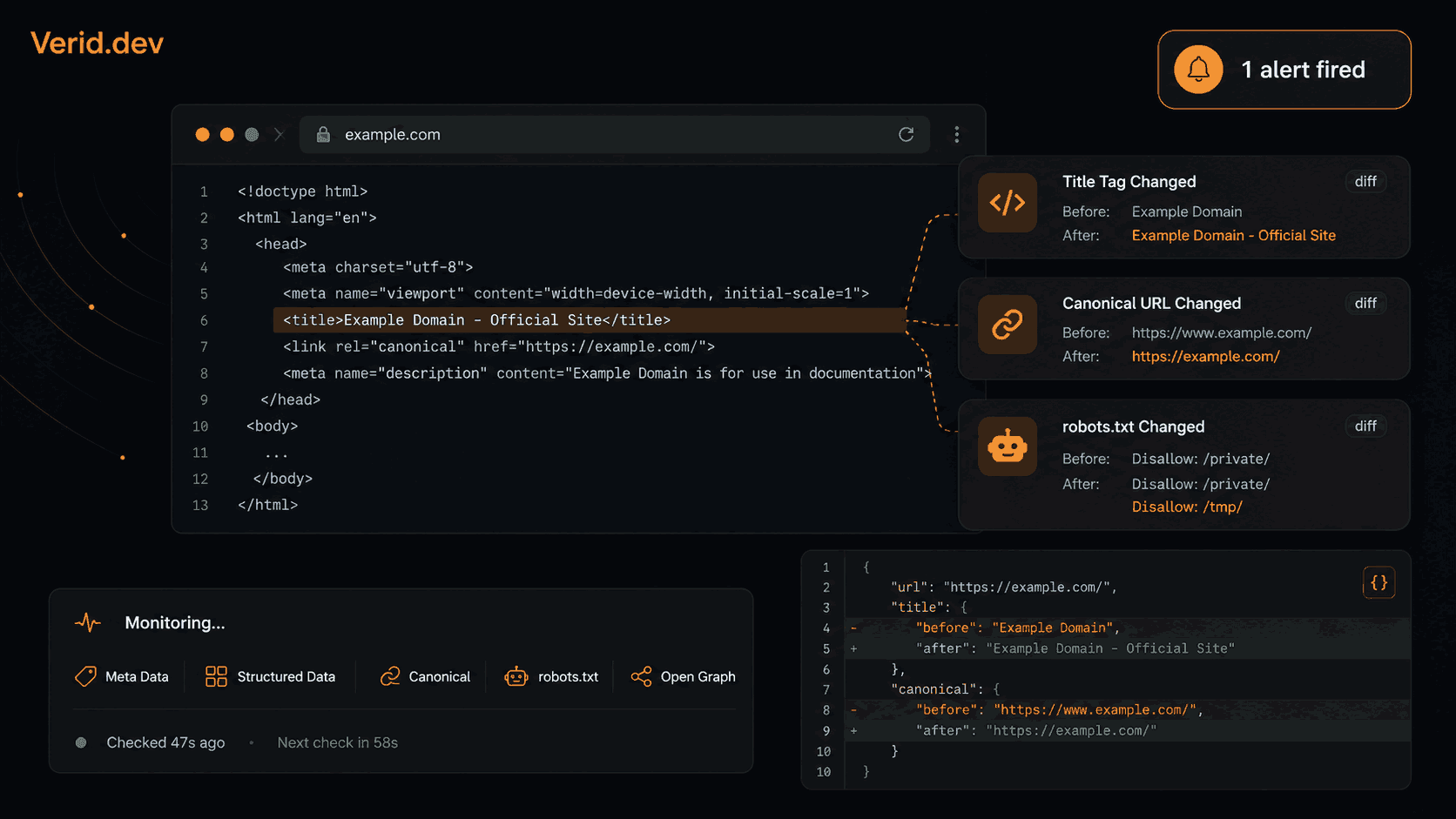
This is the usual way an SEO rankings drop starts. Rank trackers show the outcome (your position fell). They do not show the cause, or when it happened. SEO change monitoring closes that gap by watching the fields that move rankings (title, canonical, robots rules, structured data) and alerting you the moment one changes.
This guide shows how to build that layer with the Verid API, then add a rank drop alert so you see the cause and the effect in the same Slack channel.
Why did my Google ranking drop? The two kinds of causes
When someone asks "why did my Google ranking drop", the honest answer is that there are two families of cause, and you can only act on one of them.
Causes outside your site. A competitor published a better page. Google rolled out a core update. A SERP feature pushed your listing down the screen. You cannot prevent these, but you can detect them fast and respond.
Causes inside your site. A title lost its keyword. A canonical now points at the wrong URL. A noindex slipped into a template. A line in robots.txt blocks a directory. These are your own changes, they are often accidental, and they are completely preventable if you know about them the same day.
Most teams are good at neither. They find out about an on-page regression from a monthly crawl, and they find out about a position move by opening a rank tracker when traffic already looks bad. This post covers both halves: field-level monitoring of your own pages, and rank change alerts for the keywords you care about.
What counts as a silent SEO change?
A silent SEO change is any edit to a page's technical surface that affects how search engines crawl, index, or render it, and that nobody on the SEO or engineering team was told about.
The changes are usually unintentional. A developer ships a template fix. A CMS plugin update resets a default. An editor rewrites a headline without knowing the title tag is generated from it. The page still loads and no error appears. But the next time Google crawls it, it sees something different.
Common sources:
- CMS plugin updates that rewrite defaults across templates
- A/B test frameworks that overwrite metadata on the winning variant
- Deploys that carry unreviewed changes to the page head
- Automated workflows that regenerate meta descriptions from body copy
- Migrations that remap canonical URLs incorrectly at scale
The defining trait: the change is real, the ranking consequence is real, and no system told anyone it happened.
Which on-page elements to watch
Not every attribute is equally sensitive. Prioritize the fields where a one-line change maps directly to a ranking signal.
| Element | Why it matters | Risk of silent change |
|---|---|---|
<title> tag |
Primary relevance signal, controls the SERP headline | High: CMS editors, A/B tests |
<meta name="description"> |
Controls the snippet and click-through rate | High: content automation |
<link rel="canonical"> |
Tells Google which URL is authoritative | Critical: a wrong canonical sends equity to the wrong page |
robots.txt |
One file that can block whole directory trees | Critical: one bad line blocks Googlebot |
<meta name="robots"> |
Per-page indexing directive | High: a stray noindex removes a page from results |
| Structured data (JSON-LD) | Eligibility for rich results | Medium to high: template changes drop it silently |
| H1 tag | Relevance signal that should match title intent | Medium: content edits |
| Sitemap URLs | How new pages get discovered | Medium: new pages may never be listed |
A reasonable cadence: title, canonical, robots.txt and the robots meta tag every one to six hours. Structured data and H1 every six hours. Sitemap daily or every six hours. Monitors are unlimited on every plan and every check costs one run, so cadence is a run-budget decision, not a plan restriction.
Why periodic crawls and screenshot tools miss this
A weekly or monthly site crawl is a diagnostic tool, not an alerting tool. It tells you what the site looked like at crawl time. It cannot tell you what it looked like two days earlier or when a field changed.
Screenshot-diff tools do run continuously, but they compare pixels. A <title> or canonical tag is not visible on a rendered page, so a screenshot diff cannot see it at all. Meanwhile a cookie banner or a live chat bubble triggers false alarms. At the pixel layer you either get buried in noise or miss the changes that matter.
What works is structured extraction with a predicate. You name the fields you care about. You define the rule that makes a change worth an alert. Everything else is filtered out before delivery.
How SEO change monitoring works in Verid
Verid runs each check through five stages: fetch, extract, diff, evaluate a predicate, deliver. For SEO work, two stages matter.
Extract pulls named fields out of the page with XPath, a CSS selector, a regex, JSONPath, or an LLM prompt. The output is typed fields, not raw HTML. For head elements, XPath is the cleanest option because it can read attribute values such as a canonical href or a meta content. (CSS selectors return element text, so they cannot read attributes.)
The predicate decides whether a diff is worth delivering. any_field_changes fires when any extracted field differs from the previous check. field_changes fires only for the one field you name.
Delivery goes to a signed webhook, Slack, Discord, or email, with before and after values in the payload instead of "something changed."
One fetching note. By default a monitor uses a plain HTTP fetch and moves to a headless browser only if the plain fetch is blocked. It does not switch just because a field came back empty. If your framework sets the document title or canonical in client-side JavaScript, set fetch_mode to browser on that monitor so you read the rendered value.
Building a title tag and canonical monitor
Here is a working configuration for one high-value page. It checks every six hours and fires when the title, meta description, canonical URL, robots meta directive, H1, or JSON-LD changes.
The extraction config
{
  "method": "xpath",
  "fields": {
    "title":            "//title/text()",
    "meta_description": "//meta[@name='description']/@content",
    "canonical":        "//link[@rel='canonical']/@href",
    "robots_meta":      "//meta[@name='robots']/@content",
    "h1":               "(//h1)[1]",
    "json_ld":          "//script[@type='application/ld+json']"
  }
}
The json_ld field returns the contents of every JSON-LD block on the page. If the page has several, they come back as a list, so a change to any one of them counts. If the blocks disappear entirely, the field becomes empty and the monitor fires.
The predicate
{ "type": "any_field_changes" }To fire only on the title, the most ranking-sensitive field:
{ "type": "field_changes", "field": "title" }Create the monitor with the API
curl -X POST https://api.verid.dev/v1/monitors \
  -H "Authorization: Bearer vrd_your_api_key" \
  -H "Content-Type: application/json" \
  -d '{
    "name": "SEO - /blog/product-launch",
    "url": "https://example.com/blog/product-launch",
    "schedule_interval_seconds": 21600,
    "extract_config": {
      "method": "xpath",
      "fields": {
        "title":            "//title/text()",
        "meta_description": "//meta[@name=\"description\"]/@content",
        "canonical":        "//link[@rel=\"canonical\"]/@href",
        "robots_meta":      "//meta[@name=\"robots\"]/@content",
        "h1":               "(//h1)[1]",
        "json_ld":          "//script[@type=\"application/ld+json\"]"
      }
    },
    "diff_predicate": { "type": "any_field_changes" },
    "deliveries": [
      { "type": "slack", "webhookUrl": "https://hooks.slack.com/services/..." }
    ]
  }'
Or use the Node.js SDK
import { VeridClient } from '@verid.dev/sdk';

const client = new VeridClient({ apiKey: process.env.VERID_API_KEY! });

await client.monitors.create({
  name: 'SEO - /blog/product-launch',
  url: 'https://example.com/blog/product-launch',
  schedule_interval_seconds: 21600,
  extract_config: {
    method: 'xpath',
    fields: {
      title:            '//title/text()',
      meta_description: "//meta[@name='description']/@content",
      canonical:        "//link[@rel='canonical']/@href",
      robots_meta:      "//meta[@name='robots']/@content",
      h1:               '(//h1)[1]',
      json_ld:          "//script[@type='application/ld+json']",
    },
  },
  diff_predicate: { type: 'any_field_changes' },
  deliveries: [
    { type: 'slack', webhookUrl: 'https://hooks.slack.com/services/...' },
  ],
});
When a field changes, the delivery carries a structured diff:
{
  "id": "d_2h8Kq...",
  "version": "2026-05-01",
  "monitor_id": "9f3c...",
  "run_id": "r_71ba...",
  "fired_at": "2026-10-10T14:22:00Z",
  "diff": {
    "fields_changed": ["title", "meta_description"],
    "before": {
      "title": "How to Launch a SaaS Product in 2026 | Acme",
      "meta_description": "Step-by-step guide to launching B2B SaaS..."
    },
    "after": {
      "title": "Product Launch Guide | Acme Blog",
      "meta_description": "Our team shares launch lessons from the field."
    }
  },
  "monitor": {
    "name": "SEO - /blog/product-launch",
    "url": "https://example.com/blog/product-launch"
  }
}
The title lost the year and the keyword phrase. The description lost its audience signal. Both are fixable in a five-minute Slack thread, provided you see them within hours instead of weeks.
Monitoring robots.txt for catastrophic blocks
A single bad line in robots.txt can disallow Googlebot from an entire subdirectory. It is one of the highest-severity silent changes because developers who are not thinking about crawl effects often edit the file.
Use a regex extraction with two fields. The first captures the whole file, so the alert shows exactly what changed. The second counts Disallow: lines, a quick signal when rules are added in bulk.
curl -X POST https://api.verid.dev/v1/monitors \
  -H "Authorization: Bearer vrd_your_api_key" \
  -H "Content-Type: application/json" \
  -d '{
    "name": "robots.txt integrity",
    "url": "https://example.com/robots.txt",
    "schedule_interval_seconds": 3600,
    "extract_config": {
      "method": "regex",
      "fields": {
        "robots_txt":      "([\\s\\S]+)",
        "disallow_rules":  "/Disallow:/gi"
      }
    },
    "diff_predicate": { "type": "any_field_changes" },
    "deliveries": [
      { "type": "webhook", "url": "https://your-app.com/hooks/seo-alerts" }
    ]
  }'
A regex with a capture group returns the captured text. A regex without one returns the number of matches. That is why the first field gives you the file contents and the second gives you a count.
Run it hourly. The file rarely changes, and when it does you want to know right away. If you only want a cheap "something changed" signal without the file text in the payload, the full_page extraction method works too, but it ignores whitespace-only edits, so the regex approach is more exact for a file like this.
Monitoring structured data (JSON-LD)
Google's structured data drives rich results such as review stars, FAQ dropdowns, and product prices in search. A template change that removes or breaks your JSON-LD block can make those results vanish with no visible error on the page.
The json_ld field in the page monitor above already covers this. If you want a dedicated monitor for revenue-critical pages (product pages, review pages), use the same XPath field with a one-hour interval and a narrow predicate:
{
  "method": "xpath",
  "fields": {
    "json_ld": "//script[@type='application/ld+json']"
  }
}
{ "type": "field_changes", "field": "json_ld" }Any edit to the block (a removed property, a changed type, a missing block) fires the alert. See the change detection feature page for the full predicate list.
Watching the sitemap
New pages that never reach your sitemap can go undiscovered for weeks, and a sitemap that suddenly shrinks usually means something broke. Count the <loc> entries and fire when the count changes:
{
  "method": "regex",
  "fields": {
    "url_count": "<loc>"
  }
}
{ "type": "field_changes", "field": "url_count" }Because the pattern has no capture group, the field returns the number of matches. The sitemap use case shows how to also capture the newest URL.
Close the loop with a rank drop alert
On-page monitors tell you what changed on your site. They do not tell you whether Google noticed. For that you need the other half: a rank drop alert on the keywords each page is supposed to win.
Verid has a dedicated SERP monitor for this, separate from regular URL monitors. You give it a keyword, an engine, a country and a language. There is no search URL to build and no selectors to write. Each check loads one to five pages of results in a real headless browser, parses the organic results (position, title, URL, domain, description), and compares them with the previous run.
In rank_tracking mode you add your own domain as the target_domain and set a rank_change_threshold. The alert fires when either of these happens:
- Your position for the keyword moves by the threshold or more, in either direction.
- Your domain enters or drops out of the results the check covers.
With no threshold set, the monitor still records history but sends no alerts. Matching ignores the scheme and www., so example.com matches https://www.example.com/pricing. Note that the match is a substring check, so use your full domain, not a short fragment.
Create a rank tracking monitor
curl -X POST https://api.verid.dev/v1/serp-monitors \
  -H "Authorization: Bearer vrd_your_api_key" \
  -H "Content-Type: application/json" \
  -d '{
    "name": "best invoicing software - us",
    "keyword": "best invoicing software",
    "mode": "rank_tracking",
    "engine": "google",
    "target_domain": "example.com",
    "location_code": "us",
    "language_code": "en",
    "pages": 1,
    "schedule_interval_seconds": 86400,
    "rank_change_threshold": 3,
    "deliveries": [
      { "type": "slack", "webhookUrl": "https://hooks.slack.com/services/..." }
    ]
  }'
Point the webhookUrl at the same Slack channel your on-page monitors use. That is the whole trick: a title change alert and a rank drop alert now land side by side, so the cause and the effect sit in one thread.
With the SDK:
await client.serpMonitors.create({
  name: 'best invoicing software - us',
  keyword: 'best invoicing software',
  mode: 'rank_tracking',
  engine: 'google',
  target_domain: 'example.com',
  location_code: 'us',
  language_code: 'en',
  pages: 1,
  schedule_interval_seconds: 86400,
  rank_change_threshold: 3,
  deliveries: [
    { type: 'slack', webhookUrl: 'https://hooks.slack.com/services/...' },
  ],
});
What a rank drop alert contains
Webhook deliveries from a rank_tracking monitor carry the movement in a serp object:
{
  "id": "d_2h8Kq...",
  "version": "2026-05-01",
  "monitor_id": "9f3c...",
  "run_id": "r_71ba...",
  "fired_at": "2026-10-11T09:14:02.418Z",
  "diff": { "fields_changed": [], "before": {}, "after": {} },
  "serp": {
    "keyword": "best invoicing software",
    "target_domain": "example.com",
    "rank": 7,
    "previous_rank": 3,
    "rank_delta": 4
  },
  "monitor": {
    "name": "best invoicing software - us",
    "url": "https://www.google.com/search?q=..."
  }
}
rank_delta is the new position minus the old one, so a positive number means you moved down the page (3 to 7 is +4) and a negative number means you moved up. Alerts fire on improvements too, because a jump up is often worth knowing about. If your domain dropped out of the checked results, rank is null.
Read the alert next to the on-page alerts
Here is what the pairing looks like in practice. Monday, 08:00: the on-page monitor posts that the title for your invoicing page changed and the keyword is gone. Tuesday, 09:14: the SERP monitor posts that you moved from 3 to 7 for "best invoicing software". You do not have to guess at the cause. You open the title alert, restore the old title, and re-check the keyword with a manual run (running now has no daily cap).
If the rank alert arrives with no on-page alert near it, the cause is probably outside your site: a competitor, an algorithm update, or a layout change in the results. That tells you to look at the result list instead of your own templates.
What the SERP monitor does and does not cover
Be clear about the limits so the numbers mean what you think they mean:
- Desktop results only. Mobile rankings are not tracked today.
- Country and language level. There is no city, ZIP, or coordinate targeting.
- Depth is up to about the top 50. Each result page holds about 10 results, and
pagesgoes from 1 to 5. A domain that is not within the pages you check reads as "not in the results." - Engines. Google, Bing, Yahoo, DuckDuckGo and Yandex are supported. Google and Bing are the most tested.
- Minimum interval. 10 minutes. Daily is the default and is plenty for most keywords.
Each run also records whether Google showed an AI Overview or a featured snippet. That is informational data on the run. It does not trigger an alert.
Webhook verification
Every webhook delivery, from page monitors and SERP monitors alike, includes a Verid-Signature header. Verify it before acting on a payload, especially if your handler opens a ticket or triggers a rollback. Fetch your signing secret from GET /v1/monitors/{id}/signing-secret (or /v1/serp-monitors/{id}/signing-secret for SERP monitors).
import { createHmac, timingSafeEqual } from 'crypto';

function verifySignature(header: string, rawBody: string, secret: string): boolean {
  const parts = Object.fromEntries(header.split(',').map((p) => p.split('=')));
  const ts = parseInt(parts['t'] ?? '0', 10);
  const sig = parts['v1'];
  if (!ts || !sig) return false;
  if (Math.abs(Date.now() / 1000 - ts) > 300) return false;

  const expected = createHmac('sha256', secret)
    .update(`${ts}.${rawBody}`)
    .digest('hex');
  if (expected.length !== sig.length) return false;
  return timingSafeEqual(Buffer.from(expected, 'hex'), Buffer.from(sig, 'hex'));
}
The header looks like t=<unix timestamp>,v1=<hex HMAC-SHA256> and the timestamp has a five-minute tolerance. If your endpoint returns a 5xx error or is unreachable, Verid retries up to six times over about four hours. See the webhook documentation for the full spec.
A monitoring stack for 50 pages
Here is a realistic stack for a mid-size site, with the monthly run math shown. Each check of a page monitor costs one run. A SERP check costs one run per result page it reads, so a daily one-page check is about 30 runs a month. All numbers assume a 30-day month.
| Monitor | Count | Interval | Runs per month |
|---|---|---|---|
robots.txt |
1 | Hourly | 720 |
| Sitemap URL count | 1 | Every 6 hours | 120 |
| Page metadata + JSON-LD (title, canonical, robots meta, H1) | 50 | Every 6 hours | 6,000 |
| Rank tracking, one result page | 20 keywords | Daily | 600 |
| Total | 7,440 |
That fits the Pro + SERP plan at $74 a month (15,000 runs) with room to spare for ad-hoc runs. Because the JSON-LD field lives inside the page monitor, it adds no extra checks.
On a tighter budget, cover the top 20 pages instead of 50: 20 pages every 6 hours is 2,400 runs, plus 720 for robots.txt, 120 for the sitemap, and 600 for 20 daily keyword checks. That is 3,840 runs, which fits Starter + SERP at $29 a month (5,000 runs).
If you only want the on-page half, the base plans cost less: Lite is $9 a month with 1,000 runs, Starter is $19 with 5,000, Pro is $49 with 15,000, and Scale is $149 with 100,000. SERP tracking is on the separate "+ SERP" plans (Lite $14, Starter $29, Pro $74, Scale $224). Run credits at $10 per 1,000 runs also unlock SERP on any plan. See full plan details.
One monitor per URL keeps diffs clean. If a page has six tracked fields and three change at once, the payload tells you exactly which three, with before and after values, not a screenshot to squint at.
Common mistakes
Monitoring too many pages at once. Start with the 20 to 30 URLs that earn the most organic traffic. Broad coverage on a thin run budget forces slow intervals, which defeats the purpose.
Using screenshot tools for metadata. Title and meta tags are invisible on a rendered page. A screenshot diff will never catch a title change. You need HTML-layer extraction.
Skipping browser mode on client-rendered pages. Many React and Next.js apps set metadata in JavaScript. A plain fetch returns the placeholder title from the initial HTML. Set fetch_mode to browser for those pages.
Ignoring canonical drift. Teams watch titles and forget canonicals. A canonical that points at the wrong page tells Google to consolidate equity there. It is easy to introduce in bulk during a migration and easy to miss in a per-page audit.
Setting a rank threshold of 1. Positions wobble by one place all the time. A threshold of 3 is a good starting point. Tighten it only for keywords where a single position is worth real money.
Sending alerts to a dead endpoint. Route both kinds of alert to a shared Slack channel with an owner, or to a ticketing webhook, so every alert has someone responsible for it.
Getting started with SEO change monitoring
The fastest path: pick your five highest-traffic pages, create one metadata monitor for each with the XPath config above, and pick the keyword each page should win. Create a rank tracking monitor for each keyword, and send everything to the same Slack channel. Let it run for a week. In that window you will very likely catch at least one change you did not know about.
The 14-day free trial includes 200 runs plus 100 SERP runs with no credit card, which is enough to prove the setup. Five pages checked daily is about 70 runs over 14 days, and five keywords checked daily is about 70 SERP runs. After the trial, five pages every six hours (600 runs a month) plus five daily keywords (150 runs) is 750 runs, which fits Lite + SERP at $14 a month (1,000 runs).
Start a free trial, then follow the quickstart to create your first monitor in a couple of minutes. For more on the SERP side, see the SERP tracking API, the SERP monitoring use case, and the title and meta description drift guide.
Frequently asked questions
What is SEO change monitoring?
SEO change monitoring is the continuous, automated tracking of specific fields on a page, such as the title tag, canonical URL, robots directives and structured data, that affect how search engines crawl and rank it. Rank tracking shows the outcome of a change. SEO change monitoring shows the cause: which field changed, what it was before, and when.
Why did my Google ranking drop?
Start by splitting causes into two groups. Inside your site: a changed title, a wrong canonical, a noindex, a robots.txt rule, or lost structured data. Outside your site: a competitor's new page, an algorithm update, or a change in how Google lays out the results. Compare the date of the drop with your on-page change history. If a title, canonical or robots change landed just before the drop, that is your lead. If nothing on your side changed, check the result list for new competitors.
What if Google rankings dropped overnight and I cannot find a cause?
Check three things in order. First, whether your site changed: titles, canonicals, robots.txt, noindex tags. Second, whether the results page changed: a new competitor, a new SERP feature, a different order. Third, whether the drop is real or a one-day wobble by looking at several days of position history. A SERP monitor in rank_tracking mode records every run, so you can read the history instead of relying on memory. Run history is kept for 14 days on the trial and for 90 to 730 days on paid plans.
How does a rank drop alert work in Verid?
You create a SERP monitor in rank_tracking mode with your domain as target_domain and a rank_change_threshold, for example 3. After each check Verid compares your position with the previous run. If it moved by 3 or more places, or your domain entered or left the checked results, it delivers an alert by webhook, Slack, Discord or email.
What threshold should I use for a rank change alert?
Three is a practical default for most keywords. A threshold of 1 produces noise, because positions often move one place without any real cause. For a keyword that drives a lot of revenue, 2 is reasonable. For a long tail of keywords, 5 keeps alerts rare.
Does the SERP monitor track mobile rankings or a specific city?
No. Today the SERP monitor reads desktop results, and it targets a country and language, not a city, ZIP code or coordinates.
How often should you monitor title tags and meta descriptions?
For high-traffic pages, every one to six hours is a sensible range. Daily checks catch most regressions before they turn into real traffic loss. The right interval depends on how often you deploy and how many people can edit the CMS.
Can automated monitoring detect robots.txt changes?
Yes. A regex monitor on https://yoursite.com/robots.txt running hourly captures the file text each time and fires when it differs, showing the old and new content in the payload. Because the file has no dynamic content, false alarms are rare.
What is the difference between a screenshot monitor and a field-level SEO monitor?
A screenshot monitor compares pixels between renders, so it fires on cookie banners, ad rotations and timestamps, and it cannot see head tags at all. A field-level monitor extracts named values (title text, canonical href, robots content) and compares them directly. It fires only when a named field changes and delivers the before and after values.
About the author

Software Engineer
A software engineer who works on distributed job processing and web scraping, Suleman helps run the pipeline that powers Verid’s monitors. He writes about extracting data from pages that weren’t built to be extracted from.
More from Suleman →Related posts
How to Set Up Google Alerts (+ What They Don't Catch)
Set up, manage, and fix Google Alerts — plus what Google Alerts can't monitor on a web page, and the tool to use instead.
Read the post →seoSERP Analysis Tool: 10 Best Options Compared (2026)
SERP analysis tools compared: rank trackers, change detection, AI Overview support, pricing, and features — find the right fit for 2026.
Read the post →change detectionFree Website Change Monitors Compared (No Card Required)
Compare free website change monitors that need no credit card. Real limits, check frequency, and which tool actually fits your use case.
Read the post →visual monitoringVisual Regression Testing vs Visual Monitoring: Which Do You Need?
Visual regression testing catches bugs before release. Visual monitoring catches changes after deployment. Learn the difference and which one you need.
Read the post →