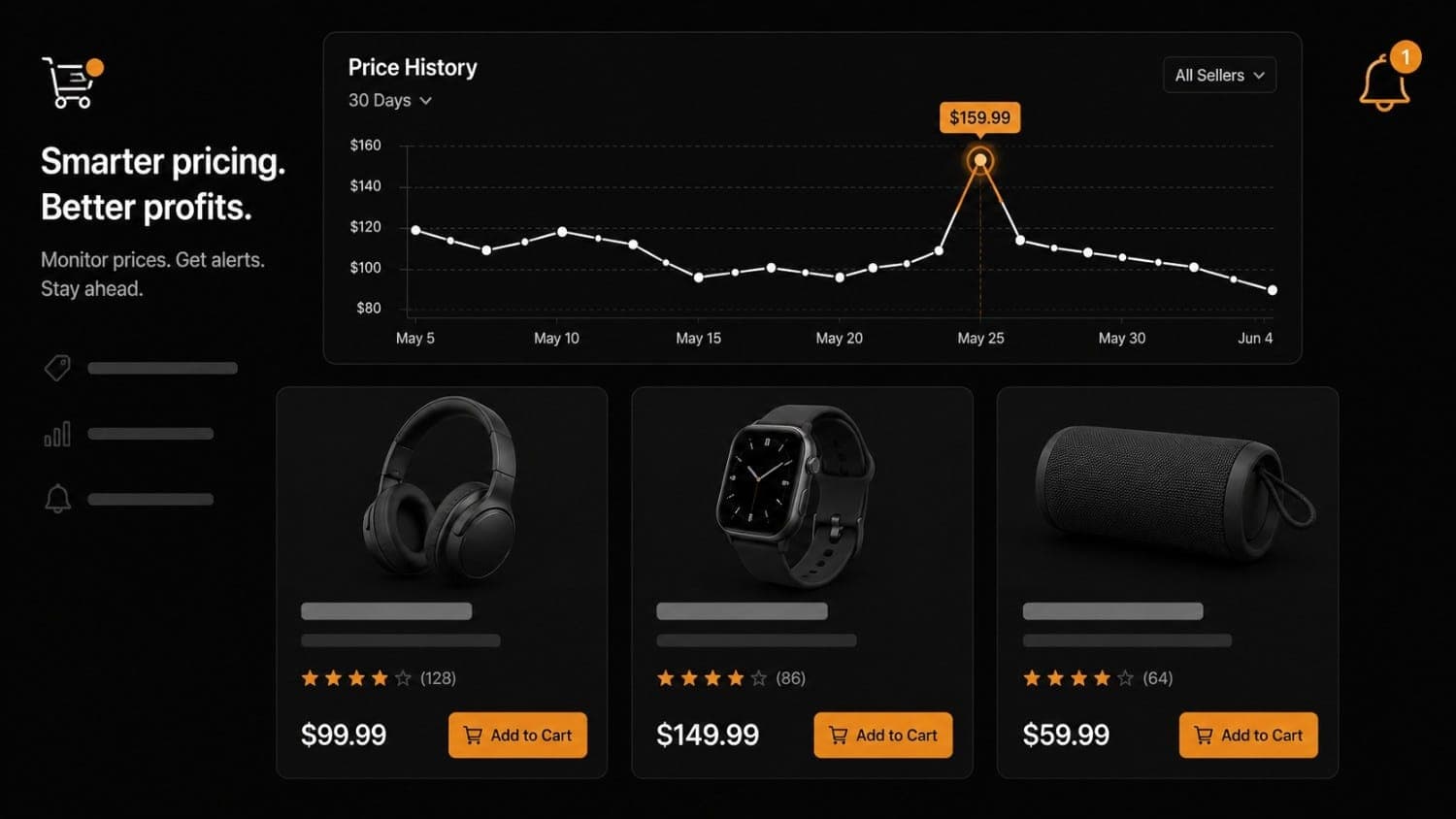
Best Price Monitoring Tools for Ecommerce in 2026
Your competitor dropped the price on their top-selling product at 2 a.m. By the time your team noticed — scanning the site manually the next afternoon — you had already lost a full day of sales to a more attractive offer.
That scenario plays out constantly in ecommerce. Price changes happen without warning, across hundreds of product pages, around the clock. Manual checking does not scale. The right price monitoring tool for ecommerce does what a human cannot: watches every URL continuously, detects the instant a number changes, and delivers an alert before the window closes.
This guide compares the seven best price monitoring tools available in 2026. For each tool we cover what it does, who it is built for, honest limitations, and current pricing. The goal is to help you pick the right one for your specific situation — whether you are a solo operator tracking three competitors or a team running price intelligence across thousands of SKUs.
What to look for in ecommerce price tracking software
Before the tool comparison, a short framework. The "best" price monitoring tool depends on three variables: the pages you need to track, how you plan to act on alerts, and whether your team has engineering capacity.
Page rendering. Static HTML pages are easy to monitor with any tool. Pages that load prices via JavaScript (React storefronts, dynamic product pages) require browser-mode rendering. Not every tool handles this by default — confirm browser support before you commit.
Alert logic. Some tools fire an alert on any change to a watched element. Others let you define conditions: "alert me only when the price drops by more than 5%," or "fire only when the stock field transitions from out-of-stock to in-stock." The second type, predicate-based alerting, dramatically cuts notification noise.
Integration with your workflow. A price alert that lands in an email inbox and requires a human to act is not automated monitoring — it is an automated FYI. For real competitive response, you want webhook delivery to a Slack channel, a repricing engine, or your own API endpoint so action can happen immediately.
Scale and scheduling. Solo operators with five competitors need something different from an enterprise running 10,000 SKUs. Check monitoring interval (how often the tool checks each URL) and per-URL pricing before scaling.
The 7 best price monitoring tools for ecommerce in 2026
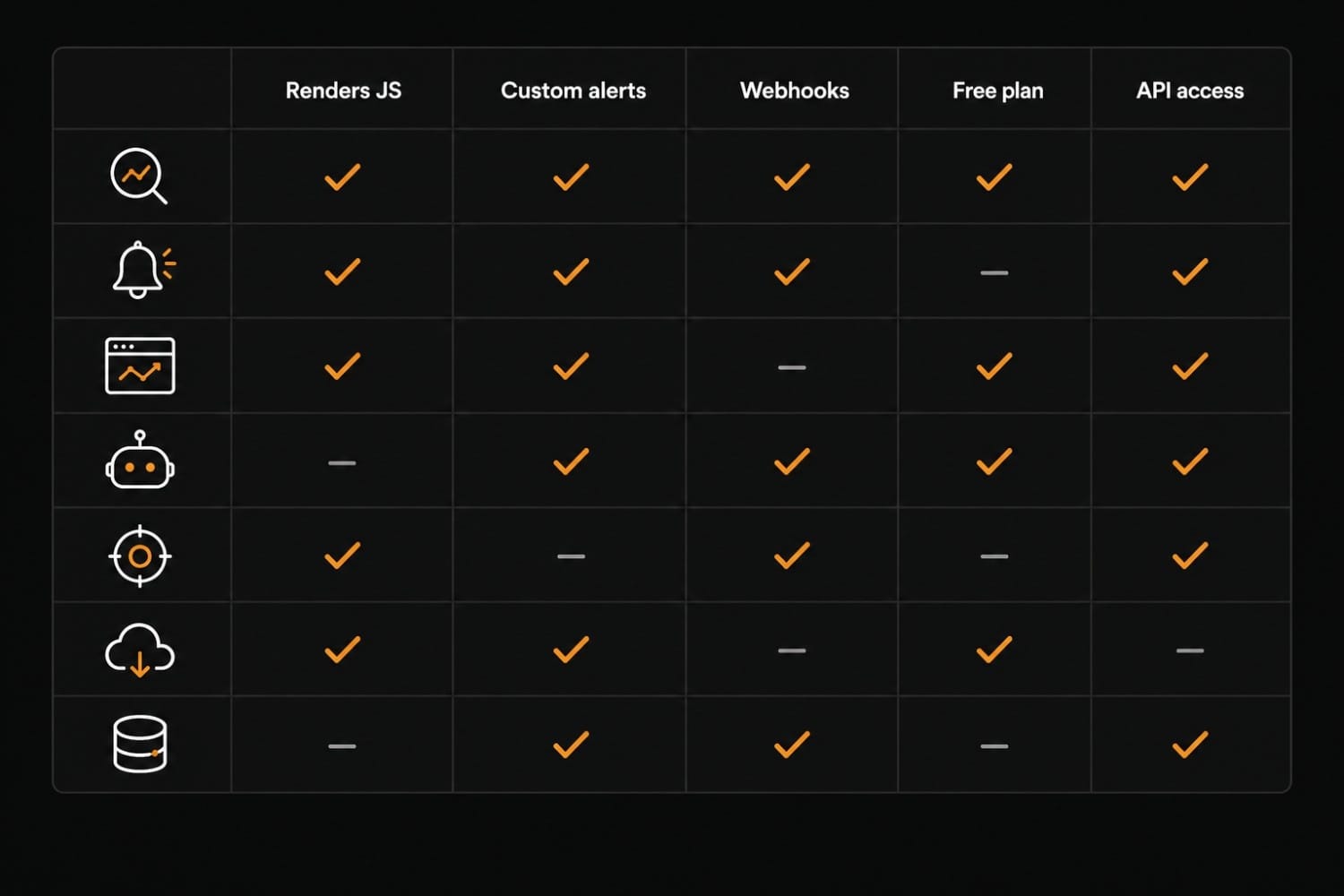
1. Verid — best for developers and teams that want full control
Verid is a website change-detection platform built with a developer-first architecture. Where most price monitoring tools ask you to click through a UI to configure tracking, Verid lets you define every monitor as a JSON config, deploy it via the REST API, and receive signed webhook payloads the moment a condition is met.
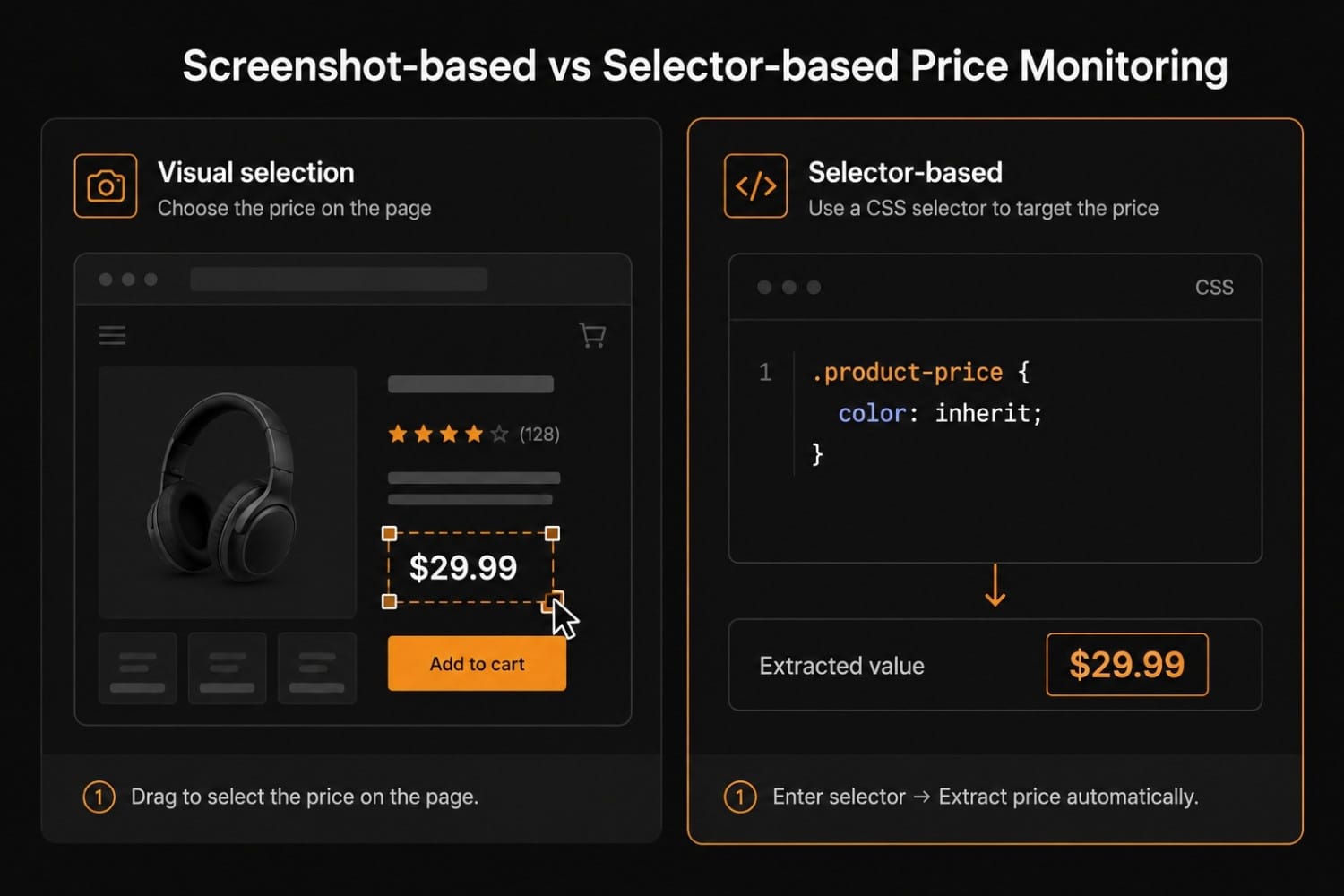
For ecommerce competitor price tracking, that means you can define a monitor that watches a specific CSS selector (.product-price, .offer-price, whatever the target page uses), specify a change threshold using predicates, and route the alert directly to your repricing system — all without building a scraper from scratch.
Key features:
- Browser-mode rendering by default — full Playwright-based browser execution handles JavaScript-heavy storefronts, lazy-loaded prices, and price comparison widgets without extra configuration
- Predicate-based alerting — define conditions at the monitor level:
field_decreases_by_percent,field_equals,field_changes,field_matches_regex, composite AND/OR logic. Alerts fire only when the condition is true, not on every fetch - Signed webhook delivery with HMAC-SHA256 signature verification, configurable retry schedules, and dead-letter queue visibility — so you know every alert was received
- REST API + Node.js SDK — create, update, and delete monitors programmatically. Every curl example in the docs is tested against production
- XPath and CSS selector support — extract the exact price field, not the full page diff
- MAP pricing compliance monitoring — watch resellers for minimum advertised price violations at scale
Pricing:
| Plan | Price | Runs per month |
|---|---|---|
| 14-day free trial | $0 | 200 (whole trial) |
| Lite | $9/month | 1,000 |
| Starter | $19/month | 5,000 |
| Pro | $49/month | 15,000 |
| Scale | $149/month | 100,000 |
Every plan includes unlimited monitors and can check as often as every 60 seconds; plans differ by runs per month, and each check uses one run. Every new account starts with a 14-day free trial, no credit card required. See the full pricing breakdown for a feature-by-feature comparison.
Limitations:
- The no-code setup experience is not as polished as Visualping or Prisync's UI — if your team does not have a developer, onboarding takes longer
- No built-in repricing engine (Verid detects and alerts; acting on the alert is your system's job)
- Fewer pre-built templates for specific retailers than Browse AI
Best for: Development teams that want webhook-driven price alerts wired into an existing infrastructure — repricing engines, Slack bots, internal dashboards. Also strong for MAP pricing compliance and restock monitoring where you need to monitor hundreds of URLs with different alert conditions per SKU.
2. Prisync — best purpose-built ecommerce price intelligence platform
Prisync is designed exclusively for ecommerce price intelligence. Unlike general-purpose monitoring tools, it organizes tracking around your product catalog — you import your SKUs, link them to competitor URLs, and Prisync maintains the mapping automatically.
Key features:
- Product catalog import (CSV, Shopify, WooCommerce)
- Automatic competitor URL discovery for linked products
- Dynamic pricing rules that update your store prices based on competitor moves
- Price history charts per SKU, per competitor
- GDPR-compliant email and Slack notifications
- Shopify and WooCommerce plugins for one-click repricing
Pricing: $99–$599/month depending on product count and whether you need marketplace channel tracking (prices as of June 2026 — verify at prisync.com before purchasing). No free plan; a 14-day trial is available.
Limitations:
- Expensive at scale — enterprise catalogs push pricing well above the standard tiers
- Dynamic pricing rules can undercut margins if misconfigured; requires careful review before enabling
- No webhook API for custom downstream systems — alerts go to email or Slack only
- Limited support for monitoring non-product pages (landing pages, promotional banners)
Best for: Mid-market and enterprise ecommerce teams that want a dedicated, catalog-linked competitive pricing platform with built-in repricing. Not ideal if you need to monitor structural page changes beyond prices.
3. Price2Spy — best for large catalogs with marketplace coverage
Price2Spy has been in the ecommerce price intelligence space since 2010 and shows it — the feature set is deep, the data coverage is broad, and the reporting is detailed. It monitors prices across your own site, competitor sites, and major marketplaces (Amazon, eBay, Google Shopping) simultaneously.
Key features:
- Monitors competitor websites AND marketplaces in a single dashboard
- Price violation reports (for brand owners enforcing MAP/MSRP)
- Repricing module with rule-based automation
- API access for programmatic data retrieval
- Email, SMS, and Slack alerts
- Price history export (CSV/Excel) for external analysis
Pricing: Publicly listed tiers starting at approximately $39.95/month for small catalogs, scaling to $157.95/month and above for larger product counts, with additional modules (repricing, API) priced separately (verify at price2spy.com before purchasing).
Limitations:
- UI is dense and takes time to learn — the depth that makes it powerful also makes it harder to navigate than newer tools
- Marketplace monitoring requires a higher-tier plan
- No free tier; trial available
- Not developer-native: API docs exist but are secondary to the UI-based workflow
Best for: Established ecommerce businesses or brand owners that need marketplace coverage alongside standard competitor monitoring, especially when MAP/MSRP enforcement is a priority.
4. Visualping — best for lightweight monitoring without engineering effort
Visualping is a general-purpose website change detection tool that works well for ecommerce price monitoring at small-to-medium scale. You paste a URL, draw a selection box around the price element on a screenshot, set a frequency, and Visualping emails or Slacks you when the selected area changes.
Key features:
- Visual selection via screenshot — no selectors, no code
- Email and Slack notifications on detected changes
- Screenshot diff with the changed area highlighted in the alert
- Free tier available (limited checks per month)
- Browser rendering for JavaScript-loaded content
- Team workspaces on paid plans
Pricing: Free tier available with limited monthly checks; paid plans start around $14/month (verify at visualping.io before purchasing). Pricing scales by number of pages and check frequency.
Limitations:
- Alert conditions are binary (changed / not changed) — no threshold-based filtering. You will receive a notification any time a price, promo label, or design element in the selection changes
- Screenshot-based selection can break when a site redesigns its layout
- No native webhook or API — alerts are email or Slack only
- Not designed for high-volume SKU monitoring across hundreds of URLs
Best for: Non-technical users who need simple price or content change alerts across a handful of competitor pages. Quick to set up; limited as a serious ecommerce intelligence platform.
5. changedetection.io — best open-source option for self-hosters
changedetection.io is an open-source website change detection project that you can self-host for free. For ecommerce teams with engineering capacity and a preference for owning their own data, it is the most cost-effective path to price monitoring at scale.
Key features:
- Fully open-source (MIT license) — deploy on your own infrastructure
- Browser-mode rendering via Playwright (configurable)
- CSS, XPath, and JSONPath extraction
- Notification support: email, Slack, Discord, ntfy, custom webhooks
- Filter rules to ignore specific parts of a page (e.g., ads, timestamps)
- Diff view showing exactly what changed between fetches
- Active community and frequent releases
Pricing: Free if you self-host. A hosted version is available at changedetection.io if you prefer not to run your own infrastructure (pricing starts at a few dollars per month for basic tiers — verify current pricing at changedetection.io before purchasing).
Limitations:
- Self-hosting requires server setup, ongoing maintenance, and monitoring the monitoring tool itself
- UI is functional but not polished — expect some rough edges compared to commercial products
- No built-in dead-letter queue, retry dashboard, or SLA guarantees for webhook delivery
- Alerting conditions are less sophisticated than Verid's predicate system — you can filter noise via regex, but compound threshold logic requires custom scripting
Best for: Technically capable ecommerce teams or solo developers who want the flexibility of open-source monitoring without a recurring SaaS fee. Also good for organizations with data-residency requirements.
6. Browse AI — best for no-code data extraction from structured pages
Browse AI is primarily a web scraping and data extraction tool with a monitoring capability layered on top. Its distinctive feature is a train-by-example model: you open a page in Browse AI's recorder, click on the elements you want to track, and the system learns to extract them from similar pages automatically.
Key features:
- No-code training via point-and-click recording
- 250+ pre-built robots for common retail targets (Amazon, Google Shopping, major marketplaces)
- Monitor mode with scheduled runs and alerts when data changes
- Structured JSON output for extracted fields
- Zapier, Make, and Google Sheets integrations
- API and webhook support for developer consumption
Pricing: Free tier available (limited runs/month); paid plans from approximately $19/month scaling by the number of credits and robot runs (verify at browse.ai before purchasing).
Limitations:
- Robots can break when target sites change layout — retraining is manual and time-consuming at scale
- Alert conditions are coarse: fires when any tracked field changes, with no threshold filtering
- Monitoring is secondary to its core scraping use case — the roadmap prioritizes extraction features
- Configuration is not portable: you cannot define monitors as code, commit them to a repo, or deploy them programmatically
Best for: Non-technical teams that need to extract structured pricing data from a handful of well-known retail pages quickly, particularly when pre-built robots cover the target sites.
7. Wiser (by Wiser Solutions) — best for enterprise price intelligence and in-store data
Wiser is an enterprise-grade price and market intelligence platform that combines online price monitoring with physical retail data (in-store shelf pricing, promotional compliance). It is built for brands and large retailers rather than individual sellers.
Key features:
- Online competitor price monitoring at scale
- In-store retail shelf monitoring (crowdsourced field data)
- MAP/MSRP violation detection across channels
- Dynamic pricing rules with ecommerce platform integrations
- Competitive intelligence dashboards and reporting
- Dedicated account management and onboarding
Pricing: Enterprise contract pricing — contact Wiser for a quote. Not publicly listed (verify at wiser.com before purchasing).
Limitations:
- Pricing is only available on request, which signals costs outside the range of small-to-mid businesses
- Implementation time is measured in weeks, not minutes
- Heavy on managed service; limited self-serve API capability for engineering teams
- Significant overkill for teams that just need URL-level price change detection
Best for: Large CPG brands, national retailers, or enterprise ecommerce operations that need both online price intelligence and physical retail compliance monitoring under one platform.
Comparison table: ecommerce price monitoring tools at a glance
| Tool | Starting price | Free plan | Browser rendering | Webhooks / API | Best for |
|---|---|---|---|---|---|
| Verid | $9/month | 14-day free trial, no card | Yes (Playwright) | Yes (signed webhooks + REST API) | Developers, API-driven workflows |
| Prisync | ~$99/month | No (trial) | Yes | Limited (Slack/email only) | Catalog-linked price intelligence |
| Price2Spy | ~$39.95/month | No (trial) | Yes | API on higher tiers | Large catalogs + marketplace coverage |
| Visualping | ~$14/month | Yes (limited) | Yes | No native webhook | Non-technical, small-scale |
| changedetection.io | Free (self-host) | Yes | Yes (Playwright) | Yes (custom webhooks) | Self-hosters, open-source preference |
| Browse AI | ~$19/month | Yes (limited) | Yes | Yes (API + webhook) | No-code data extraction |
| Wiser | Custom (enterprise) | No | Yes | Yes | Enterprise / in-store + online |
How to choose the right price monitoring tool
The tool list above covers a wide range of use cases. These decision filters help narrow it down.
Choose Verid if you are a developer or technical team that wants to define monitors as code, receive signed webhook payloads in your own system, and apply per-monitor alert conditions — or if you need to monitor Shopify and WooCommerce product prices across dozens of competitors with different selectors per SKU.
Choose Prisync if your ecommerce store runs on Shopify or WooCommerce and you want catalog-linked competitive pricing with built-in repricing rules, and you do not need the results delivered to a custom endpoint.
Choose Price2Spy if you need marketplace coverage (Amazon, Google Shopping) alongside standard competitor monitoring, and your catalog is large enough that the cost-per-URL is justified.
Choose Visualping if you have fewer than 20 competitor pages to watch, your team has no engineering capacity, and email-or-Slack alerts are sufficient.
Choose changedetection.io if you want the flexibility of open-source, you have the engineering capacity to self-host, and data residency or cost is a priority.
Choose Browse AI if your price monitoring targets are well-known retail pages already covered by pre-built robots, and you want extracted structured data rather than just change alerts.
Choose Wiser if you are an enterprise brand or retailer that needs both online and in-store price intelligence under a managed service model.
Getting started with automated price alerts
The fastest path from "I want price monitoring" to "price alerts are live" varies by tool, but the workflow is similar across all of them.
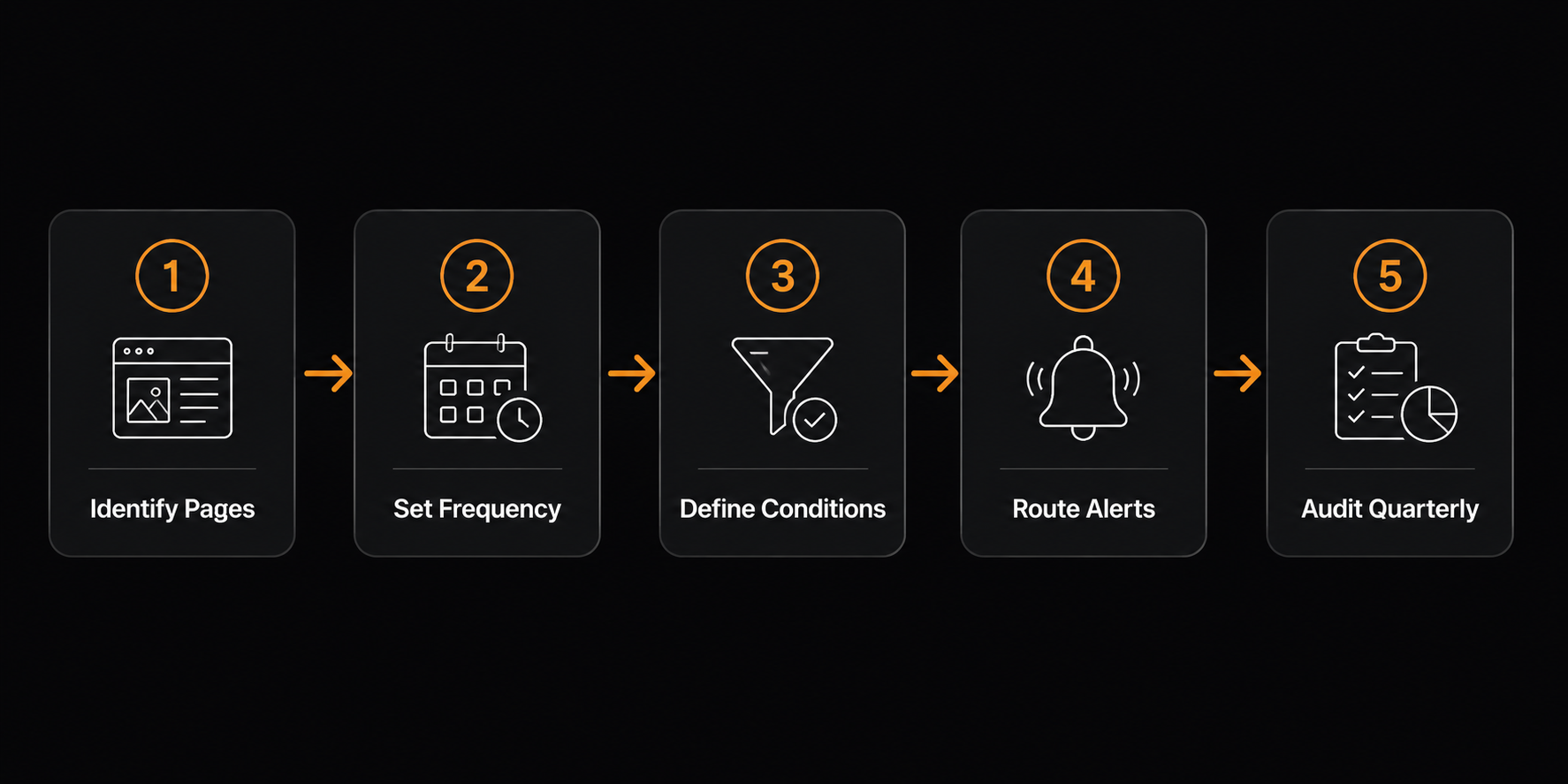
Step 1 — Identify the pages and elements to monitor. For each competitor URL, determine whether the price is in the raw HTML (inspect the DOM) or loaded via JavaScript. CSS class, data-* attribute, or text visible in the rendered page? Note the selector.
Step 2 — Set the check frequency to match your response window. If your team can only act on price changes during business hours, hourly checks are sufficient. If you have automated repricing, you want the fastest interval the tool supports.
Step 3 — Define alert conditions, not just change triggers. "Alert me when the price changes" produces noise. "Alert me when the price drops by more than 3%" produces actionable intelligence. Tools that support predicate-based alerting pay for themselves in reduced false positives.
Step 4 — Route alerts to the system that takes action. Email is the lowest-friction setup but the slowest to act on. Slack is better. A webhook to your repricing engine or internal API is best. Decide where action happens before you pick the alert destination.
Step 5 — Audit your monitors quarterly. Target sites change their HTML structure, move price elements behind authentication, or shift to client-side rendering. A monitor that silently stopped working three months ago is worse than no monitor — you think you have coverage when you do not.
If you want to start with five competitors today, Verid's 14-day free trial includes unlimited monitors, 200 runs (enough to check five competitors daily for the whole trial), and 14 days of history — no credit card required, setup takes under five minutes. After the trial, Lite at $9/month (1,000 runs a month) covers five competitors checked daily.
Frequently asked questions about price monitoring tools for ecommerce
What is a price monitoring tool for ecommerce?
A price monitoring tool for ecommerce is software that automatically watches competitor product pages (or your own listings on marketplaces) and alerts you when prices change. Instead of manually checking dozens of URLs, you configure monitors once and receive alerts when a price crosses a threshold you define.
Most tools work by fetching the target page on a schedule, extracting the price element using a CSS selector or visual region, comparing it to the previously stored value, and firing a notification if the comparison meets your alert condition.
How often should I monitor competitor prices?
It depends on your market and your ability to respond. In categories with frequent, automated repricing (electronics, consumer goods on Amazon) prices can change multiple times per day — monitoring at 15-minute intervals is not unusual. In less volatile categories, hourly or even daily checks are sufficient.
Start with the interval that matches your response window. If your team can only act during business hours, monitoring every five minutes overnight adds no value.
Can price monitoring tools track JavaScript-rendered prices?
Yes — most modern tools include a browser-rendering mode that executes JavaScript before extracting data, which is required for storefronts built on React, Vue, or Next.js where prices load dynamically. Confirm that browser mode is enabled (and not gated to a higher tier) before committing to a tool for JS-heavy sites.
Do I need a developer to set up price monitoring?
It depends on the tool. Visualping and Browse AI are designed for non-technical users — you configure monitors through a UI with no code required. Prisync and Price2Spy are UI-first but assume familiarity with product catalog management.
Verid requires basic familiarity with CSS selectors and HTTP APIs. The payoff is precise control, portable configuration, and webhook delivery to your own systems. For teams with any engineering capacity, the few extra minutes of setup are worth it.
What is the difference between price monitoring and competitive price intelligence?
Price monitoring is the detection layer: watching specific URLs and alerting when a value changes. Competitive price intelligence is broader: aggregating price data across a competitor's full catalog, analyzing positioning relative to market, and informing pricing strategy.
Most tools in this guide focus on monitoring. Prisync, Price2Spy, and Wiser overlap into intelligence by organizing monitored data around your product catalog and generating strategic reports.
How do I monitor MAP pricing compliance?
MAP (Minimum Advertised Price) compliance monitoring means watching every authorized reseller's product listings and alerting your team when a price drops below the MAP threshold. This is a specific flavor of price monitoring where you are not watching competitors — you are watching your own distribution channel.
Verid's MAP pricing compliance use case covers this pattern: define a monitor per reseller URL, set a predicate that fires when the extracted price drops below your MAP, and route alerts to your brand enforcement team via webhook or Slack.
Are free price monitoring tools reliable?
Free tools and free tiers have real limitations — lower check frequency (daily in many cases), fewer monitored URLs, and reduced support. For casual monitoring of a handful of competitor pages, free plans are genuinely useful. For production ecommerce operations where a missed price change costs real margin, free-tier limitations become a real constraint.
changedetection.io (self-hosted) is the exception: it is free with no artificial limits, but you pay in engineering time and infrastructure maintenance.
The bottom line
The best price monitoring tool for ecommerce is the one that fits between your team's technical capacity and the scale of your competitive landscape.
For non-technical teams watching a handful of competitors, Visualping or Browse AI get you live in minutes. For catalog-centric ecommerce operations that want built-in repricing logic, Prisync or Price2Spy are purpose-built for the job. For self-hosters and cost-conscious developers, changedetection.io offers real flexibility with no recurring fee.
If you are a development team that wants to wire price alerts directly into your own systems — webhook-first, predicate-based, with full API control — Verid is built for that workflow. The 14-day free trial covers unlimited monitors and 200 runs with no credit card required, and paid plans start at $9/month for 1,000 runs. If you want to track Shopify or WooCommerce competitor prices specifically, the Shopify product stock and price monitoring use case shows the exact setup.
Pick the tool that matches where your team actually is — not where you imagine you might scale to eventually.
About the author

Software Engineer
Suleman is a software engineer working on backend systems and browser automation at Verid. Much of his time goes to the unglamorous half of monitoring: brittle selectors, anti-bot interstitials, dedupe logic, and that’s what he writes about.
More from Suleman →Related posts
Best Competitor Pricing Tools in 2026: Compared for Developers and Growth Teams
Compared: the best competitor price tracking software and tools for 2026 — features, pricing, and the API-first pick for developers.
Read the post →ecommerceHow Ecommerce Teams Use Structured Price Monitoring to Win on Margins
How ecommerce teams use structured price monitoring to protect margins, automate competitor alerts, and make faster repricing decisions.
Read the post →website monitoringBest Tools to Monitor Government Websites for Policy Changes in 2026
Compare free, no-code, developer, and enterprise tools for tracking government website and policy changes, plus how to build alerts that skip the noise.
Read the post →website monitoringWebsite Monitoring vs Uptime Monitoring: What's the Difference?
Uptime monitoring checks if a site is up. Website monitoring checks what it says. Learn the difference and when you need both.
Read the post →