How to Monitor Website Changes (And Get Notified Automatically)
Manually refreshing pages to check if something changed is the kind of task that sounds simple but compounds into real lost time. Pricing shifts overnight. Compliance documents update without notice. Competitor landing pages quietly swap a headline. By the time you catch it, the window to act has closed.
This guide explains how to monitor website changes automatically — what the process looks like, which scenarios call for which approach, and how to set up monitoring that actually alerts you in time to do something about it.
How website change alerts actually work
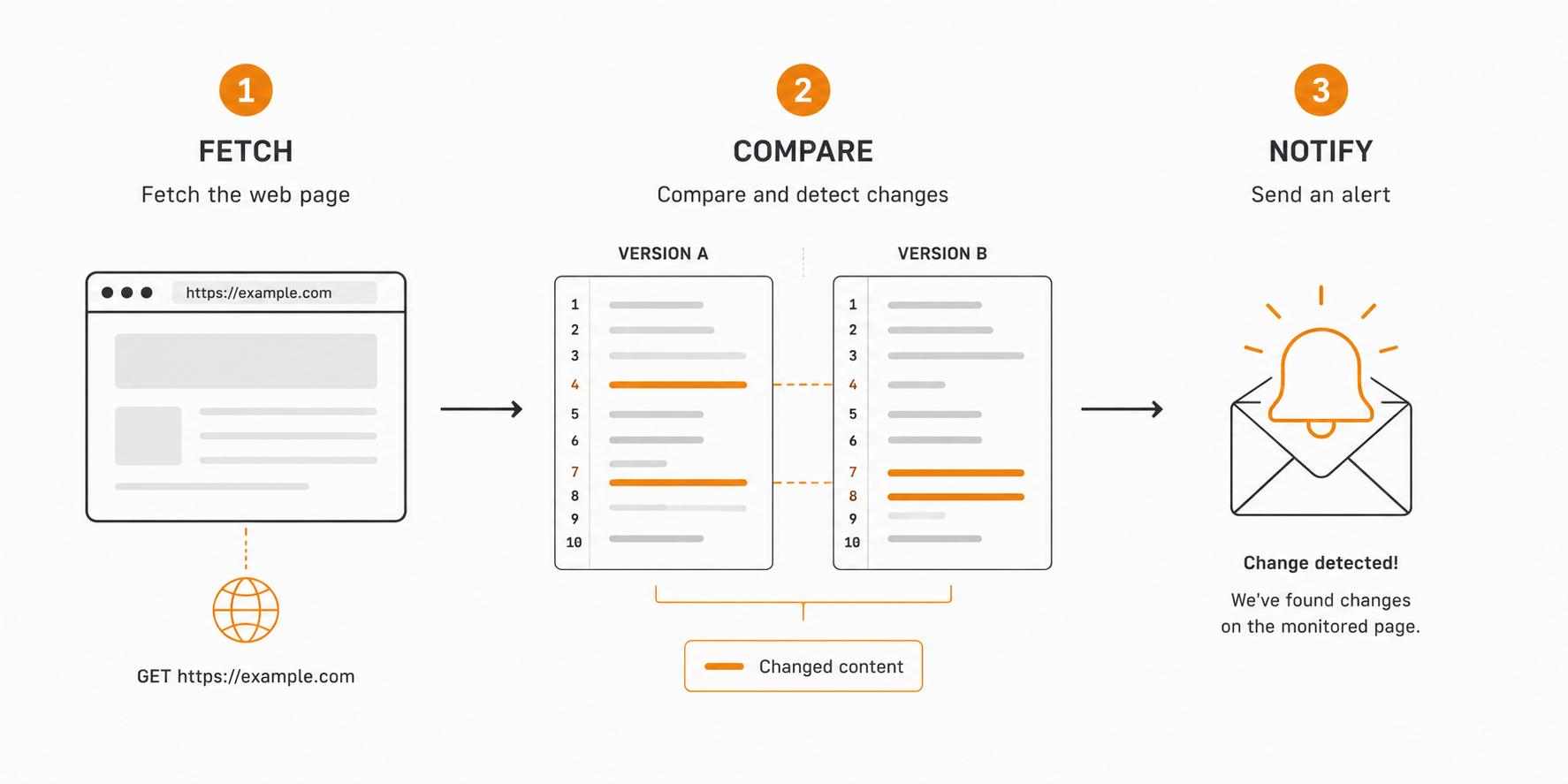
Website change monitoring is the automated process of fetching a page on a schedule, comparing the current version against a saved snapshot, and triggering an alert when a difference is detected.
At the most basic level, a monitor does three things:
- Fetches the target URL at a set interval (hourly, every 15 minutes, daily)
- Diffs the new content against the previous version
- Notifies you — via email, webhook, or Slack — when the diff is non-empty or crosses a threshold
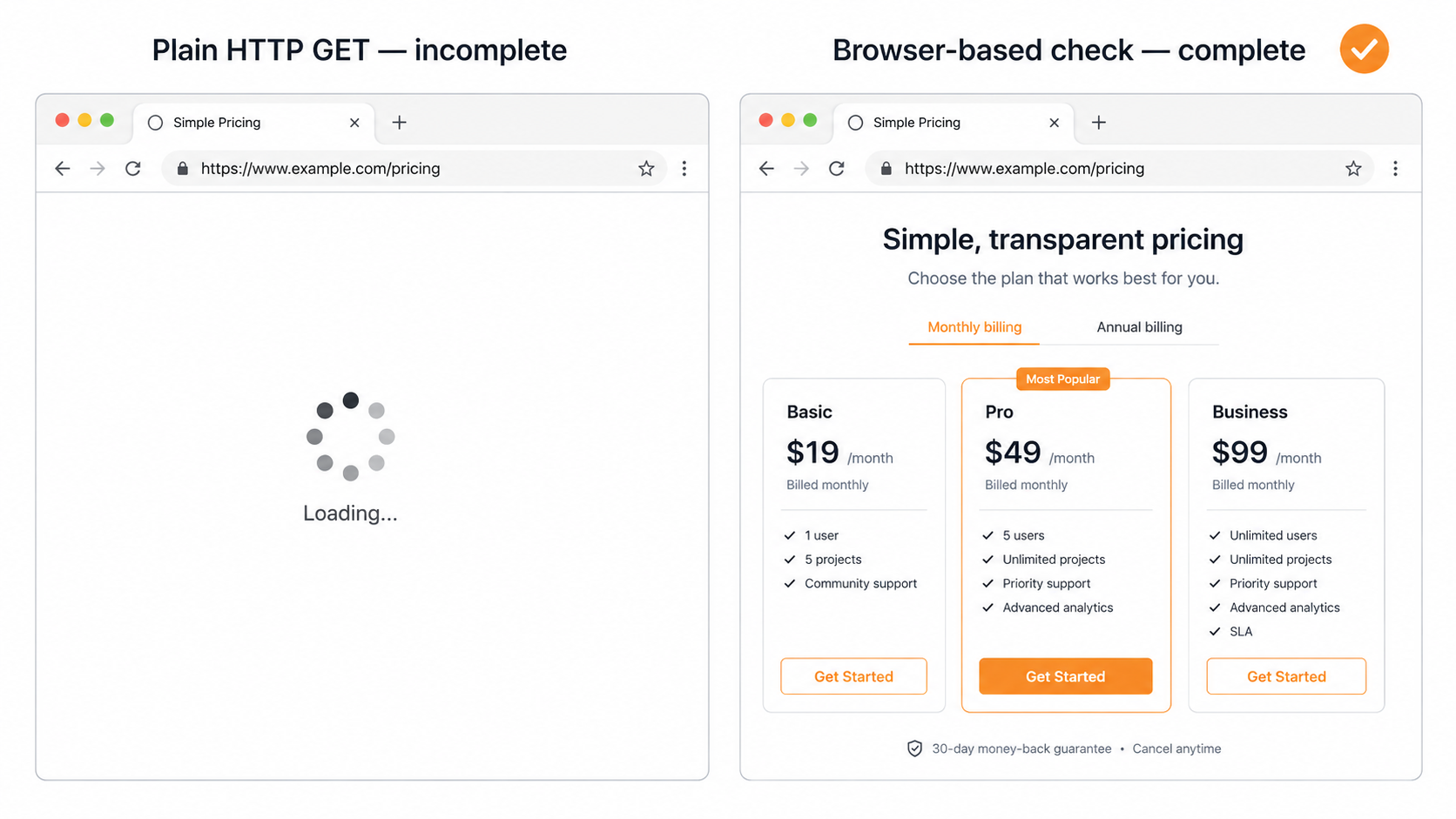
The "diff" step is where tools diverge. Simple monitors compare raw HTML. More precise tools strip navigation and boilerplate, let you target a specific CSS selector or XPath, and only flag changes inside the region you care about. For JavaScript-heavy pages that render content client-side, the monitor needs a real browser to get an accurate snapshot — a plain HTTP GET will miss anything loaded after page paint.
Why people track website changes
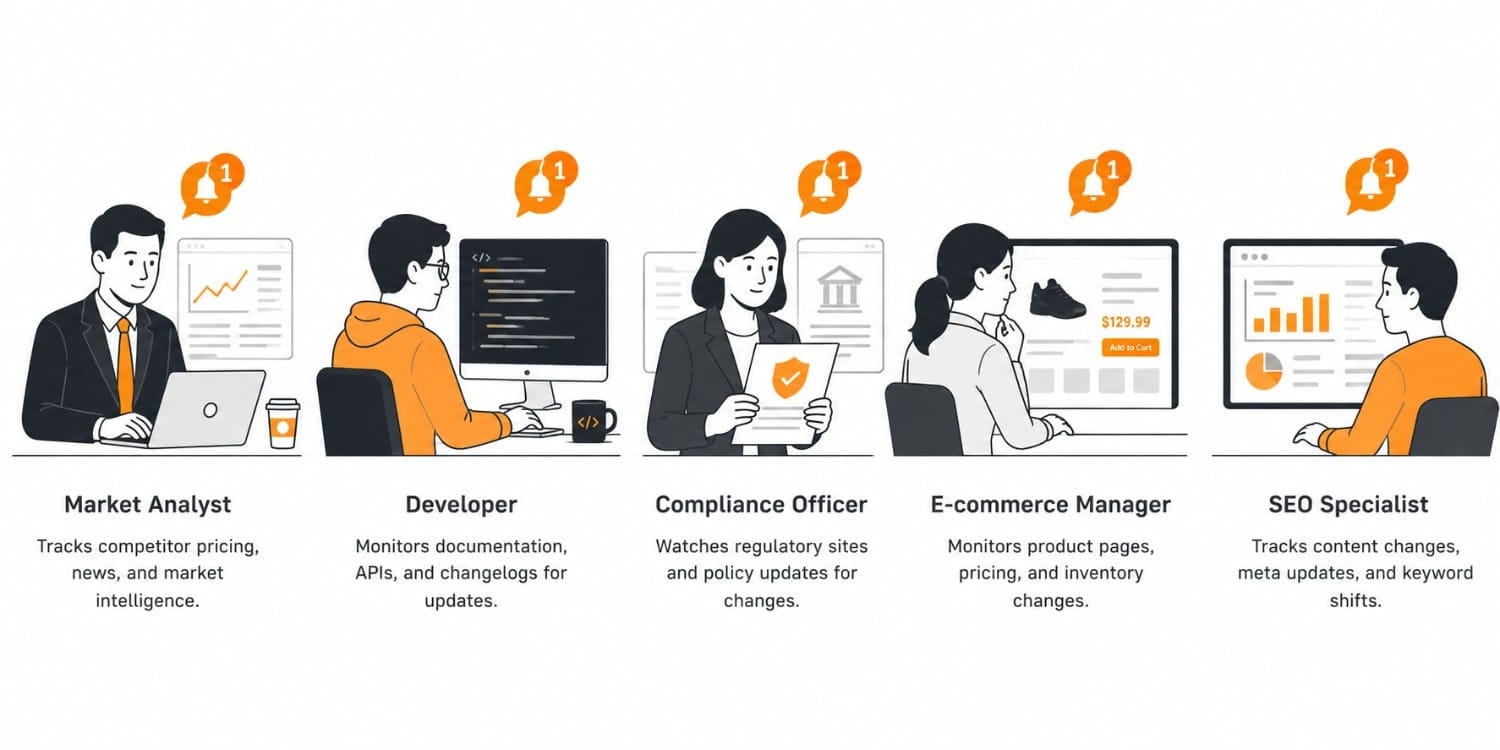
The reason to monitor a website for changes varies by role, but the underlying problem is always the same: information shifts without warning, and the cost of missing it is high.
Competitive intelligence. Product teams and analysts watch competitor pricing pages, feature announcements, and landing copy. A price cut on a competing plan, or a new tier quietly added to a pricing page, is exactly the kind of signal that gets buried in the noise. Competitor price tracking is one of the highest-ROI use cases for automated monitoring.
Compliance and legal. Legal and procurement teams need to track website changes on supplier terms, data-processing agreements, and regulatory filings. A change to a vendor's terms of service can have downstream legal exposure if you don't catch it. Verid's terms of service and privacy policy drift use case covers this pattern in detail.
E-commerce and inventory. Buyers track competitor prices, restock windows, and promotional changes. When a product page flips from "out of stock" to "available," response time is measured in minutes, not days. See the restock alerts use case for how that workflow is typically structured.
SEO and content teams. When you're tracking SERP results or auditing your own pages, you need to know when titles, meta descriptions, or structured data change. SEO title and meta description drift covers monitoring your own pages; SERP monitoring covers tracking rankings and featured snippets.
Engineering and operations. Developers watch third-party API docs, status pages, and dependency release notes. A breaking change in an upstream API, or a new version of an npm package, can surface days before it causes an incident — if you're watching for it.
The 5 ways to get alerted when a web page changes
The most common ways that are used to get alerted when a website or a web page changes:
1. Manually refreshing the page
the baseline; why it fails (slow, you forget, no audit trail).
2. A browser extension (Distill, Visualping extension)
free, runs locally, dies when the tab/laptop is closed; no team routing.
3. Google Alerts or an RSS reader
only indexes content/news, can't watch an arbitrary field like a price or stock state. Link inline to /blog/google-alerts-alternatives.
4. A DIY script (cron + headless browser + diff)
most flexible, but you own selector rot, proxies, retries. Link inline to /blog/build-vs-buy-website-change-detection.
5. A change-detection API (Verid)
scheduled checks, field-level scope, HMAC-signed webhook. This is the recommended pick; lead the CTA here.
| Method | Setup effort | Watches a specific field? | Renders JS pages? | Alert type | Cost | Best for |
|---|---|---|---|---|---|---|
| Manual refresh | None | — | — | None (you look) | Free | One page, one time |
| Browser extension | Low | Partial (visual region) | Sometimes | Desktop popup | Free–$ | Personal, low-stakes |
| Google Alerts / RSS | Low | No (content/news only) | No | Email/feed | Free | News & mentions, not page fields |
| DIY script | High | Yes (you build it) | Yes (you maintain it) | Whatever you code | Eng time + infra | Teams who are a scraping shop |
| Verid API | ~5 min | Yes (CSS/XPath/JSON/regex) | Yes, automatic | Signed webhook, Slack, email | 14-day free trial, then from $9/mo | Developers & teams who want zero infra |
How to set it up in Verid (under 5 minutes)
The setup process is the same whether you're watching one page or one thousand. Here's how it works in Verid.
Step 1: Choose the URL and define the scope
Paste the URL of the page you want to watch. Then decide whether you want to monitor the entire page or a specific element.
Monitoring the full page is fine for simple, mostly-static pages. For anything with ads, live prices in sidebars, or navigation that changes frequently, you'll want to scope to a CSS selector or XPath that targets only the content region you care about. Without scoping, you'll get noisy alerts every time an ad rotates.
If the page loads its content via JavaScript — most modern SPAs, any React or Next.js app — make sure your monitoring tool can render the page in a real browser. Verid runs a headless browser for every check by default, so you get the fully rendered DOM, not just the server-sent HTML.
Step 2: Set check frequency
How often the monitor runs determines how quickly you get notified when a website changes. Every Verid plan, including the 14-day free trial, can check as often as every 60 seconds. Each check uses one run, so plans differ by how many runs you get each month:
| Plan | Runs per month | Covers roughly |
|---|---|---|
| 14-day free trial | 200 for the trial | About 14 pages checked daily |
| Lite | 1,000 | About 33 pages daily, or 1 hourly |
| Starter | 5,000 | About 6 pages checked hourly |
| Pro | 15,000 | About 20 pages hourly, or 5 every 15 min |
| Scale | 100,000 | About 138 pages checked hourly |
Choosing the right interval is a cost-vs-latency tradeoff. Daily checks are sufficient for terms-of-service pages that change a few times a year. A pricing page for a direct competitor probably warrants hourly at minimum. See Verid's pricing page for the full breakdown.
Step 3: Configure alerts and delivery
Set where notifications go when a change is detected. The three most common delivery options:
- Email — lowest friction, works for most personal or small-team setups. You get a diff in the email body showing exactly what changed.
- Webhook — sends the change payload to a URL you specify, so you can pipe it into Slack, PagerDuty, or your own pipeline. Verid signs every webhook with an HMAC-SHA256 signature (
Verid-Signatureheader) so you can verify authenticity on your end. - Slack / Teams — direct integration; the diff lands in whichever channel you choose.
For teams, webhooks are the right default. You get automated website monitoring that plugs into existing incident or review workflows rather than asking people to check their email.
Step 4: Review the first diff
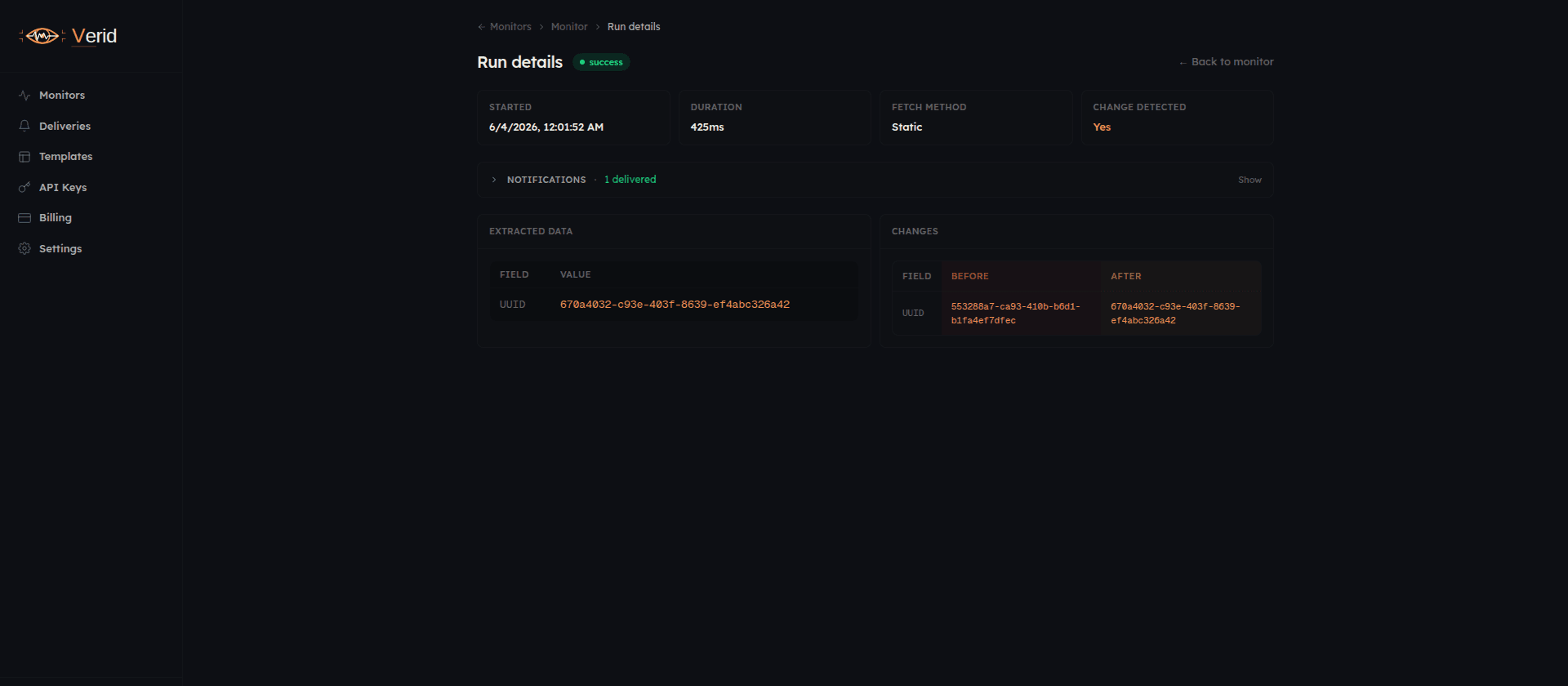
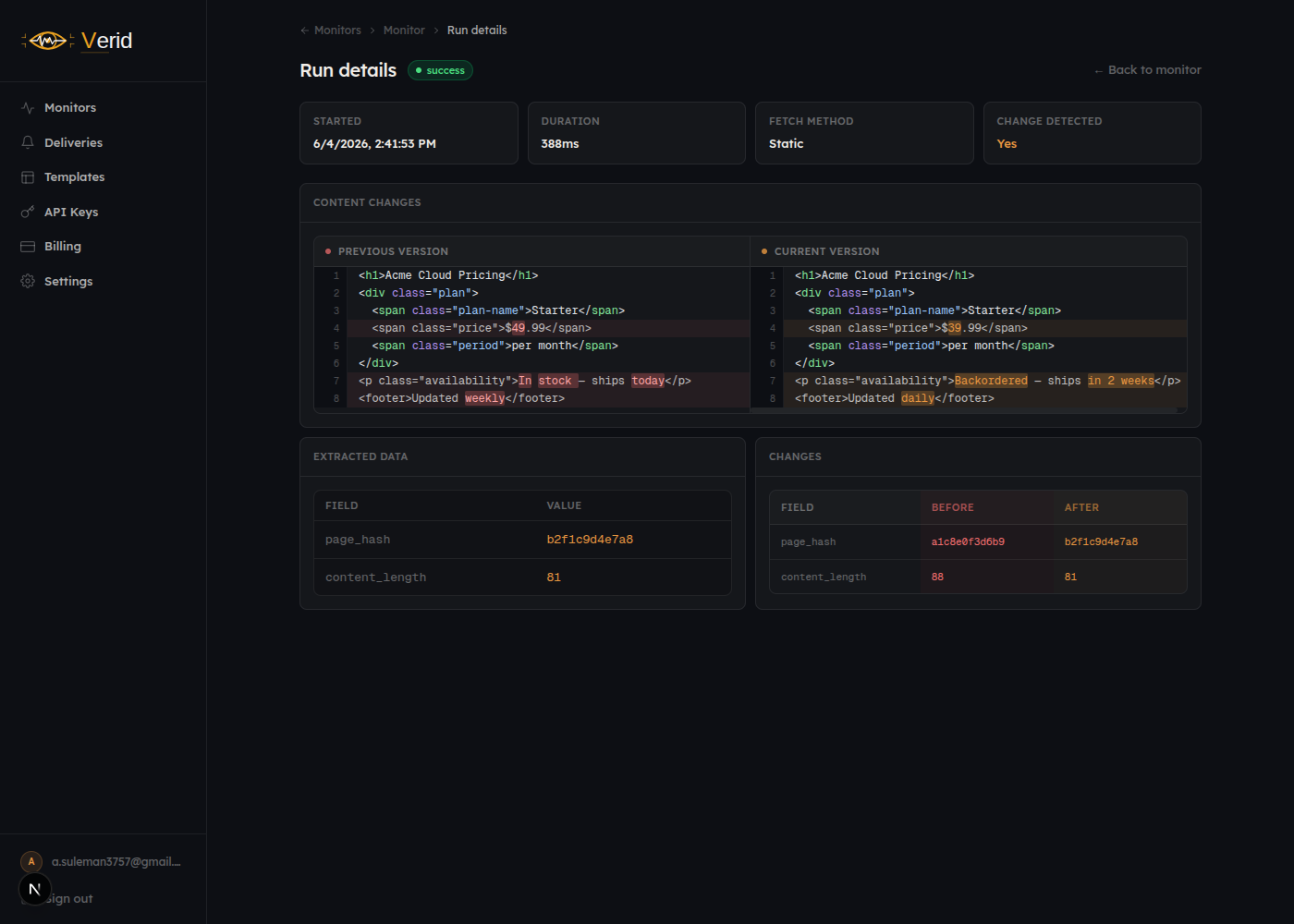
Once the first check runs, Verid stores a snapshot. The next check compares against it and highlights additions in one color and removals in another — similar to a git diff. You can scroll through the diff, see exactly which text or attributes changed, and decide whether it's actionable.
This is also when you tune the scope. If the diff is picking up noise — timestamps, ad banners, "last updated" fields — narrow the selector and re-save the monitor.
When change detection gets harder
Most pages are straightforward. A few common situations require more thought.
JavaScript-rendered pages. Any page that builds its DOM client-side after the initial HTML response — think SPAs, Next.js apps, Shopify storefronts — will return a nearly empty document to a plain HTTP fetch. You need a browser-based monitor that waits for the page to fully render. Verid's backend uses a real browser for every check, so this is handled automatically.
Pages behind authentication. Monitoring a page that requires login adds complexity. The typical approach is to run a script that authenticates and then fetches the protected URL. This works but requires maintaining credentials in your monitoring setup. If the session expires, the monitor silently fails.
Rate-limited or bot-protected pages. Some sites block automated fetches with CAPTCHAs or IP rate limits. This is a genuine constraint — there is no clean solution that doesn't involve respecting the site's robots.txt and terms. Check the target site's terms before monitoring it.
High-frequency monitoring at scale. If you need to monitor a website for changes across hundreds of pages — think government contract and tender postings or job listings for keywords — check frequency and concurrency matter. At scale, a per-monitor cadence of every 5 minutes means your infrastructure is running thousands of browser sessions per hour. Verid's Scale plan is built for this, but it's worth modeling your volume before choosing a tier.
What to do once you get notified
Getting the alert is the easy part. The harder question is what happens next.
For competitive signals, a pricing change notification is only valuable if someone can act on it within the right window. That usually means routing the webhook to a Slack channel where the relevant team member will see it during working hours — not to a personal email inbox they check twice a day.
For compliance, an alert on a supplier's terms page should trigger a review workflow, not just get read and forgotten. The diff Verid captures is a starting point: a redline of the exact paragraphs that changed. That diff is what you forward to legal, not a screenshot or a description.
For engineering, a change to a third-party API's documentation or a status page incident detection alert should feed into your incident response pipeline. The webhook payload Verid sends includes the URL, timestamp, and a structured diff — it's designed to be ingested programmatically.
Start monitoring in under 5 minutes
Setting up your first monitor on Verid takes less than 5 minutes and requires no credit card. The 14-day free trial covers unlimited monitors and 200 runs - enough to start tracking competitor pages, compliance documents, or any pages where you're currently checking manually.
If you're monitoring a larger set of pages or need faster check intervals, the Starter plan at $19/month gives you 5,000 runs a month, enough for about 6 pages checked hourly. See all plans on the pricing page.
Frequently Asked Questions
How do I get an email when a web page changes?
Create a monitor on the page, choose email as the delivery channel, and set a check interval. Verid fetches the page on schedule, diffs it against the last snapshot, and emails you the exact diff the moment something changes. The 14-day free trial includes unlimited monitors and 200 runs, with no credit card.
Can I get alerted when a web page changes without installing anything?
Yes. A hosted change-detection service like Verid runs the checks on its own infrastructure, so there's no browser extension to install or script to keep running. You paste the URL, pick what to watch, and choose where the alert goes (email, Slack, or a signed webhook).
What's the difference between monitoring a whole page and a single field?
Whole-page monitoring flags any change, including noise like ad rotations, timestamps, and session tokens. Field-level monitoring scopes the check to a CSS selector, XPath, JSONPath, or regex match, so you only get alerted on the value you actually care about — for example a price or a stock status.
How often can change detection check a page?
On Verid, any plan, including the free trial, can check a page as often as every 60 seconds. Each check uses one run, so faster intervals use your monthly runs sooner (daily is about 30 runs a month, hourly about 720). Pick the interval based on how quickly a change becomes actionable for you.
Can it detect changes on JavaScript-heavy pages?
Yes, if the tool renders the page in a real browser. A plain HTTP fetch returns an empty shell for SPAs and React/Next.js sites. Verid runs a headless browser on every check, so client-side-rendered content is captured.
Is it free to monitor a website for changes?
Verid offers a 14-day free trial with unlimited monitors, 200 runs, 14-day history, and signed webhook delivery, with no credit card. It's enough to test watching competitor pages, compliance documents, or any page you currently re-check by hand; after the trial, paid plans start at $9/month for 1,000 runs.
About the author

Software Engineer
Suleman is a software engineer focused on web-data infrastructure. He works on Verid’s scraping and change-detection stack, and covers CSS and XPath selectors, JSON API monitoring, and how to design alerts developers won’t end up muting.
More from Suleman →Related posts
How to Build a Website Change Detector (Node.js Guide + When to Buy)
Build a website change detector in Node.js from scratch — then learn exactly where DIY breaks down and when a managed API is the smarter call.
Read the post →change detectionFree Website Change Monitors Compared (No Card Required)
Compare free website change monitors that need no credit card. Real limits, check frequency, and which tool actually fits your use case.
Read the post →website monitoringBest Tools to Monitor Government Websites for Policy Changes in 2026
Compare free, no-code, developer, and enterprise tools for tracking government website and policy changes, plus how to build alerts that skip the noise.
Read the post →how-toHow to Use AI Extraction to Monitor Pages That Break CSS Selectors
Selectors break when sites redesign. See how AI extraction keeps monitors alive, with real Verid configs, code, and a selector vs LLM comparison.
Read the post →